Companies can now transfer aircraft directly to another company without going through the classifieds marketplace. The transfer dialog shows a preview your net worth impact before confirming. Transfers are validated against the receiving company's AOC level (the aircraft's MTOW must be within their certification), aircraft ownership limits for free users, and a net worth floor (the sender's net worth cannot go negative as a result of the transfer). Any active classified listing on the aircraft is automatically cancelled when transferred.
Collaboration dashboard map view (FSC-3886)
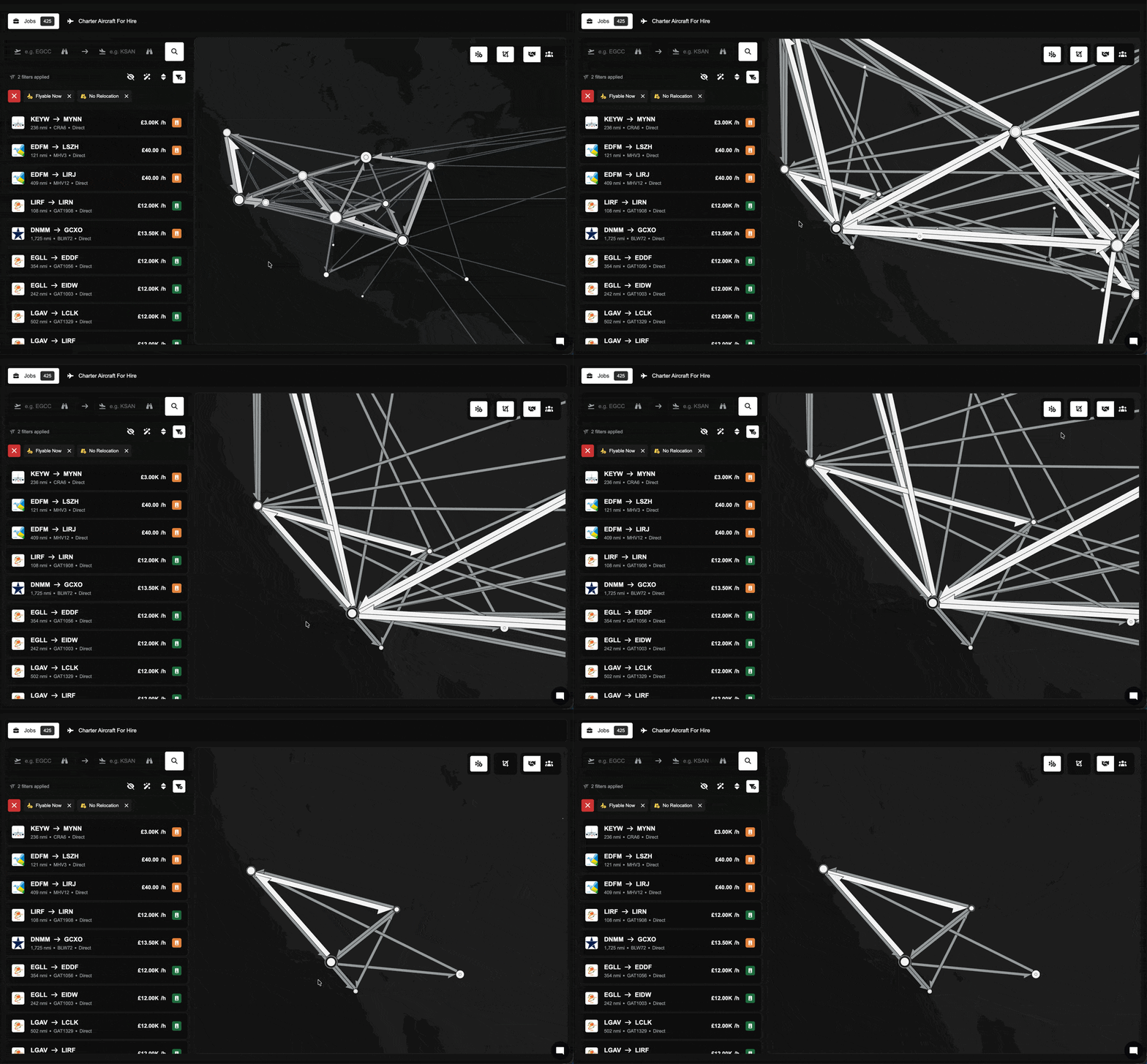
The Collaboration Dashboard now includes a Map tab that visualises collaborative passenger flows between airports. You can toggle between inbound and outbound views, hover over airports to see passenger counts and cabin class breakdowns, and click on airports to open the detail dialog.
Return route creation (FSC-3716)
When creating a new route in the Operations Cockpit, you can now tick an "Also create return route" checkbox. After the outbound route is created, the form immediately re-opens with departure and arrival airports swapped and pricing copied over, ready for you to review and adjust.
Broker listing price decay (FSC-3898)
Aircraft listed for sale through a broker now gradually reduce in price over time. Prices drop by 5% of the original listing price for every 30 days the listing remains unsold, down to a floor based on what the broker originally paid. Reduced listings show the original price struck through alongside the current price in the classifieds marketplace. You can also filter and sort by discount to find deals.
Improvements
Routes with insufficient slots now display in red (FSC-3740)
Routes that are disabled due to insufficient airport slots now render as red lines on the Operations Cockpit map, making network problems visible at a glance. Manually disabled routes remain transparent as before. Hovering over a problem route (either on the map or in the routes dock) highlights it in red at full opacity.
Aircraft valuations now use market value
Aircraft are now valued at their current market price (based on aircraft type) rather than their original purchase price. This affects net worth calculations, transfer previews, and classified sale gates. All existing aircraft valuations have been updated accordingly. As a result, your company's net worth may have increased as a result of this.
Broker purchase prices adjusted
The price brokers pay when purchasing your aircraft has been rebalanced. Free users now receive 60% of market value (previously 80%) and premium users receive 70% (previously 85%).
Net worth safety gate on classified sales
Selling an aircraft through the classifieds marketplace is now blocked if the sale would push the selling company's net worth below zero. Listings that would cause this are automatically cancelled, and the seller is notified with an explanation.
Base Operations "Owned" filter
A new filter in the Base Operations lens of the Operations Cockpit lets you show only airports where your company has base operations (buildings, operations centres, or agreements).
Bug Fixes
Collaboration dashboard delivery rate was stuck at 0% (FSC-3906)
The delivery rate metric on the Collaboration Dashboard wasn't updating because it was counting demand records rather than actual passengers. It now sums passenger counts correctly, and a trend indicator shows whether your delivery rate is improving or declining compared to the previous 30-day period.
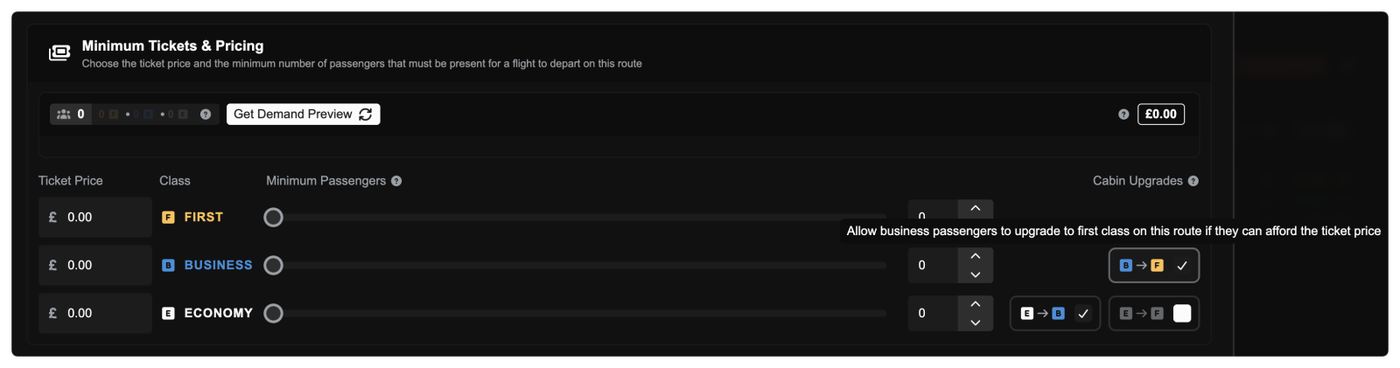
Passengers travelling on routes can now upgrade to a higher cabin class when they can afford the ticket price and seats are available. Economy passengers may upgrade to business or first class; business passengers may upgrade to first. Native-class passengers always get priority — upgrades only fill remaining seats.
Cabin upgrades for routes are available on the Premium Core plan and above. This is controlled at two levels. A company-wide setting enables or disables upgrades entirely (enabled by default), and individual routes can then be toggled independently (also enabled by default). Both settings are available in company settings and route configuration.
More realistic seat assignments
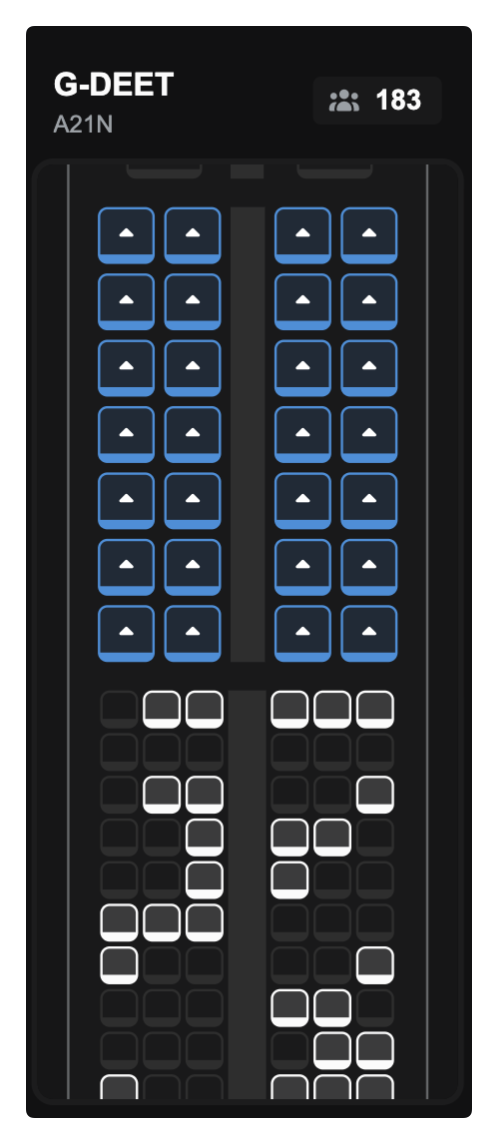
The seat map now distributes passengers the way a real flight looks. Passengers are spread across the cabin rather than clustered together, travelling groups are seated in adjacent blocks and passengers are nudged toward window seats where available. At high load the cabin fills front-to-back.
Bug Fixes
Free users could purchase more aircraft than their plan allows
The aircraft ownership limit for free accounts was not being enforced when buying from the classifieds marketplace. This has been corrected.
Some aircraft were incorrectly frozen from the V1 migration
A number of aircraft were left in a frozen state during the transition from V1 to V2. A migration has been applied to unfreeze these aircraft and restore them to normal operation.
Stopover legs now show each flight separately(FSC-3582)
When a job includes a stopover, the in-flight map and statistics view now displays a tab for each individual flight segment. You can switch between tabs to see the flight path, landing telemetry, and performance graphs for each leg of the journey independently. The most recent flight is selected by default, and the position arrow and remaining route track whichever flight is active. Previously, stopover jobs showed everything blended together, which also caused an "Infinity" display error in landing stats.
Classifieds marketplace search and filtering(FSC-3715)
Several improvements have landed in the Used Aircraft Marketplace:
Search now works. The search bar was non-functional — it has been fixed and now searches across tail number, aircraft type, manufacturer, model, and seller details.
Filter by company. You can now filter listings by selling company, with company logos shown in the filter dropdown.
Filter by sale type. A new filter lets you narrow results to broker sales (no company, sold through a broker) or direct company-to-company listings.
Bug Fixes
Collaborative demand could permanently vanish from the demand pool(T-869, FSC-3892)
Two related bugs were fixed that could cause passengers to silently disappear from collaborative routes, with no error shown.
The first: when a multi-leg job was reset after another company had already picked up the onward leg, the parent demand record could get stuck in an "assigned" state with no active obligations — making the passengers invisible to all demand queries. This had been patched with data migrations twice before; the root cause is now fixed properly.
The second: when a collaborating company removed a leg from their dispatch plan, the demand was recreated correctly but a stale internal reference caused it to be filtered out of all ready-to-depart checks. Passengers appeared to vanish from the route with no trace.
Both fixes include data migrations to repair affected records already in the database.
Pilots holding ranks above their global rank threshold weren't seeing the right jobs(FSC-3909)
The job marketplace was filtering by whether a user was eligible to apply for a rank, rather than by whether they already hold it. This meant a new user who had been legitimately progressed or assigned to a senior rank by a company owner would see far fewer jobs in the marketplace than expected — in some cases, none at all. Their held ranks now always pass through the filter, regardless of the global rank application threshold.
Free users couldn't remove their aircraft from classifieds after downgrading(FSC-3820)
The "remove listing" action was incorrectly gated behind a premium feature check, meaning users who had downgraded from premium were unable to delist their own aircraft or reclaim the fleet slot. This gate has been removed — delisting your own aircraft is always permitted.
In our Open Beta survey, 75% of you told us it was difficult or very difficult to turn a profit. The economy was the #1 frustration. Charter limitations, demand distribution, and the feeling that the deck was stacked against smaller operators came up again and again. This patch is our answer to those concerns.
Here's what matters most:
The charter aircraft cap is gone. Fly charters in anything, with a new bonus system that makes small charters way more profitable. The demand engine has been rebuilt from the ground up with fairer global distribution, more economy passengers at airports that matter, and higher economy fares to match. A new Create Charter Mode lets you pick an aircraft and find work for it instead of the other way around. And every new and existing aircraft gets one free cabin reconfiguration to adapt to the new demand landscape. Full details below.
What's Changed
1. Charter is Unshackled
The 20-seat charter cap is gone. Completely removed. You can now charter any aircraft in your fleet, from a Cessna 172 to a 777. No permits, no artificial restrictions.
The economy now naturally balances itself. Charter now uses an exclusivity bonus that rewards small, intimate charters and progressively penalises you for trying to run a 200-seat airliner as a taxi service. Passengers expect exclusivity when they book a charter. Cram 100 people in and your revenue per head drops by ~75%. Keep it under 40 passengers and you get the full bonus with no penalty at all.
Charter bonus per person: Up to £967 per person for a solo charter, scaling down as you add passengers. A 10-passenger charter still earns £716 per person on top of the base fare. The bonus tails off around 30-40 passengers, and above 40 a capacity penalty kicks in.
Passengers
Bonus/Person
Capacity Penalty
1
£967
None
10
£716
None
20
£513
None
30
£367
None
40
£270
None
50
£188
~28% total revenue cut
80
£71
~65% total revenue cut
The takeaway: small charters are now genuinely lucrative. A well-planned 4-passenger business jet charter can earn good money. We hope that this is a giant leap in the right direction for the economy that the survey called for. Smaller operators have a real competitive edge in the charter market now.
But it's not just small aircraft that benefit. Combined with the demand changes below (more economy passengers, higher economy fares), chartering economy passengers in larger aircraft is now a genuinely viable strategy. There's a ton of demand out there and the charter bonus still applies up to 40 passengers with no penalty. The cap removal plus the new bonus structure means you have options that simply didn't exist before. For the full breakdown of how charter bonuses and the exclusivity multiplier work, check out the Charter Jobs documentation.
2. Demand Has Been Rebuilt From the Ground Up
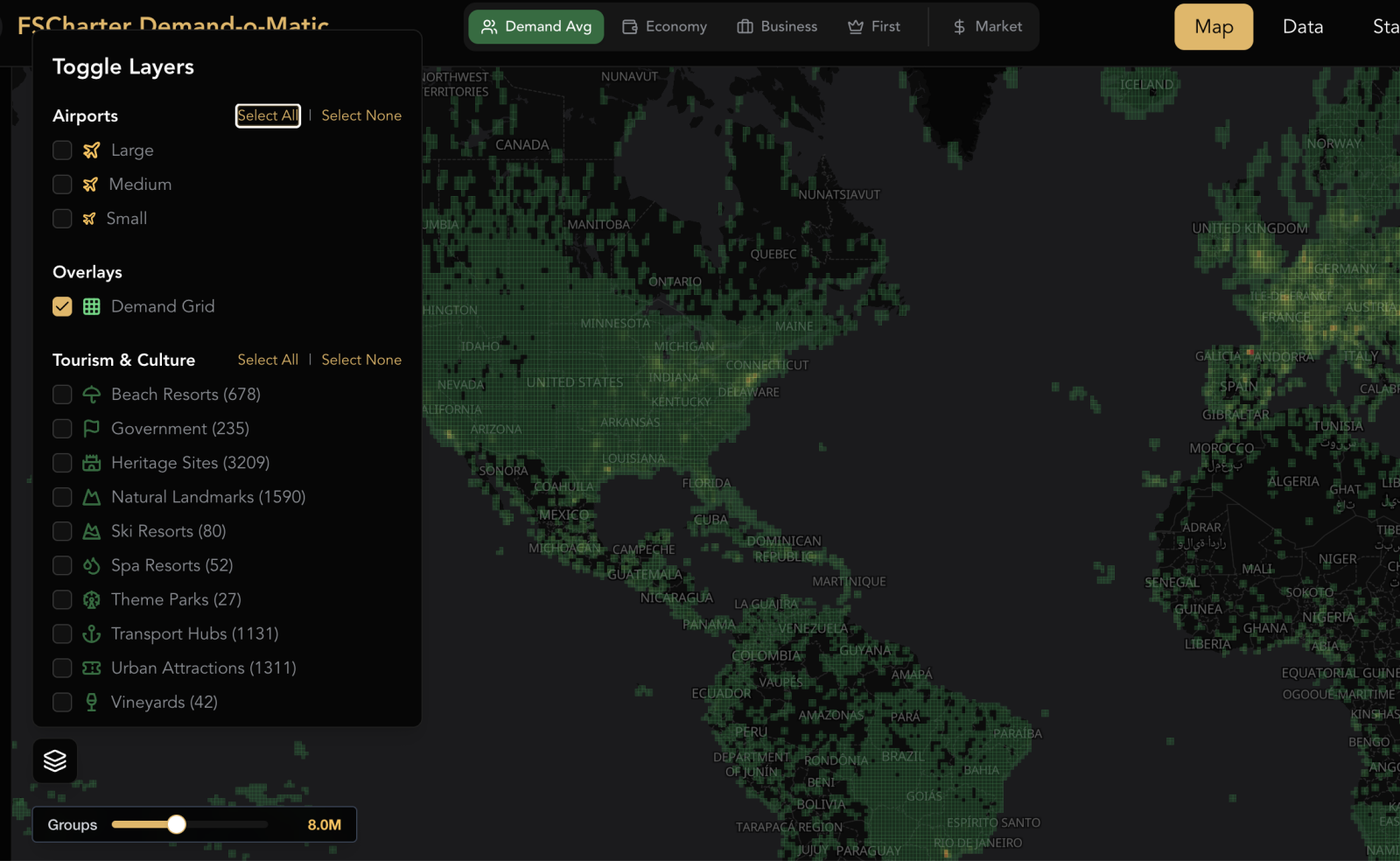
We've overhauled how the demand engine generates and distributes passengers across the world. The old system had a massive skew toward the USA and Brazil (where ~60% of all airports are), with places like Spain and China getting disproportionately little traffic. The new system accounts for:
Airport density: Areas with hundreds of tiny airfields in a small radius (New York, Sao Paulo) no longer hog a disproportionate share of global demand
Country airport count: Countries with fewer airports are no longer punished for it
Class-specific geo-scoring: Every airport now has separate economy, business, and first class scores that influence where passengers spawn and where they want to go
What this means in practice:
Economy passengers cluster around larger airports. No more random economy demand spawning at a grass strip in the middle of nowhere. If you're running economy routes, focus on the airports people actually fly through.
First and business class are more spread out. Premium passengers travel to more varied destinations, rewarding diverse route networks.
Economy passengers pay more. With the demand ratio shifting toward economy, we've increased economy fares proportionally so that economy routes remain profitable. Any existing collaborative demand has also had prices scaled up.
Demand fills fast. The demand engine can now generate the full 8 million passenger groups in approximately 3 hours instead of taking over a week. After this patch, demand has been fully reset and will populate quickly.
Behind the Scenes: The Demand-o-Matic
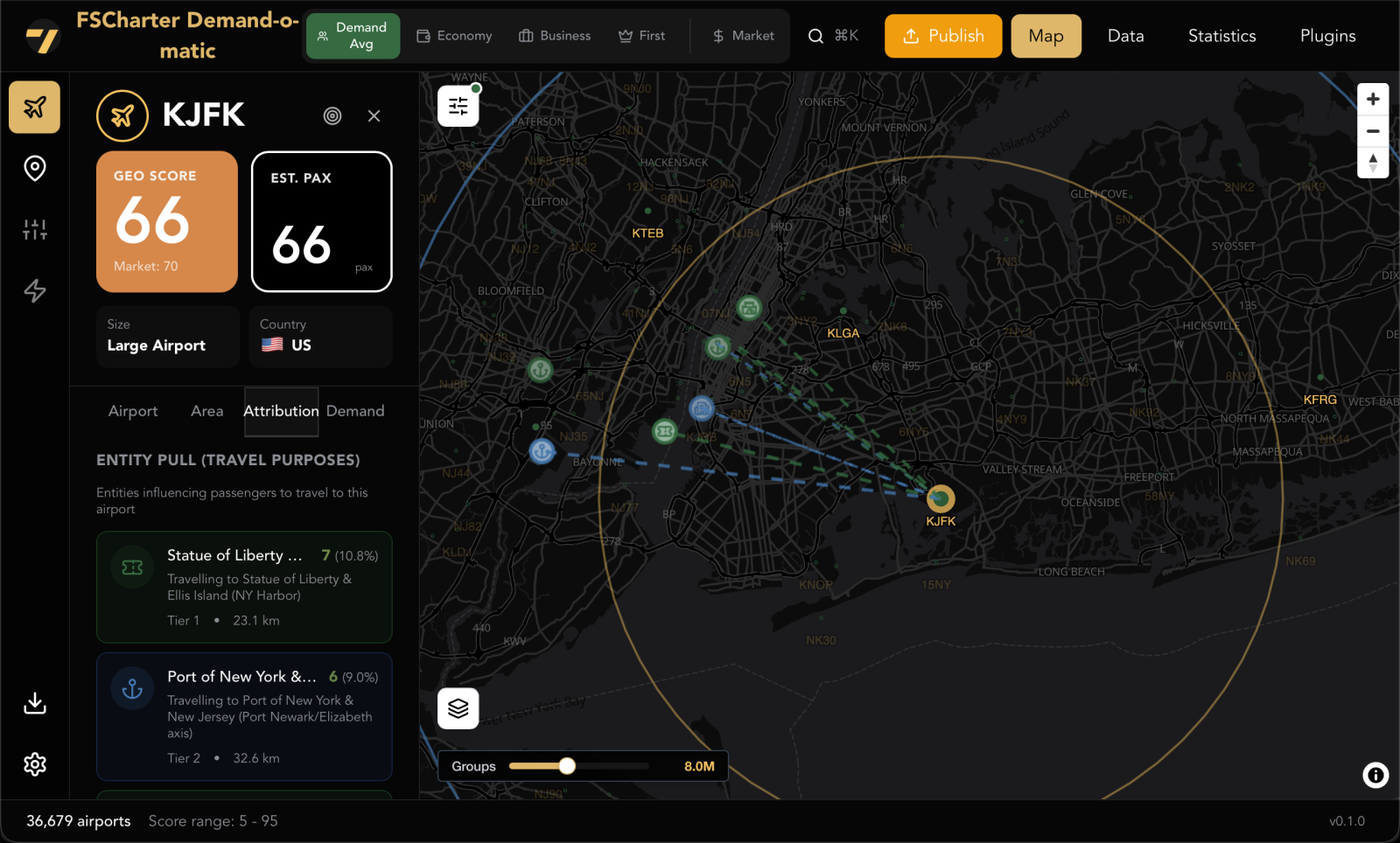
Distributing demand fairly across 36,000+ airports is a serious big data problem, and getting it right required purpose-built tooling. RCTO has developed an internal tool (that we affectionately refer to as the Demand-o-Matic) that powers the new geo-scoring system behind this update.
The tool combines UN travel data, World Bank GDP figures, and a database of over 40,000 real-world entities (think Disneyland Paris, the Bank of England, the Statue of Liberty) to build a model of where passengers actually want to go and why. Each entity contributes a weighted pull on nearby airports, giving demand a grounding in real-world travel motivation rather than random distribution.
Passenger class scoring is split by travel purpose. Economy passengers are weighted more heavily toward tourism entities, while business class passengers lean toward commercial and financial centres. First class demand is deliberately spread thinner and into less obvious locations, making premium passengers harder to gather but more rewarding when you do.
One of the biggest problems the tool solves is clustering. In the old system, every airport effectively acted as a lottery ticket for demand. The more airports a country or region had, the more demand it won. The USA holds roughly 60% of all airports in the game, so areas like New York and Sao Paulo were hoovering up a disproportionate share of global traffic. Meanwhile, countries like Spain, which has relatively few airports for its size, were being unfairly underserved. The Demand-o-Matic runs geospatial calculations to counteract this, so demand distribution is based on where people actually travel rather than where airports happen to be densely packed.
This tool is what makes it possible to keep iterating on demand balance going forward. The scores in this patch are the result of months of testing and adjustment, but the tooling is now in place to make further refinements as we gather feedback.
3. Create Charter Mode (Premium Core)
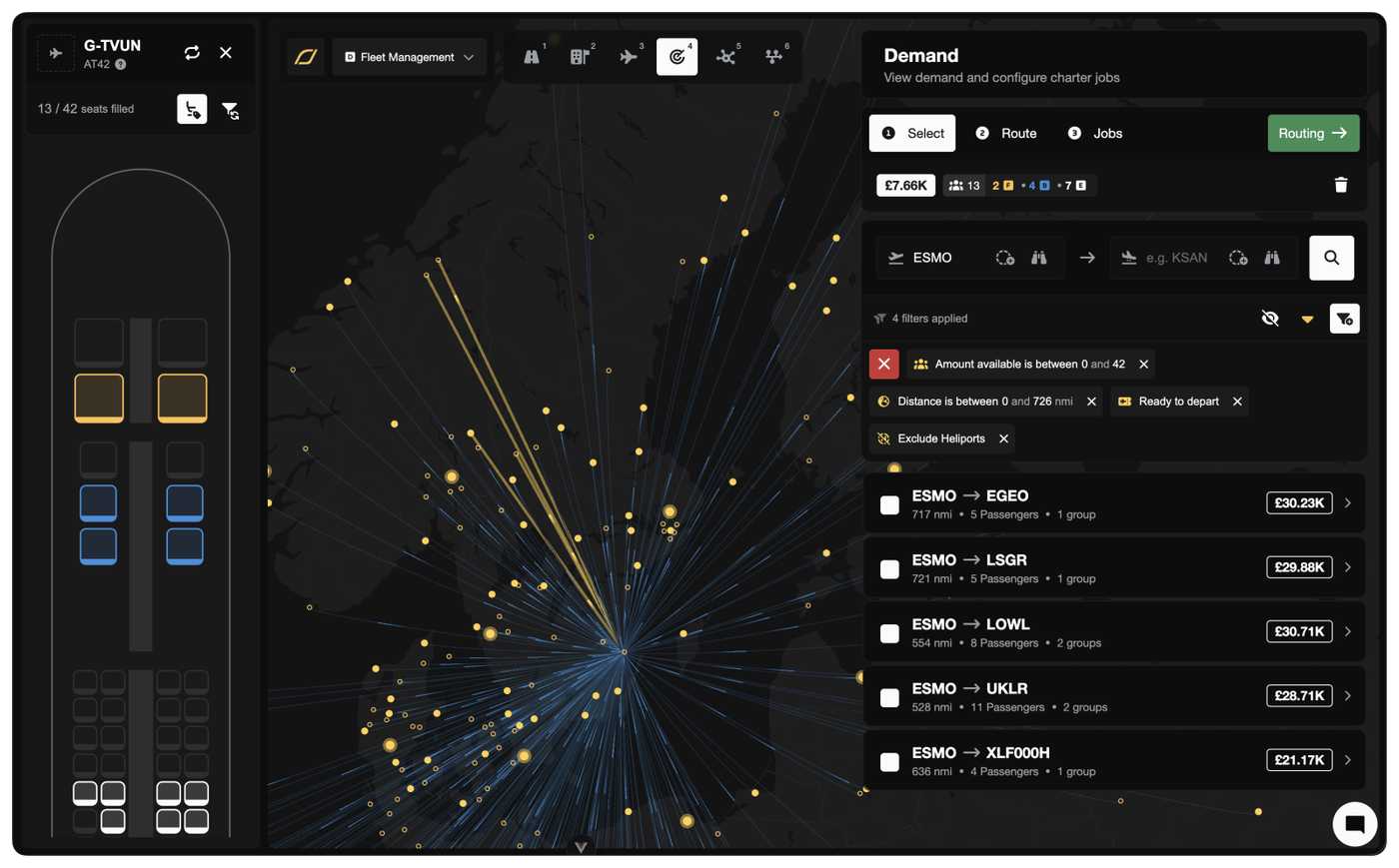
A massive quality-of-life upgrade for charter companies. Create Charter Mode flips the Dispatch Plan workflow on its head. Instead of browsing demand and hoping something fits your aircraft, you pick your aircraft first and the system shows you what it can fly.
The old way: Browse the demand map, find interesting passengers, then figure out which aircraft can fly them.
The new way: Pick your aircraft first. The system shows you every demand group it can reach, filtered to its range and capacity.
Key features:
Interactive seat map: Watch passengers fill your cabin in real time as you select demand groups. Click any filled seat to remove that group.
Filter Sync: Toggle this on and the demand list automatically updates as you fill seats. Select 12 of 19 seats? The list now only shows groups of 7 or fewer. No more accidentally overfilling.
Map integration: Ctrl/Cmd-click demand lines on the map to add or remove groups directly.
Release & Accept: One-click shortcut that publishes the job and immediately assigns it to you as the pilot. No need to visit the marketplace.
Switch aircraft mid-flow: Realise a different aircraft would be better? Swap it out without losing your selected passengers.
Ferry companion: Each aircraft row has a split button with both Charter and Ferry actions. Reposition to a better airport first, then charter from there.
Create Charter Mode is available from the Operations Cockpit > Aircraft lens. It complements the existing demand-first workflow. Use whichever fits what you're doing.
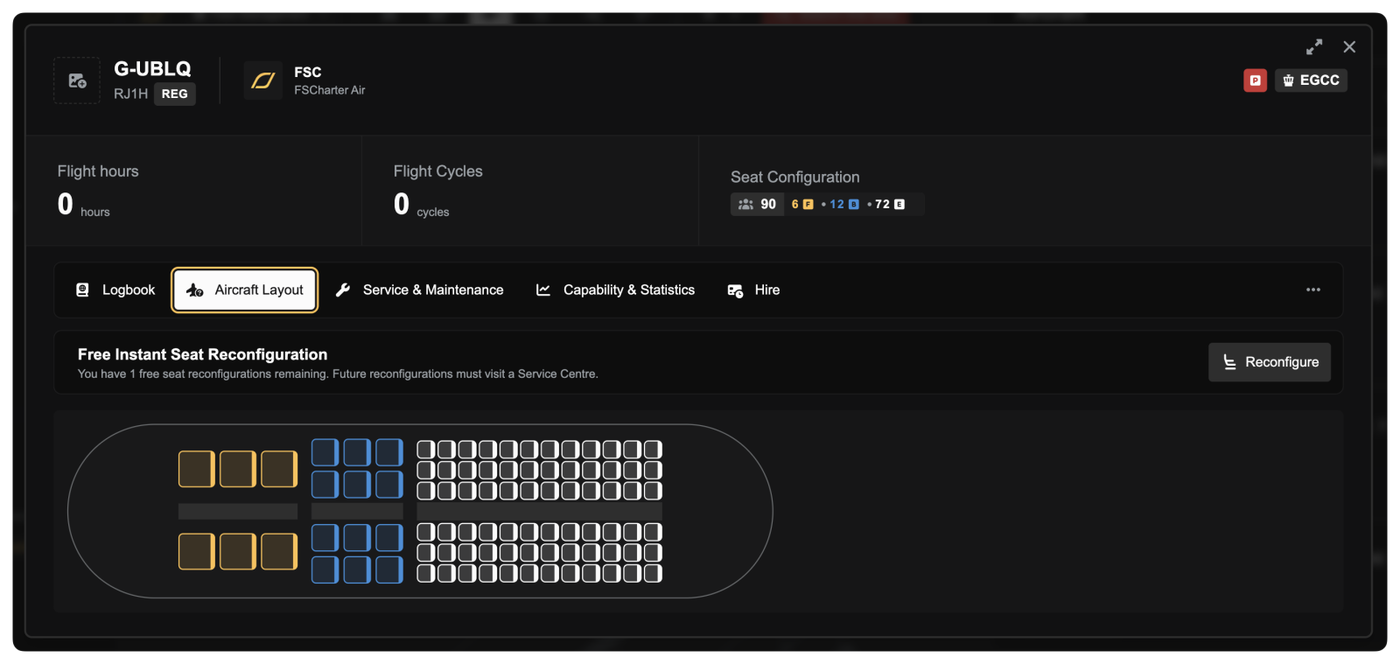
Every aircraft now gets one free cabin reconfiguration, applied instantly with no downtime. This new feature can be accessed from the Aircraft Layout tab of your Aircraft dialog in the Operations Cockpit.
With the demand model shifting toward more economy passengers, your current cabin layouts may not be optimal. This free reconfiguration lets you adapt without penalty. Use it to match the new demand reality. You'll likely want more economy seats on most aircraft going forward.
Financial Previews
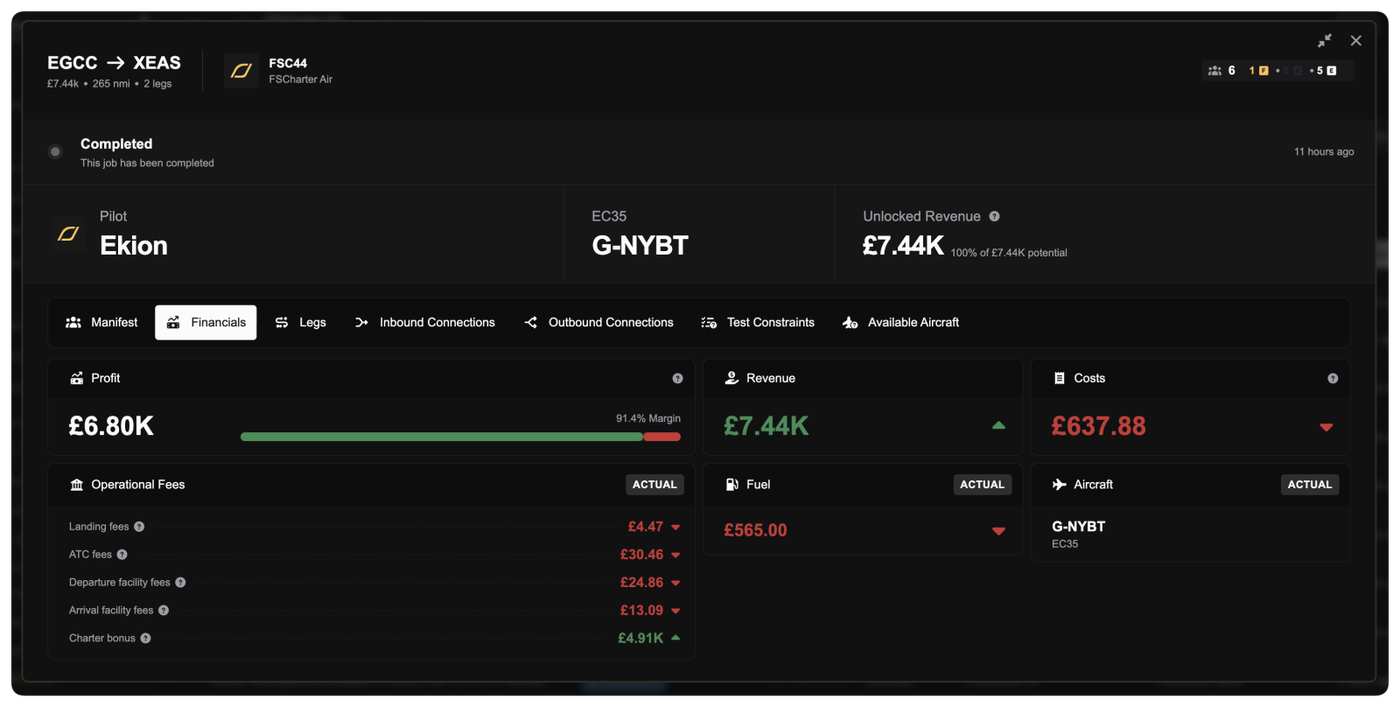
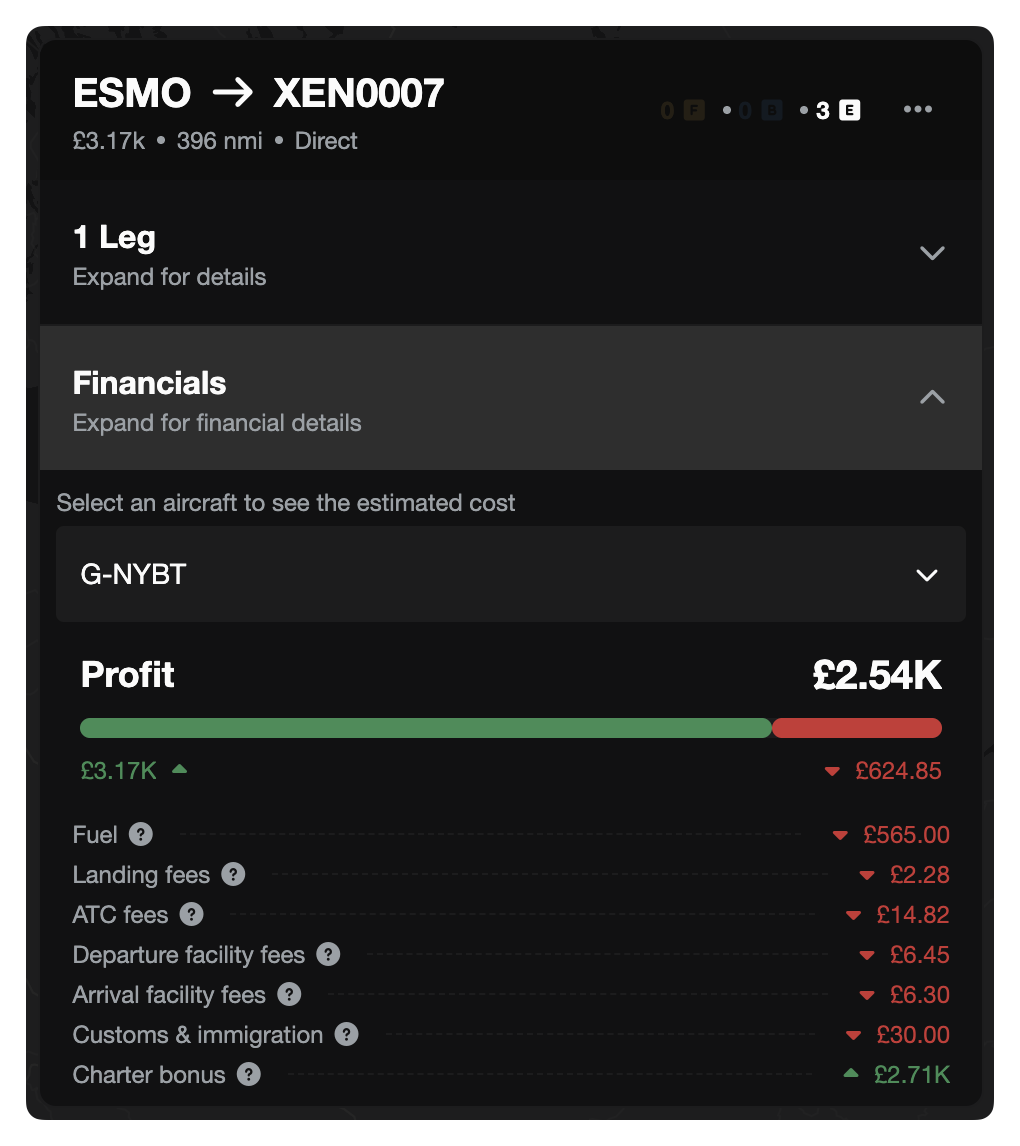
You can now see estimated and actual financials for all jobs and routes, including fuel costs, landing fees, ATC charges, customs fees, and revenue. Available both during charter creation and after the fact.
During charter creation: See revenue estimates and cost breakdowns as you build your dispatch plan, so you know whether a charter is profitable before you commit.
After completion: Review what you actually earned vs. what it cost. Fuel burn is calculated from your real flight history average for that aircraft type.
Ferry jobs too: Fuel and landing fee estimates for repositioning flights, so you can factor ferry costs into your charter planning.
Route financials: View estimated revenue based on demand minimums, with a passenger count parameter to model different load factors.
No more flying blind on whether a job is worth taking.
Other Improvements
Release & Accept for jobs: Jobs and dispatch plans can now be released and accepted in a single action. No more releasing to the marketplace and then racing to accept your own job.
Restyled Aircraft rows: The Aircraft lens in the Operations Cockpit has been redesigned with split action buttons, letting you launch Create Charter Mode or create ferry flights directly from the dock without extra navigation.
Aircraft location flags: Aircraft rows now display the flag of the country where the aircraft is currently located, making it easy to scan your fleet's global positioning at a glance.
Demand date filter: Filter demand by the date it was generated, useful for spotting fresh demand.
Demand badge on jobs: The Job dialog now shows a badge with seat requirements by cabin class (Economy/Business/First), so you can see at a glance what a job needs.
Massively faster route demand loading: Route demand queries have been optimised from ~8 seconds down to ~266ms (a 30x speedup). The demand map and route demand refresh should feel dramatically snappier, especially on servers with full 8M-row demand tables.
Map reliability fixes: Fixed race conditions in the deck.gl map layers that could cause route lines to not update properly when dragging or switching views.
Bug Fixes
Fixed unfair last-leg payment distribution. A significant bug where the final leg of a multi-leg journey was receiving a disproportionately large share of the total payment. All legs now receive their fair proportional share based on distance contribution. Also corrected the calculation that determines how passenger budgets are split across legs, ensuring accurate pricing throughout multi-leg journeys.
Fixed charter job configuration bugs. Resolved multiple issues in dispatch plan and job configuration that could cause incorrect leg assignments, seat allocation errors, and routing problems.
Fixed orphaned jobs after demand removal. Removing demand from a dispatch plan now correctly cleans up orphaned job legs and recalculates seat requirements, preventing ghost jobs from lingering.
A Note on Testing
These changes have been through extensive internal testing over the past few weeks. We've been hammering the new demand engine and the charter economics on staging for a while now. That said, this is a big patch touching a lot of interconnected systems. If anything doesn't look right, feels off, or the numbers seem wrong, please reach out. We'd much rather hear about it than have you quietly frustrated. Your feedback is what got us here, and it's what'll keep us improving.
What's Next
Next up: cargo. It was the #1 most-requested feature in the survey and it's on the roadmap. More to come on that soon.
You can now filter job routes on the Job Marketplace map so only jobs fully visible in your current map view are shown. When the default behaviour is toggled off, a job disappears as soon as either its origin or destination moves outside the map viewport.
Updated seats on Pilatus PC-12 from 10 to 9 and increased MTOW from 4,500kg to 4,740kg
Updated seats on Airbus A321 neo from 230 to 244 and renamed to A321neo LR
Updated OEW for Airbus A321XLR from 49,000kg to 46,600kg
Persistent Rank Approval
You no longer need to re-apply every time you return to a rank you’ve already been cleared for.
When a company approves you for a rank (whether manually by a manager or automatically through progression or eligibility) that approval is now remembered. If you later switch away and decide to come back, you can move straight into the rank without waiting for approval again.
In the Pilot Portal, ranks you’ve previously been approved for are clearly marked as Pre-Approved. These ranks let you switch instantly, even if they would normally require an application.
Other Improvements
NOTAM messages now show a live character counter, so you always know how close you are to the 255-character limit
Fixed arrow key navigation being intercepted while typing in company description and message fields
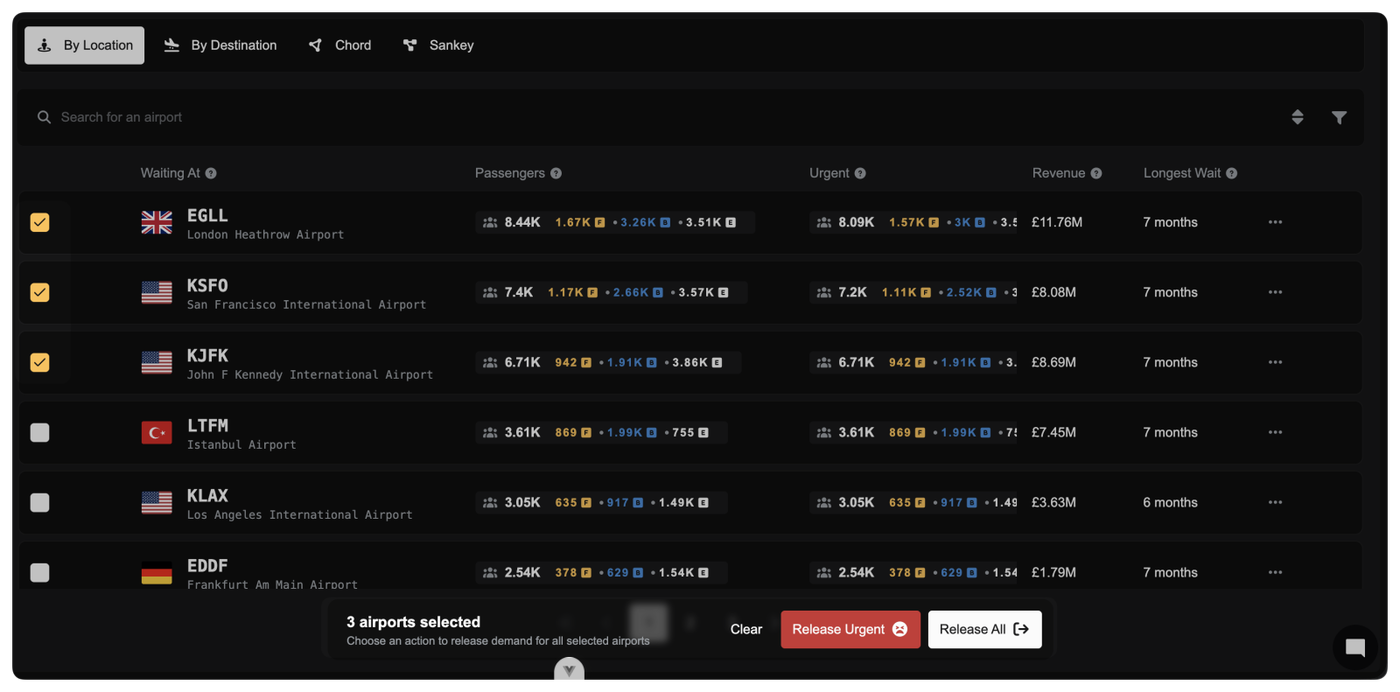
Managing the release of collaborative demand across multiple airports is now significantly faster and more controlled.
You can select multiple airports directly in the Collaboration Dashboard and release demand for all of them in one action. A new batch selection bar appears as soon as you start selecting rows, clearly showing how many airports are selected and which actions are available.
Two batch actions are available when you have the appropriate company privileges:
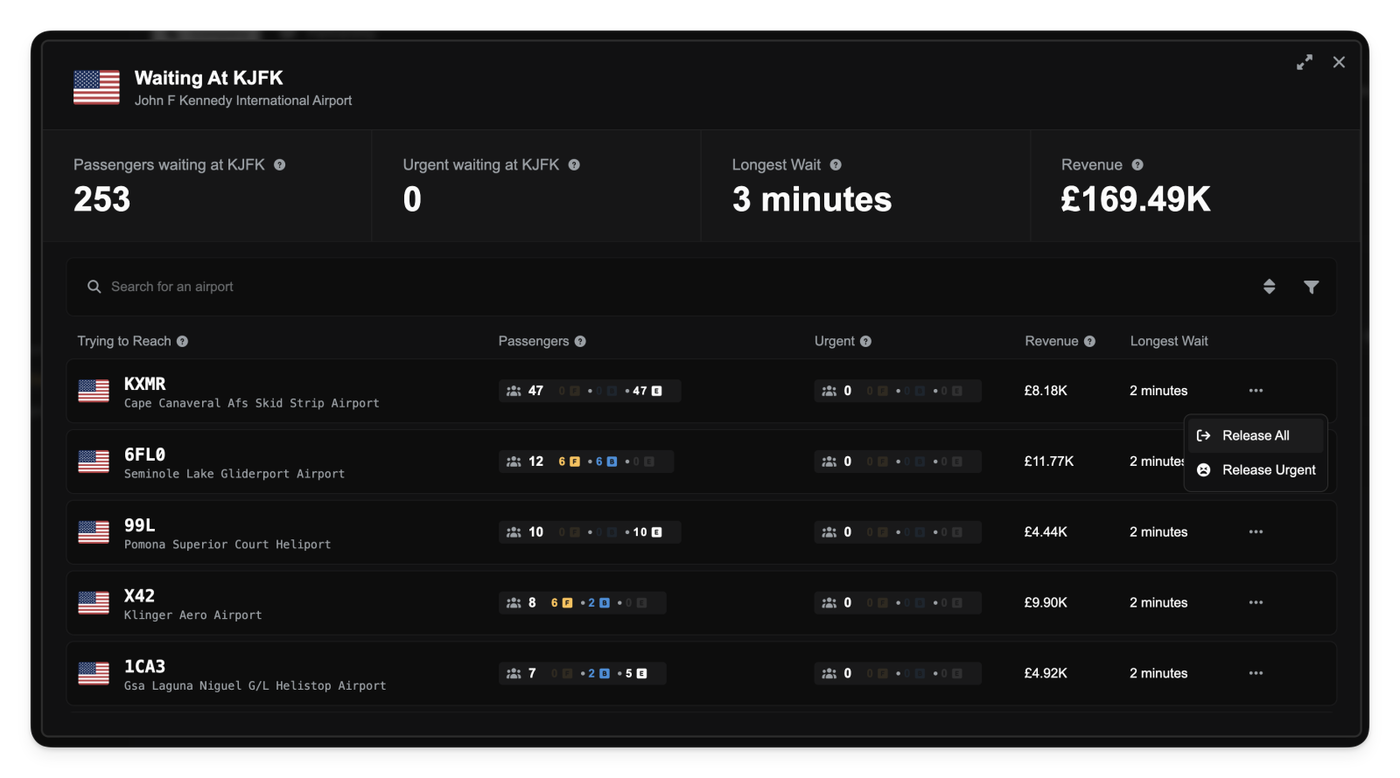
Release All: Releases all collaborative demand for the selected airports.
Release Urgent: Releases only demand that has exceeded the urgent threshold, leaving newer demand untouched.
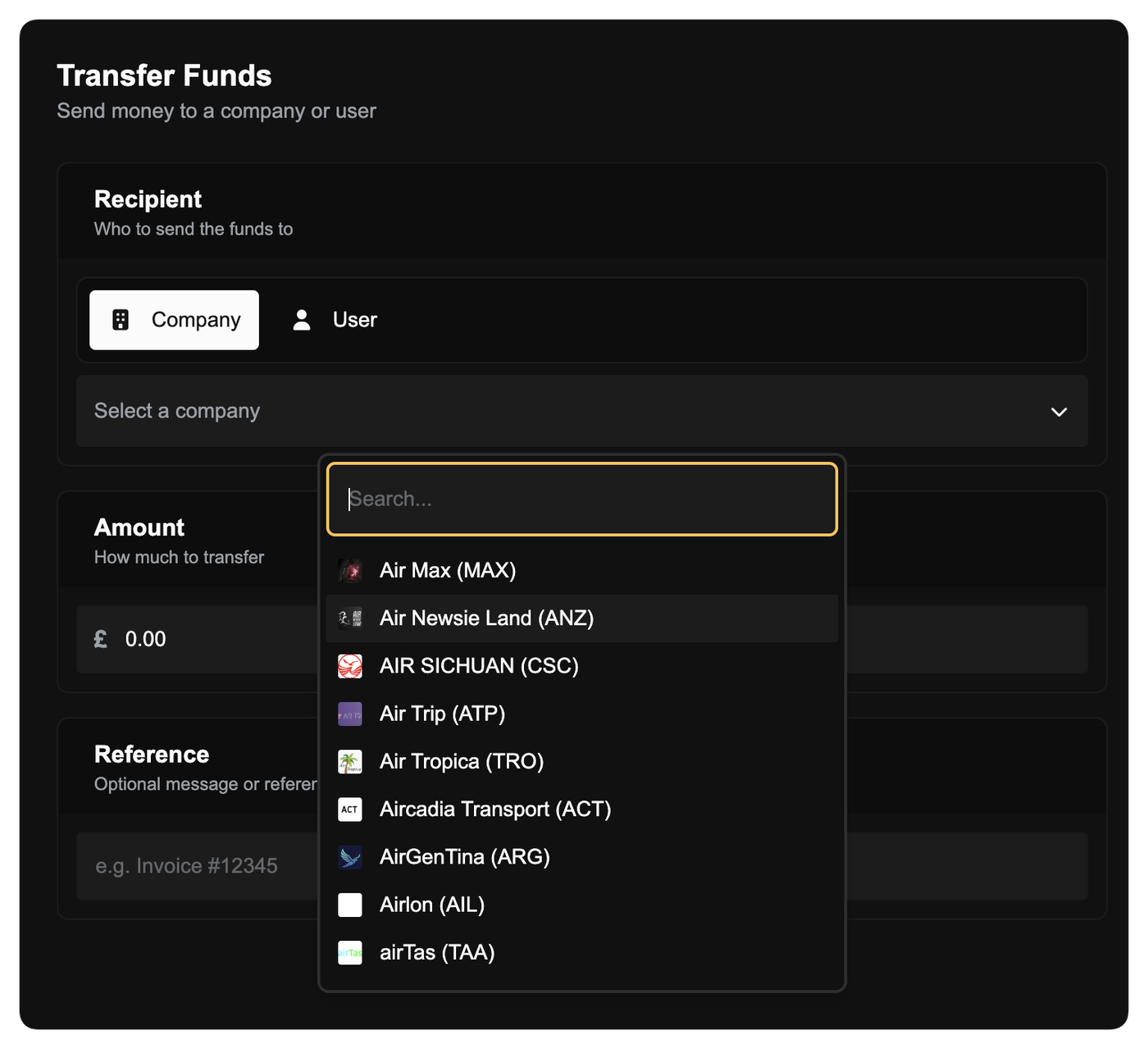
Company Logos and User Avatars in Selectors
Company and user selection fields are now more visual and easier to scan. Wherever you choose a company or user (such as transferring funds, deleting a company, or selecting a recipient) logos and avatars are displayed alongside names instead of generic icons.
This makes it quicker to identify the right company or person at a glance, especially when working with long lists or similar names.
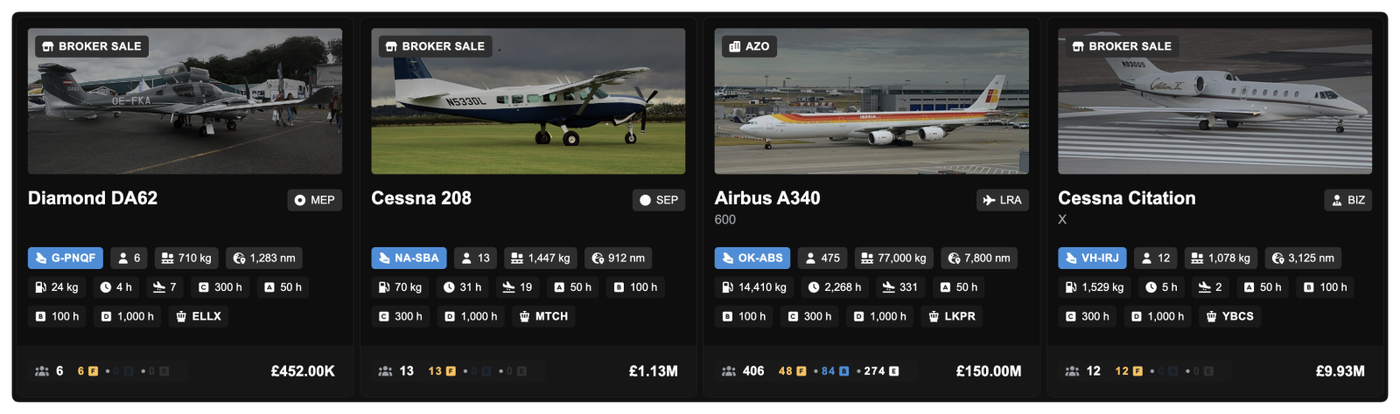
Aircraft Market Listing Enhancements
Used aircraft listings are now clearer and more informative. Broker sales and third-party sellers are highlighted directly on the aircraft image with new badges, making it obvious who is selling the aircraft.
Smarter Hangar Storage for Company-Owned Buildings
A bug with aircraft storage logic has been fixed to better reflect ownership. Previously, if you owned a hangar but had set it to public use for a fee, your own aircraft would not automatically use it after slot grace periods end.
Now, if you own a hangar, your aircraft will always automatically use it for storage, even if that hangar is set to public access with a price. You never pay storage fees to yourself, and aircraft will no longer be pushed into less suitable public storage because of pricing settings.
Other improvements
Fixed tables scrolling slightly within tables
Minor visual polish across aircraft listings and dashboards
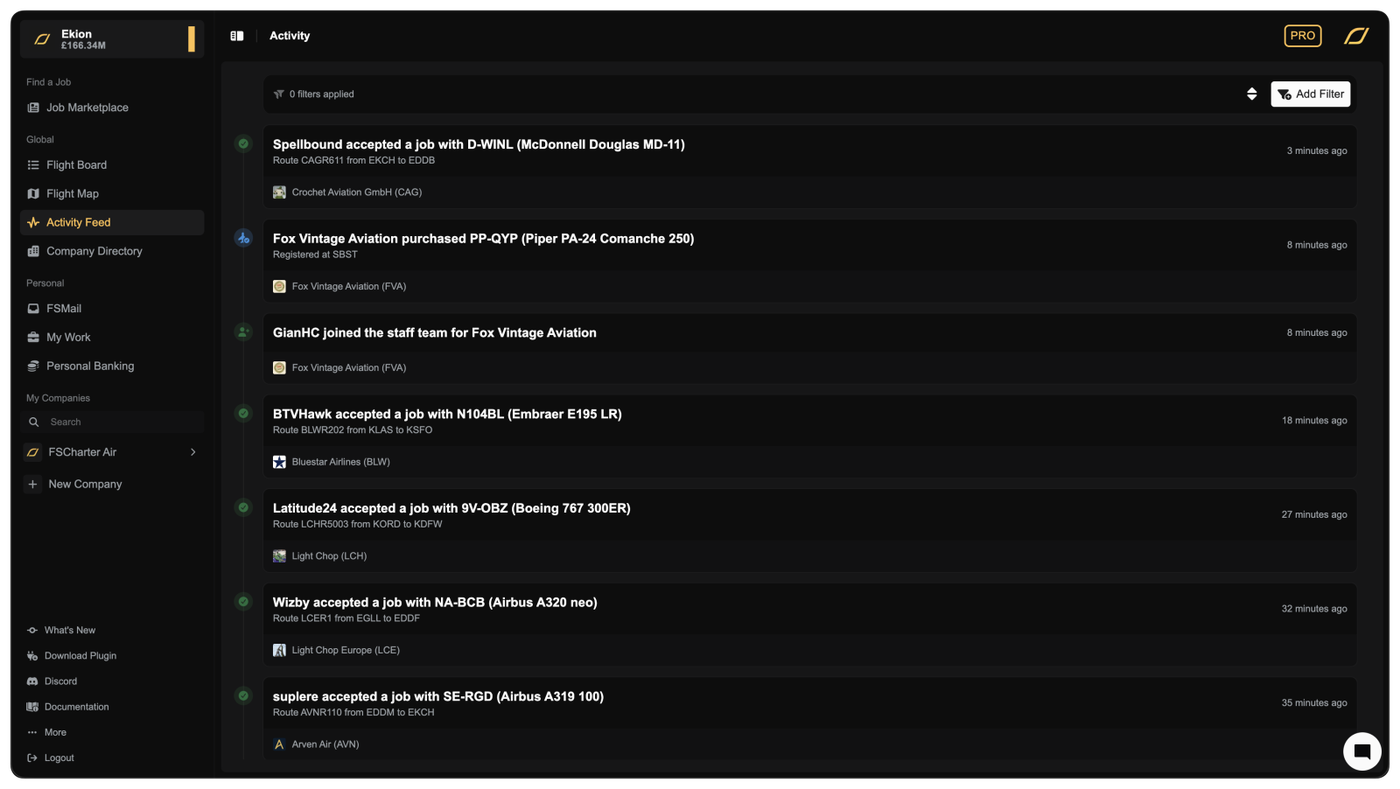
You can now see what’s happening across all companies in FSCharter in one live, real-time feed.
The new Activity Feed page brings together major events from every company into a single global timeline. As flights depart and land, jobs are accepted, aircraft are traded, or companies join partnerships, you see it instantly.
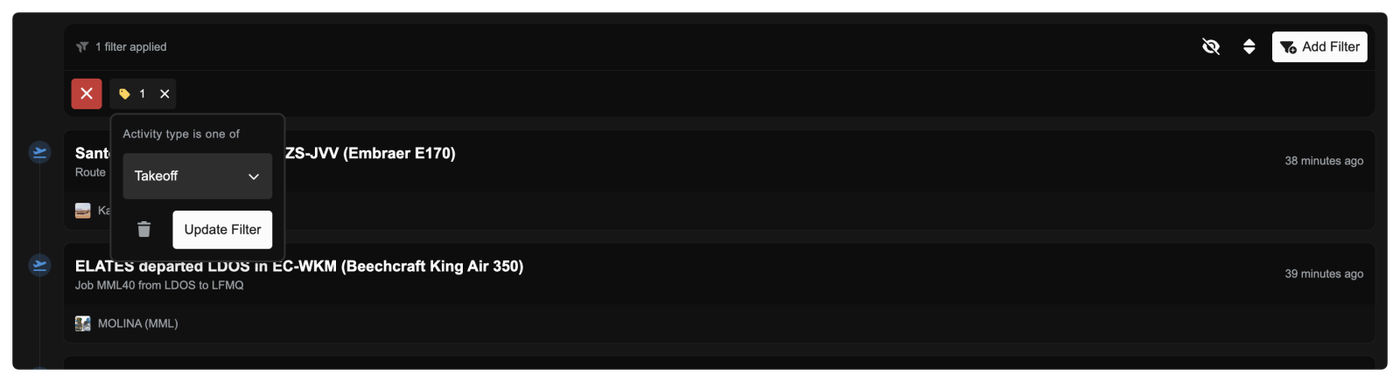
Each entry is clearly labelled with readable titles, meaningful descriptions, and visual icons so you can quickly scan what’s going on. You can also filter the timeline by company or activity type, making it easy to focus on competitors, partners, or specific kinds of events.
The feed updates live while you’re on the page and supports infinite scrolling, so you never miss what’s happening across the world.
Clearer Pay Progression and Pending Earnings
You now get much better visibility into how and when you get paid as a pilot.
In the Career Progression tab in the Pilot Portal for a company, each rank now shows:
How many hours you’ve flown at that rank
How many hours remain until your next payout
How much money is currently pending
How often that rank pays out (pay interval)
This makes it much easier to understand why pay is pending and exactly what you need to do to unlock it. If a rank pays every 10 hours, you’ll now clearly see your progress toward that threshold and the amount building up along the way.
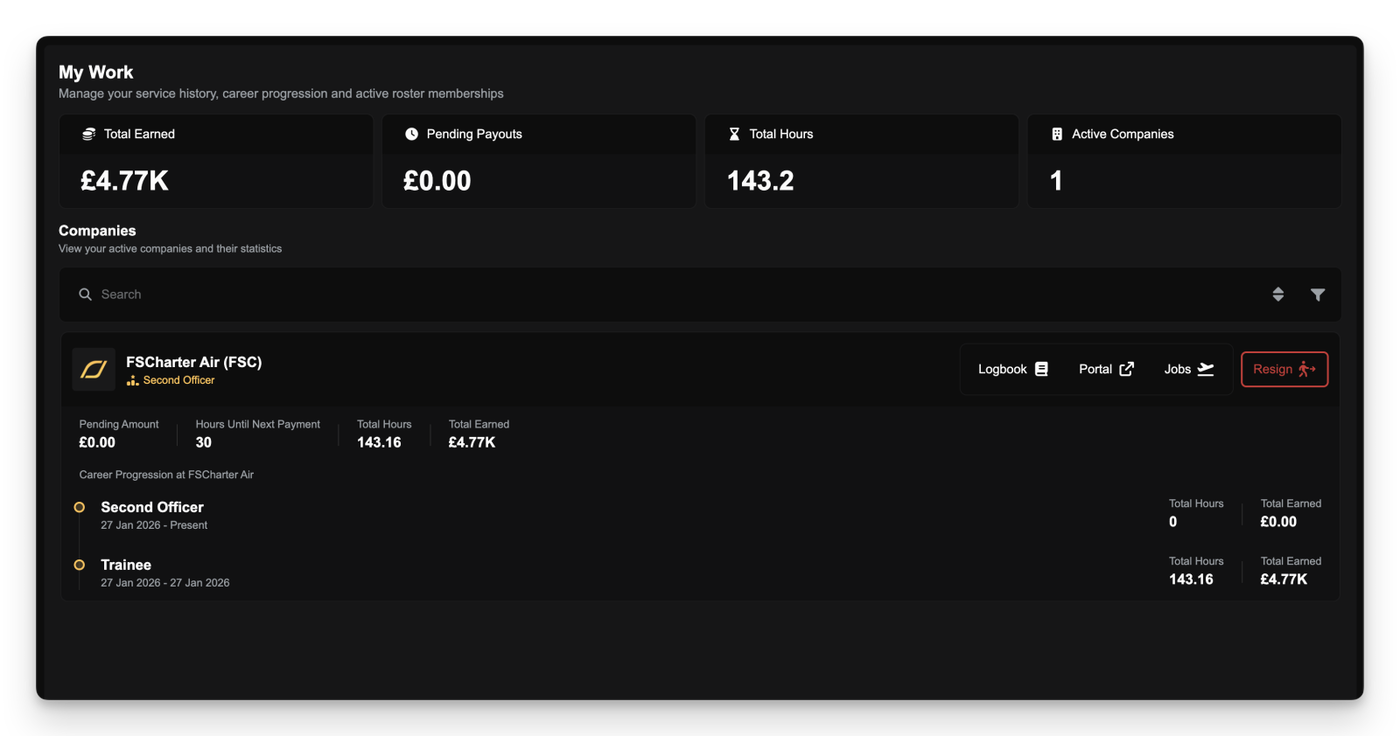
The My Work page has been upgraded to give you clearer, more actionable information. At the top, Pending Payouts now includes contextual help explaining:
Why pay can be locked to specific ranks
How switching ranks affects pending earnings
How to unlock accumulated pay
Each company row now shows:
Progress toward your next payout at your current rank
Pending amount for that rank
Lifetime earned and pending amounts
Total hours flown
You can now also jump straight to managing your pilot career from My Work. A new Manage Employment button takes you directly to the Career Progression tab for that company, where you can:
Switch ranks
Review pay intervals
See which ranks have pending pay waiting to be unlocked
This removes the need to hunt through company pages to manage your pilot status.
New Job Filter: Hourly Pay
You can now filter jobs by hourly pay, letting you focus on work that matches your earning goals. The filter intelligently accounts for:
Your current rank if you’re already employed
Ranks you’re eligible to apply for
Auto-accept ranks when “Flyable Now” is enabled
This helps surface jobs that actually make sense for you to fly.
Other Improvements
Fixed airport type data so heliports are correctly classified
Improved activity log titles and descriptions throughout the platform for clearer, more readable events
Visual polish and spacing improvements in timelines and panels
This release represents one of the largest structural updates to FSCharter since launch.
The focus has been on reducing friction and making long-term progression feel more intentional for both pilots and company managers. Core systems such as contracts, job discovery, company interaction, and rank progression have been reworked to and make the platform easier to understand and operate for both beginners and long term users.
For pilots, the aim of this update has been to make jobs much easier to find and to reduce the overhead of using FSCharter. For managers, the update brings better tools, less micro-managing, and more control over how companies are structured and run.
We've updated the the documentation to reflect this change and we'll be updating the videos soon. Here are the most notable documentation pages that have changed:
Many of these changes also lay the groundwork for future features and improvements. As always, this release reflects feedback from the community and ongoing use of the platform - thank you.
Introducing Pilot Rosters
The contract system has been replaced with permanent Pilot Rosters.
Pilots now join a company’s roster on an ongoing basis, allowing continued access to jobs without needing to renew contracts. This, as you'll see in later sections, also enables us to build long-term progression routes within a company.
The new Roster system behaves likes the old contract model (hourly pay and rank-based earnings), but massively reduces the administrative overhead of contract management.
One of the key changes enabled by this system is rank flexibility. Pilots are no longer tied to a single contracted rank. If the requirements for multiple ranks within a company are met, pilots can switch between them freely to access different aircraft types or pay structures.
Attention Managers: Existing contracts have been automatically mapped to the appropriate ranks where appropriate. If the new rank has different pay and/or pay interval to the old contract then the contract with the user will be terminated and any due funds paid out. It is recommended that Rank and Pay settings are reviewed to ensure values are configured correctly under the new system.
Attention Pilots: If you had an active job during the migration and we were unable to manually map your contract to a new rank you will be paid a one-off payment for the value of your flight. You will not lose out on revenue.
The Open Job Marketplace
The Job Marketplace has been redesigned to remove barriers to job discovery. All jobs that you are eligible for across FSCharter are now visible by default, regardless of current company roster membership. This replaces the previous model where visibility was limited, and allows pilots to explore routes and operators without needing to first accept contracts. The legacy 5-contract limit for viewing jobs is also gone, removing the guesswork from finding jobs you actually want to fly.
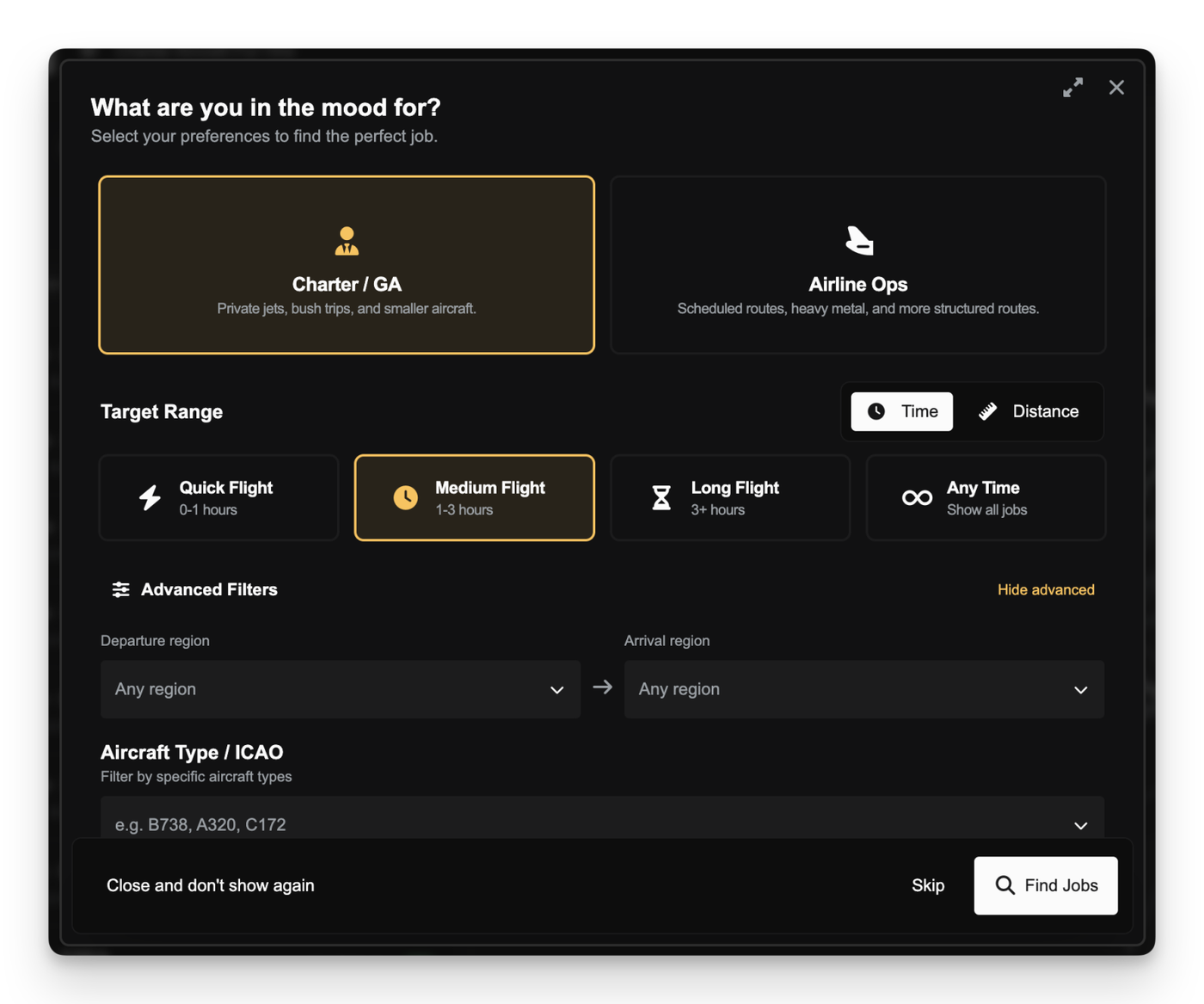
To support faster and more approachable job discovery, particularly for newer pilots, the Job Search Assistant has been introduced. It provides a guided way to surface suitable flights based on factors such as distance, duration, and aircraft type, without needing to configure complex filter combinations.
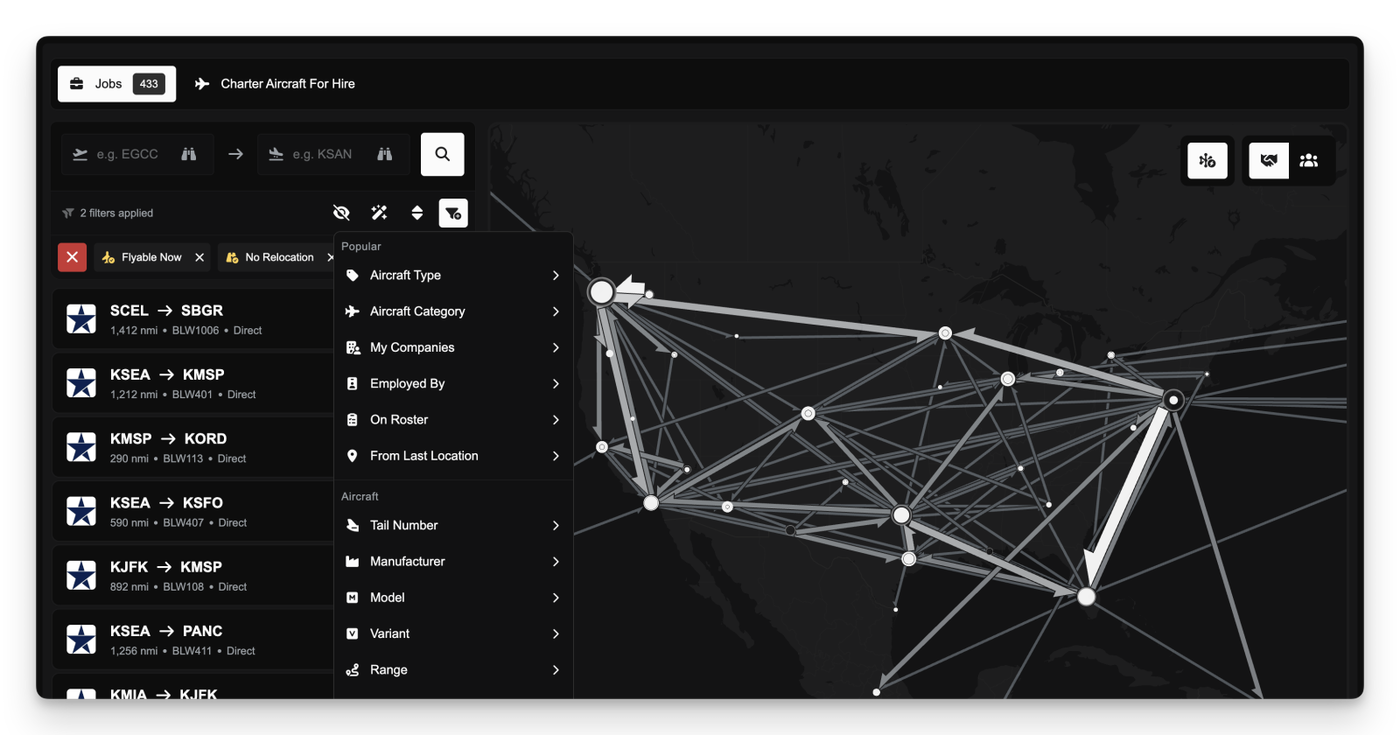
For more experienced users, the main filtering system has been reorganised into clearer, purpose-driven sections covering Popular, Aircraft, Route, and Company filters. A dedicated sidebar also enables quick searches for jobs departing and/or arriving at certain airports.
Accepting a job will automatically add the pilot to the operating company’s roster if they are not already a member.
Company Portals & Progression
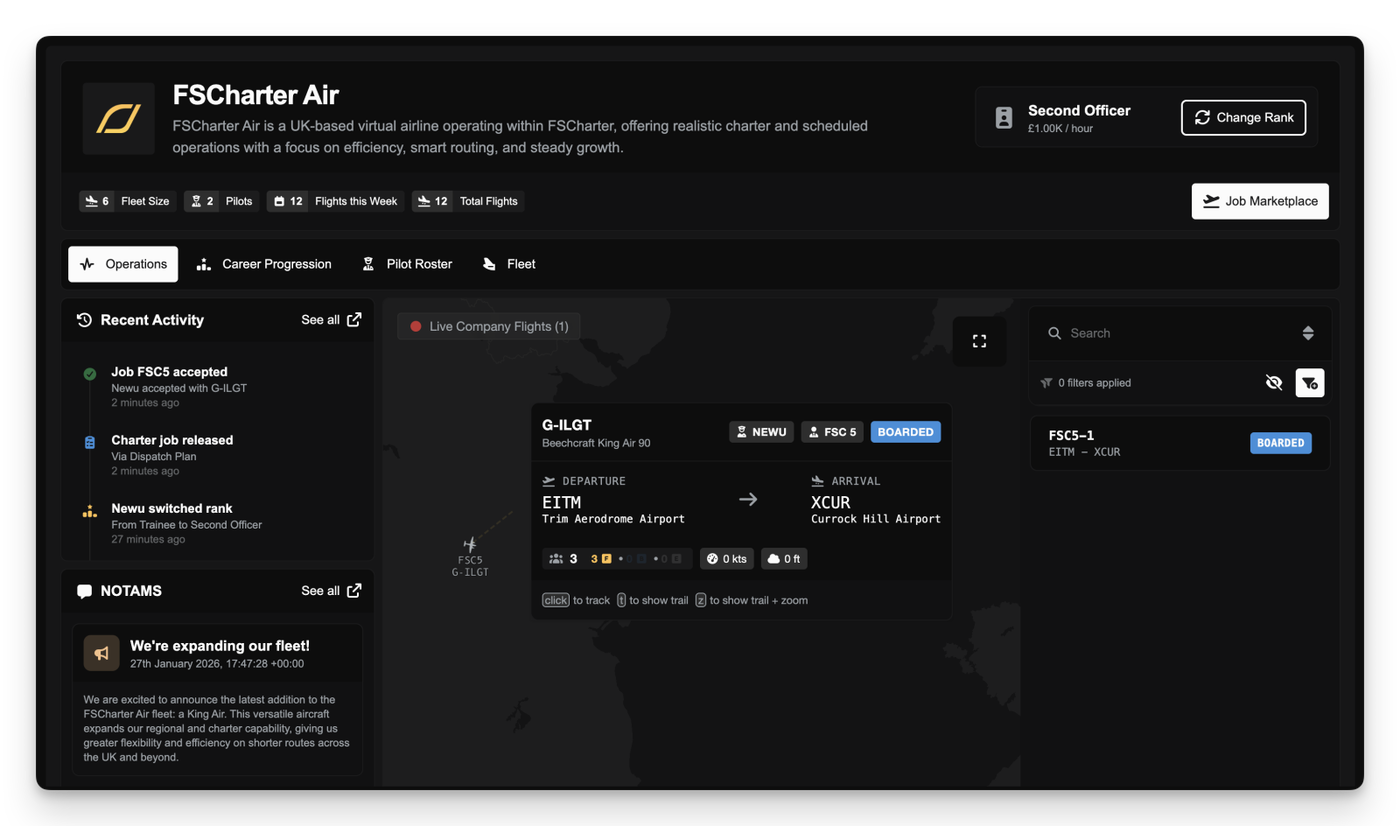
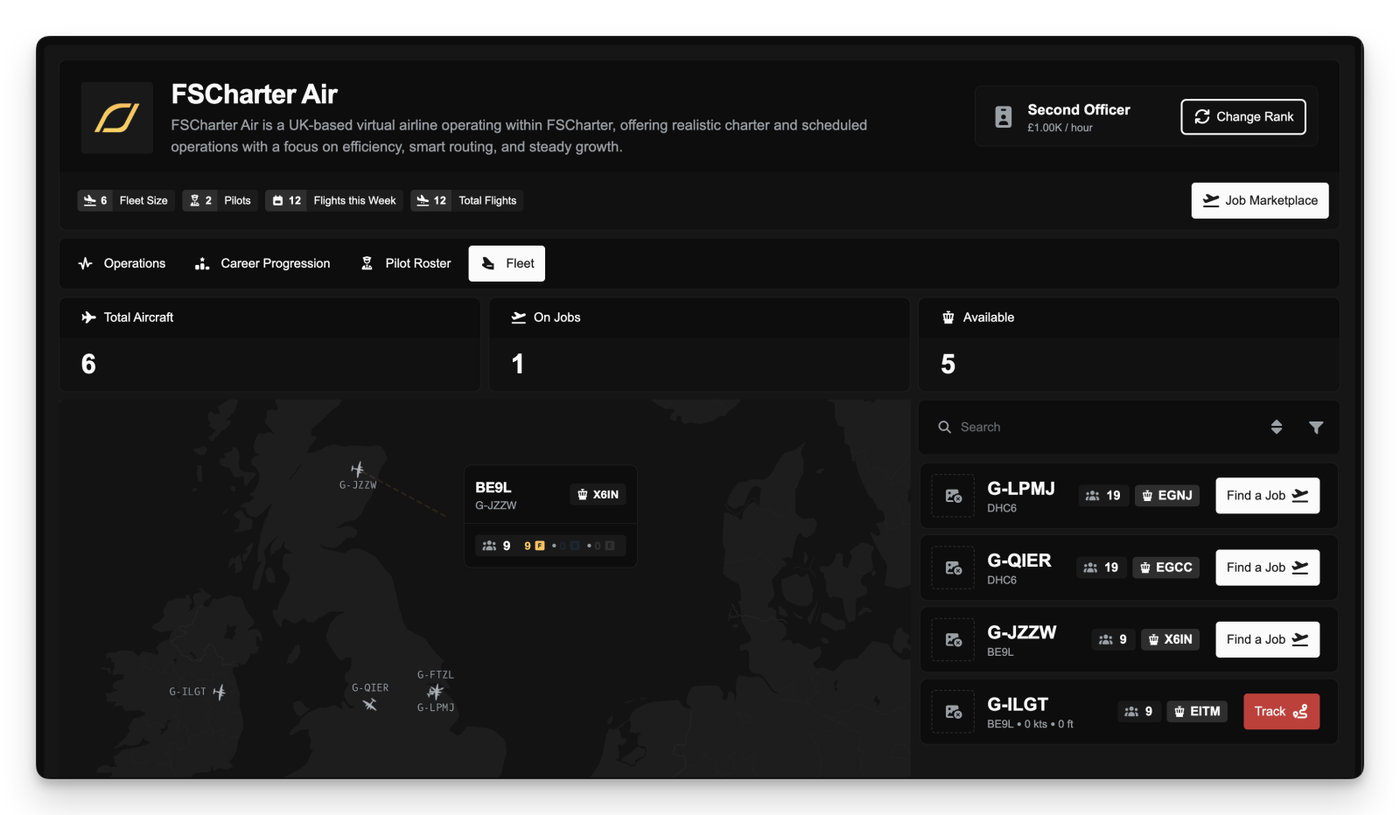
Interaction with companies has been restructured around the introduction of Company Portals. Each company now has a public-facing portal that can be viewed before applying, providing visibility into their operations and fleet. It also serves as the home for existing pilots, with quick links to manage career progression and view the job marketplace for that company.
From the company profile, pilots can see operations, catch up on company acticity, read NOTAMS, and quickly search for jobs associated with specific company aircraft.
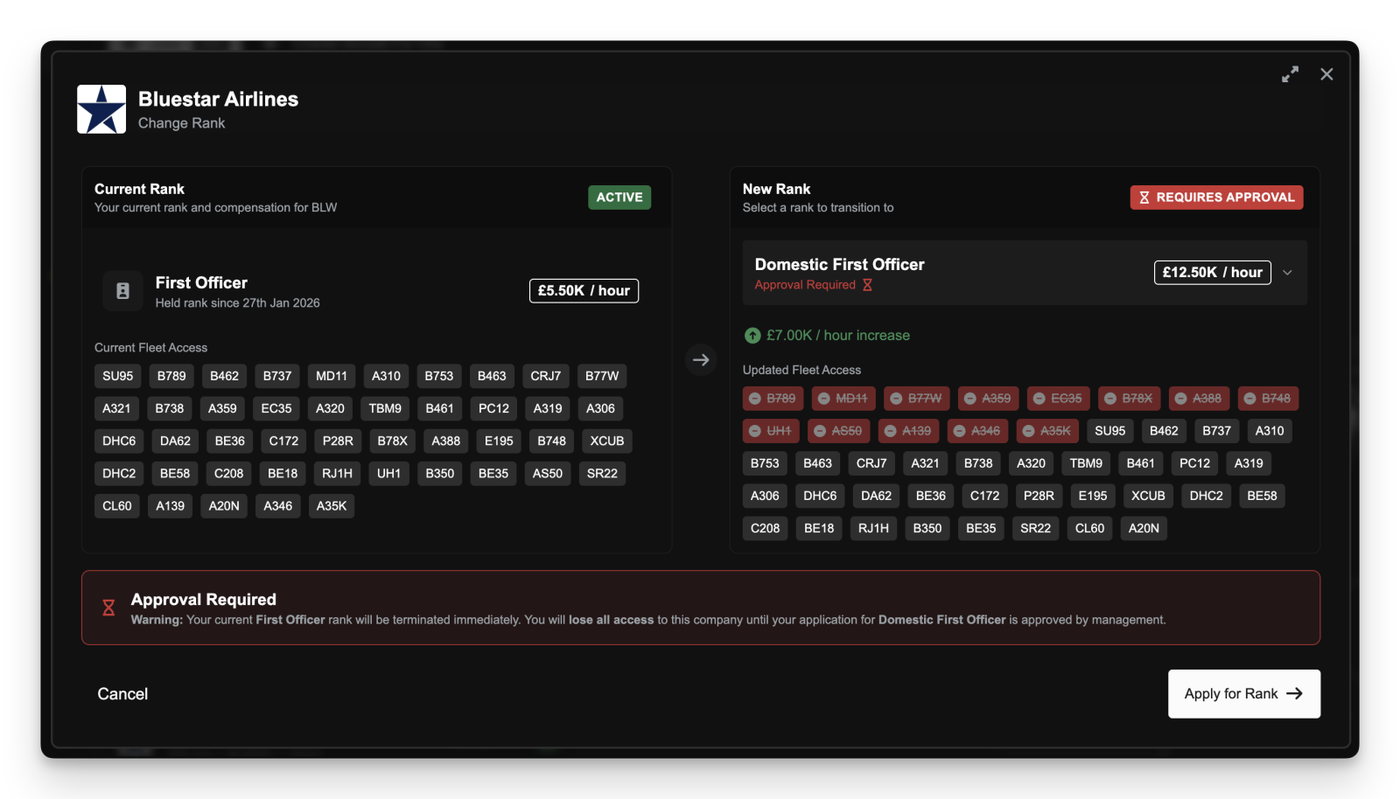
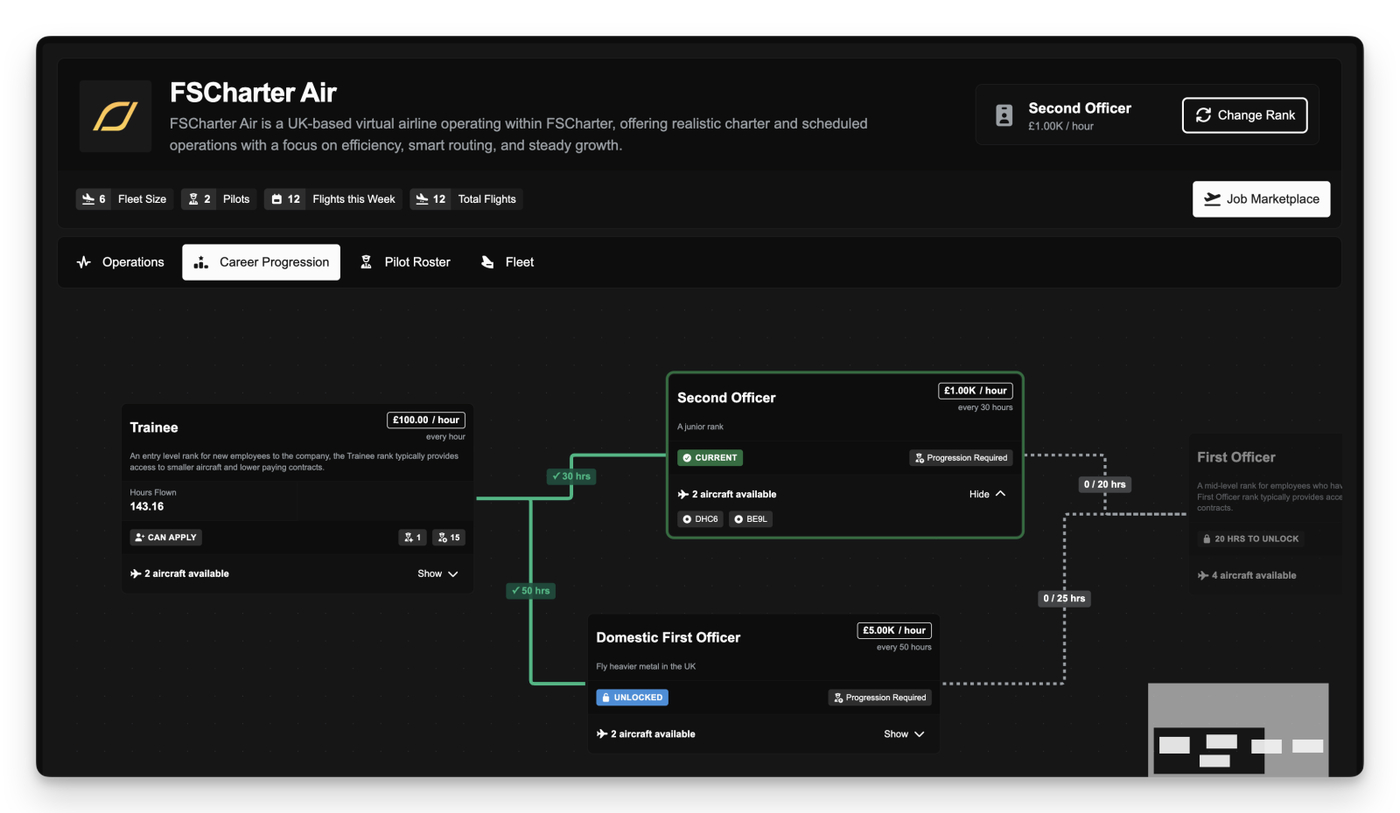
After joining a company's roster, pilots gain access to the Career Progression view. This tree-based interface maps out progression within the organisation, showing rank requirements, aircraft access, and the steps needed to unlock new ranks over time. From here pilots can apply for new ranks or switch between existing ranks that have been unlocked.
Alongside this, a new Company Directory page has been added to allow pilots to discover existing companies and better understand their structure, pay, activity, and areas of operation before committing.
Powerful Tools for Managers
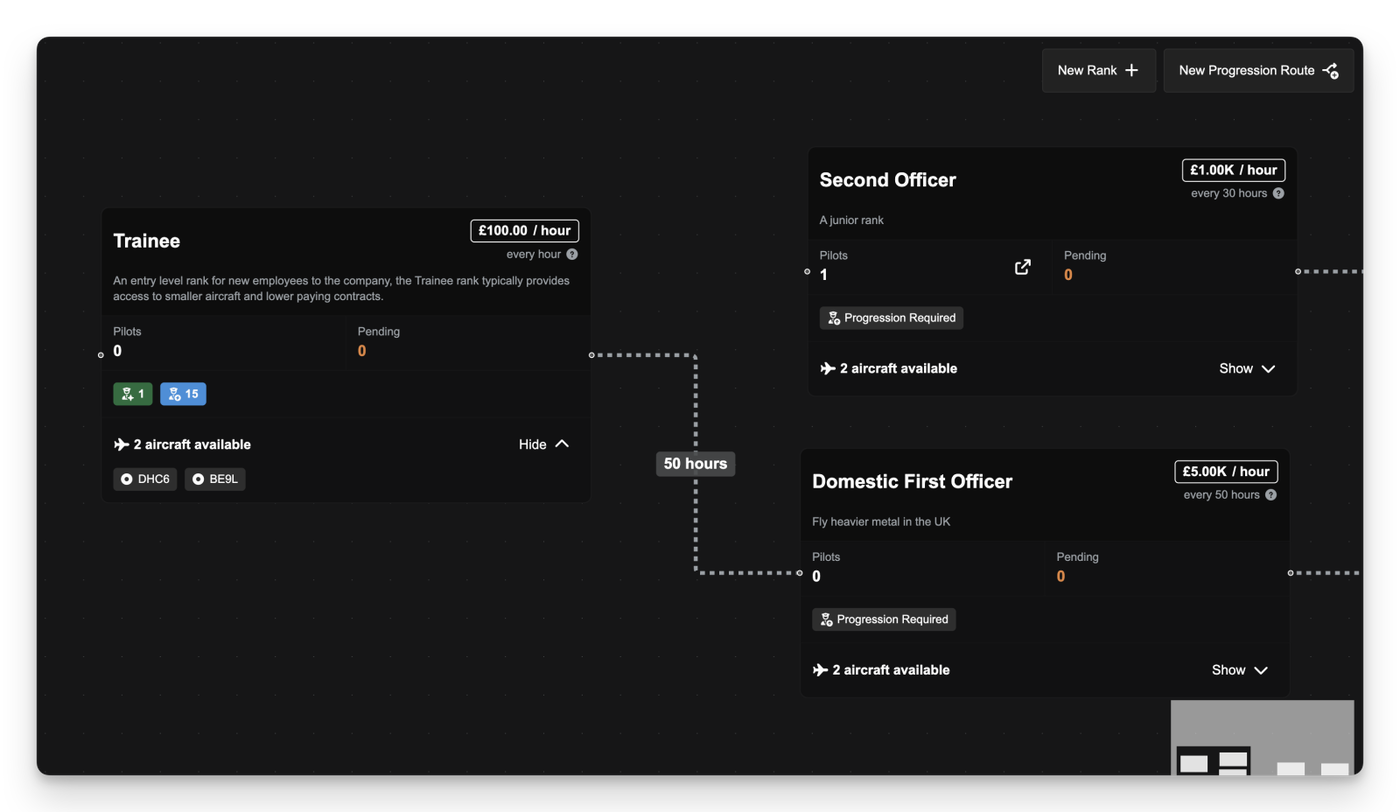
Management tools for company owners have been expanded and reorganised to support clearer planning. The new Rank and Progression Manager introduces a visual, drag-and-drop canvas for defining career paths and managing rank pay within a company. We've also introduced rank duplication as a quality-of-life improvement, allowing rank settings and aircraft constraints to be copied quickly when creating or adjusting progression structures.
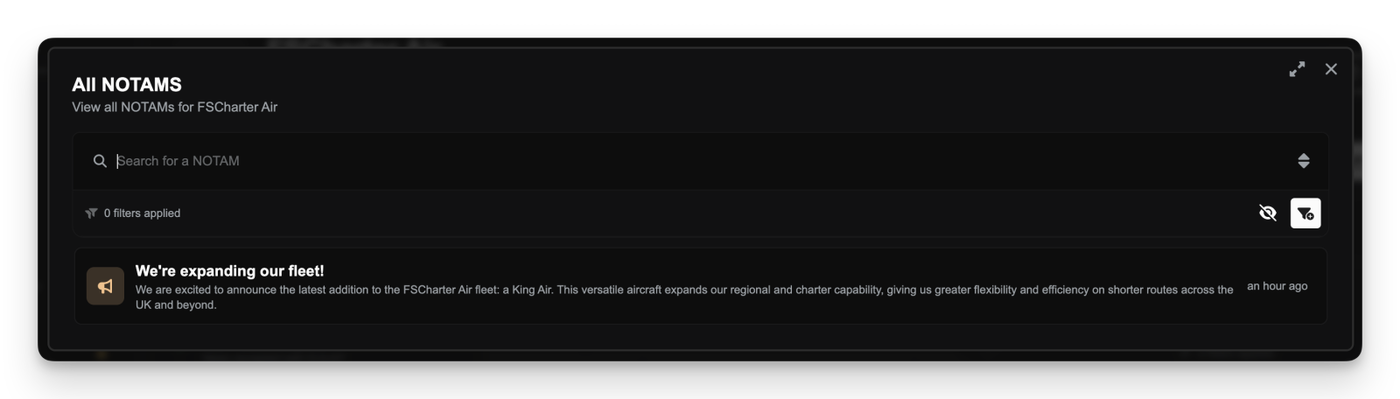
Communication with pilots has also been improved through the introduction of the NOTAMs feature. Managers can now issue Notices to Airmen, categorised as Announcements, Information, or Important, which are surfaced directly in the Pilot Portal to ensure key updates are visible to the roster. All active roster pilots also receive FSMail messages when new NOTAMS are published.
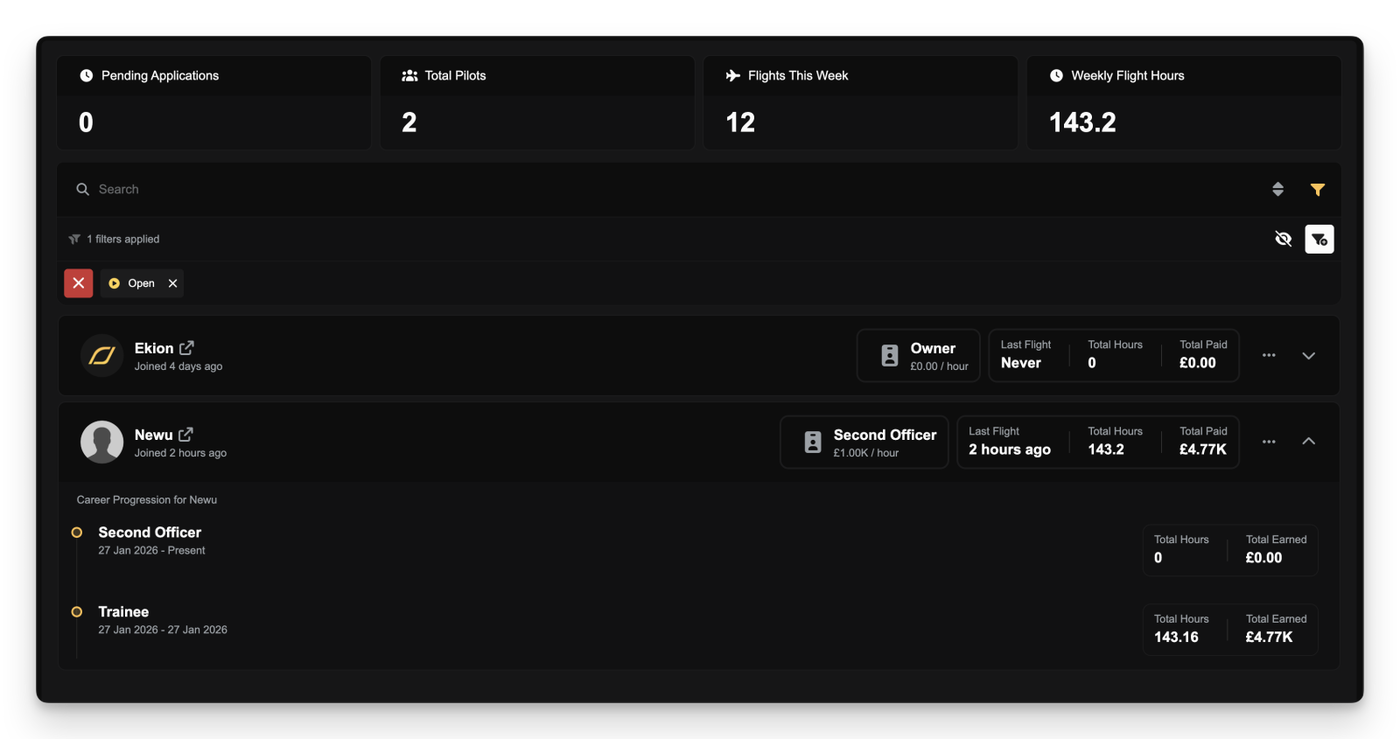
A dedicated Roster Management page has also been added to provide better oversight of pilot activity, including hours flown and incoming applications.
Other Improvements
Redesigned Filter List: Active filters are now displayed in a wrapped layout, allowing you to see every applied constraint at a glance without horizontal scrolling or losing access to the filter and sort buttons.
Persistent Pilot Mode: We've introduced an opt-in Persistent Pilot Mode that, if enabled in your settings, automatically applies the new From Last Location filter to jobs so that only show jobs departing from your last arrival airport are shown by default.
Aircraft Group Constraints: Managers can now assign rank access based on Aircraft Groups.
Smart URL Sync: The browser URL now automatically updates to reflect your active tabs and filters, letting you bookmark specific marketplace views or refresh the page without losing your place.
Region & Flight Time Filters: Added new filter options to search for jobs by global region or specific flight duration ranges.
UI Polish: Tweaked the sidebar menu order and refined styling on various components for a cleaner look.
Heliport Filters: Added demand filters to exclude Heliports from demand search. This filter is applied by default. Also added demand filters to only show Heliports in demand search.
Quick Maintenance Actions: Added visual indicators for overdue maintenance in the Aircraft list in the Operations Cockpit, allowing you to identify and start maintenance directly from the list without navigating away.
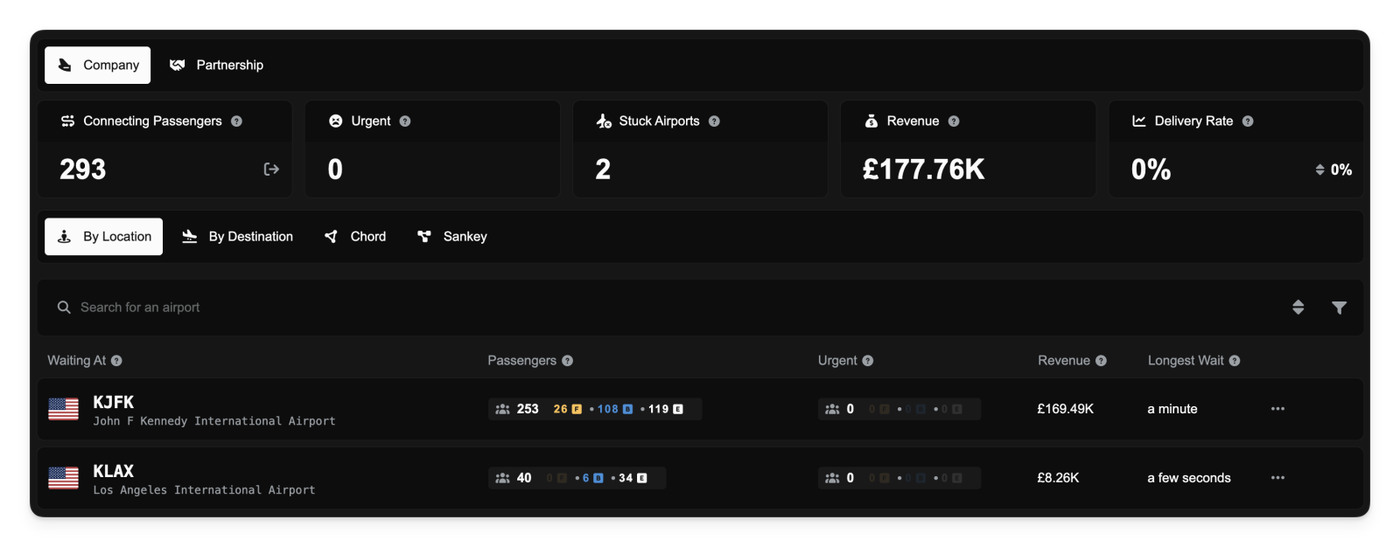
Companies now have a dedicated command center for managing their collaborative network. The new Collaboration Dashboard provides a high-level overview of how passengers are moving (or getting stuck) within your company and/or partnership.
We've introduced a new documentation page to cover the Collaboration Dashboard. You can read it here.
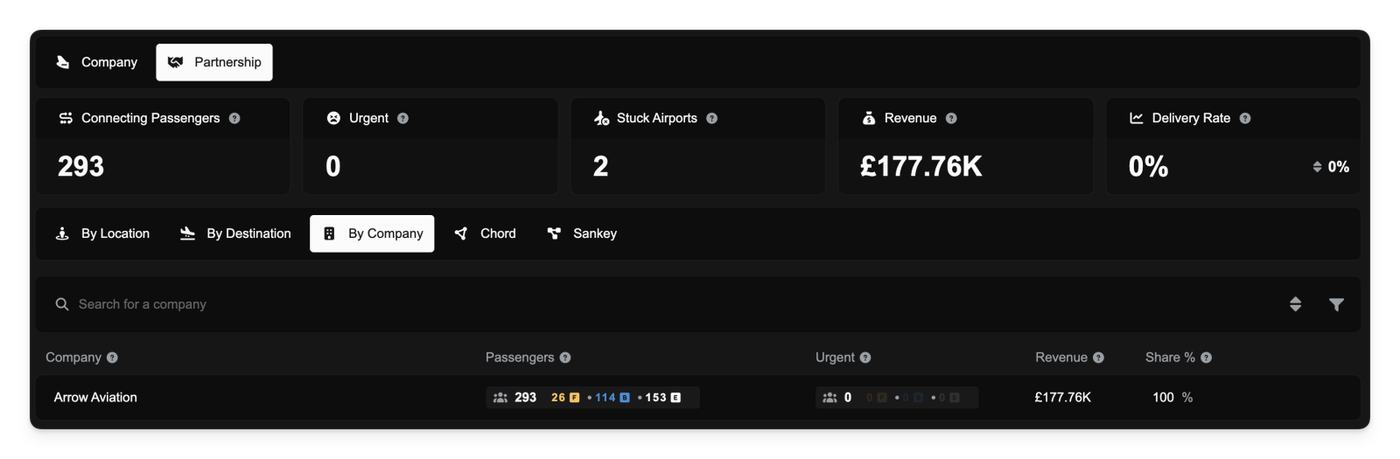
The dashboard highlights key performance indicators such as Delivery Rate (how effectively you are moving passengers) and Stuck Airports (bottlenecks where passengers are piling up). You can switch between viewing data for your specific company or the entire partnership to gauge overall health.
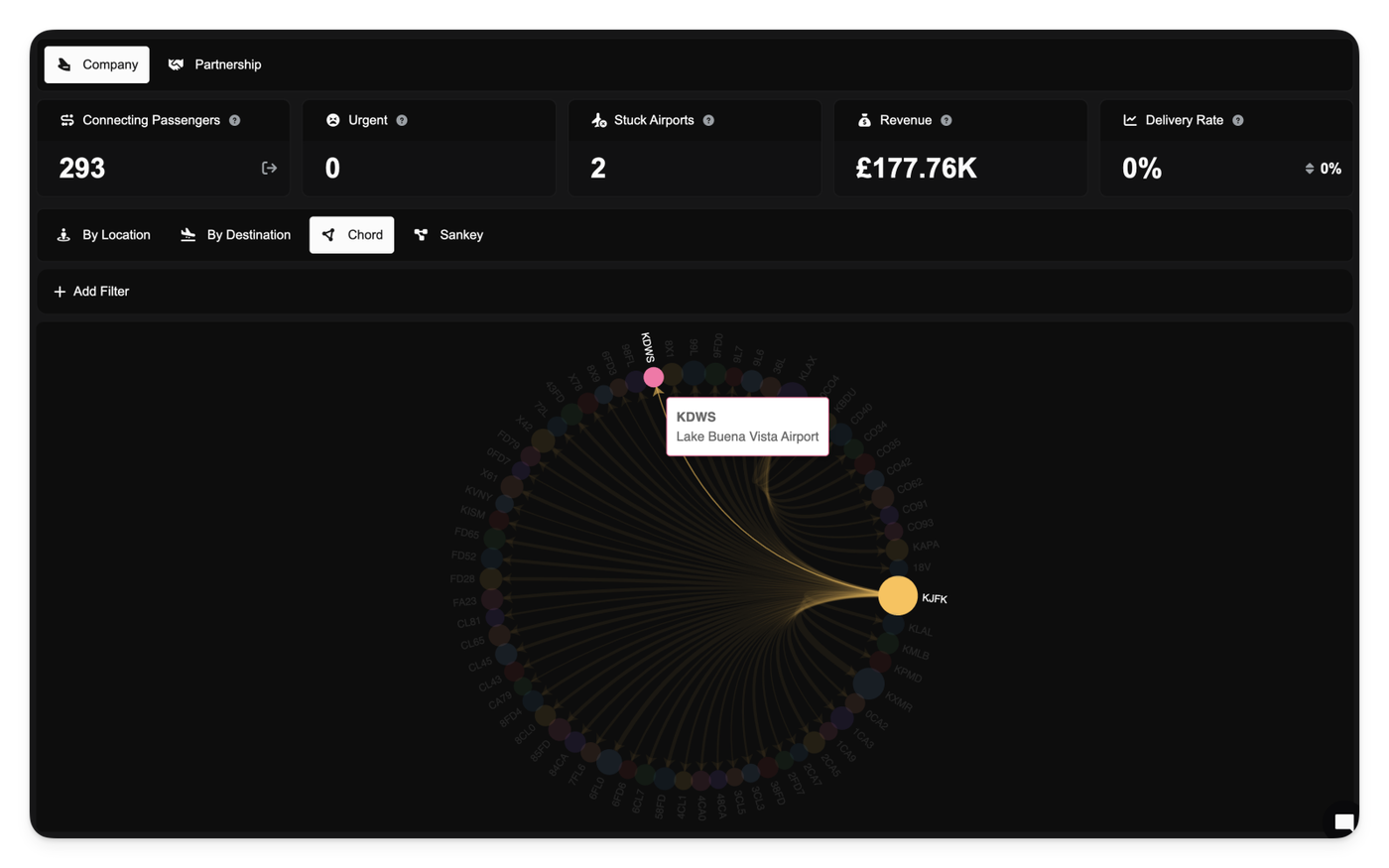
A new Flows view visualizes the movement of collaborative demand across the network, helping you identify high-traffic routes at a glance. Additionally, the Partner Share tab breaks down contributions, showing exactly how much demand and potential revenue each partner is bringing to the table.
Note: Before this update there was no mechanism to attribute the company that introduced collaborative demand into the partnership and as such all collaborative demand is assigned to the lead partner. Going forward all new collaborative demand will be correctly attributed to the correct company.
Releasing Collaborative Demand
Sometimes your network can't handle the load, and passengers are left waiting too long. You now have the ability to release collaborative demand back to the public pool.
You can choose to release All Demand or specifically Urgent Demand (passengers who have been waiting past the 14-day threshold). This can be done globally from the dashboard overview or granularly for specific airports or routes via the detailed airport dialogs.
Releasing demand ensures that passengers aren't stranded indefinitely in your system if you lack the capacity to fly them, protecting your reputation (soon to be implemented) and allowing other operators to pick them up.
Targeting Stuck Passengers
A new filter is available in your Pricing Strategies to help move stagnant demand.
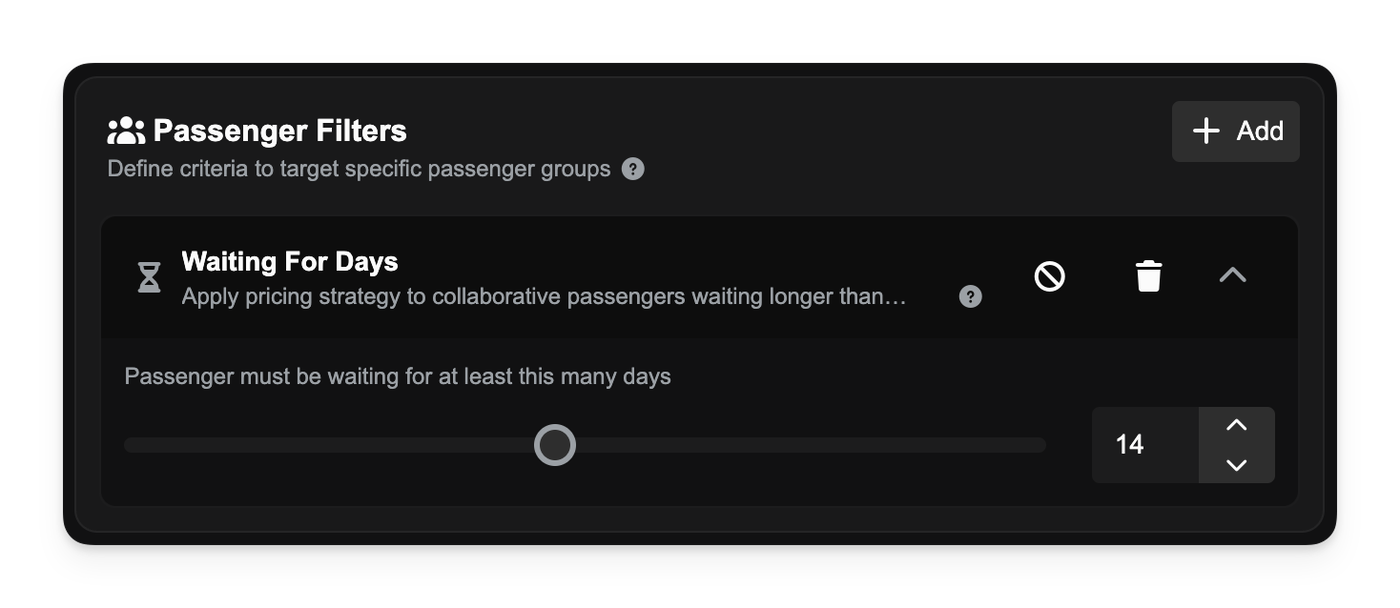
The Waiting For Days filter allows you to apply specific pricing rules (such as aggressive discounts) to collaborative passengers who have been waiting longer than a set number of days. This helps prioritise clearing older demand from your system without manually intervening on every route.
Other Changes
Collaborative demand originally created by your company is now tracked and returned to your internal audience if you leave a partnership.
When you pause your simulator, the Company Clock will now pause with it. This ensures you are not penalized with accumulating background costs such as agreements and loan repayments while attending to real-life interruptions during a flight.
Because the simulator does not send a direct "pause" signal to the server, the system infers a paused state if no flight telemetry (sitreps) are received for 5 minutes. Once you unpause the simulator and flight data resumes, the Company Clock automatically restarts.
Small Improvements
We have removed the calculation cap (saturation) on route demand. Previously, extremely high Economy numbers could hit the calculation limit before Business or First Class passengers were counted, causing premium demand to appear as zero. This may result in slower route demand refresh.
Route demand now displays the exact passenger count for all classes rather than a capped estimate (e.g., "3.00K+").