
Activity Timeline
Global Activity Timeline
You can now see what’s happening across all companies in FSCharter in one live, real-time feed.
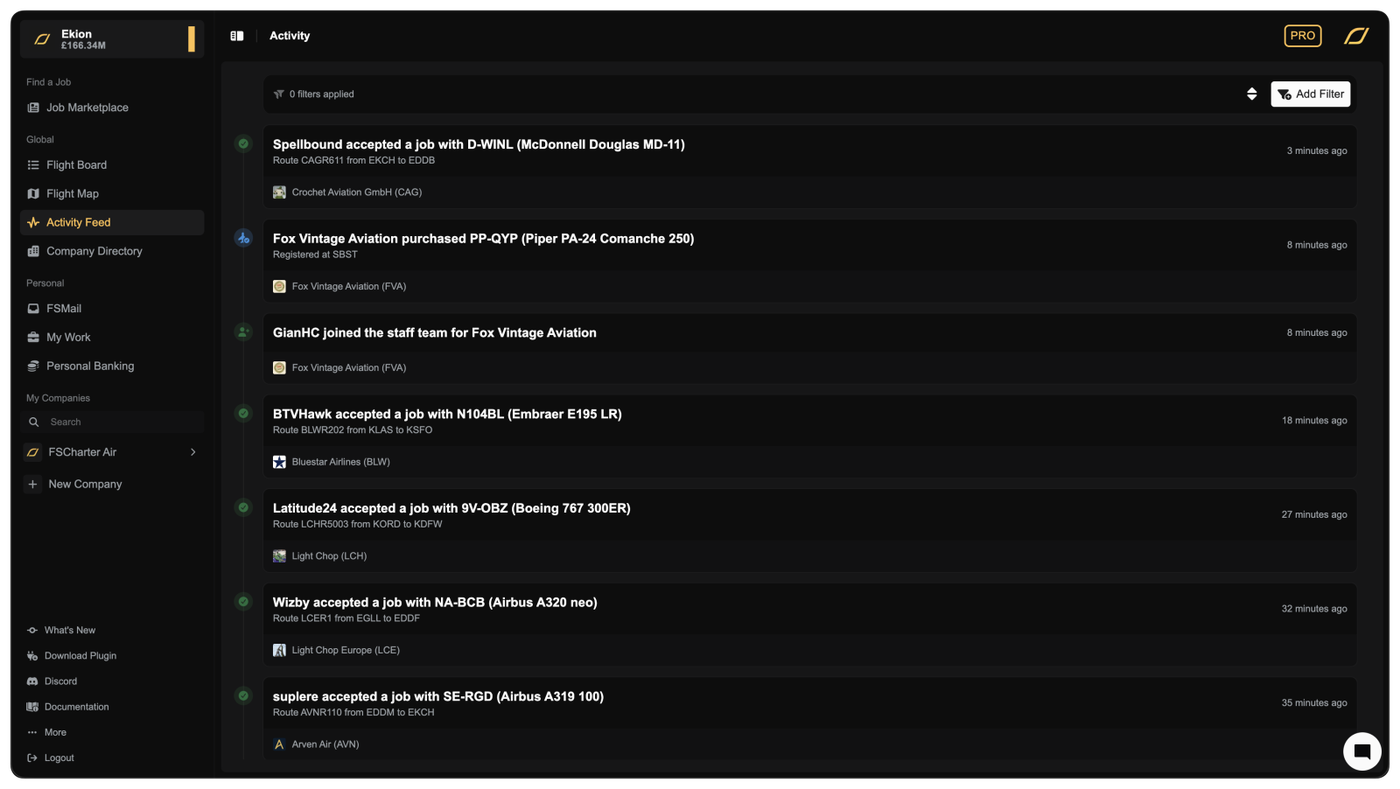
The new Activity Feed page brings together major events from every company into a single global timeline. As flights depart and land, jobs are accepted, aircraft are traded, or companies join partnerships, you see it instantly.
Each entry is clearly labelled with readable titles, meaningful descriptions, and visual icons so you can quickly scan what’s going on. You can also filter the timeline by company or activity type, making it easy to focus on competitors, partners, or specific kinds of events.
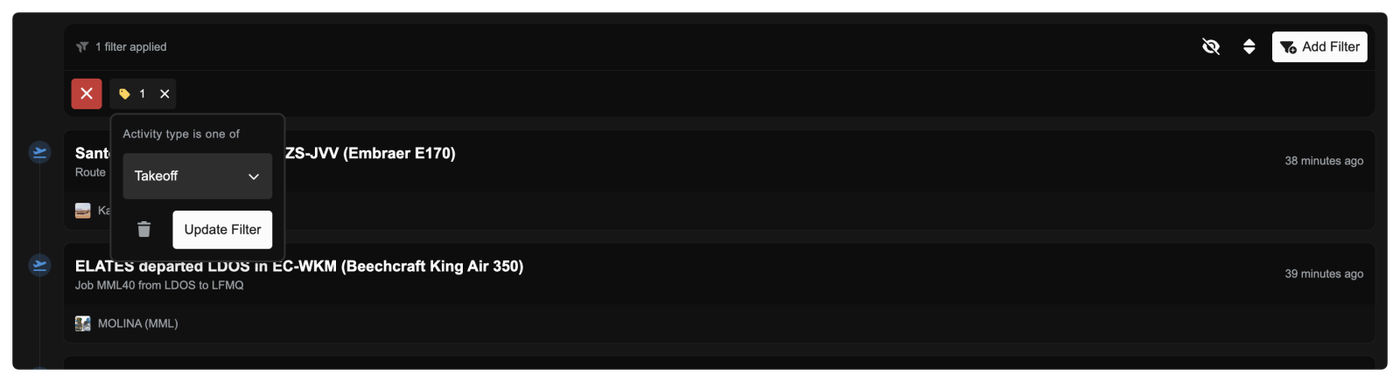
The feed updates live while you’re on the page and supports infinite scrolling, so you never miss what’s happening across the world.
Clearer Pay Progression and Pending Earnings
You now get much better visibility into how and when you get paid as a pilot.
In the Career Progression tab in the Pilot Portal for a company, each rank now shows:
- How many hours you’ve flown at that rank
- How many hours remain until your next payout
- How much money is currently pending
- How often that rank pays out (pay interval)
This makes it much easier to understand why pay is pending and exactly what you need to do to unlock it. If a rank pays every 10 hours, you’ll now clearly see your progress toward that threshold and the amount building up along the way.
The My Work page has been upgraded to give you clearer, more actionable information. At the top, Pending Payouts now includes contextual help explaining:
- Why pay can be locked to specific ranks
- How switching ranks affects pending earnings
- How to unlock accumulated pay
Each company row now shows:
- Progress toward your next payout at your current rank
- Pending amount for that rank
- Lifetime earned and pending amounts
- Total hours flown
You can now also jump straight to managing your pilot career from My Work. A new Manage Employment button takes you directly to the Career Progression tab for that company, where you can:
- Switch ranks
- Review pay intervals
- See which ranks have pending pay waiting to be unlocked
This removes the need to hunt through company pages to manage your pilot status.
New Job Filter: Hourly Pay
You can now filter jobs by hourly pay, letting you focus on work that matches your earning goals. The filter intelligently accounts for:
- Your current rank if you’re already employed
- Ranks you’re eligible to apply for
- Auto-accept ranks when “Flyable Now” is enabled
This helps surface jobs that actually make sense for you to fly.
Other Improvements
- Fixed airport type data so heliports are correctly classified
- Improved activity log titles and descriptions throughout the platform for clearer, more readable events
- Visual polish and spacing improvements in timelines and panels