Feature

Dec 08, 2025

You now have more granular control over your ticket pricing with new airport-type filters and the ability to temporarily pause active strategies and price-out passengers.

Airport Size Filters

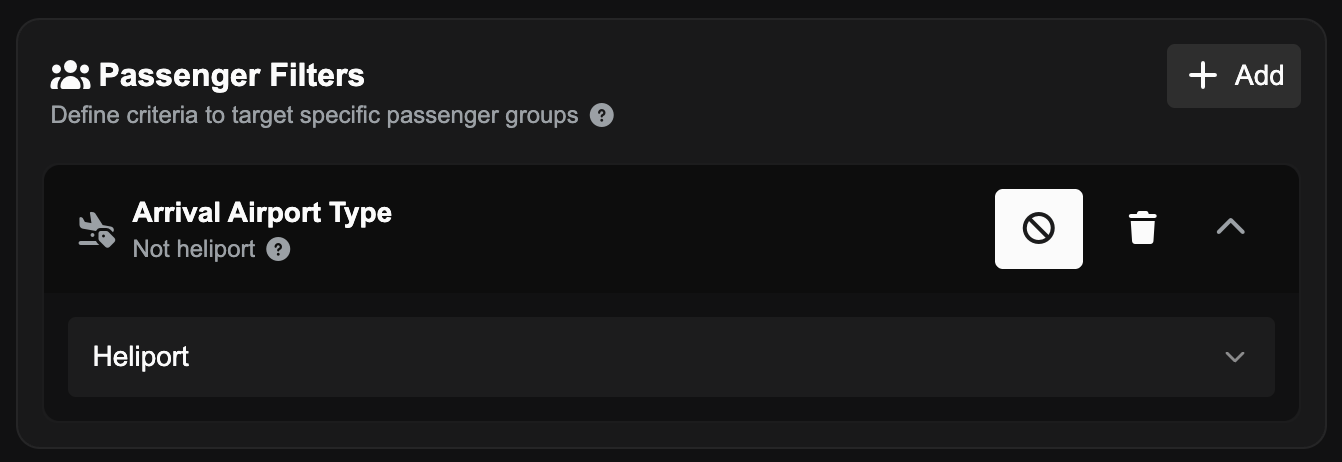
You can now apply strategies to passengers who have a final destination of a Heliport and price them out or incentivise them - useful for preventing passengers with hard-to-deliver endpoints from boarding your routes.
Strategy Pausing

Active pricing strategies can now be paused and resumed without being deleted or ended permanently.
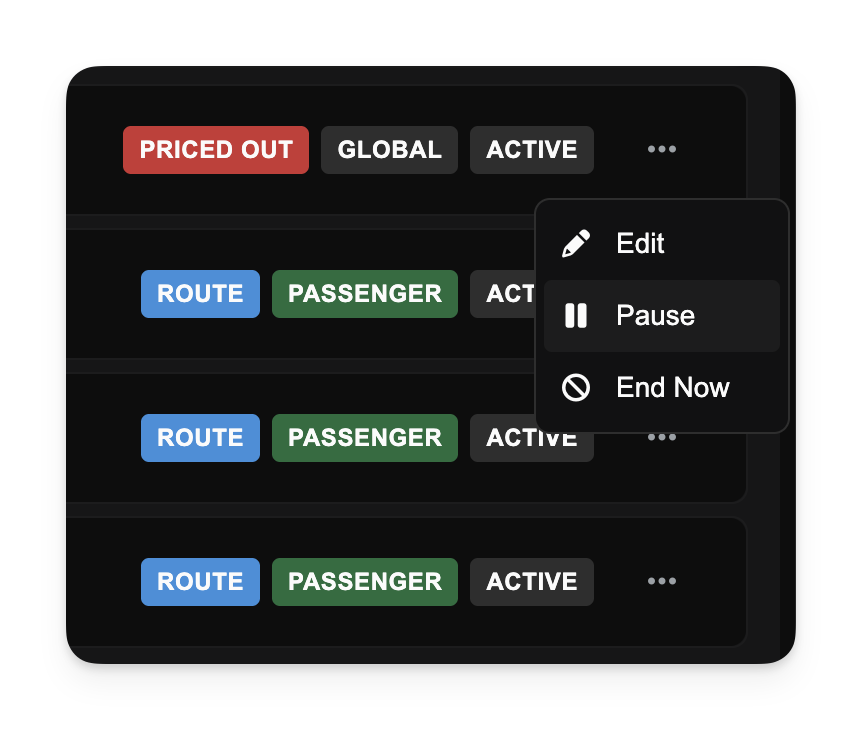
This is ideal for temporary promotional pauses or adjusting fleet operations without losing your complex strategy configurations. While paused, ticket prices will revert to baseline levels, and once resumed, the rules stack again immediately.

Price Out Passengers

By using the new Price Out feature, you can automatically set ticket prices so high that passengers will no longer book that route. Previously strategy surcharges were capped at 100%, which would not be enough to price out passengers on low-fare routes.

Other Changes

  • Improved route demand logic to ensure passengers on connecting journeys are correctly identified for "Last Leg" pricing rules.
  • Fixed an issue in the Strategy Preview dialog where switching between aircraft types would occasionally fail to update projected demand.
  • Enhanced the active strategies display to show surcharges more clearly (instead of negative discounts), preventing confusion.
Dec 04, 2025

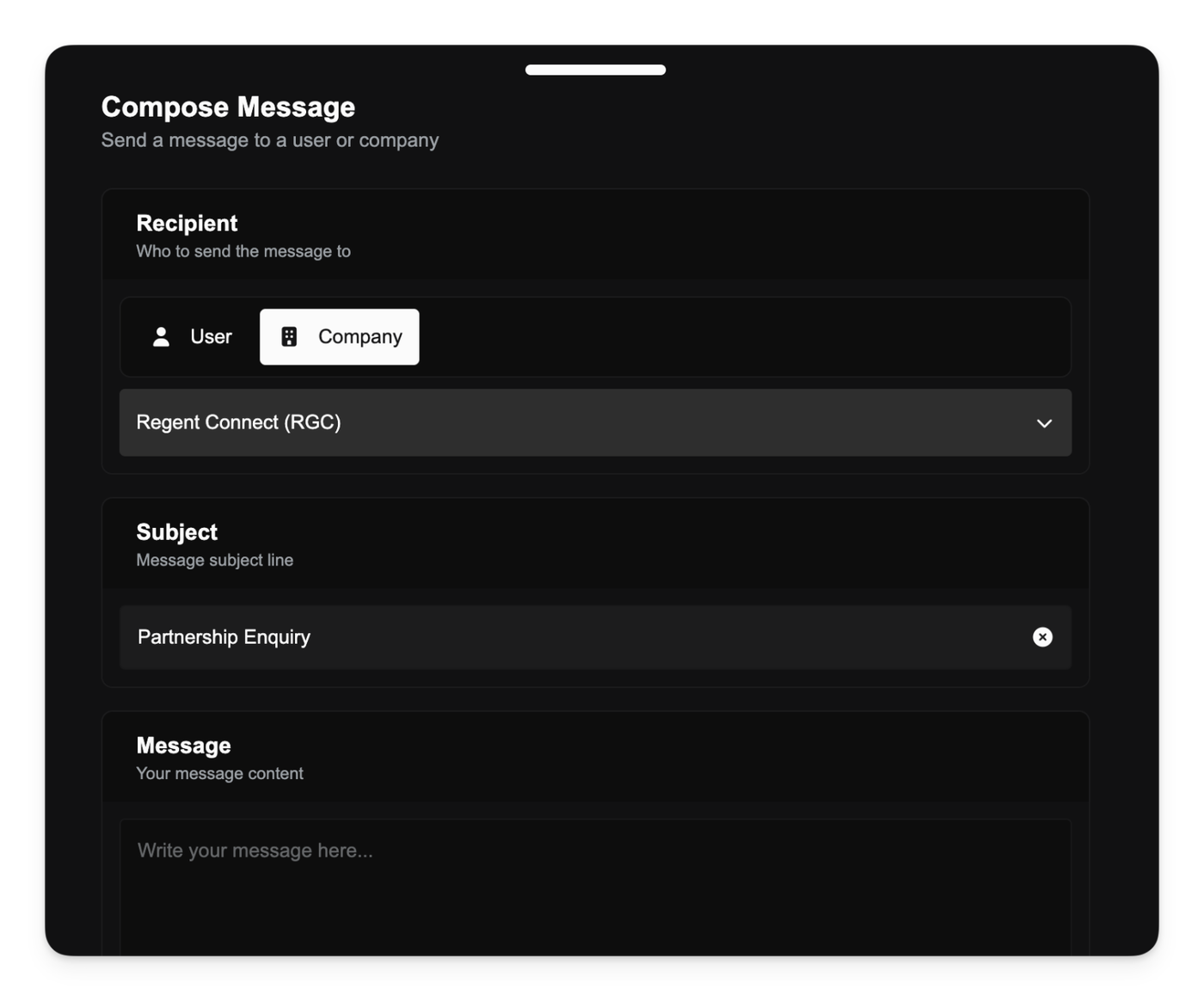
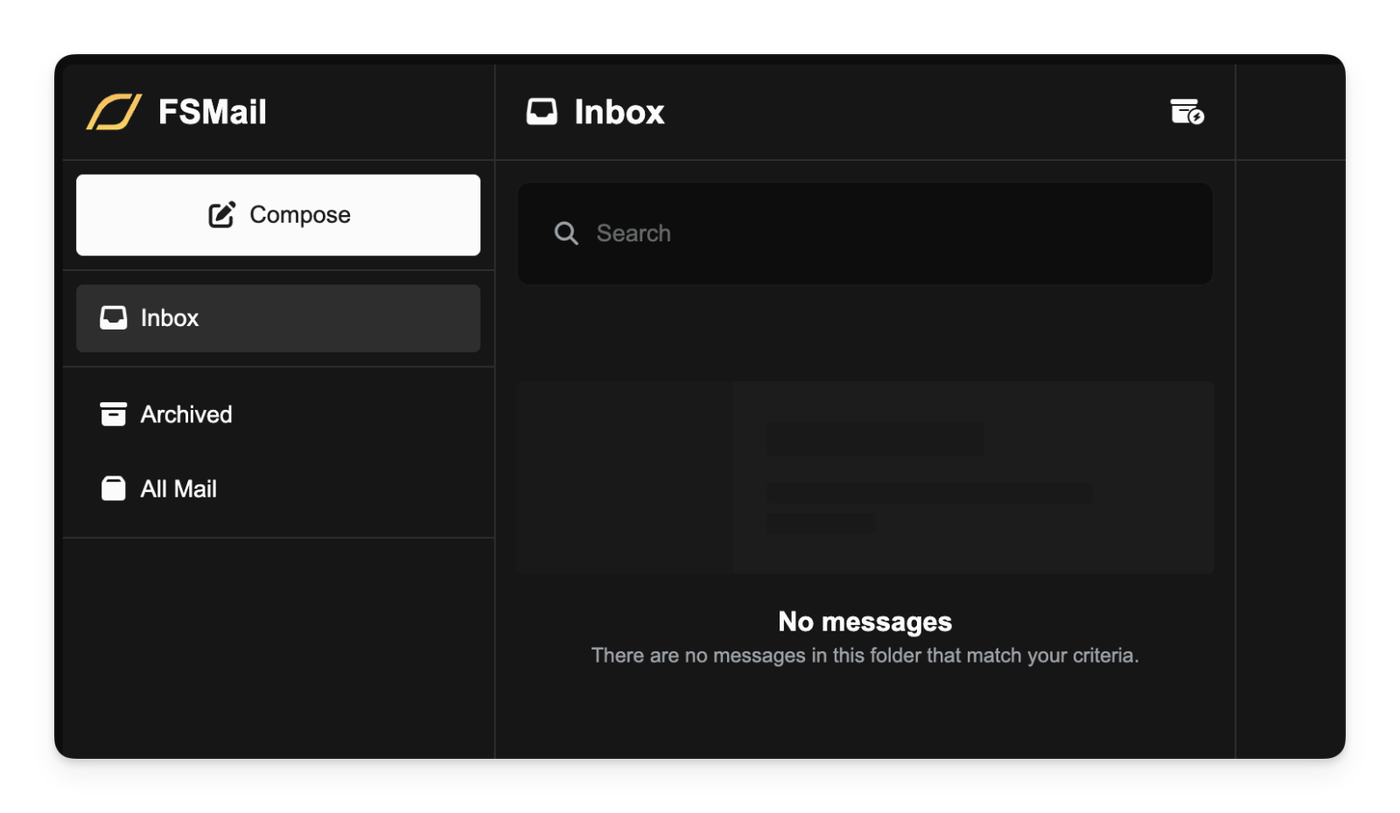
You can now send FSMail messages directly to other players (P2P) or to the staff of another company (P2C) using a new dedicated compose interface. This long-requested feature makes it easy to open a dialogue for partnerships, sales, or general conversation - all without leaving the FSCharter platform.

To start a new message, simply head to the FSMail page and use the new Compose button to open the messaging panel.


Sending to a Company (P2C)

When sending to a company, your message will only be delivered to staff members who have the Receive Company FSMail privilege. This is enabled by default for the Owner and Operations Manager roles to prevent unsolicited messages from reaching everyone in your company.

Replying to Messages

You can now quickly reply to any FSMail message using the new Reply button in the message display panel. This pre-fills the sender and quotes the original message body, making conversation simple.

Improved Airport Finder with Map and Preview

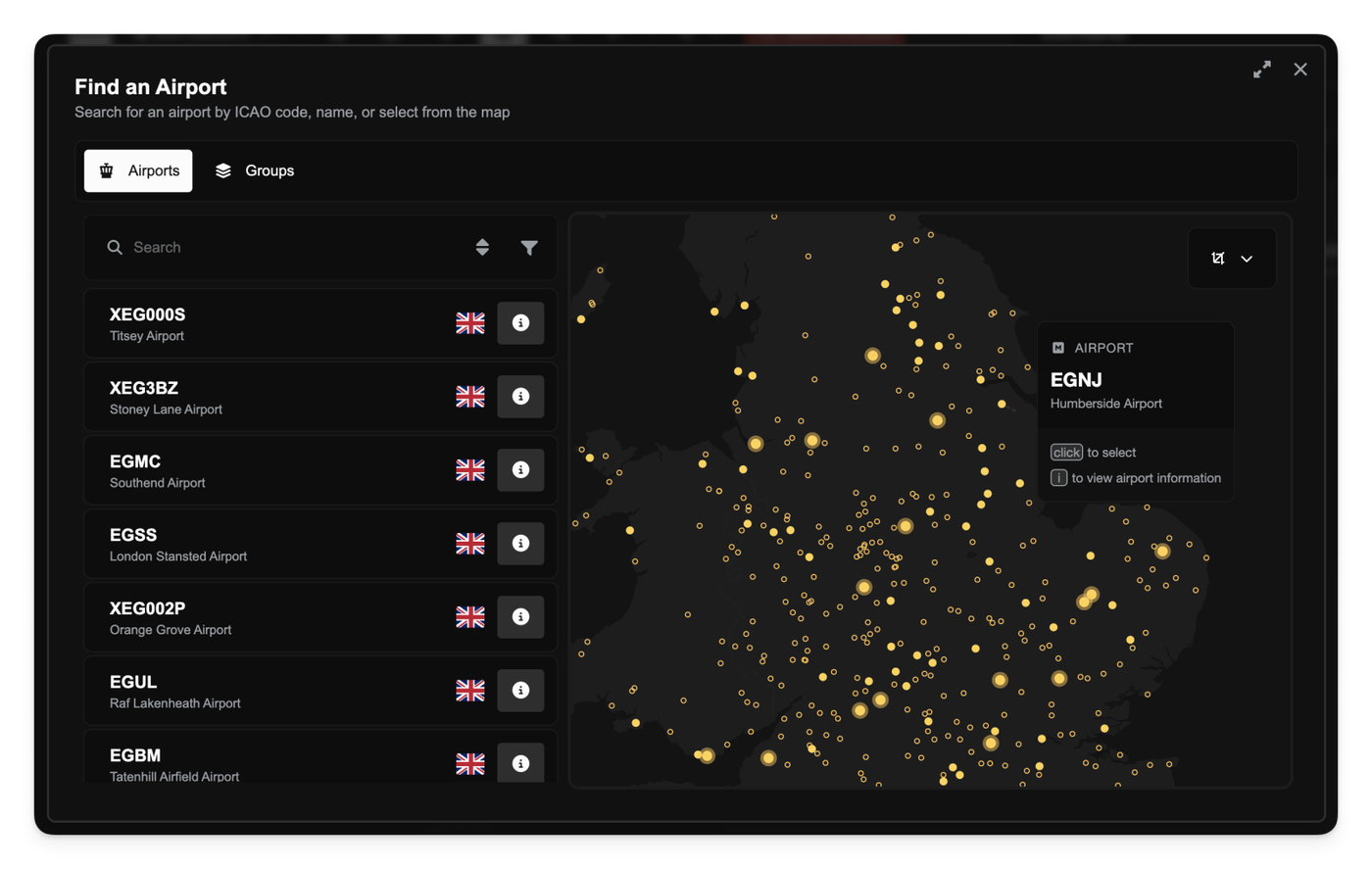
The airport selection dialog has been overhauled to significantly enhance your search and planning experience.

Integrated Map View

A new map view is now available alongside the searchable airport list. This allows you to visually explore the available airports and interactively select a potential destination.

Quick Preview and Selection

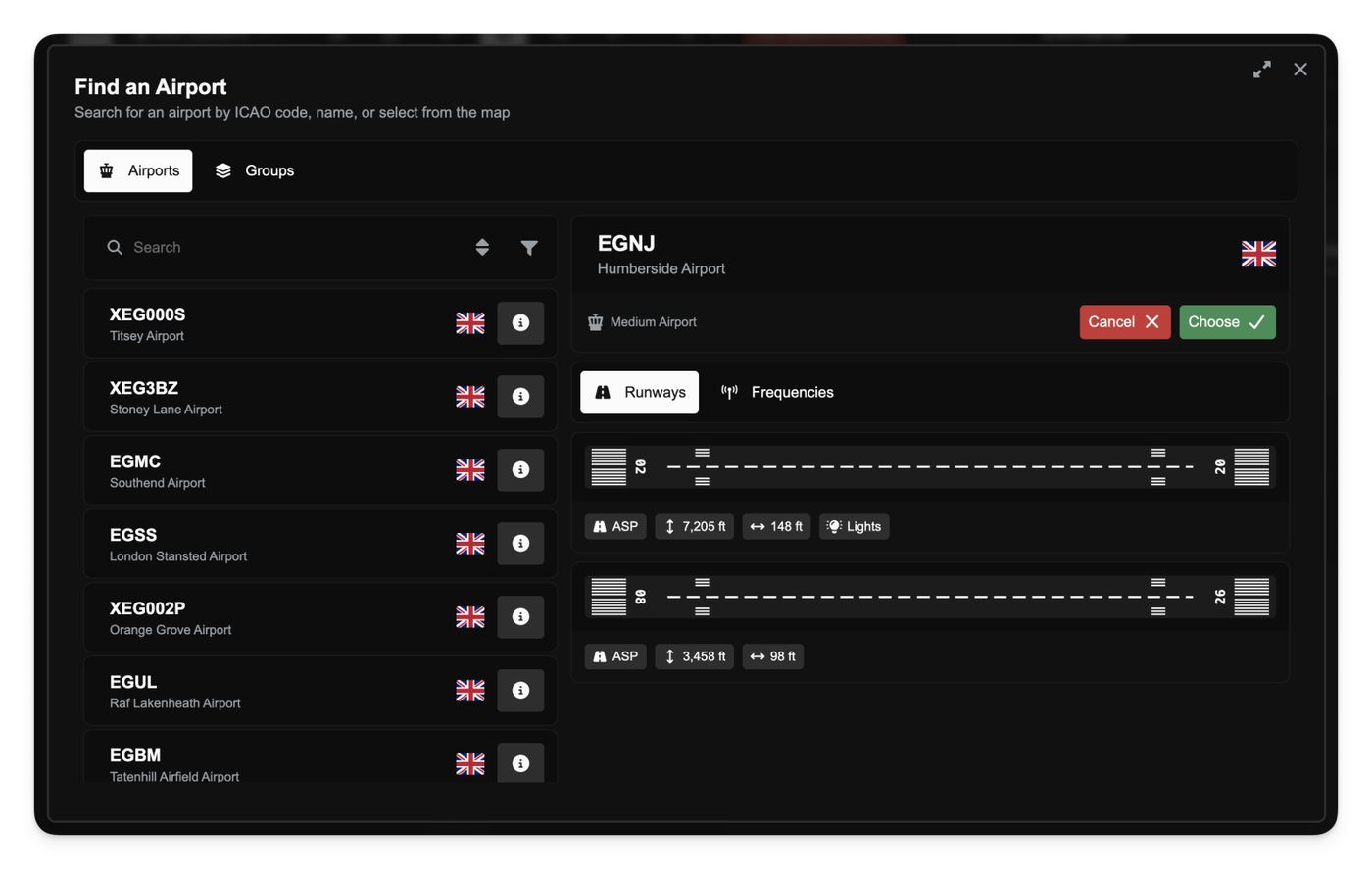
Hovering over an airport on the map and pressing i on your keyboard or clicking the i button on the table row brings up a dedicated preview panel to show detailed airport information, including the available runways. Alternatively clicking on the airport on the map or the table row will immediately select it.

Other improvements

  • Appropriate protections are now in place to prevent incompatible images being uploaded for logos or avatars.
  • Fixed a bug that prevented free users from refreshing route demand.
  • You can now correctly unboard an aircraft even if it has been re-boarded during a stopover.
  • When filtering demand by a radius around an airport, the system will now automatically cap your requested radius to the maximum permitted value instead of throwing an error.
  • Fixed a bug where viewing certain demand when configuring aircraft-for-hire jobs would return no demand.
Nov 27, 2025

Aircraft Price Reductions

We have lowered the purchase price for all aircraft by 10% to better align to the current economy. To ensure fairness for those who have recently invested in their fleet, we have processed automatic refunds. If you own an aircraft affected by this price adjustment, the difference between your original purchase price and the new market value has been credited back to your company bank account.

Extended Loan Terms

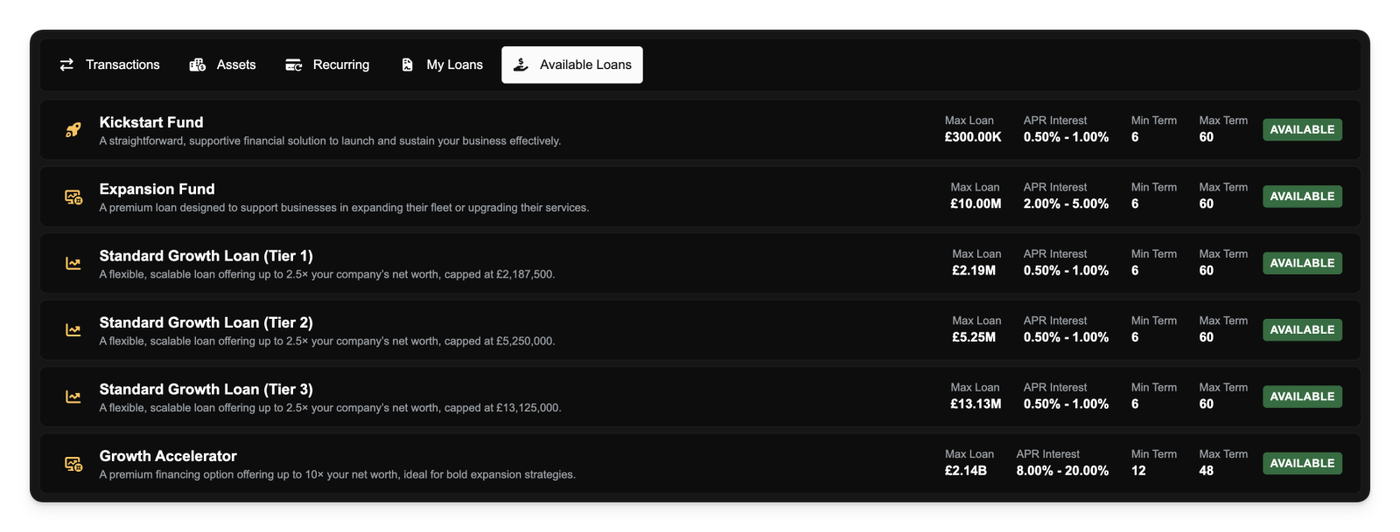
To support faster fleet progression and better cash flow management, we have doubled the maximum repayment period for loans. You can now secure loans with terms of up to 120 cycles (previously capped at 60). Spreading payments over a longer period reduces your recurring cycle costs, allowing you to invest in larger, more capable aircraft earlier in your career.

Smarter Demand for Hireable Aircraft

Finding the right job for a rented aircraft just got easier. When browsing demand for a hireable aircraft, the marketplace now automatically filters out passenger groups that won't fit. The system now checks the aircraft's capacity against the available groups, ensuring you only see jobs you can actually fly.

Recurring Payments & Agreement Improvements

We have improved the company finance page to give you better visibility and control of recurring payments. You can now view the total of all recurring payments and the ability to view a detailed breakdown of your recurring expenses, categorised by type.

Additionally, the Recurring Payments tab now clearly displays the specific name of the agreement that it relates to. We have also added the ability to cancel agreements directly from the Agreements page within the Operations Cockpit, saving you unnecessary navigation steps.

Other Changes

  • You can now generate and download CSV reports of all financial activity within a partnership.
  • We have removed the fee for withdrawing a pending contract application. You can now change your mind and withdraw an application without financial penalty.
  • Companies that are already members of an active partnership can no longer be invited to join a new one.
  • Fixed an issue where "Passenger Facility Fees" (Departure) were not being refunded if a job was reset after boarding.
  • Corrected the format for Hungarian aircraft tail numbers to adhere to the real-world 3-letter suffix standard (e.g., HA-ABC).
  • When hovering over demand on the map, you will now see a specific breakdown of passenger classes (First, Business, Economy).
  • Fixed the order of passenger class labels in the Job Overview dialog to be consistent.
  • The "Create New Route" screen now displays the exact nautical mile distance between the selected airports.
  • Added "Toggle All" controls to the Role Editor, allowing you to quickly check or uncheck entire groups of privileges and notifications.
  • The Rank Pay editor now calculates and displays an "Effective Hourly Rate" based on the total salary and contract hours to help you set competitive wages.
  • Fixed a bug where available aircraft for specific Ranks did not update immediately after modifying the Rank's constraints.
  • Notifications sent when a job is reset now include detailed context, including the aircraft tail number, route, job number, and airports involved.
  • Added specific filters to the job board to view only Charter jobs or Route jobs.
  • Fixed an issue where all logbook entries were incorrectly labeled as charter flights regardless of their actual type.
  • Fixed a bug preventing the deletion of a Rank if it had associated contracts that were already completed.
  • Improved the aircraft database search; you can now search across the platform by tail number, type, ICAO code, manufacturer, model, or variant.
  • Fixed the marketplace contract filter to correctly hide old, expired contracts.
  • The aircraft selector in the Route Preview dialog now displays the airport where each aircraft is currently located.
  • You will now see the estimated time required for jobs like "Reconfigure Seats" before confirming the work order.
  • Added a filter to the job marketplace to view jobs belonging to a specific partnership.
  • Fixed overlapping scrollbars on the Aircraft Database page.
  • The flight map now display a "Fuel Consumed" badge for completed flights.
Nov 25, 2025

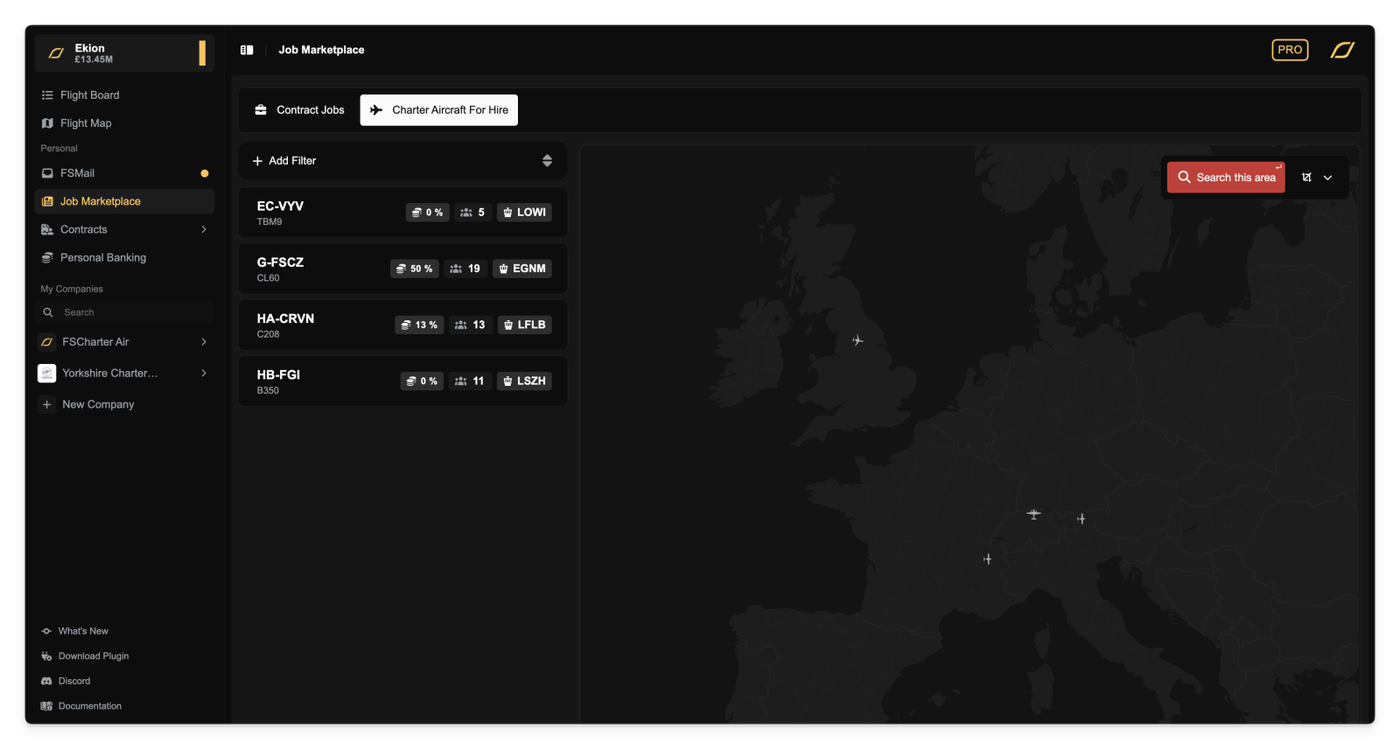
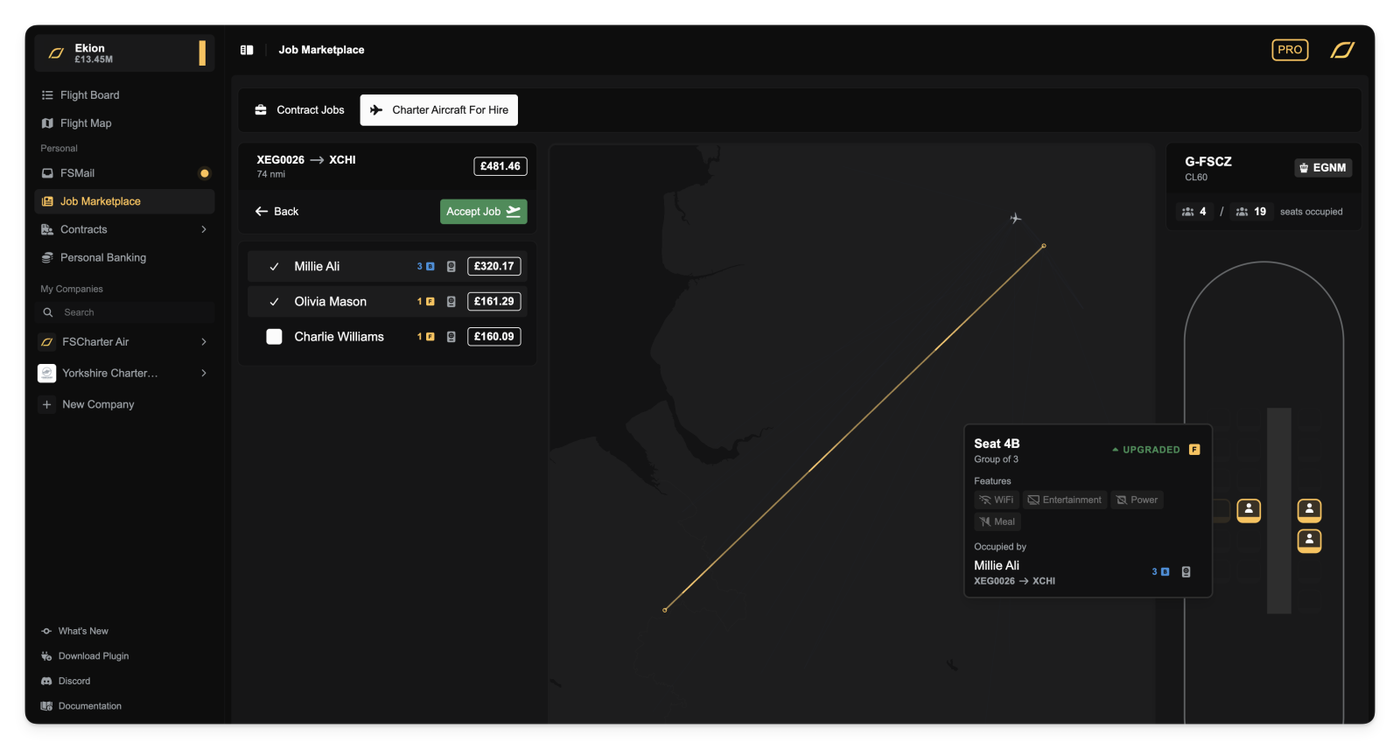
Companies can now hire out GA aircraft directly to pilots to configure their own charter jobs.

Whether you are a freelance pilot looking to earn quick cash or a contracted pilot wanting to self-dispatch a GA aircraft from your airline's fleet, the new Charter Aircraft for Hire tab in the Job Marketplace gives you the freedom to build your own flights based on the same global demand that company managers use to build Dispatch Plans and Routes.

Once you select an aircraft, you have control over the manifest. You can choose which passenger groups to load and visualise how they fill the aircraft. From here, you can accept the job in one click and start flying!

Hiring Controls for Airlines

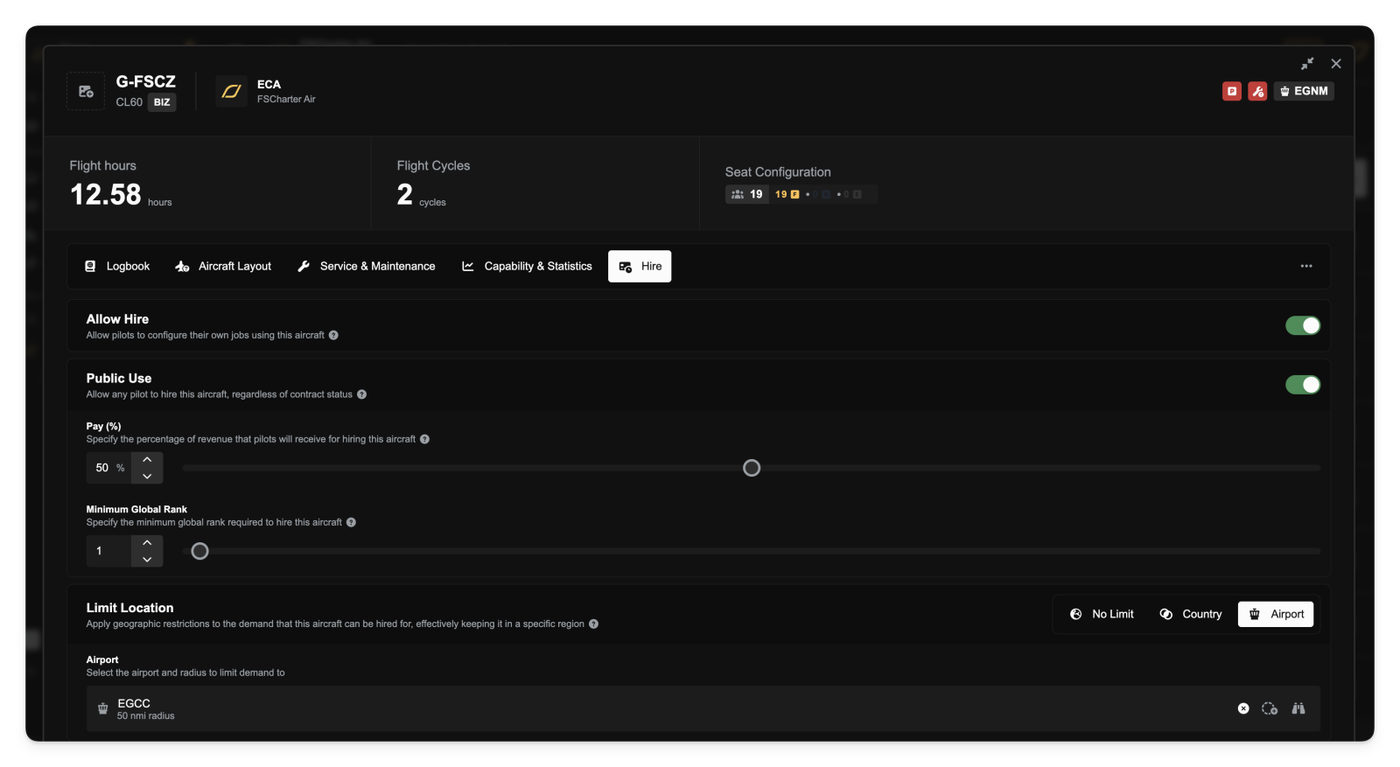
Airline managers can now put their idle GA fleet to work by making aircraft available for hire.

You retain operational control by setting specific restrictions. You can limit your aircraft to specific countries, enforce a maximum distance from a base airport, and/or apply any demand filter. For example, you can restrict demand to "Last Leg" only (perfect for making sure you unlock revenue) or "Can Traverse Routes" (great for funneling passengers into your route network).

You can read more about Aircraft Hiring for companies and pilots in the documentation.

Other improvements

  • Added Is Last Leg demand filter
Nov 24, 2025

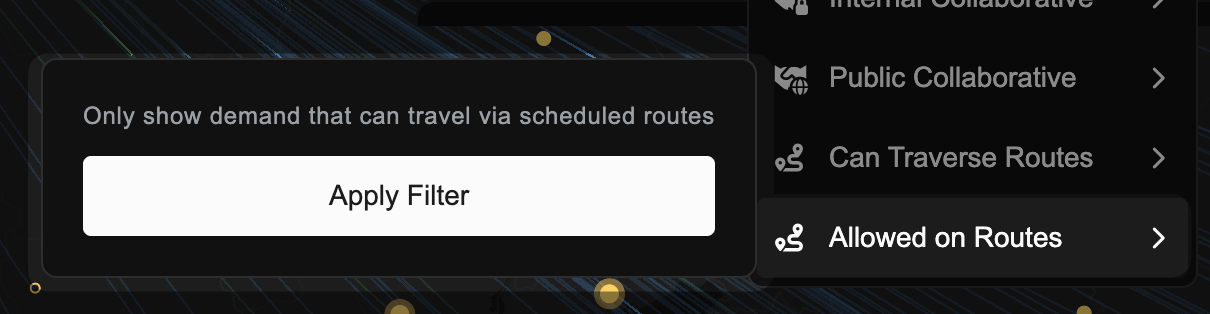
We have introduced a new Allowed on Routes filter to the demand search options.

When enabled, this filter automatically hides specialised demand types that are incompatible with standard scheduled operations.

Note that you may need to clear your cache from the ... More menu in the bottom left of the screen before the filter shows.

Nov 18, 2025

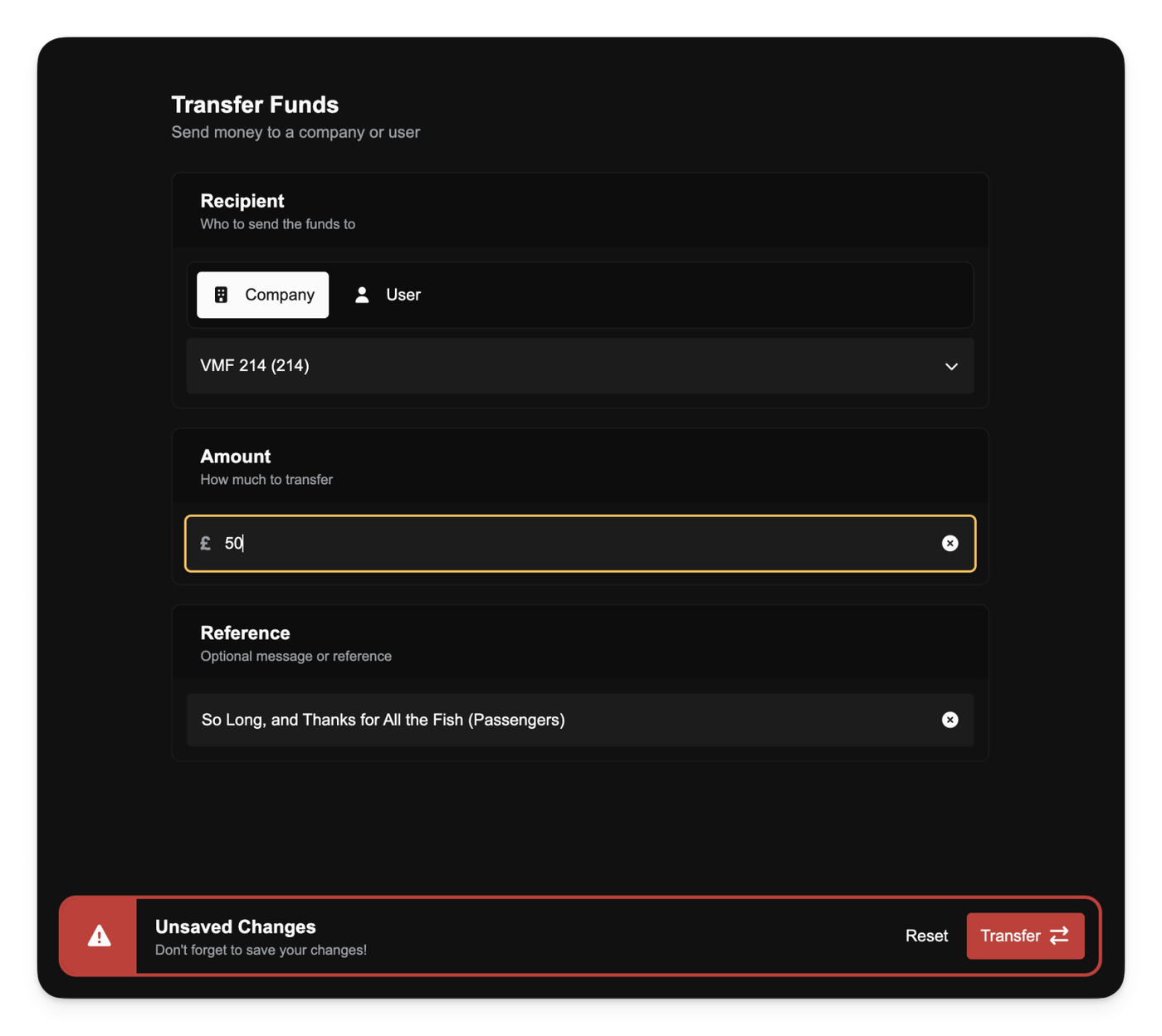
You can now move money freely between companies and players. All four transfer types are supported:

  • B2B (company → company)
  • B2P (company → player)
  • P2P (player → player)
  • P2B (player → company)

This replaces the old "Inject Funds" mechanic. Any player can now send money from their personal bank account into a company without needing a special privilege.

Company transfers follow stricter rules. A company can only send out up to its current month’s profit, and never more than its actual bank balance. Transfers count as Manual Transfer expenses, so sending money out immediately lowers the profit figure for that month. Loans don’t affect this limit; companies can’t use loan income to increase how much they’re allowed to transfer.

Personal transfers have no profit limit. You can move any amount up to your personal balance, whether paying another player directly or supporting a company.

To control company-originated transfers, a new Transfer Funds privilege has been added. It determines who can initiate B2B and B2P transfers and replaces the removed Inject Funds privilege.

Nov 18, 2025

Can Traverse Routes Filter

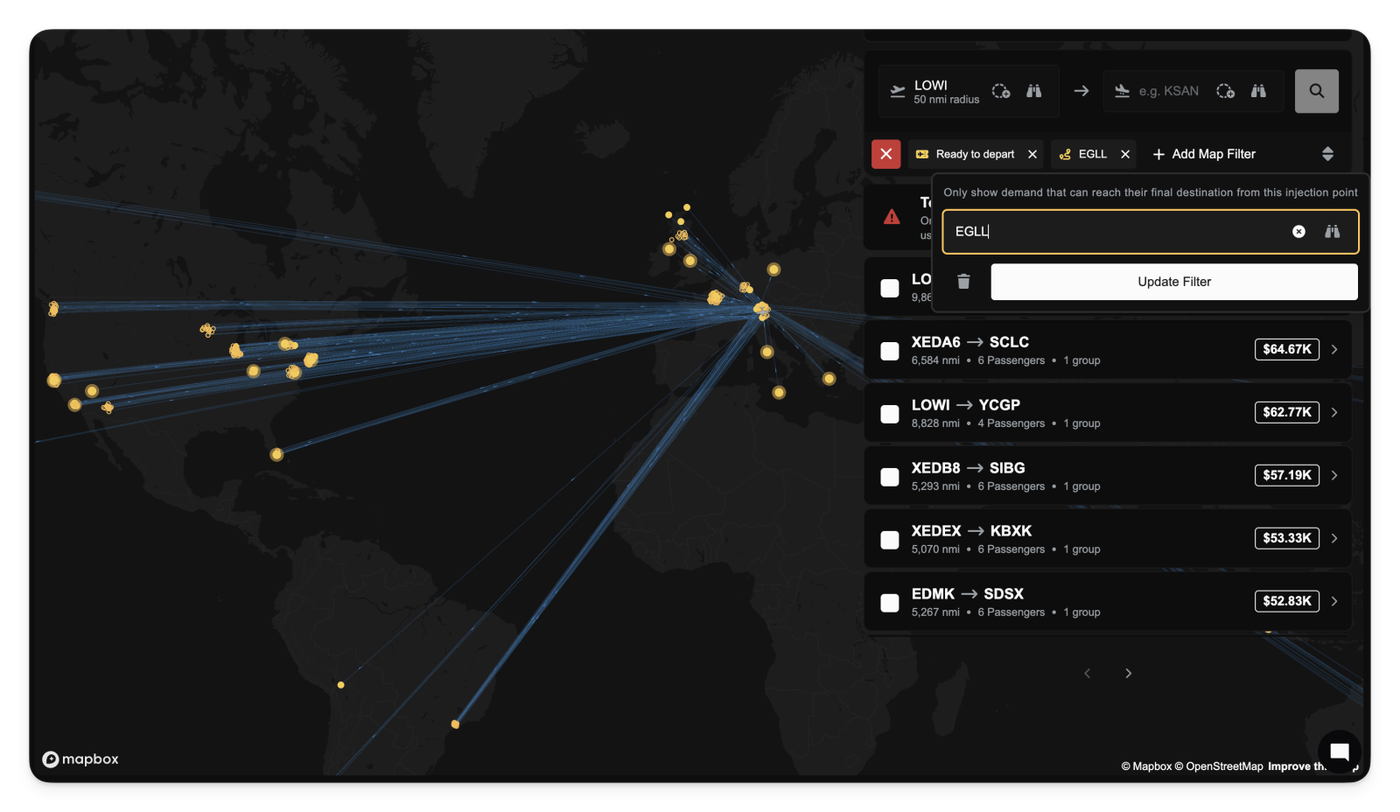
A new Can Traverse Routes filter is now available in the demand view. This filter lets you limit demand to only the destinations your network can actually reach from a chosen drop-off airport.

When you select a drop-off airport, the demand view automatically shows only the passenger groups whose final destination can be reached through your current route network (including up to three hops and any Passenger Services coverage you’ve built).

This helps you choose which demand to take on charters, eliminating the manual review of your network and helps answer the question "If I drop off these passengers, can they even be delivered?".

Other improvements

  • Airport filter component now hides the “add airport” button when a filter only supports a single airport selection.
Nov 17, 2025

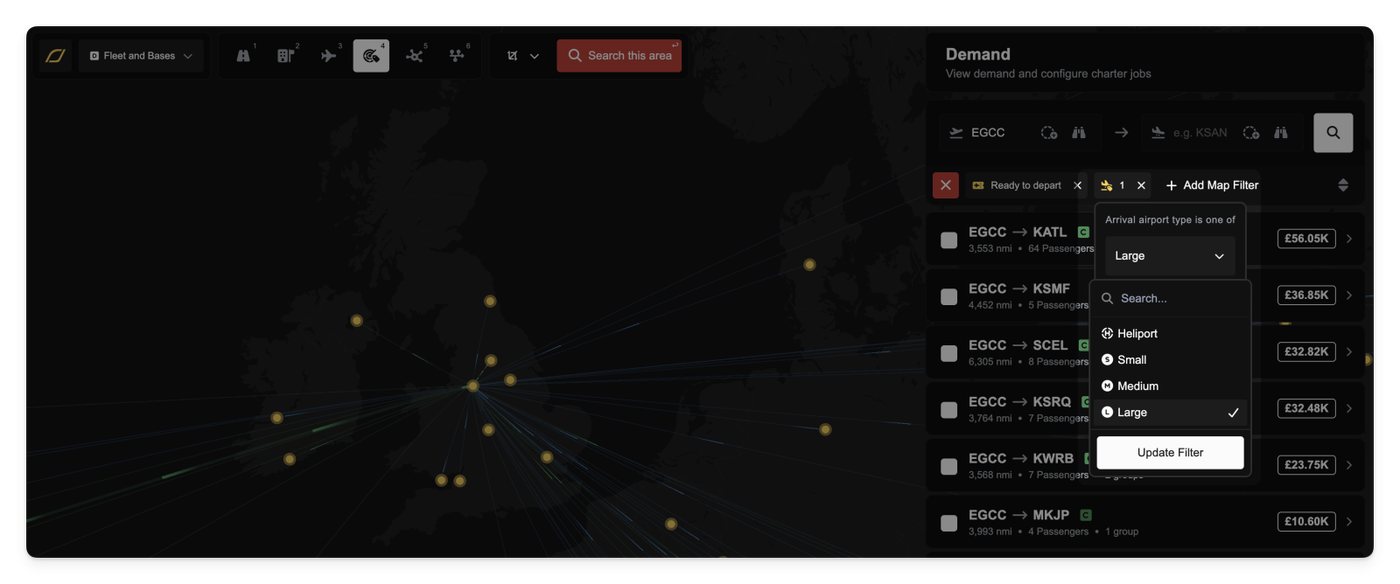
You can now apply new filters to the Demand lens, allowing you to quickly find passengers willing to fly to or from specific types of airports.

This new filtering capability is especially useful for companies operating specialized fleets. For example, you can easily filter for demand groups that originate at Heliports or those that are only flying into Small Airports.

The available filter options cover four main airport categories:

  • Heliport
  • Small Airport
  • Medium Airport
  • Large Airport

Other improvements

  • Fixed a bug that resulted in incorrect route pricing for some demand with specific pricing strategies.
Nov 15, 2025

🏦 Loan System Overhaul

We have completed a major overhaul of the company loan system. We discovered a bug in our interest calculations that made loans significantly more expensive than intended. This has been corrected. All loans now use a clearer Annual Percentage Rate (APR) model, and interest rates have been significantly reduced across the board.

We've also introduced new "Standard Growth Loan" tiers to help you expand your company at different stages of your career.

Most importantly, we have run a script to rebalance all existing loans. If you have an active loan, its interest rate has been lowered to match the new, cheaper APR rates, and your remaining payments have been recalculated. You don't need to do anything; your loan is now cheaper.

✏️ Company Name & ICAO Updates

You now have the ability to update your company's name and ICAO code. In your company preferences, you'll find the new fields after clicking on the Edit button next to your company details.

This allows you to rebrand your company or fix typos you made during setup.

✈️ Aircraft & Economy Updates

We've continued to refine the economy by slightly reducing the prices for many aircraft in the database. We also updated seating and payload statistics for several airframes to be more accurate.

Additionally, we've added a Request a new aircraft button directly to the aircraft database page, linking you to the official request form.

💺 Critical Charter Job Fix

We fixed a critical bug in the seat assignment logic for charter jobs. Previously, the system that checked passenger seating has a bug that allowed you to accept a job with an aircraft that was actually too small.

The logic now correctly handles upgrades for charter jobs where Business passengers fill empty First Class seats before Economy passengers do. This ensures that an aircraft is only marked as valid if it truly has enough seats for all passengers after all upgrades are processed.

🛫 Improved Slot Validation

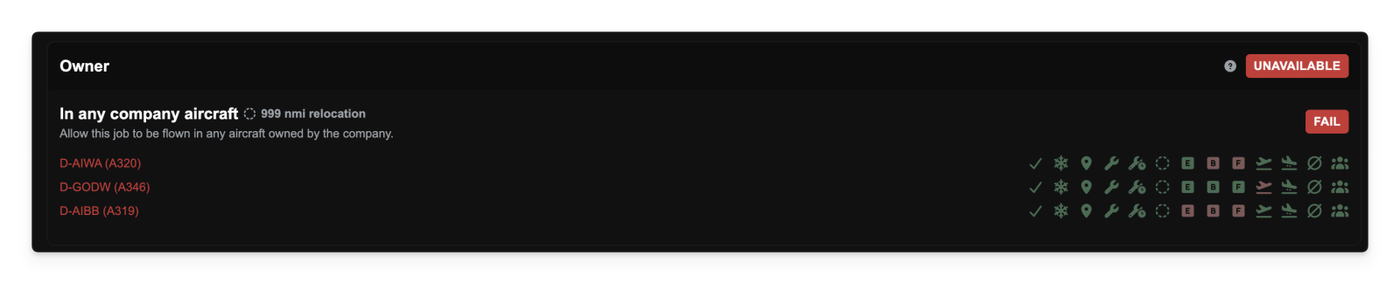
We've improved slot validation for aircraft jobs. The Available Aircraft screen will no longer show an aircraft as valid if it doesn't have a required departure slot. The diagnostic view is also clearer, showing separate checks for departure and arrival slots.

Other improvements

  • Fixed an issue on the V1 migration screen where the Next button could not be clicked.
  • Fixed a bug that caused the browser tab to freeze or crash when editing number fields, such as the Simbrief passenger weight.
  • The Finances tab within a partnership's detail page is now scrollable.
  • Updated the Discord button and added new badges for supported platforms (MSFS, X-Plane, etc.) to the landing page.
Nov 10, 2025

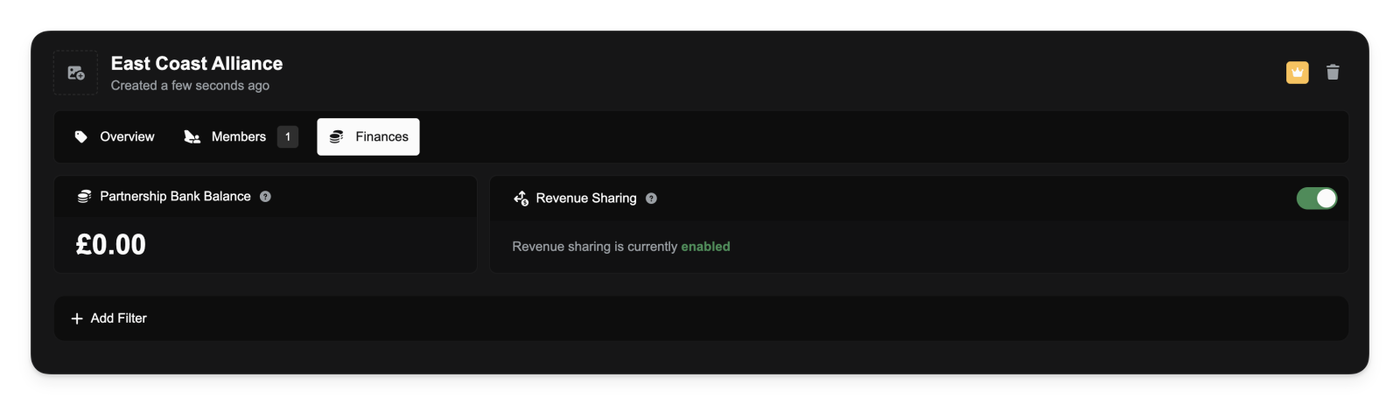
You can now create a shared economy with your partners using the new Revenue Sharing system. This optional feature lets you automatically pool income from member flights and distribute profits on a monthly basis.

As a partnership manager, you'll find a new Finances tab in your partnership panel. From here, you can enable revenue sharing, which instantly creates a shared bank account for your partnership.

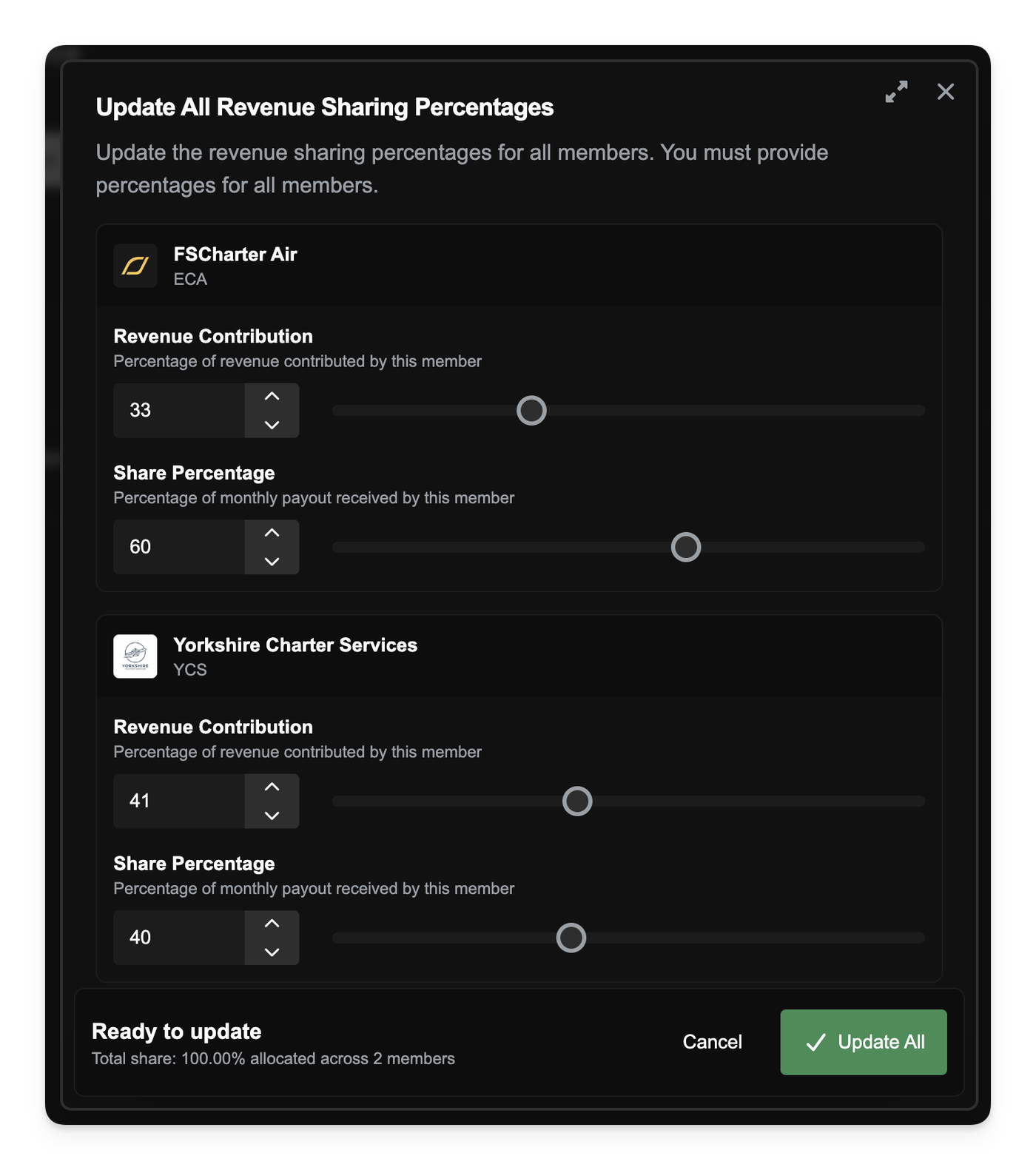
When you first enable revenue sharing, all existing members are set to 100% contribution and an equal share. You can then customize this using the new Update All Revenue Sharing Percentages tool on the Members tab. This allows you to set two key values for every member in the partnership:

  • Revenue Contribution %: The percentage of a member's flight revenue that is automatically paid into the partnership pot.
  • Share Percentage %: The percentage of the pot that member receives during the monthly payout. The total share must equal 100%.

When a member completes a flight, their contribution is transferred to the partnership account. On the 1st of every month, the entire balance of the partnership account is distributed to all members based on their configured share.

You can track all of this activity in the Finances tab, which shows the partnership's current balance and a full log of all contributions and payouts. The Members tab also provides a clear overview of each member's percentages and their most recent payout.

When a new company joins an already-active partnership, they will be added with 0% contribution and 0% share. You can then use the "Update All" tool to rebalance the partnership's new economy and include them in the payouts

You can read more about Partnership Revenue Sharing in our documentation.

Other improvements

  • Updated the default avatar used for Discord notifications.
Nov 09, 2025

We've heard your feedback that charter jobs, especially short hops in the early game, often don't feel worth the time and effort.

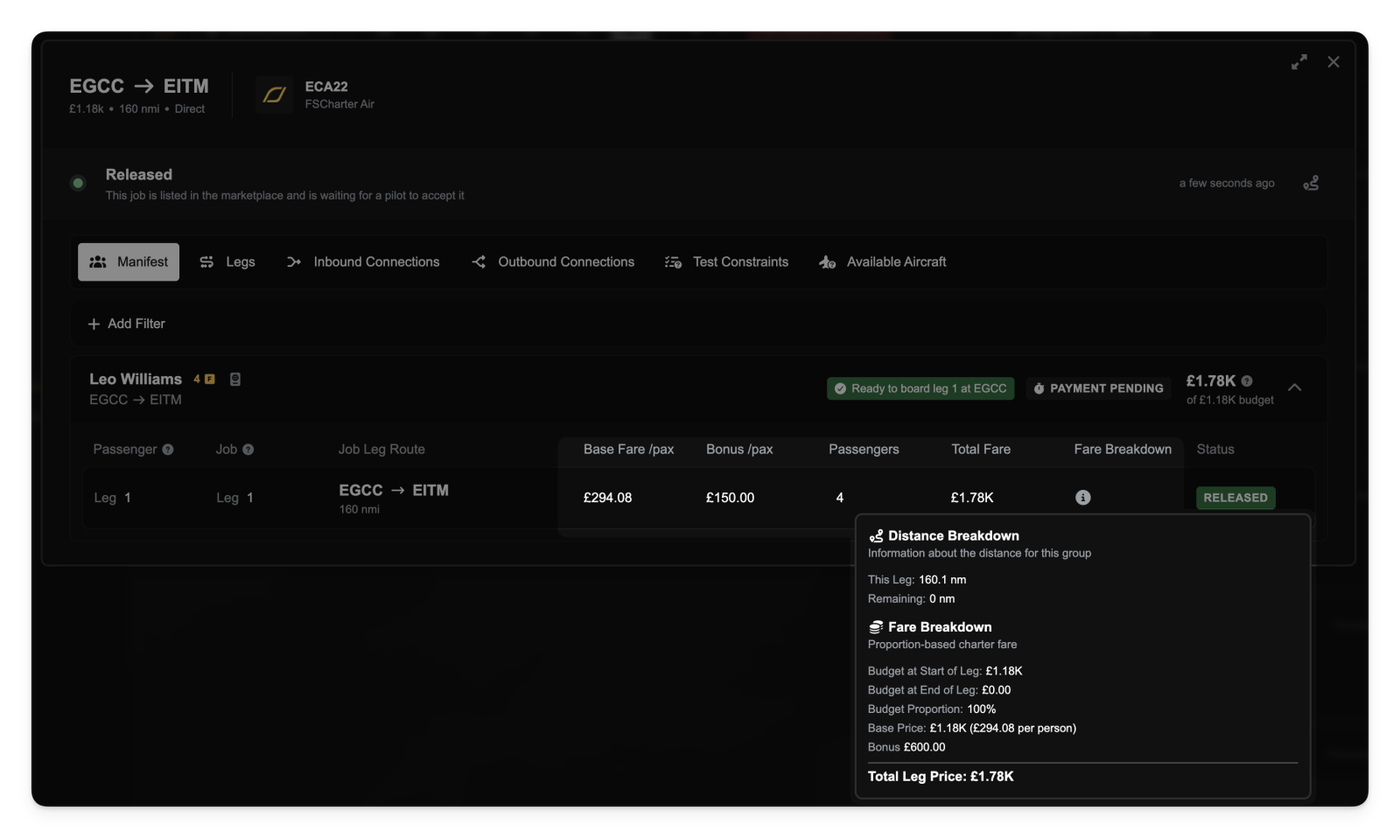
As a first step towards making General Aviation (GA) more sustainable, we're introducing a new demand premium. You will now receive an additional payment on top of the base fare for both charter and route jobs. This bonus increases your revenue without changing the passenger's underlying travel budget.

This pay boost is most significant for charter jobs, which now include a substantial flat-rate premium, while passengers flying routes receive a smaller (but still significant) subsidy towards their ticket price, resulting in marginally higher demand for routes.

This is just the beginning of our work to re-balance the charter economy. We are actively developing further improvements, including more significant pay boosts and revenue-sharing features for partnerships, which will be released in future updates.

Charter Job Payments

For Charter jobs, you'll receive a £150 premium per passenger. This payment is applied once per passenger group for each job, specifically on the first leg that you fly for them.

If a passenger group's journey is split into multiple legs within the same job, only that first leg receives this extra payment. This makes completing the first step of a charter even more valuable.

Route Job Payments

Route jobs work differently, providing a subsidy that helps both you and the passengers. You will receive an extra £50 per passenger for every route leg they fly with your company.

This payment also acts as a subsidy for passengers, making your routes more attractive. When passengers are deciding if they can afford your route, this £50 is temporarily added to their budget for the affordability check. This means they can afford more expensive or longer routes than before, increasing your potential customer base.

In both Charter and Route cases, this subsidy doesn't come out of the passenger's actual travel budget, so they still have their full funds available for future trips. It's a simple revenue boost for you and an affordability boost for them.

Nov 07, 2025

Small Improvements

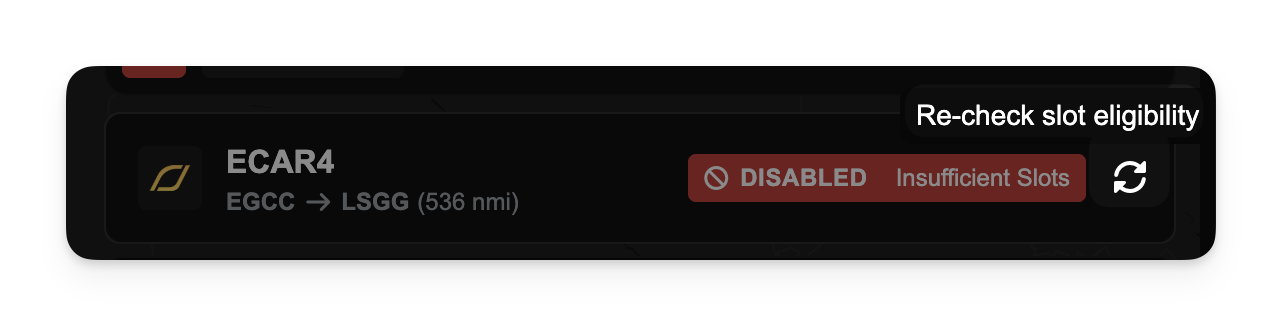
  • Added a manual refresh button for routes that are disabled due to Insufficient Slots. If you believe a route should be active but it appears disabled, you can now press this button to force a re-check. This is a temporary workaround until the root cause is fixed.
Subscribe