Fixed an issue in the 'Create Rank' dialog where dragging a new rank to its intended position could sometimes assign it the wrong level.
Resolved a related bug that could cause an error when trying to save changes to your company's rank structure. Re-ordering and adding new ranks is now more reliable.
We've made the platform more robust by introducing new safeguards against accidental duplicate actions. This helps prevent issues like unintentionally chartering a flight twice or submitting the same form multiple times if you double-click.
This behind-the-scenes improvement ensures that your requests are processed cleanly and only once, making for a smoother and more reliable experience, especially during periods of high server load or with a slow connection. Your actions are now better protected from unintended errors.
Other improvements
Fixed an issue where creating new routes would sometimes fail because airport slot access was being checked incorrectly.
Job listings now correctly respect all rank constraints, so you will no longer see jobs that you are not yet qualified for.
Resolved a bug that could cause passengers and cargo to be counted as disembarked twice in flight reports.
Fixed an issue where new buildings and agreements could not get quotes.
New agreement costs have been halved until dynamic slot pricing is introduced shortly.
To better reflect their role in the game, we've renamed the FBO (Fixed-Base Operator) building type to Passenger Services.
This is purely a name change to provide more clarity. All of your existing FBOs have been automatically renamed, and their functionality—extending your route network and enabling final-leg charters—remains exactly the same. You'll see this new name reflected across the platform, from the building purchase screen to your airport management panels.
Fairer Agreement Cancellations
We've fixed an issue that made it difficult to cancel agreements with an upfront payment. Previously, the system didn't count your initial payment towards the minimum term requirement.
Now, upfront payments correctly count as the first paid cycle. This means you can cancel these agreements as soon as the minimum term is met, without having to wait for an extra billing cycle to complete. We've also added a new badge to your finance screen to make it clear which recurring payments are charged upfront.
Other improvements
The Job Marketplace map now shows a loading indicator and will only display jobs once it's fully ready, preventing visual glitches on slower connections.
Clarified the wording in notifications for aircraft that cannot find available storage space after completing a job.
We've tweaked how aircraft slot grace periods are displayed and made it easier to recover your aircraft, ensuring you're never locked out of accessing your own assets.
A Clearer View of Grace Periods
Previously, it was difficult to tell when an aircraft's grace period in a slot was about to end or what happened after it expired. We've introduced a new set of clear, color-coded badges to give you at-a-glance status information.
When an aircraft is on an active grace period, you'll see an orange badge with a countdown timer. This shows you exactly how long you have until the aircraft is automatically moved to storage.
If the grace period ends and there's no available hangar or stand space, the aircraft will remain in the slot. This is now indicated by a red badge, letting you know that the slot is blocked because there was nowhere for the aircraft to go. This helps you quickly identify and resolve storage conflicts at your airports.
Recover Your Aircraft from Anywhere
Losing access to a partner's facilities no longer means losing access to your aircraft. If a partnership ends or facility access changes while your aircraft is parked in a location you can no longer use, you can now always open the agreement panel to retrieve it.
This ensures you can always manage and move your assets, even if they are located in a hangar or stand that has become restricted. You will have just enough access to view the facility and remove your aircraft, guaranteeing you never get locked out.
Other improvements
Aircraft slots can no longer be shared publicly; access is now restricted to either your own company or members of a partnership. This provides greater control over your facilities and ensures a more accurate count of available slots.
When access rules for a partnership change, aircraft using a partner's facilities are now automatically and correctly removed to prevent them from getting stuck.
Fixed an issue where your routes could be automatically disabled if all of your airport slots were occupied. Your routes will now remain active as long as you have a valid slot agreement at both the departure and arrival airports, regardless of current usage.
Clarified the owner salary description in your company settings to specify that the salary is paid at 5am UTC on the 1st of each month.
Fixed an issue during the company migration process where you were asked to configure aircraft that were being refunded. You will no longer see a prompt to configure seating for these aircraft.
We’ve completely overhauled the underlying query system for the job market, making it significantly faster to find and filter flights.
Previously, if you had contracts with multiple companies, the job search could become slow as the system checked every possible flight against your pilot constraints. We've rebuilt this logic from the ground up to be far more efficient. The system now intelligently filters jobs based on the companies you can fly for before evaluating complex aircraft and route constraints, dramatically reducing the processing load.
You'll notice the biggest improvements when searching broad areas or when you hold many active pilot contracts. The job list and map view now populate much more quickly, getting you in the air faster.
More Reliable Live Flight Map
We've resolved an issue that could sometimes cause the Live Flight Map to appear empty when you first opened it.
This was caused by a race condition where the map would occasionally try to draw aircraft before their data had been fully loaded. The map now waits for all data to be ready and displays a clear loading indicator, ensuring you always see a complete picture of active flights.
Other improvements
Fixed a bug that could incorrectly schedule major, restricted maintenance services (like C and D checks) to run automatically, causing the whole automatic maintenance job to fail. These services will now always require manual sign-off.
Owner salary payments in your transaction history now include the company name, making them easier to identify if you own multiple companies.
Improved the visual styling of partnership badges in the job list for better readability.
Fixed an issue that could prevent owner salary payments from being processed correctly at the end of the month.
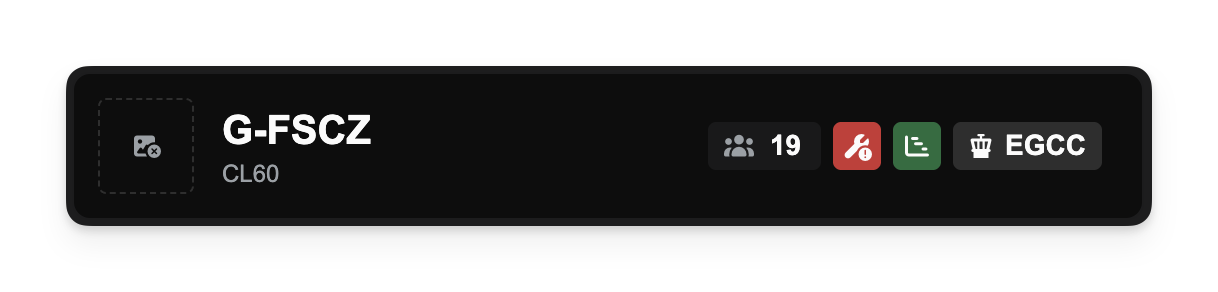
You can now clearly see which aircraft are occupying temporary slots directly from the Operations Cockpit, thanks to new slot status badges.
A new badge with a Gantt Chart icon now appears next to aircraft that are temporarily stored in a slot. These badges work just like those for stands and hangars - click them to view the associated agreement and owner information.
This visual cue gives you quicker insight into how your aircraft are positioned and helps you avoid surprises when managing limited capacity.
Other improvements
All aircraft movement buttons (Hangar, Slot, Stand) now show loading indicators during processing, making it clearer when actions are in progress.
Slot-related icons have been updated for visual clarity, distinguishing them from stand icons.
Fixed layout inconsistencies in slot configuration dialogs to ensure consistent company ownership display formatting across building types.
Agreement requirements eased for Operations Centres
We've adjusted the Operations Centre (OC) requirements for international slot agreements to make them more flexible and accessible.
Previously, some agreements required you to have an OC at the specific airport where the agreement was signed. Now, these agreements only require you to have a suitably-sized OC anywhere within the same country. This means a single Operations Centre in the United Kingdom, for example, can now support international slot agreements at both London Heathrow and Manchester without needing a separate building at each.
In addition, the minimum OC size required for some international slot agreements has been reduced. For example, some agreements that previously required a 'Large' OC now only require a 'Medium' one. These changes should make it easier and more cost-effective to expand your international route network.
Live Map gets ATC-style labels
The live flight map has been updated to include Air Traffic Control-style data blocks for each aircraft. This provides more information at a glance, showing the aircraft's callsign and tail number directly on the map for easier identification and tracking.
Passenger Weight Adjustment
The standard weight for passengers has been updated to 100kg. This change accounts for the average weight of a passenger plus their baggage, providing a more realistic figure for weight and balance calculations in your flight planning.
Other Improvements & Fixes
Operations Centre Sales: You will now be prevented from selling an Operations Centre if you have active agreements at that airport or in that country that depend on it. This ensures you do not inadvertently violate the terms of your agreements.
Automatic Aircraft Movement: When a pilot accepts a route-based job, their aircraft will now be automatically moved from its hangar or stand into the correct departure slot.
Agreement & Building Naming: When purchasing new buildings or signing new agreements, the default naming system will now correctly increment names (e.g., "My Hangar 2") only when another asset with the same name exists at the same airport, allowing for clearer organisation across your network.
Route Re-evaluation: The process for re-evaluating route enablement after a change in your slot agreements has been moved to a background job. This will improve performance and reduce loading times when making changes that affect a large number of routes.
Airport Search: An issue that could cause errors when searching for airports under specific map conditions has been resolved.
Demand Filtering: A bug affecting the "total demand" count filter has been fixed, leading to more accurate results when searching for demand.
SimBrief Settings: The company settings page for SimBrief integration is now only visible to users with the appropriate permissions.
Company Deletion: The process for deleting a company has been improved to correctly clean up all associated data, including airport reachability and capability usage records.
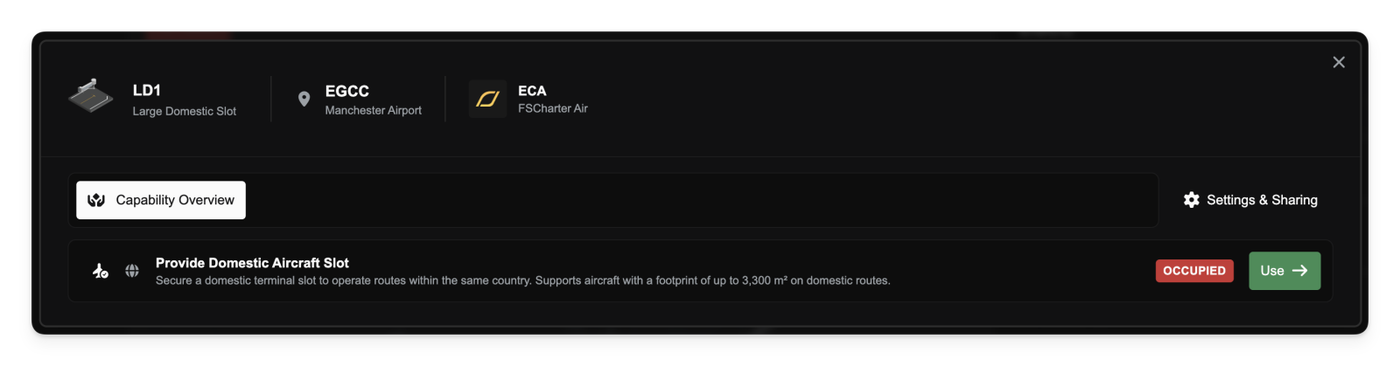
We've changed how routes are enabled and managed. From now on, all routes will require an available Slot to operate. Slots are a new type of recurring agreement within the game, designed to provide a more realistic and structured approach to network management. They come in two distinct types: domestic for internal flights and international for flights crossing borders. This change means you'll need to secure the correct type of slot for each route you wish to fly.
Manual route control
In addition to the new slot system, we're giving you more direct control over your flight network. You can now manually enable or disable routes as you see fit. This allows for greater flexibility in managing your network. Disabled routes do not contribute to your route network at all, effectively behaving as if they were deleted.
Stands for airliner parking
A new type of parking agreement, Stands, is now available. These are specifically designed for airliners. Unlike General Aviation (GA) aircraft, airliners do not accrue accelerated maintenance when parked outside, making stands a more flexible parking solution for your larger aircraft. While primarily for airliners, you can also use any spare stand capacity to store your GA aircraft, protecting them from parking fees when you find yourself in a pinch.
Auto-storage for aircraft
We've introduced a new auto-storage system that intelligently manages where your aircraft are parked. The system uses a priority-based approach to automatically assign aircraft to the most suitable available space. It will prioritise hangars for aircraft that benefit most from being sheltered and then allocate remaining aircraft to stands or other available parking. This should reduce the amount of manual shuffling required to keep your fleet organised and maintained.
Company clock visualisation
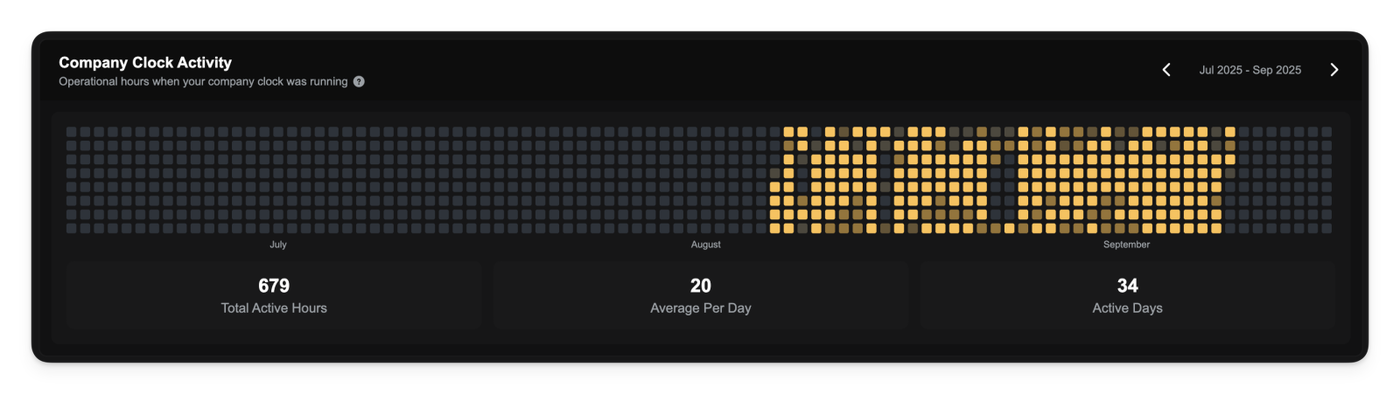
To help you better understand the activity of your business, we've added a new company clock visualisation. This feature provides a heatmap of your company's operational hours, showing you at a glance when your fleet is most active and when it's idle. You can use this information to identify patterns and make more informed decisions about your company's operations.
Other Fixes & Improvements
A bug that sometimes prevented aircraft from loading on the flight map has been resolved.
The user interface for capabilities has been updated with a stacked progress bar, offering a clearer view of your usage and reservations.
You will now receive notifications for any issues related to aircraft parking and a lack of available storage space.
General Aviation aircraft will now be subject to idle wear and tear when stored outside of a hangar.
For easier management, all recurring payments have been consolidated and are now processed through the company clock.