
Aircraft Images & Onscreen Tours
Personalize Your Fleet with Custom Aircraft Images
You can now upload custom images for each aircraft in your fleet. From the Aircraft Dialog, you'll find a new option to upload an image, which will then appear across the platform in the Operations Cockpit, on maps, and in tooltips. To help manage this, a new Change Aircraft Settings privilege has been added to company roles. As a bonus, when you list an aircraft on the classifieds, its custom image will automatically be used for the sale listing.

Learn the Ropes with On-Screen Tours
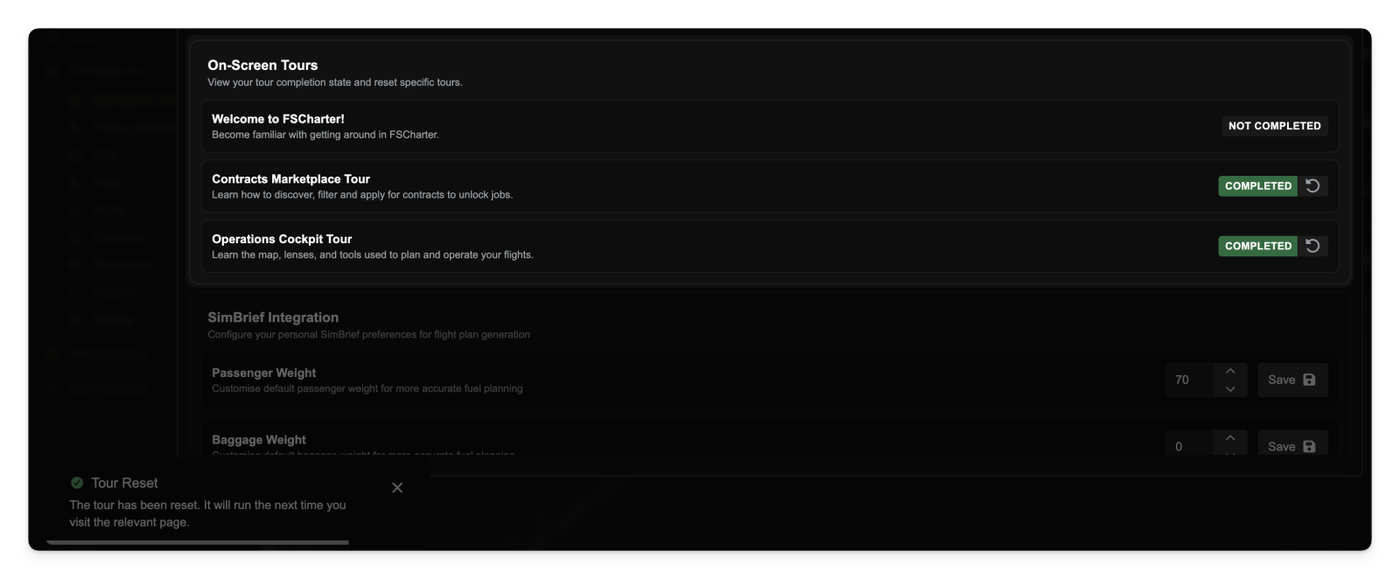
To help new players get started we are introducing interactive on-screen tours. These step-by-step guides will walk you through key interfaces and features directly within the application. Tours can be reset at any time from your settings page.
Other Changes
Improved:
- Optimized the loading performance of the Job Constraints and Available Aircraft tabs in the Operations Cockpit, making the interface feel faster and more responsive.
- When an aircraft with outstanding finance is migrated from V1, the system now refunds the amount invested to the company bank account and the aircraft is not transferred.
- There is now an option to re-send the password reset email when migrating from V1.
Fixed:
- You can no longer start aircraft servicing (either manually or automatically) if the aircraft is assigned to an active job.
- It is no longer possible to create a ferry job for an aircraft that is currently undergoing maintenance.
- The progress bar on the Active Flight widget now correctly displays the flight's progress.
- The
Availablestatus filter option on the Flight Board has now been removed. - Fixed an issue where it was possible to attempt to terminate a contract that had already been completed.