
Partnership Revenue Sharing
You can now create a shared economy with your partners using the new Revenue Sharing system. This optional feature lets you automatically pool income from member flights and distribute profits on a monthly basis.
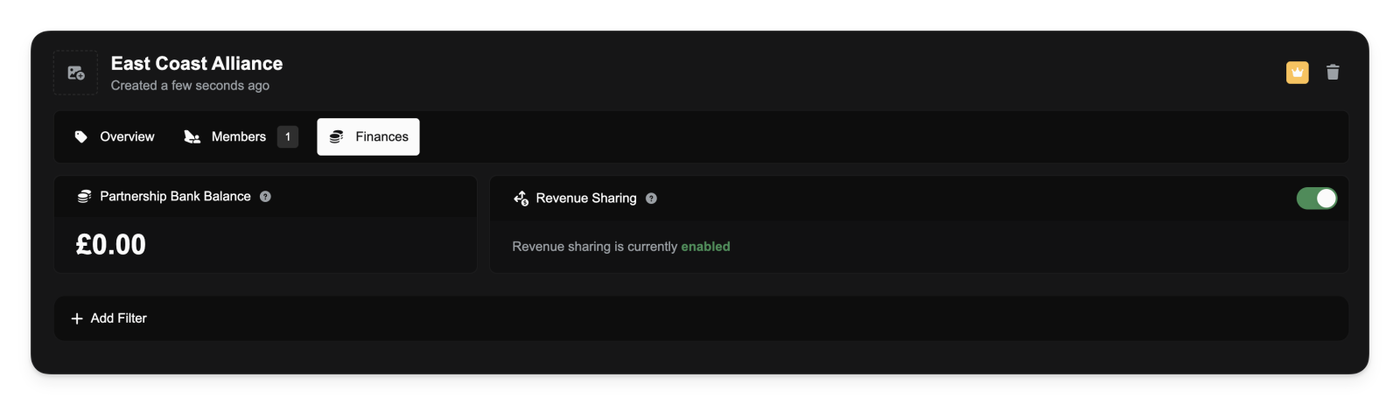
As a partnership manager, you'll find a new Finances tab in your partnership panel. From here, you can enable revenue sharing, which instantly creates a shared bank account for your partnership.
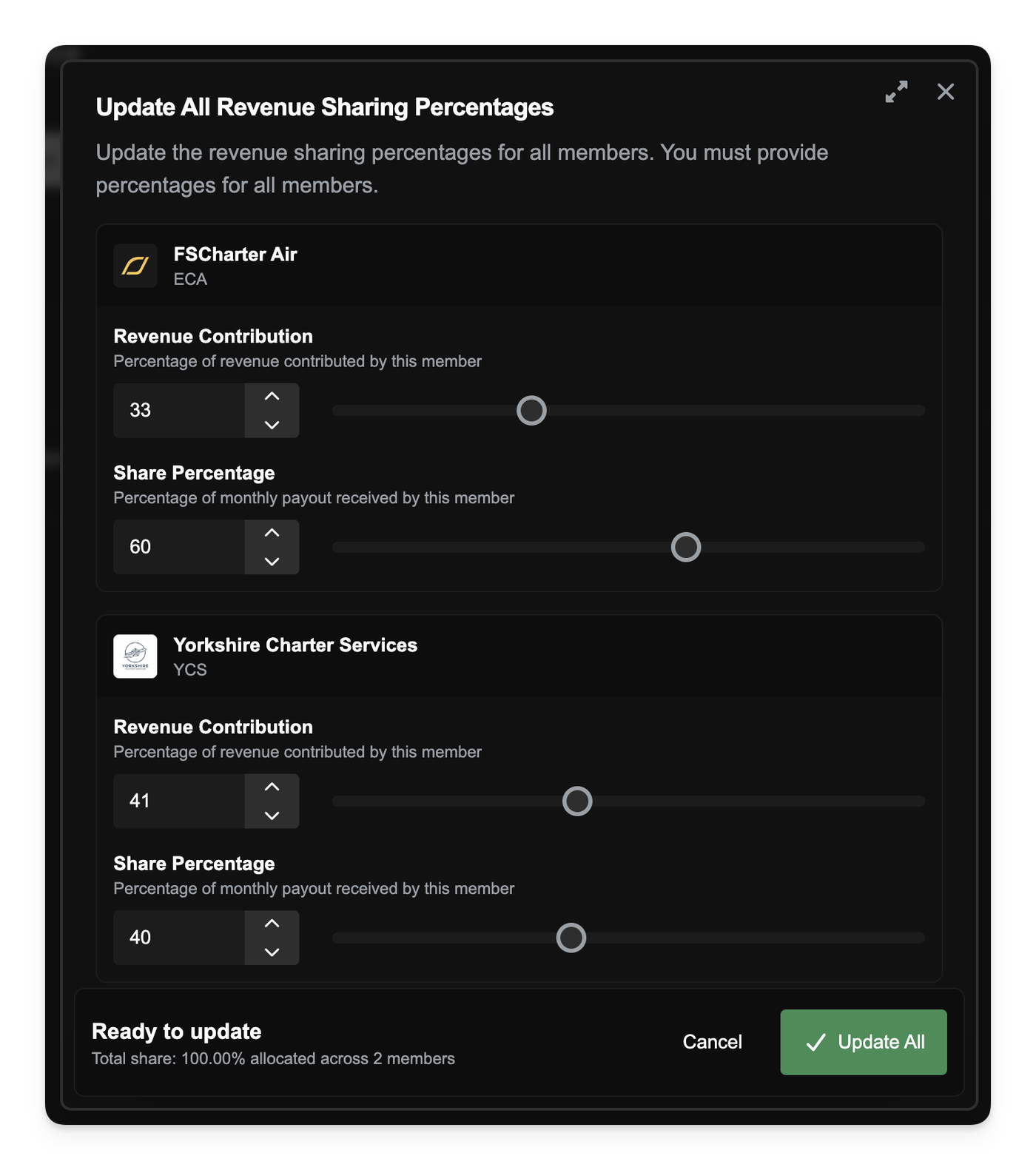
When you first enable revenue sharing, all existing members are set to 100% contribution and an equal share. You can then customize this using the new Update All Revenue Sharing Percentages tool on the Members tab. This allows you to set two key values for every member in the partnership:
- Revenue Contribution %: The percentage of a member's flight revenue that is automatically paid into the partnership pot.
- Share Percentage %: The percentage of the pot that member receives during the monthly payout. The total share must equal 100%.
When a member completes a flight, their contribution is transferred to the partnership account. On the 1st of every month, the entire balance of the partnership account is distributed to all members based on their configured share.
You can track all of this activity in the Finances tab, which shows the partnership's current balance and a full log of all contributions and payouts. The Members tab also provides a clear overview of each member's percentages and their most recent payout.
When a new company joins an already-active partnership, they will be added with 0% contribution and 0% share. You can then use the "Update All" tool to rebalance the partnership's new economy and include them in the payouts
You can read more about Partnership Revenue Sharing in our documentation.
Other improvements
- Updated the default avatar used for Discord notifications.