Sep 05, 2025

We're introducing a smarter way to understand your company's financials. Every payment your company makes or receives is now automatically categorized into one of 14 distinct types — including Fuel, Aircraft, Building, Payroll, Income, and Borrowing. These new categories appear directly in your finance dashboard, enhancing clarity and making financial analysis easier than ever.

Payments are visually labeled with color-coded category badges that help you quickly scan and understand the nature of each transaction. You can also filter transactions by category, making it easier to isolate specific types of expenses or revenue streams.
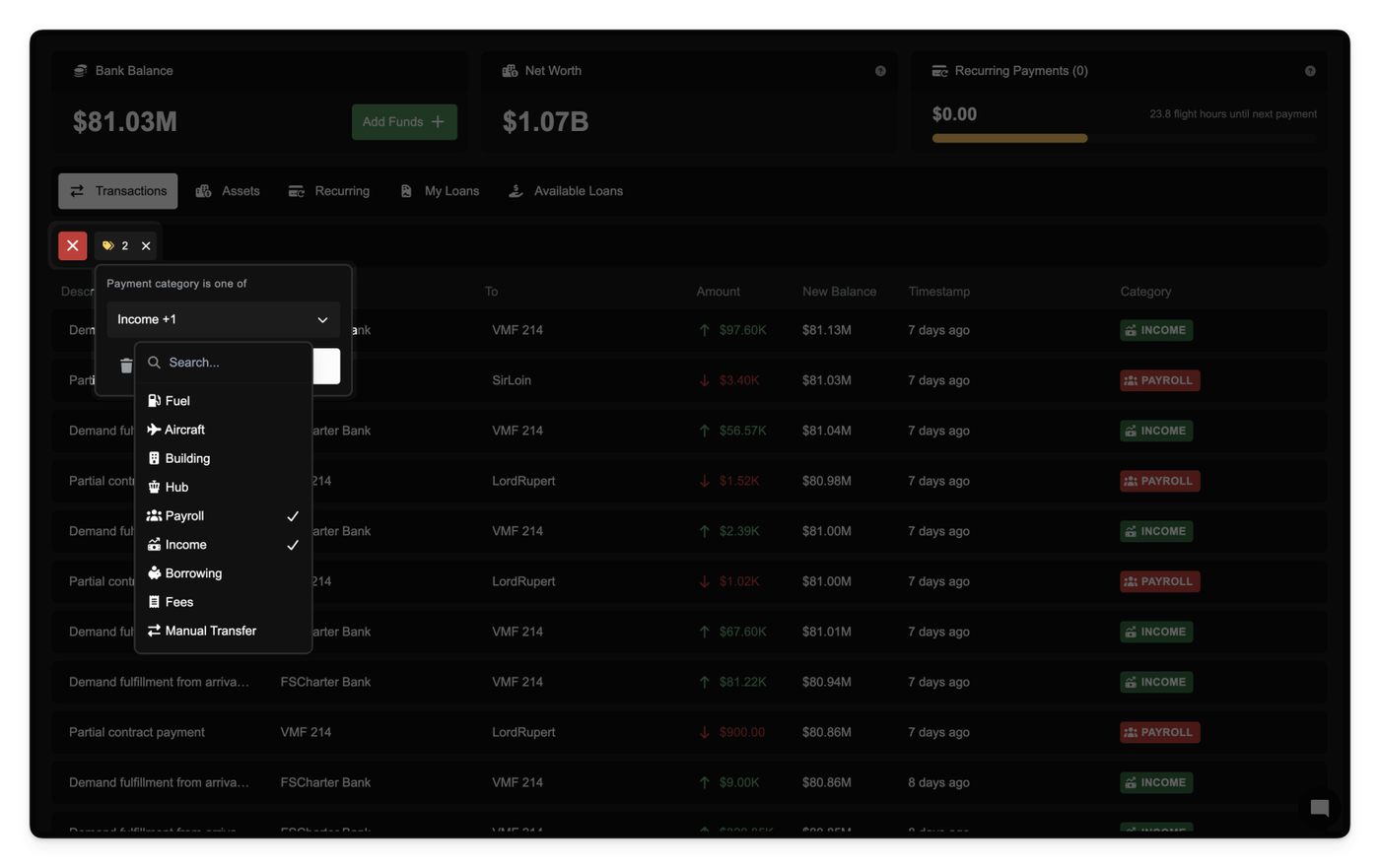
We've also retroactively applied this categorization to all historical transactions using intelligent classification logic, ensuring consistency across your records.

Finally, when exporting payment records, category information is now included in your CSV exports for offline analysis and accounting integration.

This change is fully backward compatible but provides immediate improvements in financial visibility, tracking, and reporting.

Sep 05, 2025

Export a clean, audit-ready ledger of every company payment in a single click from Company → Settings → Data Export. The CSV includes payment ID, timestamp, description, amount, direction, source account, destination account, and your post-transaction balance; an extra Context (JSON) column appears when you enable context.

Access is controlled via a new Export Company Payments privilege. Accountant roles get this automatically; others will need it granted by an admin. If you don’t have the privilege, the export option won’t appear.

Small UI improvement: the Data Export panel now groups both Logbook and Payments exports in one place.

Sep 04, 2025

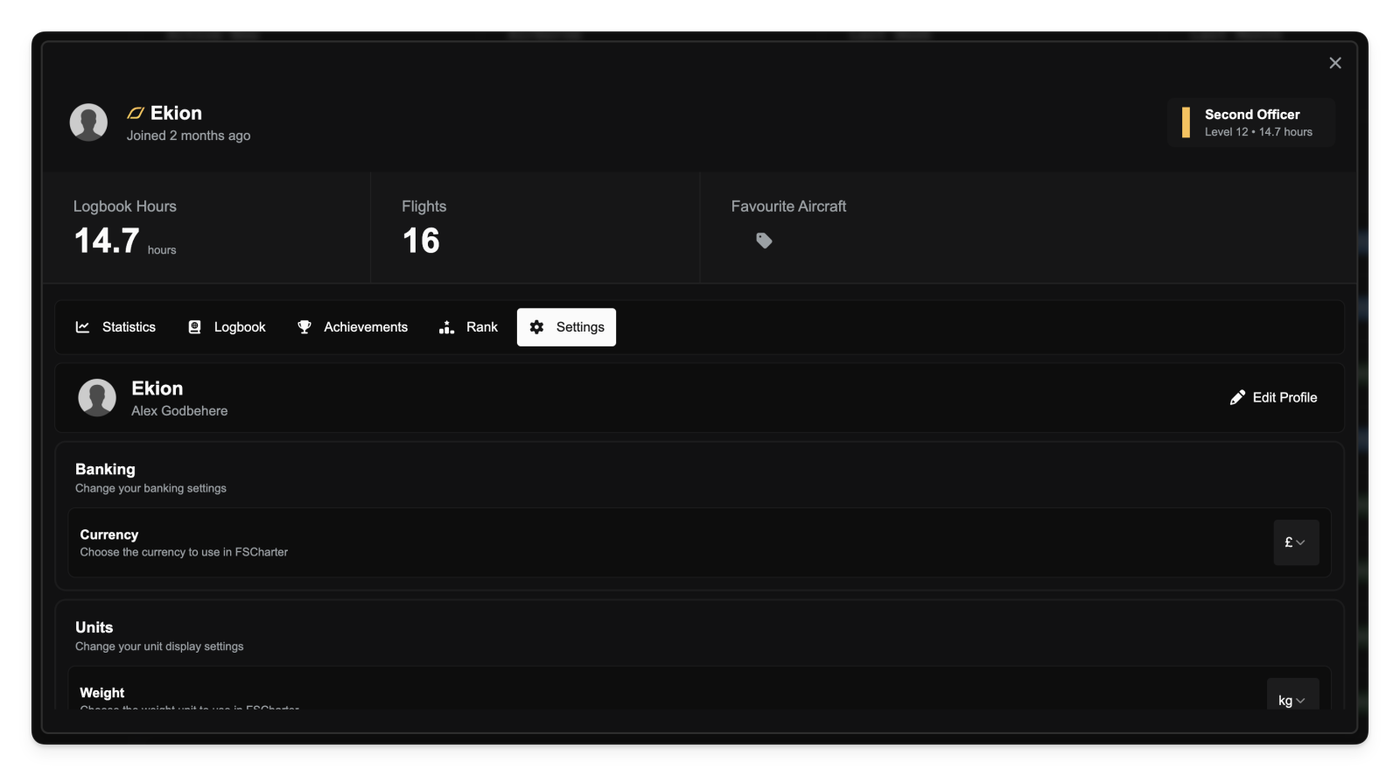
We've introduced a centralised Settings tab on your profile that brings your settings and account management into one place.

From this tab you can change your name, avatar, email address, banking and weight units and delete your account.

Sep 04, 2025

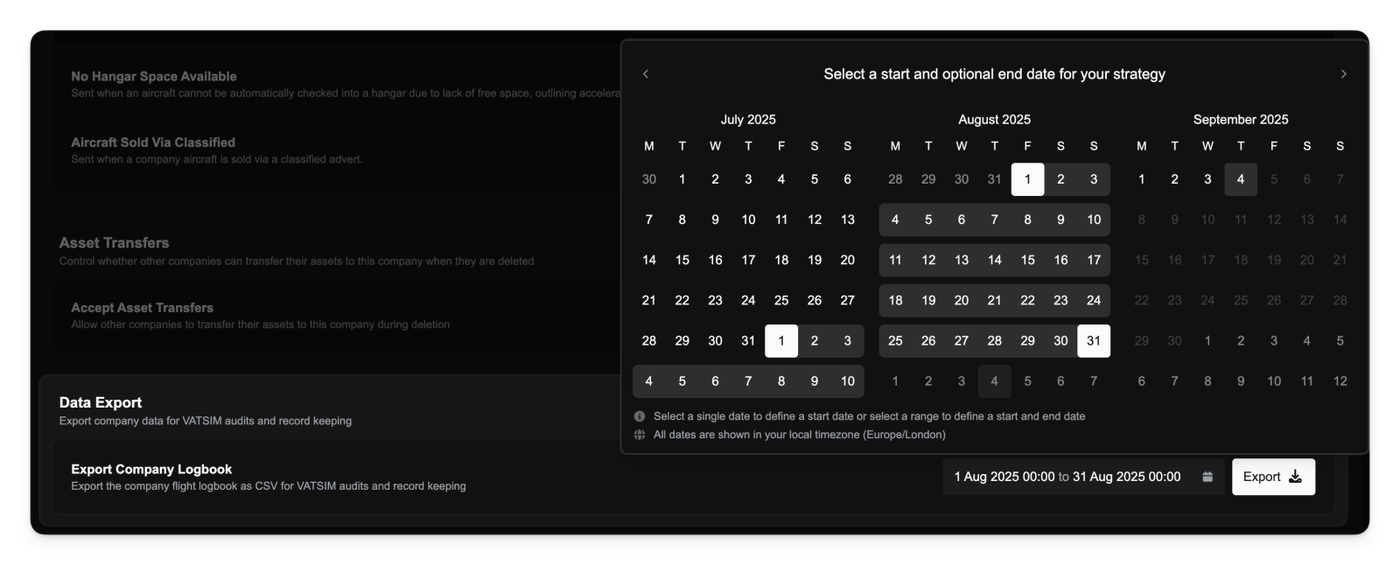
Operations Managers can export the company flight logbook as a CSV from Company → Settings → Data Export for VATSIM audits.

Pick a date or range and download an audit-ready report in one click. The export includes the core flight details VATSIM expects and only lists completed flights. Downloaded files are named with your company ICAO and the selected date range for easy filing.

Sep 03, 2025

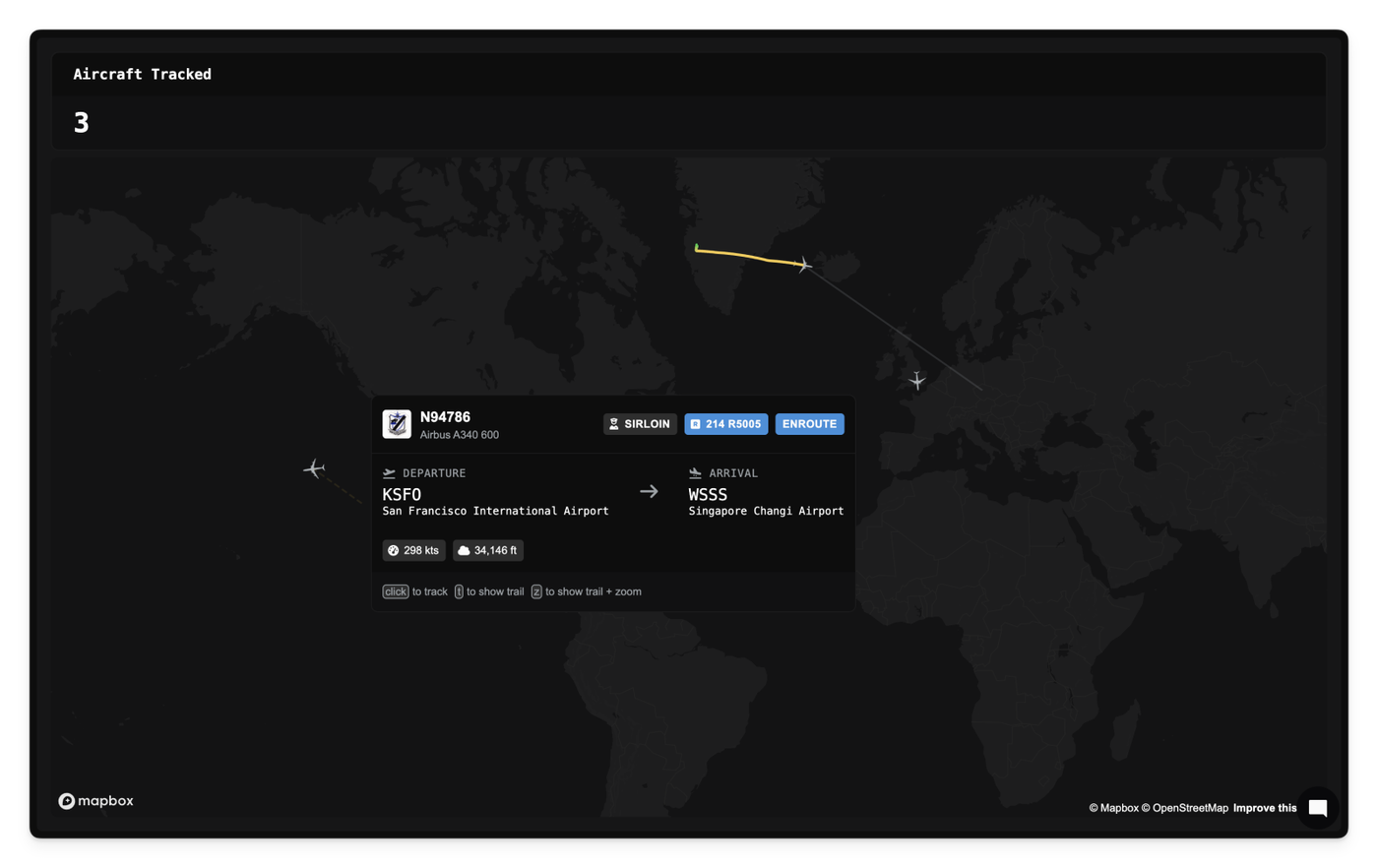
We've added a live flight map that allows you to view all active FSCharter flights in one place. Think of it as a map-based version of the existing Flight Board.

Interactive aircraft tooltips

Hover over an aircraft to reveal rich context pulled straight from the active leg, such as the route, pilot, company, and live aircraft metrics. Click to open the flight for deeper details.

Flight trail visualization

Toggle a flight’s recent path to understand where it’s coming from, where it's going, and how it’s climbing or descending. Trails are color-coded by altitude progression to make vertical profile changes obvious.

Press t to toggle the trail on/off.
Press z to enable the trail and auto-zoom the map to fit it.

Aug 30, 2025

Parking fees now include a grace period to make short turnarounds free. The first 20 minutes of tarmac time in each charge window are not billed. A charge window runs from the last time parking fees were taken (or your last completed job) up to your next boarding. The timer only counts while your company clock is running. After you’re charged, a new window starts.

Aug 29, 2025

Marking an aircraft as sold now removes it from your Assets list and fleet totals right away. This keeps your inventory and valuations accurate the moment ownership changes.

Fixes

  • Sold aircraft incorrectly remained visible in Assets after sale; this has been corrected.
Aug 29, 2025

Keyboard-friendly filters

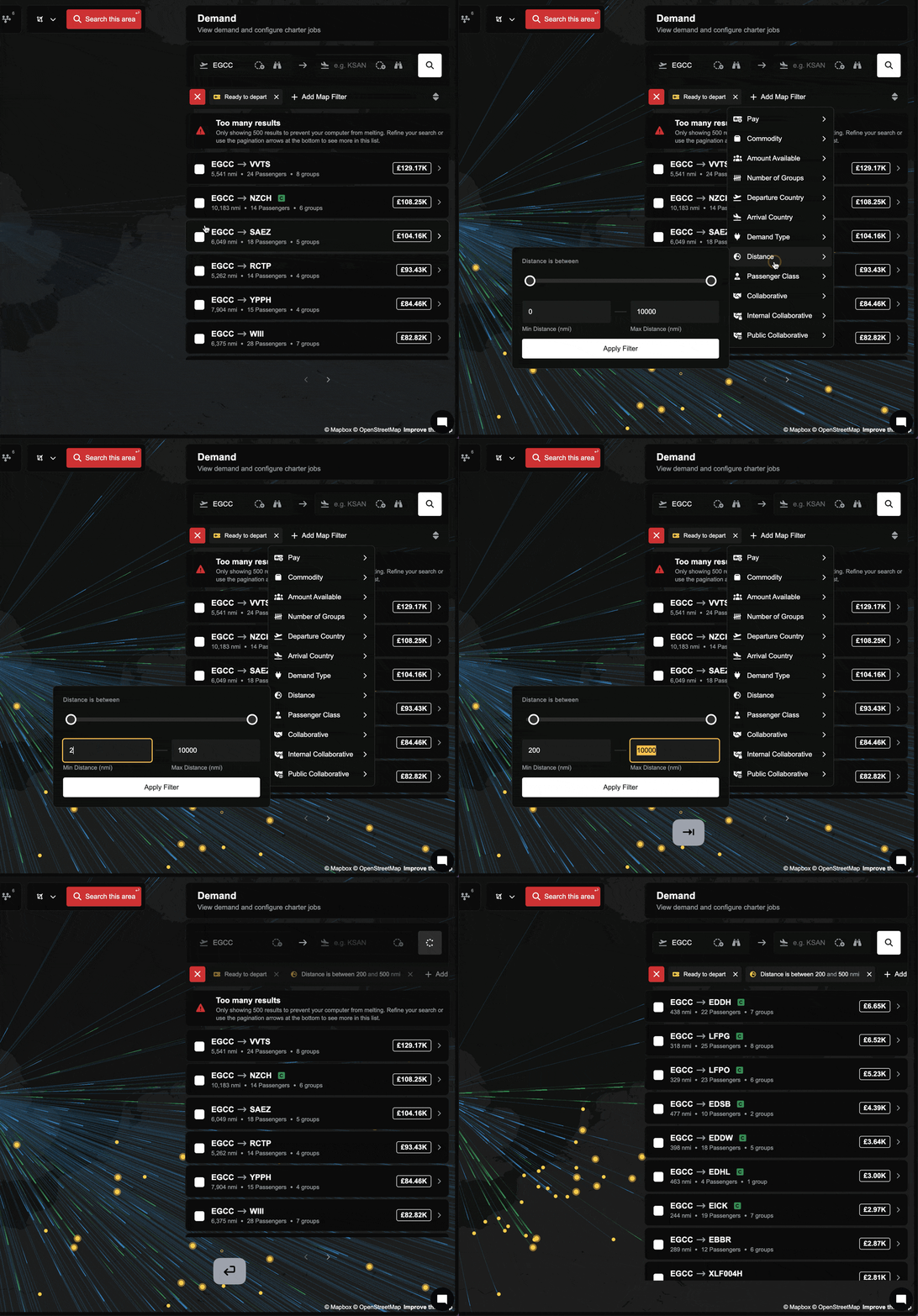
You can now navigate filter dropdowns using the Tab key without accidentally closing the menu. This makes it faster to work through multiple fields in one go and improves accessibility for keyboard users.

Smarter range inputs

Range filters now clean up your entries automatically. If you type values outside the allowed bounds, they’ll clamp to the nearest valid number. If you reverse the ends (like 80 to 20), the inputs will swap to the right order when you leave the field or press Enter.

Smoother dual-slider behavior

Dragging slider handles past each other no longer causes mid-drag flipping. The slider normalizes when you release, so it feels steady and predictable.

Improvements

  • Pressing Enter in a range filter now applies the current, recalculated values immediately.
  • Range inputs respect minimum and maximum limits and auto-correct on blur.

Fixes

  • Fixed cases where range filters could apply stale values when pressing Enter.
  • Fixed inverted or out-of-bounds range entries causing unexpected results.
Aug 23, 2025

Improved

  • Aircraft are now automatically removed from hangars when sold to the broker (or when classified is purchased by another user)

Fixed

  • Fix Public pricing page
  • Fixed issue with aircraft missing from list in Operations Cockpit
  • Fixed a bug where building owners could be charged when using their own public buildings; owners are now always exempt.
  • Fixed an exploit allowing companies to send payments to themselves; these are now blocked.
  • Cleaned up historic erroneous self-payments and corrected affected account balances.
  • Fixed long table values not truncating properly (e.g. in finance view). They now display with improved tooltips.
  • Fixed airport search dialog showing a blank screen.
Aug 22, 2025

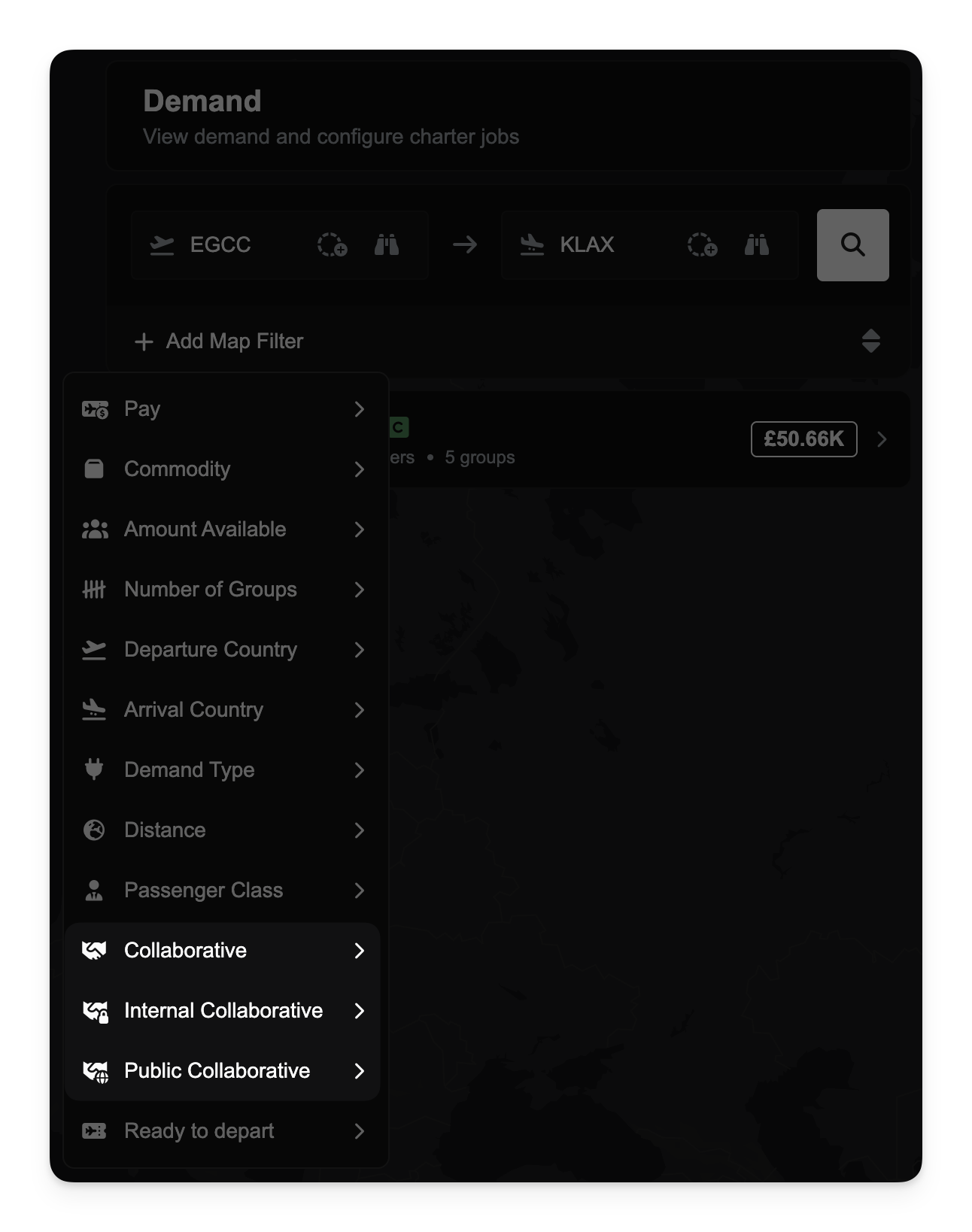
It's now easier to explore different types of collaborative demand with two new demand filters.

The Internal Collaborative filter shows demand shared only within your company or its partnership. You’ll need to be a staff member of the company to access this view. This is useful when you're collaborating within a known network and need visibility into demand your partners have released internally.

The Public Collaborative filter shows demand released to the entire FSCharter network. This is the broadest level of sharing and allows any company to help fulfill routing opportunities.


These new filters offer better control and visibility over your collaboration settings and are designed to make cross-company coordination more streamlined.

Aug 22, 2025

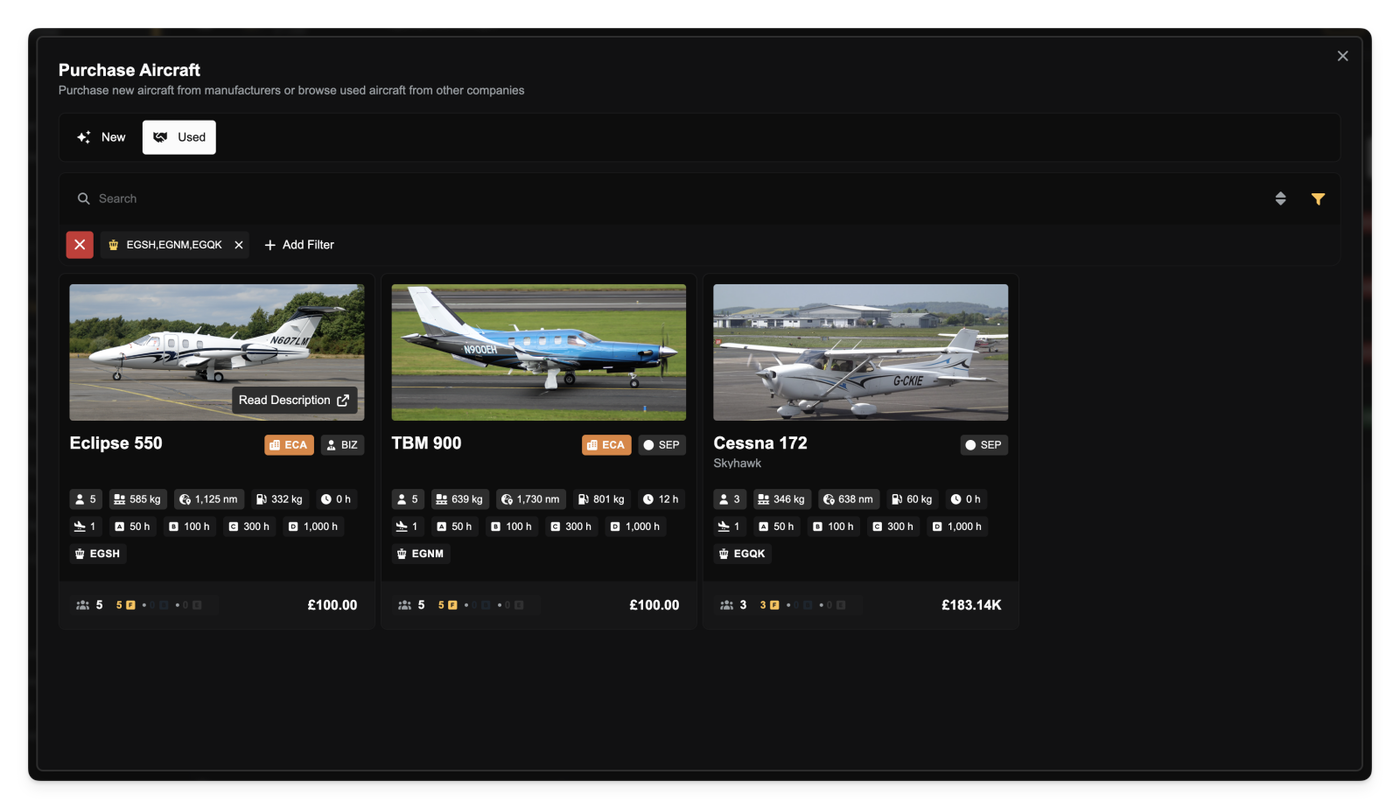
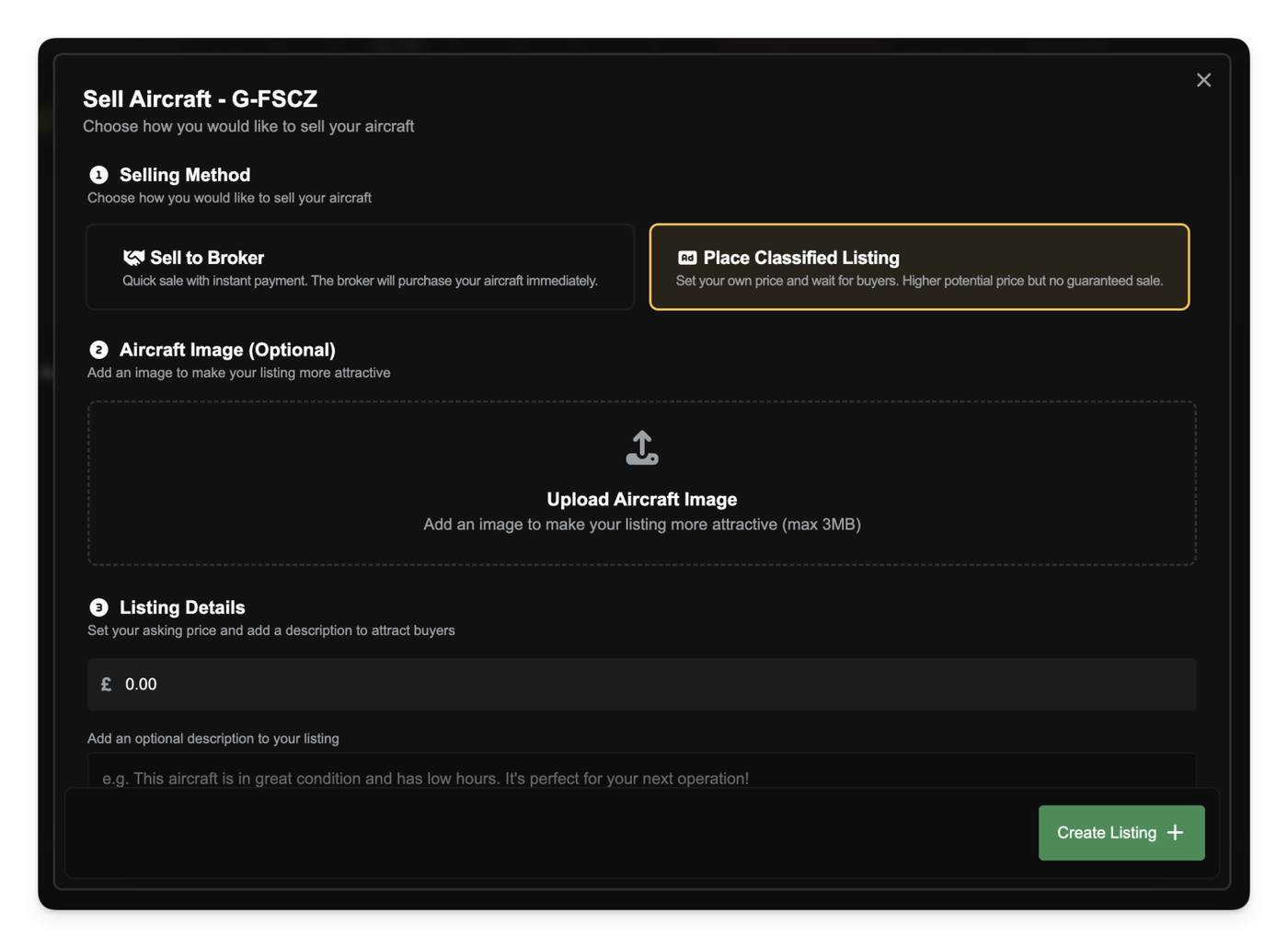
You can now buy and sell used aircraft via the new Classified Marketplace. Companies can list aircraft for sale, including custom descriptions and optional images. Listings remain active until cancelled or purchased by another player. Once listed, aircraft are frozen and cannot be used for operations.

A new broker system also allows aircraft to be sold instantly at a discounted rate. The broker then resells these aircraft at a markup. This creates a fallback for sellers and a source of discounted aircraft for buyers. Premium users receive better broker rates.

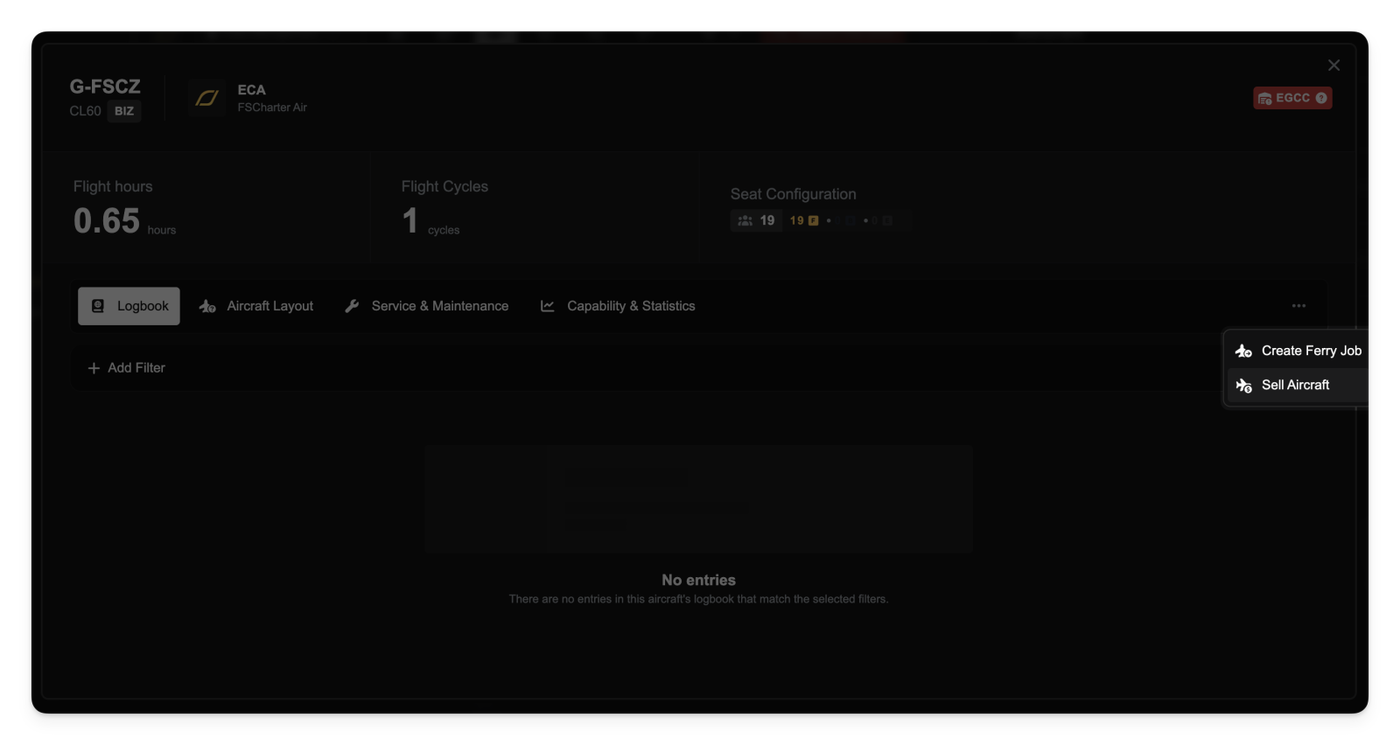
You can sell any of your aircraft by selecting the aircraft in the Operations Cockpit and clicking Sell Aircraft from the context menu.

Aug 21, 2025

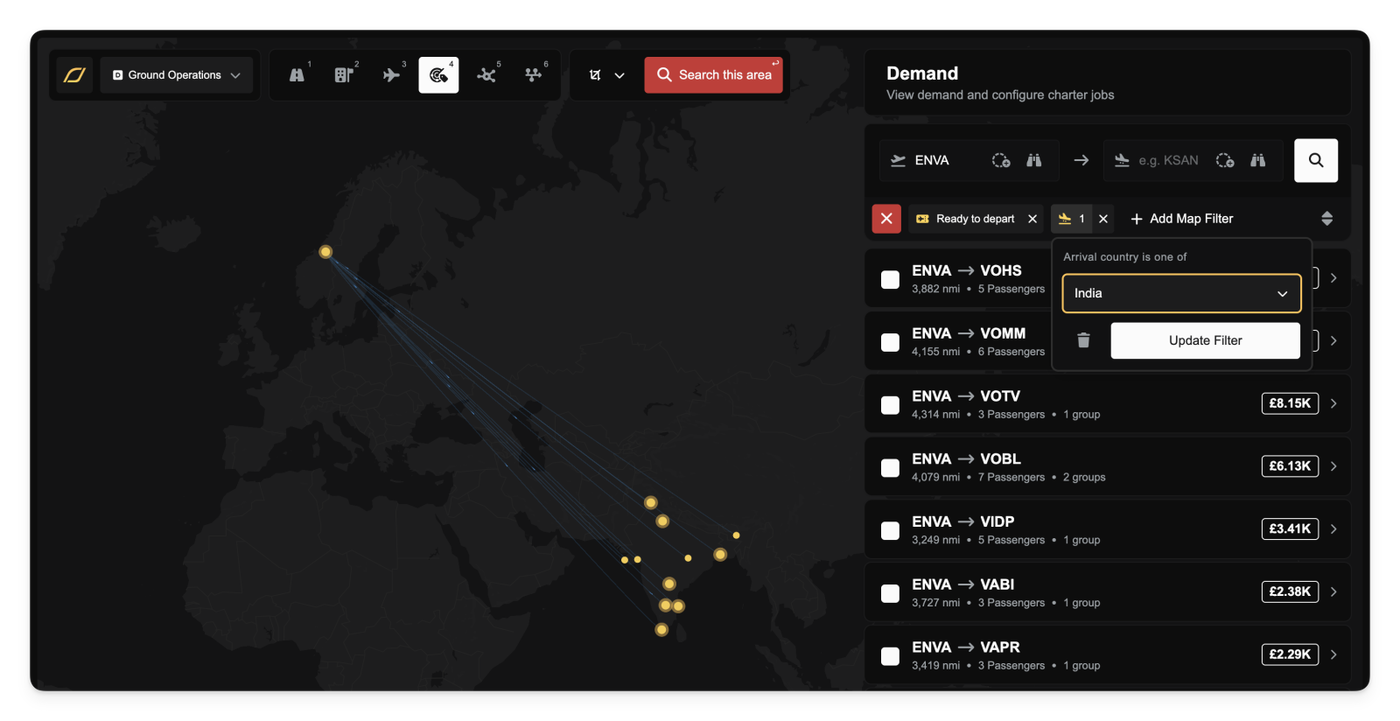
Find the demand you care about faster by narrowing results to specific departure and arrival countries. Open the Demand Lens and add filters to pick a country for where demand starts or where they end. This is ideal for questions like “show me demand for groups departing the US or arriving in Spain".

Subscribe