We’ve rolled out a fundamental overhaul to the FSCharter economy, moving away from static prices to a dynamic system based on airport market value.
You’ll now find that the cost to purchase buildings (like hangars and service centres), establish operations centres, and sign new agreements (for slots and stands) is calculated dynamically.
This new pricing model means that operations at high-value airports in busy regions will be more expensive, while smaller, remote airports will be more affordable. This change also applies to all operational airport fees: landing, ATC, parking, passenger facility, and customs/immigration fees are now all based on the airport's market value.
Pro-tip: Due to this re-balance, many existing agreements (slots and stands) may now be cheaper. You may want to cancel your current agreements and sign new ones at the updated, lower prices.
We've updated the logic that determines which aircraft are eligible to fly charter jobs. This change moves away from a complex set of aircraft category restrictions (like SEP, MEP, or BIZ) to a simpler, more consistent rule based on passenger capacity.
From now on, only aircraft with a maximum passenger capacity of 19 seats or fewer can be used for charter jobs.
This capacity limit only applies to charter jobs. Your scheduled route jobs and ferry flights are not affected by this change and can continue to use aircraft of any size.
To improve game balance and realism, we've updated the requirements for aircraft you can use to fly charter jobs.
From now on, only your aircraft from the SEP (Single Engine Piston), MEP (Multi Engine Piston), BIZ (Business Jet), and HEL (Helicopter) categories are eligible for jobs from the charter market. This means you can no longer use your regional (REG) or airliner (SRA, LRA) category aircraft for these types of jobs.
This change does not affect your scheduled route jobs, which can still be flown using any aircraft category.
When you check the list of valid aircraft for a charter job, you'll now see this new requirement. If an aircraft isn't valid, we'll show you precisely why.
Other improvements
Fixed an issue that could prevent the billing page from loading correctly in some cases.
We've replaced the old, complex pricing for charter legs. The old legacy model was used when routing passengers in a Dispatch Plan and calculated a base fare on airport type and then blended it with passenger class and distance. It also used a complicated 'directional clamping' system that adjusted the price based on your proximity to the start or end of the overall journey.
While the breakdown for this was visible in the UI, the logic was often confusing and could lead to unpredictable payouts, especially on multi-leg flights.
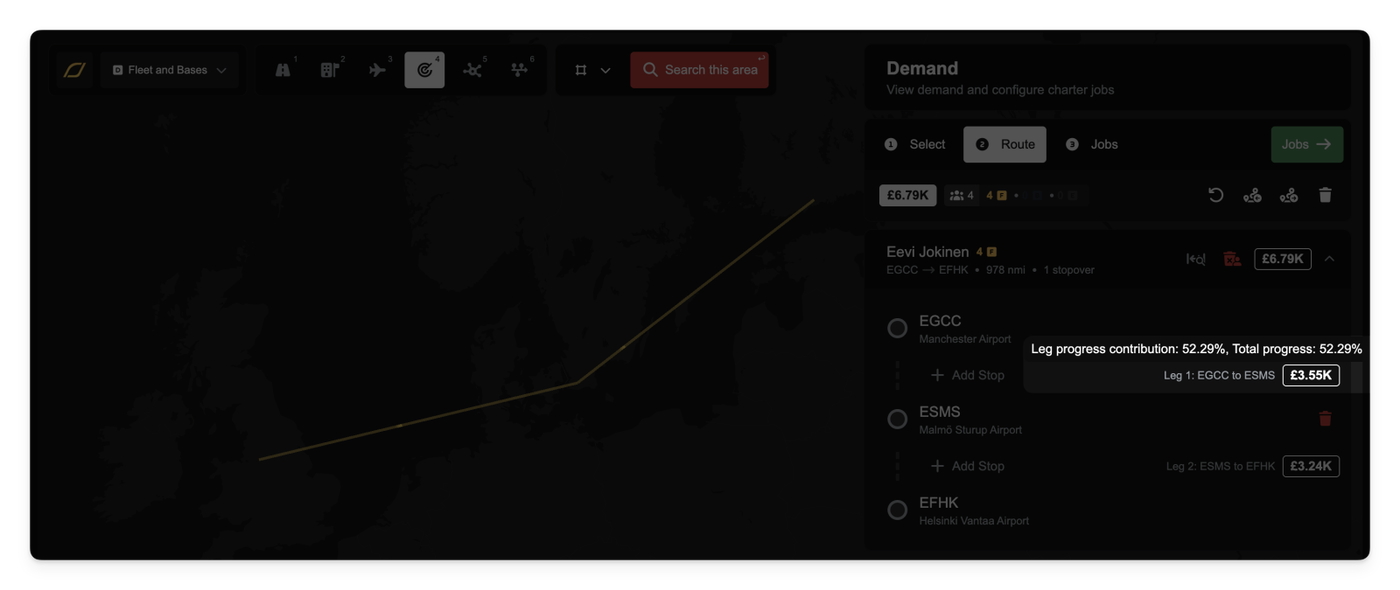
This has been replaced with a new proportional contribution model that uses the same calculations under the hood as Routes. This makes charter pricing simpler, more transparent, and fairer, especially for multi-leg charters.
From now on, each leg of a charter is priced based on its contribution to the journey's progress. If a leg covers 30% of the progress toward the final destination, it will be allocated 30% of the remaining budget. The final leg of any charter automatically receives 100% of the budget that's left, ensuring the full job value is always paid out, and incentivises last-leg charter. If the passenger has managed to get most of the way on cheap routes, this effectively acts as a last-leg bonus for any charter company as they will be paid the remainder of the budget for that passenger, regardless of how far they flew them.
You can see this new pricing in action when planning your dispatch plans. In the 'Configure Legs' view, each stopover will now display its estimated price and its progress contribution.
We've also added a new pricing breakdown popover. This shows you exactly how the price was calculated, including the budget at the start of the leg, the proportion being allocated, and the remaining budget.
This new model also includes a 'fairness cap'. This prevents you from 'losing' pay on a later leg by re-routing an earlier leg. For example, if you re-route leg 1 to get much closer to the destination, it won't 'steal' the contribution (and pay) from leg 2.
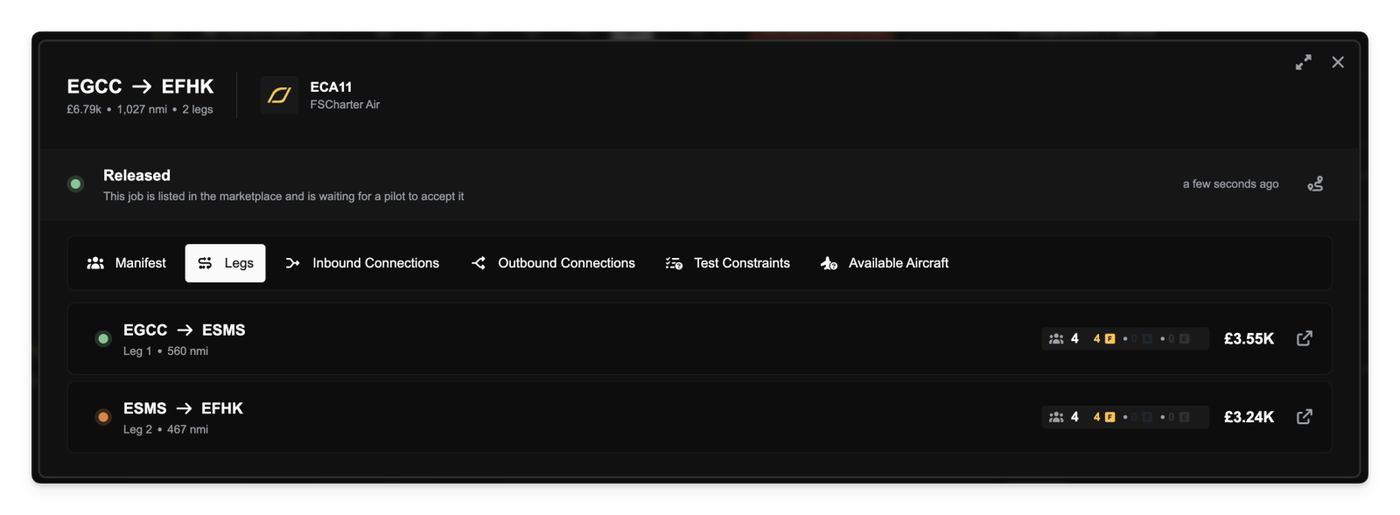
Finally, the total calculated price for each leg of your job is now visible in the Job Information dialog, giving you a clear overview of your earnings per flight.
Other improvements
Fixed a bug that would show "Unable to get quote" error when trying to purchase buildings or sign agreements.
Fixed an issue where some legs were missing from the Job Information dialog.
Corrected revenue potential calculations in the Job Information dialog.
Reordered the columns in the Company Finance log to show 'Category' earlier.
We're introducing a new fees system and are moving away from flat rates for existing fees like parking fees to a dynamic model. Fees are now calculated based on airport size, your aircraft's weight (MTOW), and the services you use.
This overhaul affects everything from parking to passenger handling, with costs varying significantly between large international hubs, small local airfields, and heliports.
Size-Based Parking & Grace Periods
Parking fees have been updated to use this new system. You'll find that parking at a Large airport is more expensive per hour but includes a 3-hour grace period (up from 20 minutes). In contrast, Small airports and Heliports offer much cheaper rates and a more generous 4-hour grace period, making them more economical for longer layovers.
Passenger Fees: Departure & Arrival
We're introducing a Passenger Facility Charge (PFC), a per-passenger fee applied whenever passengers board or disembark an aircraft. Note that PFCs are only charged when passengers actually leave the aircraft. If they remain on the aircraft between job legs (or during a stopover) then they are not charged.
Airport Fees: Landing, ATC & Customs
When you land, several fees are applied based on the airport and job type. Landing, ATC, and Customs fees are all bundled as deductions from your final job payout, alongside the Arrival PFC.
Landing Fee: A per-tonne fee based on your aircraft's MTOW. This is only charged for charter jobs as the landing arrangements are included as part of your slot agreements.
ATC Fee: A flat fee for air traffic control services, which applies to all flights (including routes).
Customs & Immigration Fee: This is a per-passenger fee charged only on international flights when passengers clear customs at their final destination. If a passenger is disembarking your aircraft to wait in the terminal for a connecting flight they remain in the transit area and do not clear immigration.
Because of these fees, unscheduled stopovers now have a cost. When you perform an unscheduled landing at an airport that is not your destination you will be immediately charged for Landing and ATC fees. Crucially, landing fees are charged for stopovers on route jobs as you do not have a prior agreement with the airport to land. Passenger and customs fees are not applied, as passengers are not leaving the aircraft.
Other improvements
All new airport fees are now correctly included in your monthly profit and loss statements under the new Airport Fees category.
Fixed an issue where signing slot agreements for international routes at medium-sized airports would sometimes fail.
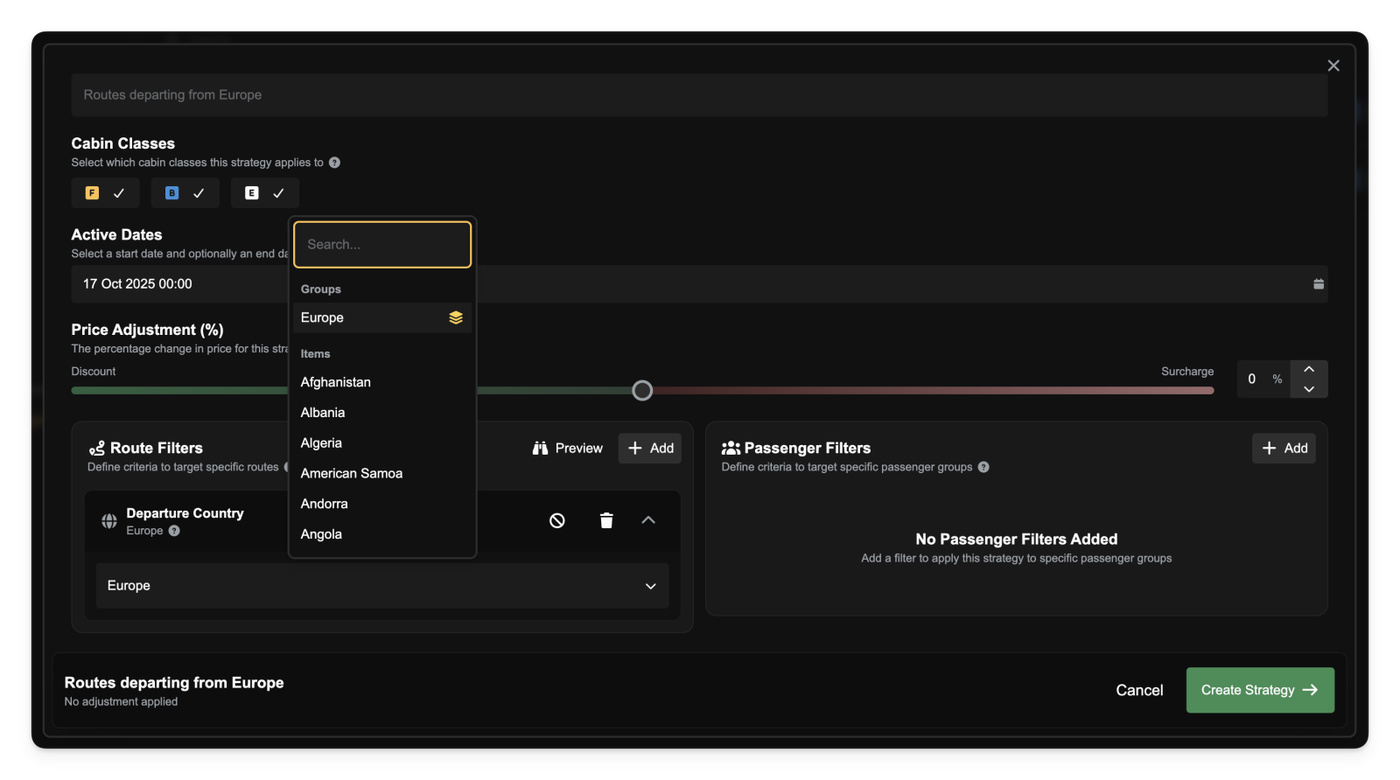
The Route Preview tool for pricing strategies now correctly displays routes when your strategy uses Airport Groups.
Previously, if you used an Airport Group (e.g., "All US Hubs") as a filter in a pricing strategy, the Route Preview map would show no routes, even when matching routes existed. We've fixed this, and the preview tool now correctly identifies these groups, fetches all matching routes, and displays them on the map as expected.
We've also improved the display for group-based filters. When you edit a pricing strategy, the input field will now show the group's name (like "All US Hubs") instead of its technical ID, making it clearer what you have selected.
Other improvements
Aircraft in the Classifieds listings now show a tail number badge, letting you see the aircraft's registration at a glance.
Adjusted the width of multi-select dropdown menus to better accommodate long items and prevent text from being cut off.
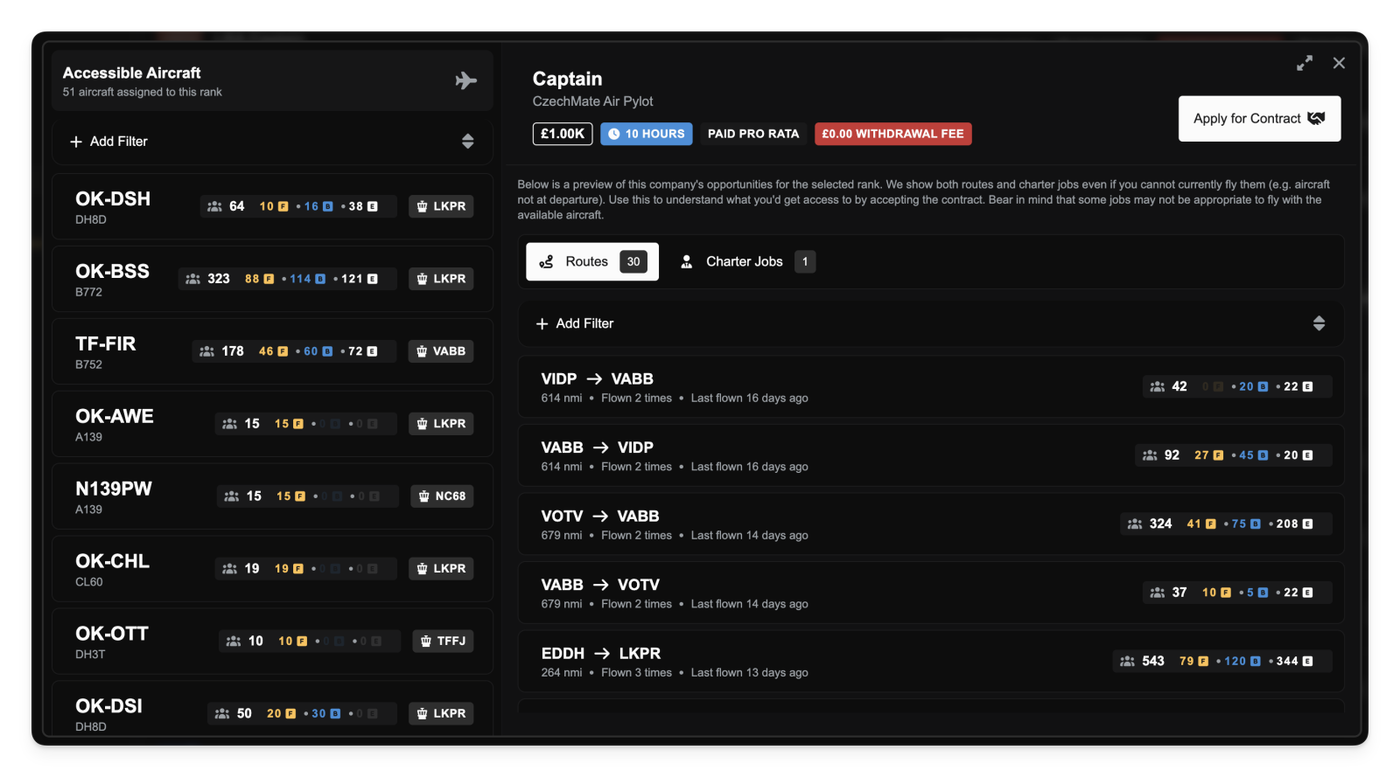
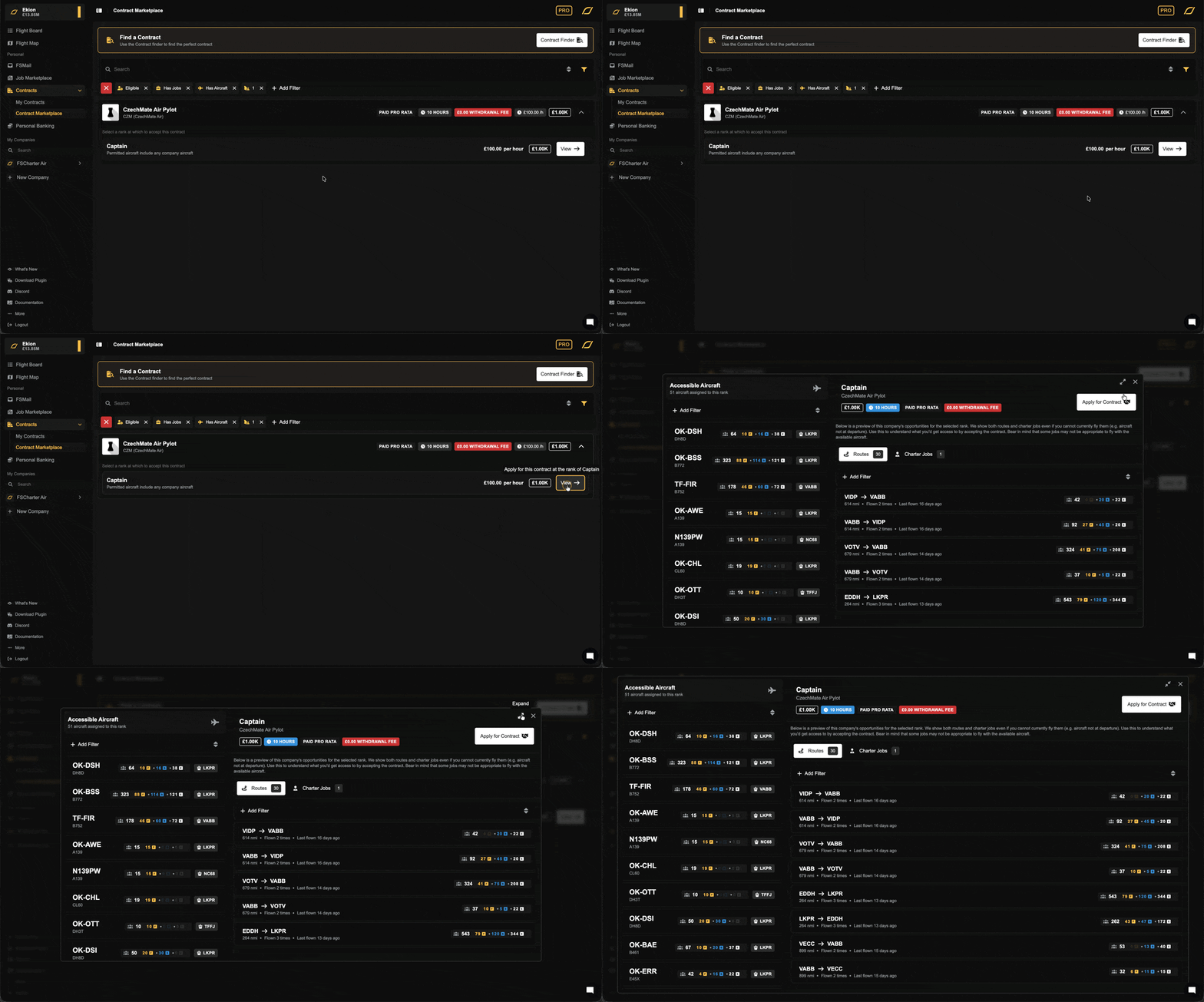
We've redesigned the contract preview dialog to give you a much clearer picture of a company's operations before you sign.
Instead of just showing a limited list of jobs you could fly right now, the new preview shows you everything the company has to offer.
The biggest change is how you preview a company's work. We've split this into two new tabs:
Routes: This tab lists all of the company's enabled routes. You can see the origin, destination, distance, and current passenger demand. We've also added stats so you can see how many times a route has been flown and when it was last active.
Charter Jobs: This tab shows all real charter jobs the company has posted on its marketplace. You can see the route, distance, passenger count, and how long the job has been waiting.
This new approach helps you make better decisions by evaluating the company's total activity, not just what's available at this exact moment.
Advanced Aircraft Filtering
The "Available Aircraft" tab now includes advanced filtering and sorting. You can filter the full list of aircraft for that rank by manufacturer, type, seats, cargo capacity, and more, so you know exactly what hardware you're getting access to.
Better Contract Marketplace Filtering
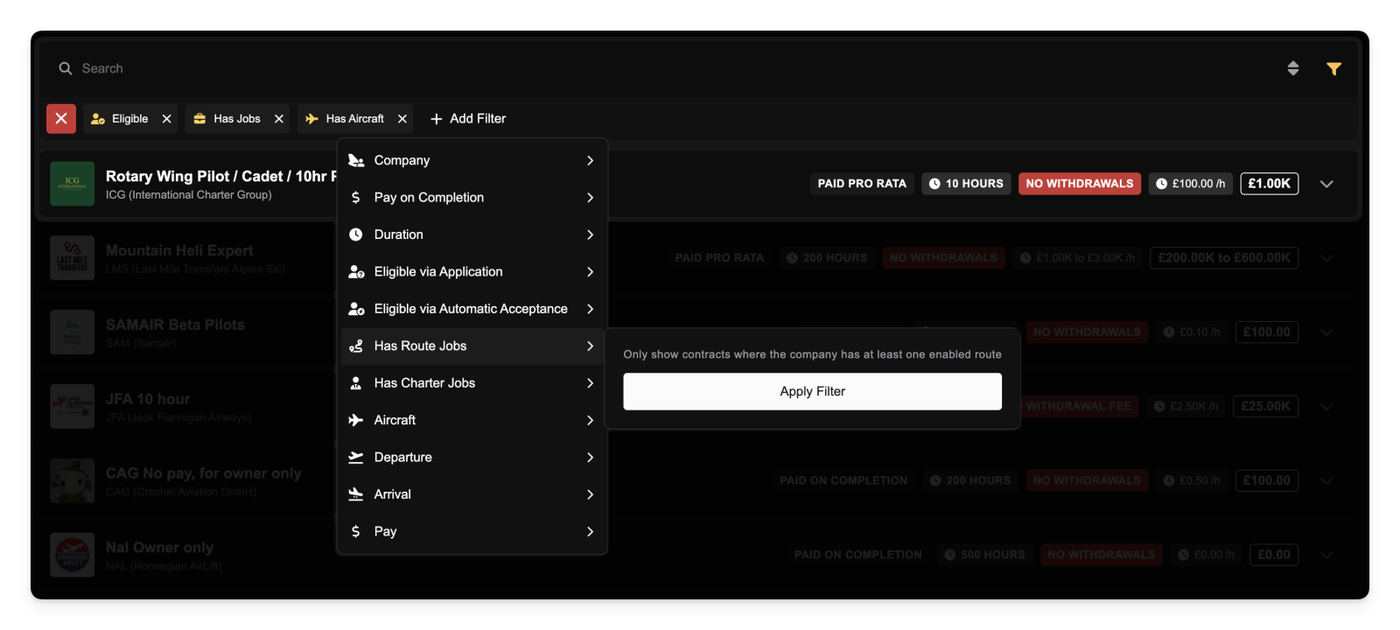
To help you find active contracts, the marketplace list now defaults to filtering for "Has Jobs" and "Has Aircraft".
This means you'll automatically see contracts from companies that have at least one enabled route, one released charter job, or one aircraft assigned to a rank. You can still toggle these filters off if you want to see all available contracts.
Expandable Dialogs
You can now expand most dialog windows (including the new contract preview) to fill your screen. Just click the new "expand" icon in the top-right corner to get a bigger view, which is especially useful for digging into the new preview tabs or managing large lists.
Other improvements
Fixed a UI issue that could cause dropdown menus and data lists to fail to load correctly on the first try.
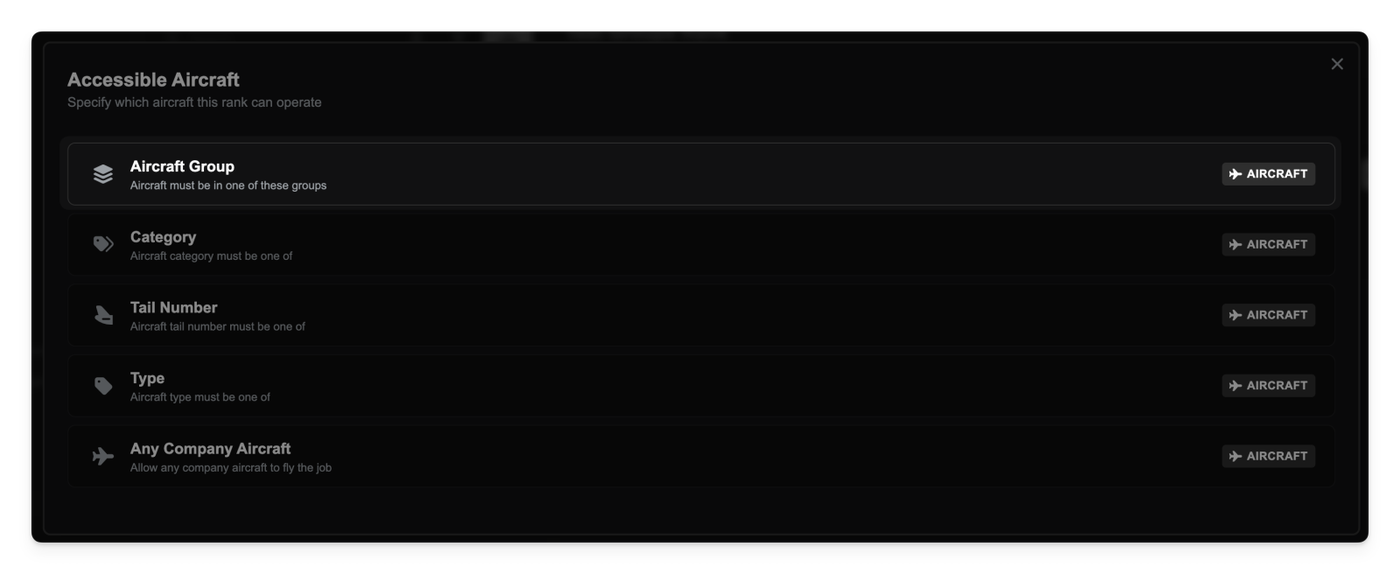
The new Groups feature can now be used to control the aircraft that your ranks can access. Following on from yesterday's update, you can now apply an "Aircraft Group" constraint directly to any rank.
This makes it incredibly easy to create specialized roles. For example, you can make a "Long Haul" rank locked to your "Heavy Fleet" group, all using the same flexible Groups system.
To support this new system, we've improved how rank permissions are updated. Your rank settings will now react instantly to any changes you make to your fleet or groups.
Other improvements
All aircraft constraints (including by Type, Category, etc.) now correctly exclude frozen aircraft from the available list.
Fixed a bug that could occur in premium feature checks when no user was present (e.g., in a background job).
Fixed an issue in the 'Create Rank' dialog where dragging a new rank to its intended position could sometimes assign it the wrong level.
Resolved a related bug that could cause an error when trying to save changes to your company's rank structure. Re-ordering and adding new ranks is now more reliable.
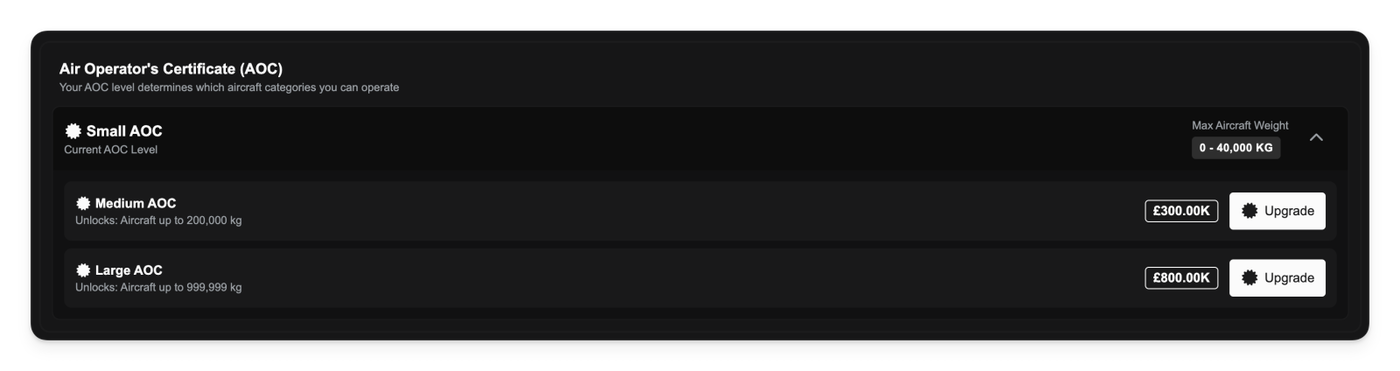
We’re introducing a new Air Operator Certificate (AOC) system, adding a new layer of progression to your company's growth. Your AOC level determines the types of aircraft you can operate and influences your financial capabilities.
When you start a new company, you will now select your starting AOC level, which comes with an associated certification fee. Each level unlocks access to larger and more complex aircraft categories.
This new certification directly impacts your operations:
Aircraft Purchases: You will only be able to purchase aircraft that fall within your company's current AOC level.
Loan Capacity: A higher AOC level demonstrates greater operational capability, which increases the maximum amount you can borrow from the bank.
Upgrades: You can upgrade your AOC level at any time through your company management panel, allowing you to expand your fleet and take on bigger challenges.
This system is also being applied to all existing companies, which have been migrated to the appropriate AOC level based on their current fleet.
Other improvements
Updated airport data and geographic scores for improved accuracy.
Fixed an issue that could cause incorrect profit calculations on the monthly finance report.
Improved the styling of informational quote blocks and messages throughout the interface.
Company profit and loss no longer takes fixed assets into account.
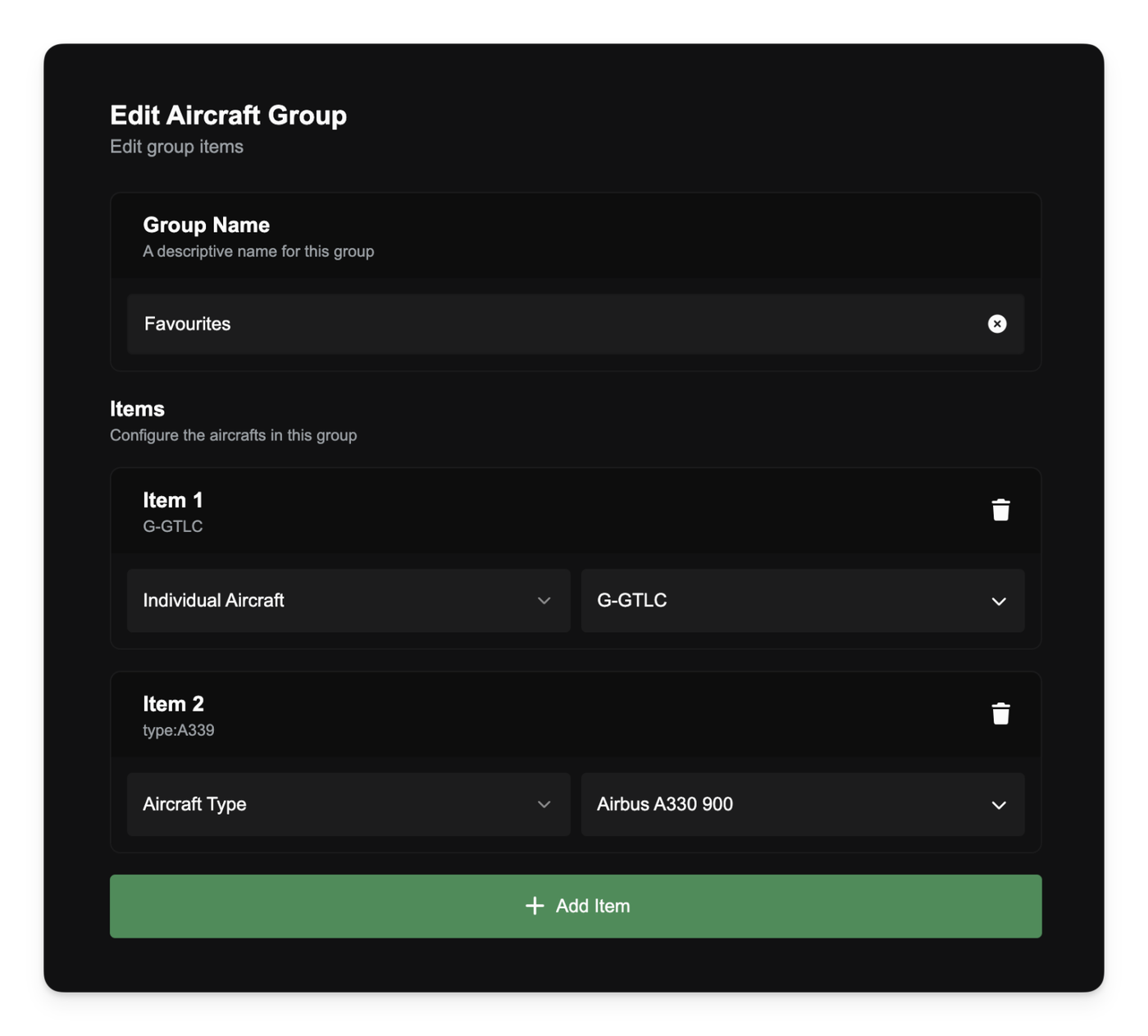
You can now create and manage "Groups," a powerful new premium feature for organizing your operations. Groups are reusable lists of airports, countries, or aircraft that you can use as filters across the platform.
You'll find the new Groups management page in your company's navigation sidebar.
From here, you can create groups for Airports, Countries, or Aircraft. When building an aircraft group, you can add either individual tail numbers or entire aircraft types (e.g., "all B738s" or "all C172s") to create flexible fleet definitions.
Use Groups Everywhere
The real power of Groups comes from using them in your existing workflows:
Pricing Strategies: You can now select a Group directly from any airport or country filter when creating a pricing strategy. This lets you apply a single rule to dozens of locations at once.
Demand & Airport Search: All airport and country filters (including demand search) now support groups, enabling you to search for demand from and/or to multiple locations at once.
Filter Bar Integration: When you filter by a group, the compact filter tag in your filter bar will now show a new icon to indicate a group is active.
Other improvements
Fixed an issue that could cause a "request in progress" error if you navigated between pages very quickly. Data-loading requests will no longer block each other, making the app feel more responsive.