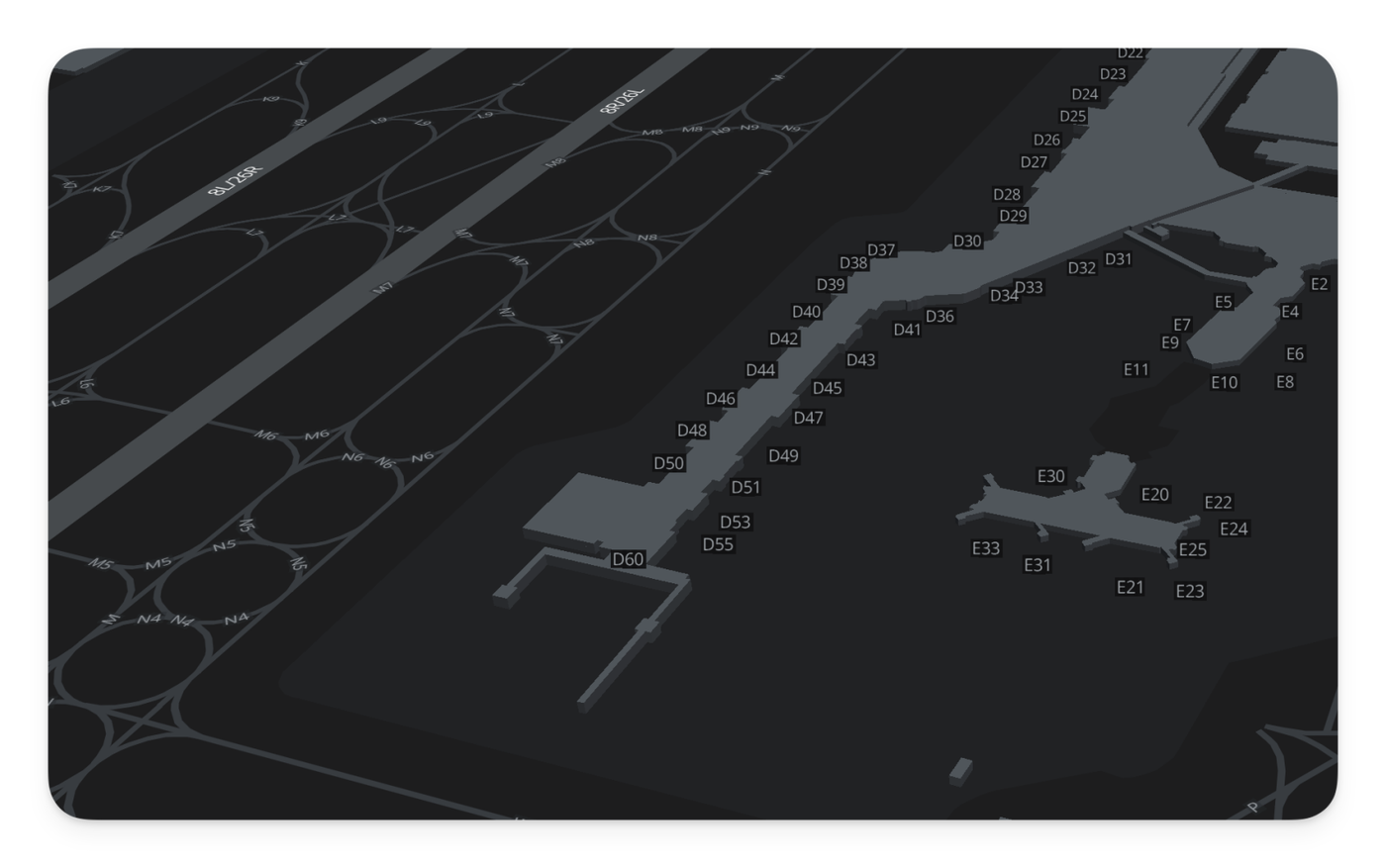
Maps have been upgraded to include specific gate numbers, visible when you zoom in on the terminal area. This detail appears automatically at higher zoom levels, keeping the view clean when you are looking at the broader airport layout.
Adjusted the passenger boarding logic to properly include fixed route incentives when calculating demand. This ensures passengers now accurately prioritize flights that offer the best "bargain" relative to their actual budget.
Fixed an issue where passenger boarding priority was occasionally calculated incorrectly.
Improved the performance and reliability of network updates for large partnerships.
We have improved the logic that determines when routes are enabled or disabled during partnership changes to ensure immediate accuracy.
Leaving: When a company leaves a partnership, both the leaving company and the remaining partners instantly lose access to each other's slots. Routes relying on those shared slots will now correctly disable.
Joining: When a new company joins, existing partners' invalid routes are immediately re-checked and enabled if the new member provides the necessary slots.
Other improvements
Fixed an issue where the "Delete Account" action would fail to trigger when accessed from specific sub-pages
Optimized the background system that validates route capabilities for better performance
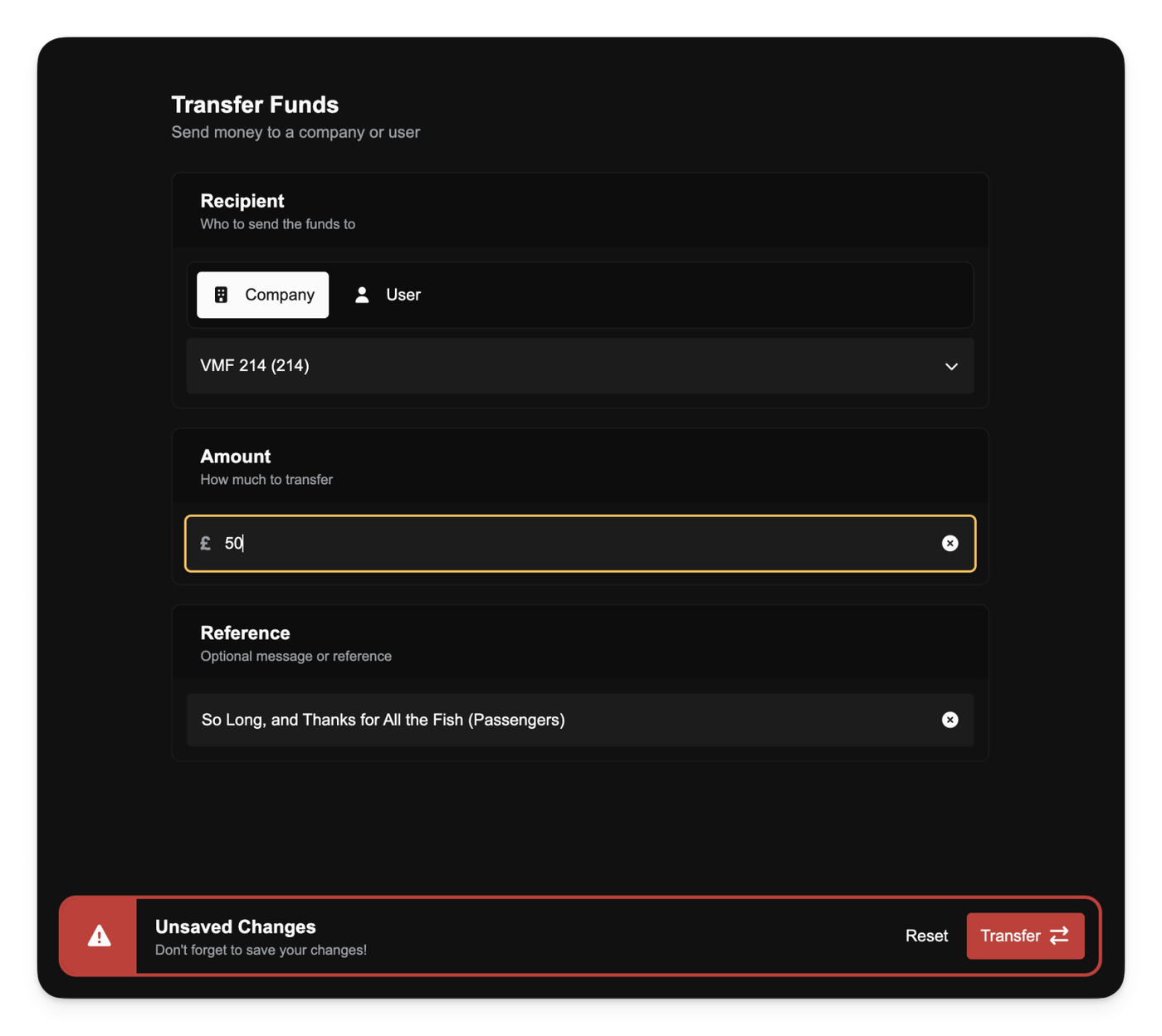
You can now move money freely between companies and players. All four transfer types are supported:
B2B (company → company)
B2P (company → player)
P2P (player → player)
P2B (player → company)
This replaces the old "Inject Funds" mechanic. Any player can now send money from their personal bank account into a company without needing a special privilege.
Company transfers follow stricter rules. A company can only send out up to its current month’s profit, and never more than its actual bank balance. Transfers count as Manual Transfer expenses, so sending money out immediately lowers the profit figure for that month. Loans don’t affect this limit; companies can’t use loan income to increase how much they’re allowed to transfer.
Personal transfers have no profit limit. You can move any amount up to your personal balance, whether paying another player directly or supporting a company.
To control company-originated transfers, a new Transfer Funds privilege has been added. It determines who can initiate B2B and B2P transfers and replaces the removed Inject Funds privilege.
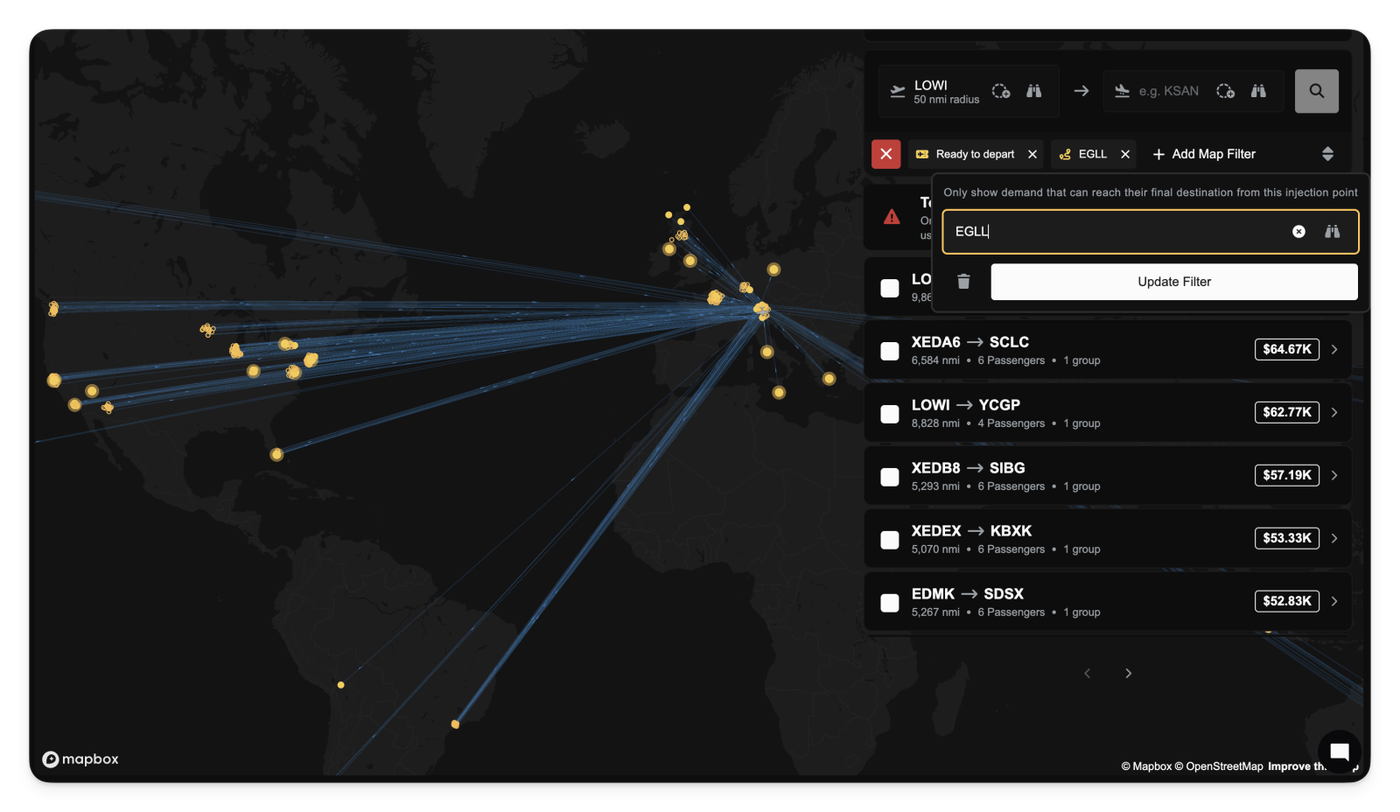
A new Can Traverse Routes filter is now available in the demand view. This filter lets you limit demand to only the destinations your network can actually reach from a chosen drop-off airport.
When you select a drop-off airport, the demand view automatically shows only the passenger groups whose final destination can be reached through your current route network (including up to three hops and any Passenger Services coverage you’ve built).
This helps you choose which demand to take on charters, eliminating the manual review of your network and helps answer the question "If I drop off these passengers, can they even be delivered?".
Other improvements
Airport filter component now hides the “add airport” button when a filter only supports a single airport selection.
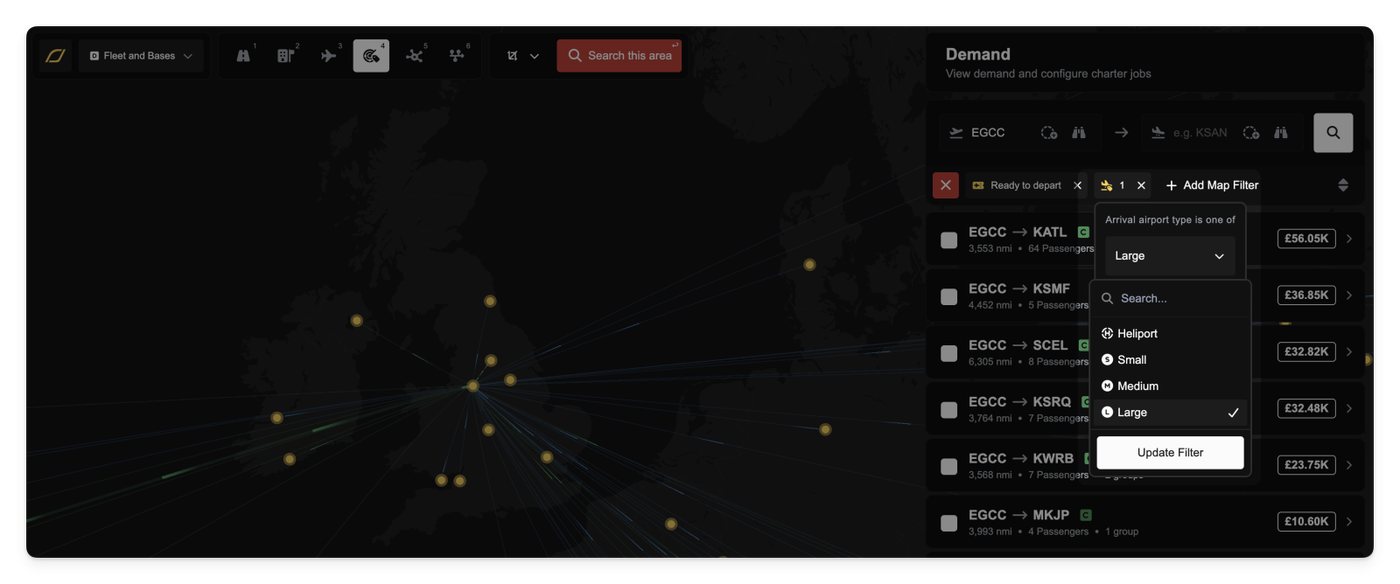
You can now apply new filters to the Demand lens, allowing you to quickly find passengers willing to fly to or from specific types of airports.
This new filtering capability is especially useful for companies operating specialized fleets. For example, you can easily filter for demand groups that originate at Heliports or those that are only flying into Small Airports.
The available filter options cover four main airport categories:
Heliport
Small Airport
Medium Airport
Large Airport
Other improvements
Fixed a bug that resulted in incorrect route pricing for some demand with specific pricing strategies.
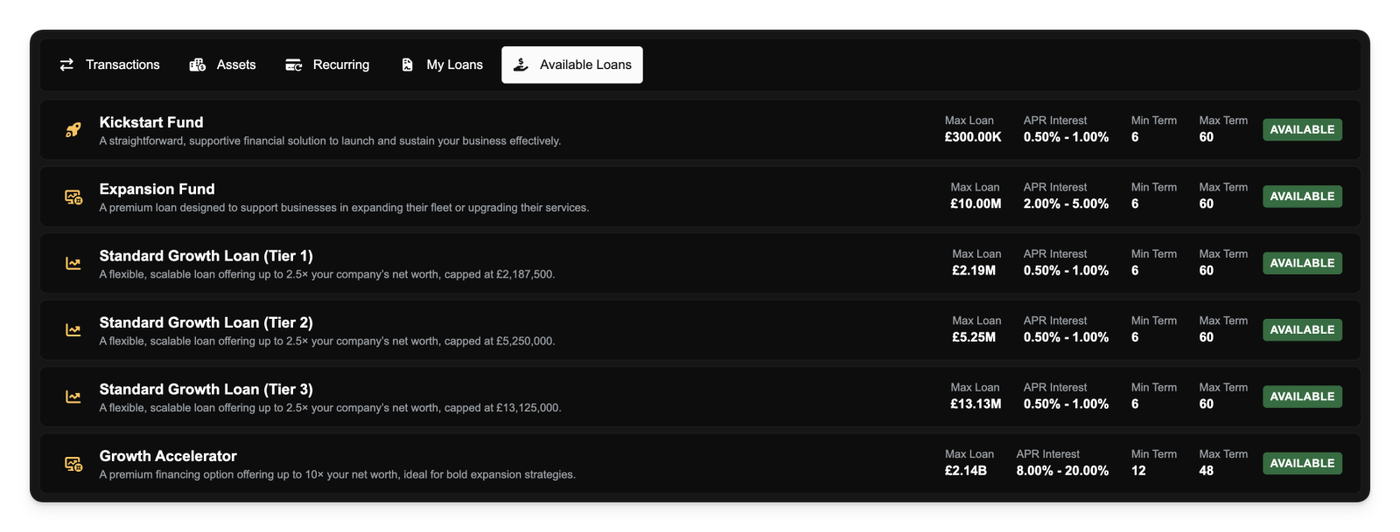
We have completed a major overhaul of the company loan system. We discovered a bug in our interest calculations that made loans significantly more expensive than intended. This has been corrected. All loans now use a clearer Annual Percentage Rate (APR) model, and interest rates have been significantly reduced across the board.
We've also introduced new "Standard Growth Loan" tiers to help you expand your company at different stages of your career.
Most importantly, we have run a script to rebalance all existing loans. If you have an active loan, its interest rate has been lowered to match the new, cheaper APR rates, and your remaining payments have been recalculated. You don't need to do anything; your loan is now cheaper.
✏️ Company Name & ICAO Updates
You now have the ability to update your company's name and ICAO code. In your company preferences, you'll find the new fields after clicking on the Edit button next to your company details.
This allows you to rebrand your company or fix typos you made during setup.
✈️ Aircraft & Economy Updates
We've continued to refine the economy by slightly reducing the prices for many aircraft in the database. We also updated seating and payload statistics for several airframes to be more accurate.
Additionally, we've added a Request a new aircraft button directly to the aircraft database page, linking you to the official request form.
💺 Critical Charter Job Fix
We fixed a critical bug in the seat assignment logic for charter jobs. Previously, the system that checked passenger seating has a bug that allowed you to accept a job with an aircraft that was actually too small.
The logic now correctly handles upgrades for charter jobs where Business passengers fill empty First Class seats before Economy passengers do. This ensures that an aircraft is only marked as valid if it truly has enough seats for all passengers after all upgrades are processed.
🛫 Improved Slot Validation
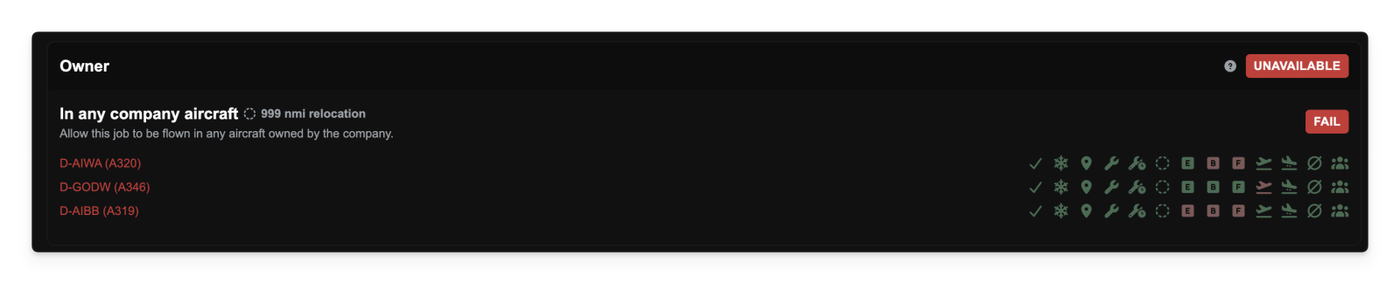
We've improved slot validation for aircraft jobs. The Available Aircraft screen will no longer show an aircraft as valid if it doesn't have a required departure slot. The diagnostic view is also clearer, showing separate checks for departure and arrival slots.
Other improvements
Fixed an issue on the V1 migration screen where the Next button could not be clicked.
Fixed a bug that caused the browser tab to freeze or crash when editing number fields, such as the Simbrief passenger weight.
The Finances tab within a partnership's detail page is now scrollable.
Updated the Discord button and added new badges for supported platforms (MSFS, X-Plane, etc.) to the landing page.
We've made two major improvements to how passengers are boarded for your route flights, which will reduce frustrating "near-miss" failures and help you fly fuller aircraft.
First, we've relaxed the strict validation for route minimums. Previously, if your route required 28 passengers and the system could only fit 27, the job would fail. Now, the job will be accepted as long as you have at least one passenger assigned to each required cabin. Flying with 27 out of 28 seats filled is far better than not flying at all.
Second, to help you hit those minimums more often, we've improved the "bin-packing" algorithm that fills your seats. The new system is much smarter at optimizing passenger groups, prioritizing larger groups first to fill the aircraft more efficiently. This means you'll see fewer cases where seats are left empty even when plenty of demand is available.
Finally, if a flight does fail because zero passengers could be assigned, you'll get a clearer error message. For example, it will now tell you if this happened because all available passenger groups were too large for your aircraft's capacity (e.g., trying to fit a group of 5 into a 1-seat aircraft).
Other improvements
Fixed an issue where route demand would not update correctly unless you had a suitable aircraft already parked at the departure airport.
We've updated the background tool that manages the global demand market. This tool already kept the total number of available demand in check, but it now also enforces a new, balanced ratio between economy, business, and first-class demand.
This change prevents any single passenger class from oversaturating the market. You should now find a more consistent and varied mix of opportunities across all classes.
You may find that demand numbers dip slightly as the tool rebuilds demand to the correct proportions.
A Clearer Live Flight Map
We've improved the Live Flight Map to give you a truer sense of air traffic, especially in busy airspace.
Previously, if an aircraft's label couldn't be shown without clashing with another, its aircraft icon would also be hidden. This meant aircraft would seem to 'pop in' as you zoomed.
Now, aircraft icons will always be displayed, even if they overlap. The map will still intelligently hide labels to prevent them from clashing and keep the view readable, but you will now see all aircraft icons in the area, giving you a much more accurate picture of live operations.
Other improvements
Fixed a critical bug that could cause actions (like signing an agreement) to fail part-way through. This ensures that actions now either complete fully or fail safely, preventing issues like agreements being created without a corresponding payment.
Corrected the internal mapping for several V1 aircraft purchase prices, fixing a bug where some aircraft could not be sold.
Fixed a UI glitch issue on the subscription pricing page.
Updated an error message for clarity when attempting to view finances without permission.
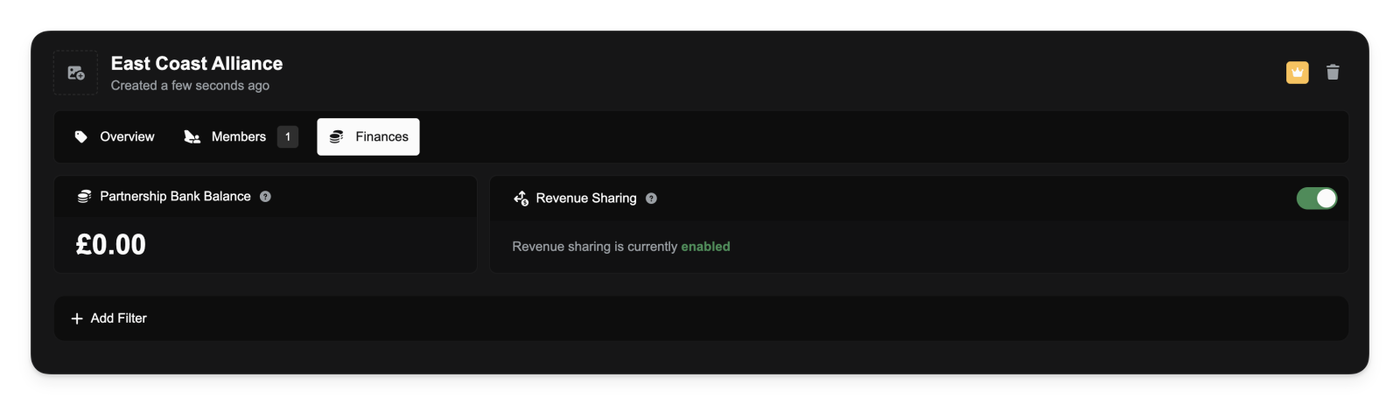
You can now create a shared economy with your partners using the new Revenue Sharing system. This optional feature lets you automatically pool income from member flights and distribute profits on a monthly basis.
As a partnership manager, you'll find a new Finances tab in your partnership panel. From here, you can enable revenue sharing, which instantly creates a shared bank account for your partnership.
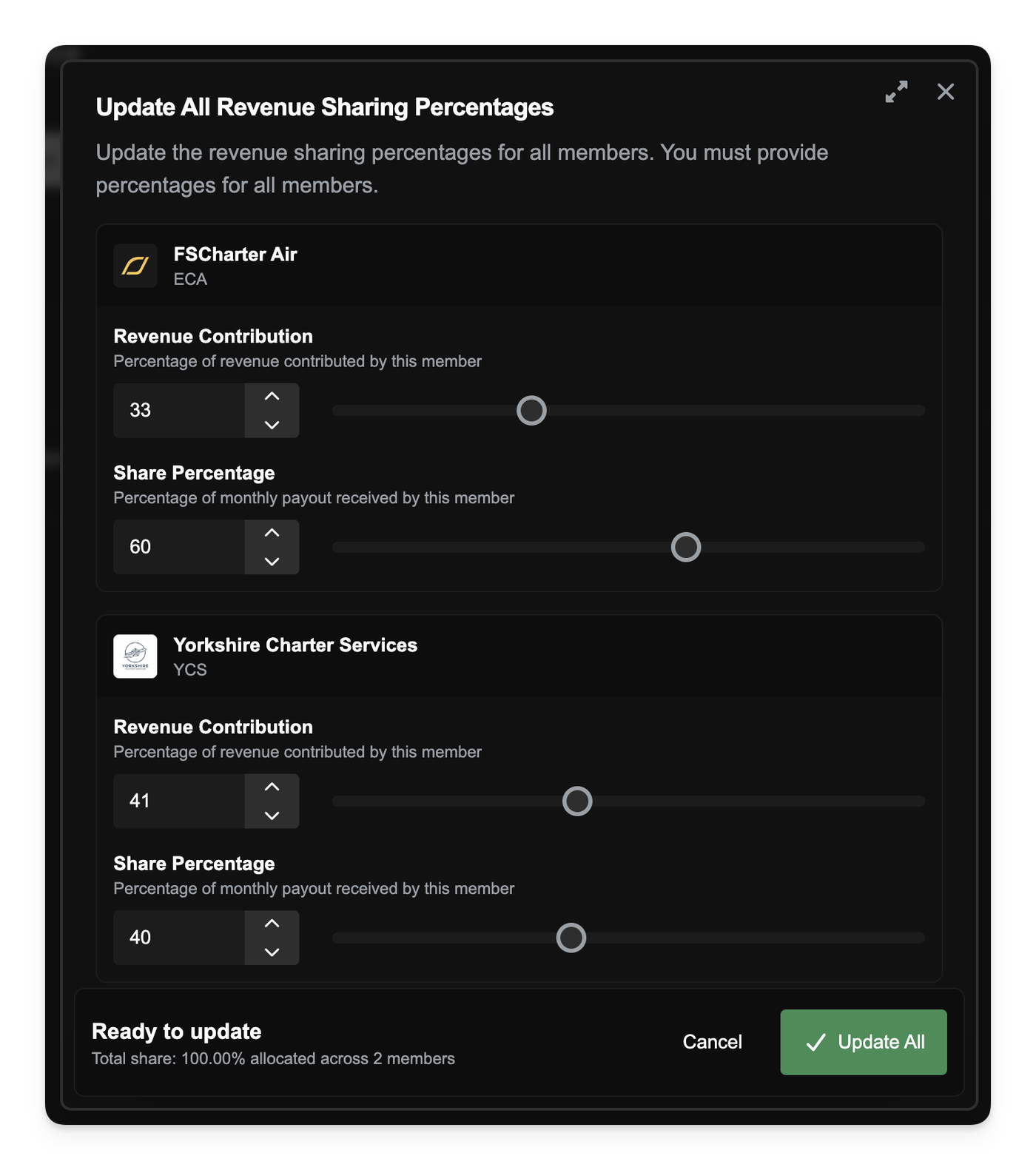
When you first enable revenue sharing, all existing members are set to 100% contribution and an equal share. You can then customize this using the new Update All Revenue Sharing Percentages tool on the Members tab. This allows you to set two key values for every member in the partnership:
Revenue Contribution %: The percentage of a member's flight revenue that is automatically paid into the partnership pot.
Share Percentage %: The percentage of the pot that member receives during the monthly payout. The total share must equal 100%.
When a member completes a flight, their contribution is transferred to the partnership account. On the 1st of every month, the entire balance of the partnership account is distributed to all members based on their configured share.
You can track all of this activity in the Finances tab, which shows the partnership's current balance and a full log of all contributions and payouts. The Members tab also provides a clear overview of each member's percentages and their most recent payout.
When a new company joins an already-active partnership, they will be added with 0% contribution and 0% share. You can then use the "Update All" tool to rebalance the partnership's new economy and include them in the payouts
Fixed an issue where Passenger Services set to 'create-job' could fail or create invalid jobs when handling large passenger groups. The system now correctly splits passenger loads into multiple jobs respecting the 20-passenger charter limit and prevents a job from being created for any single group that exceeds this limit.
Fixed a critical issue where an aircraft could become stuck at its destination if you lost access to the arrival slot mid-flight (e.g., if a partnership was dissolved). Your aircraft will now be safely auto-stored or placed on the tarmac, allowing the job to complete.
Improved the reliability of partnership dissolutions to ensure all airport assets are handled correctly.
We've fixed a significant issue where companies locked for a negative bank balance would remain locked, even after receiving a manual transfer or other payment that brought their balance back to $0 or positive.
Now, as soon as your company's balance becomes non-negative, it will be automatically unlocked, allowing you to resume normal operations immediately. We've also run a data fix to unlock any companies that were previously stuck in this state.
To make your company's status clearer, we've also added new visual indicators:
You'll now see a "Locked" badge on your Finance page that explains why your company is locked.
A lock icon will also appear next to any locked company's name in the main sidebar, so you can see its status at a glance.