
v2.7.0
New Features
A 3D view of your cabin and hold (FSC-4192)
Every aircraft loadout screen now shows the aircraft in 3D, with the cabin and the hold together. You can rotate the view, zoom in and hover over seats or items for more information. You can also switch seats, bags, cargo and freight on and off to see each layer on its own.
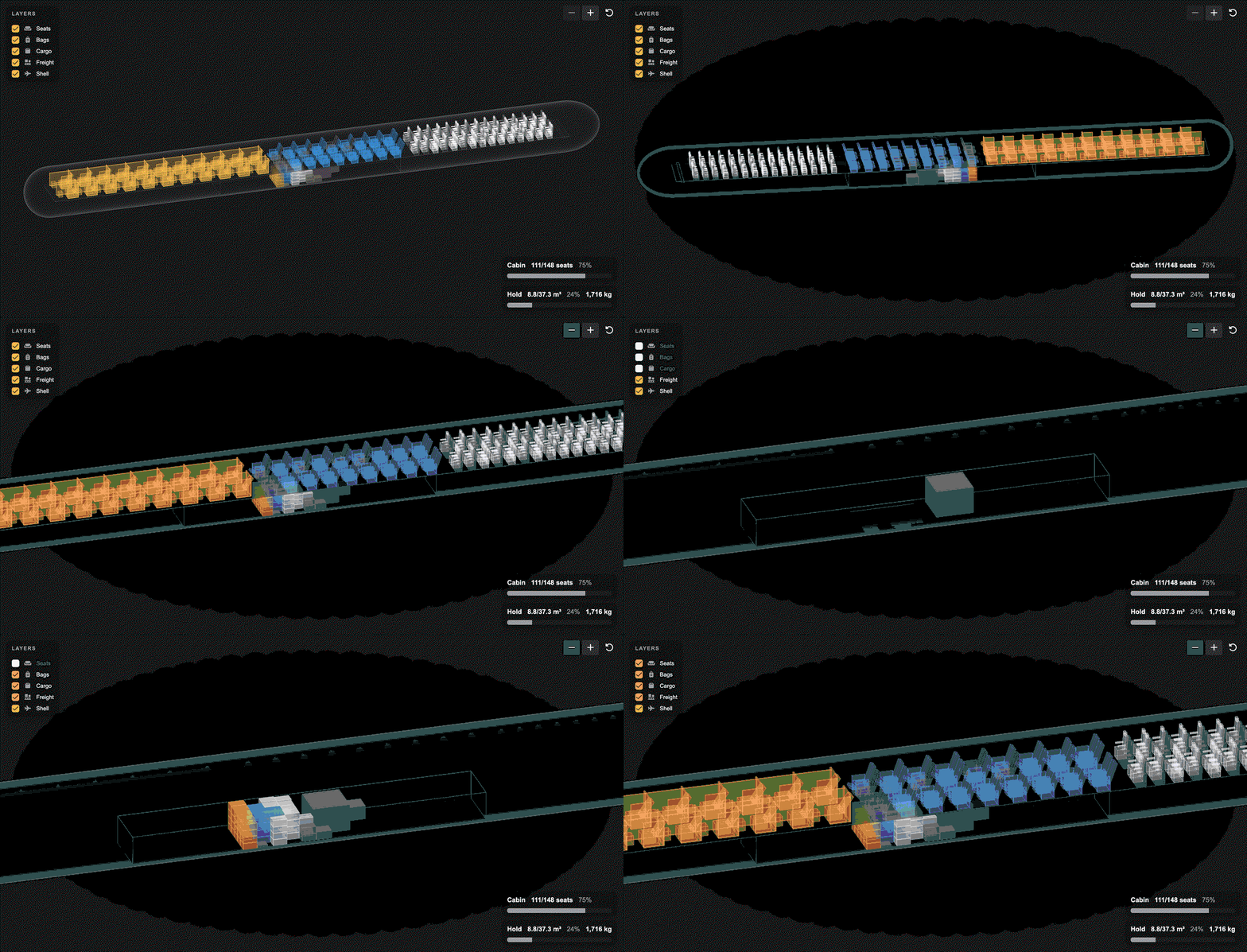
Above: An A320 carrying first, business and economy passengers, bags, cargo and a freight container.
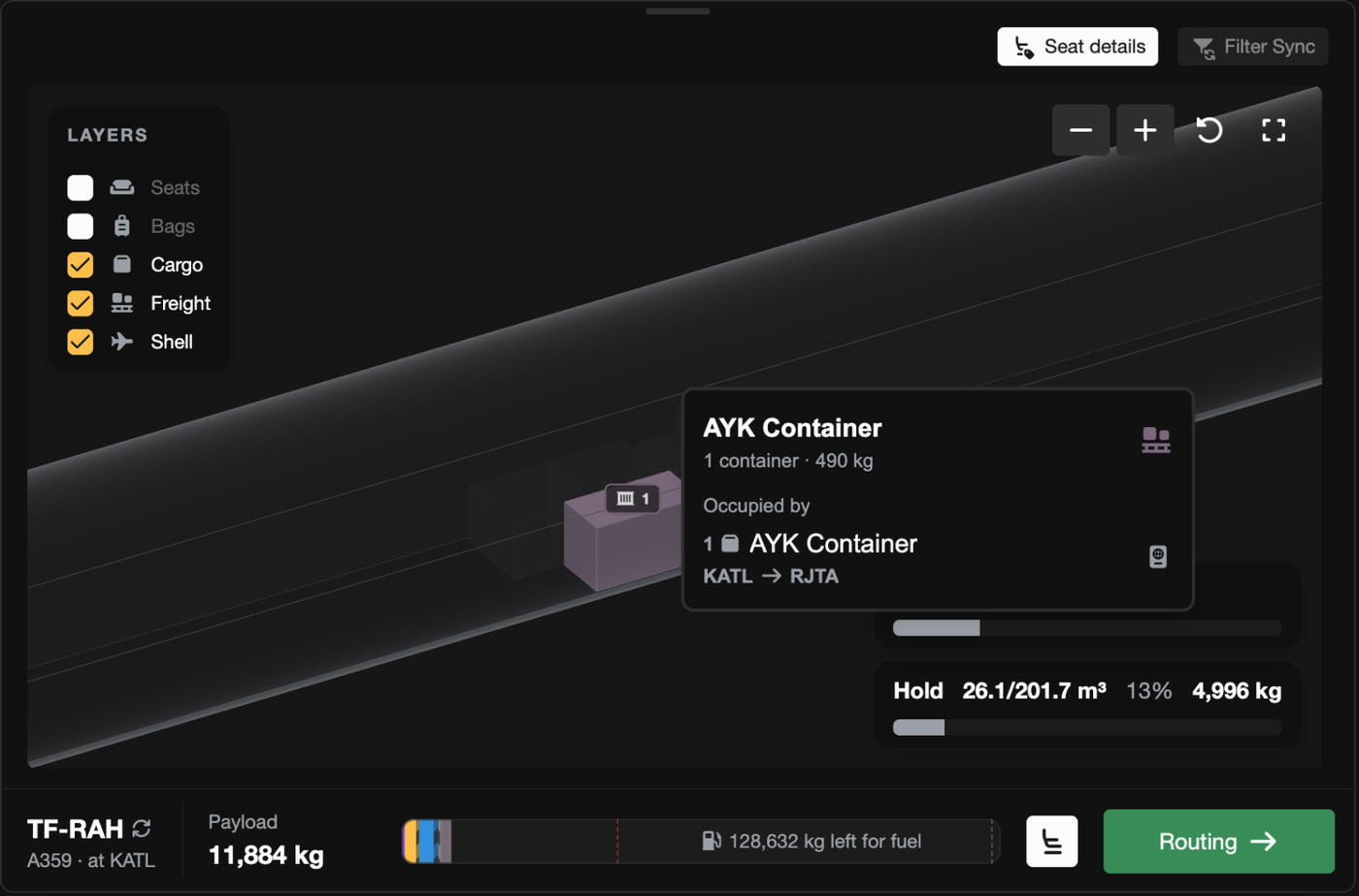
Above: Hover over an item or stack for more information.
Cargo can now be transported in the hold (FSC-4172)
Previously, standard cargo was only permitted to travel in the cabin, which meant that many narrowbodies (737, A320, MD-82, CRJ, E190) could not earn from cargo revenue when every seat was occupied. Now cargo (and high value cargo) can travel in the hold (or the cabin cargo space if you have seats removed). Routes now also stop loading cargo at the aircraft's payload limit, so a full route no longer loads more than the aircraft can structurally lift.
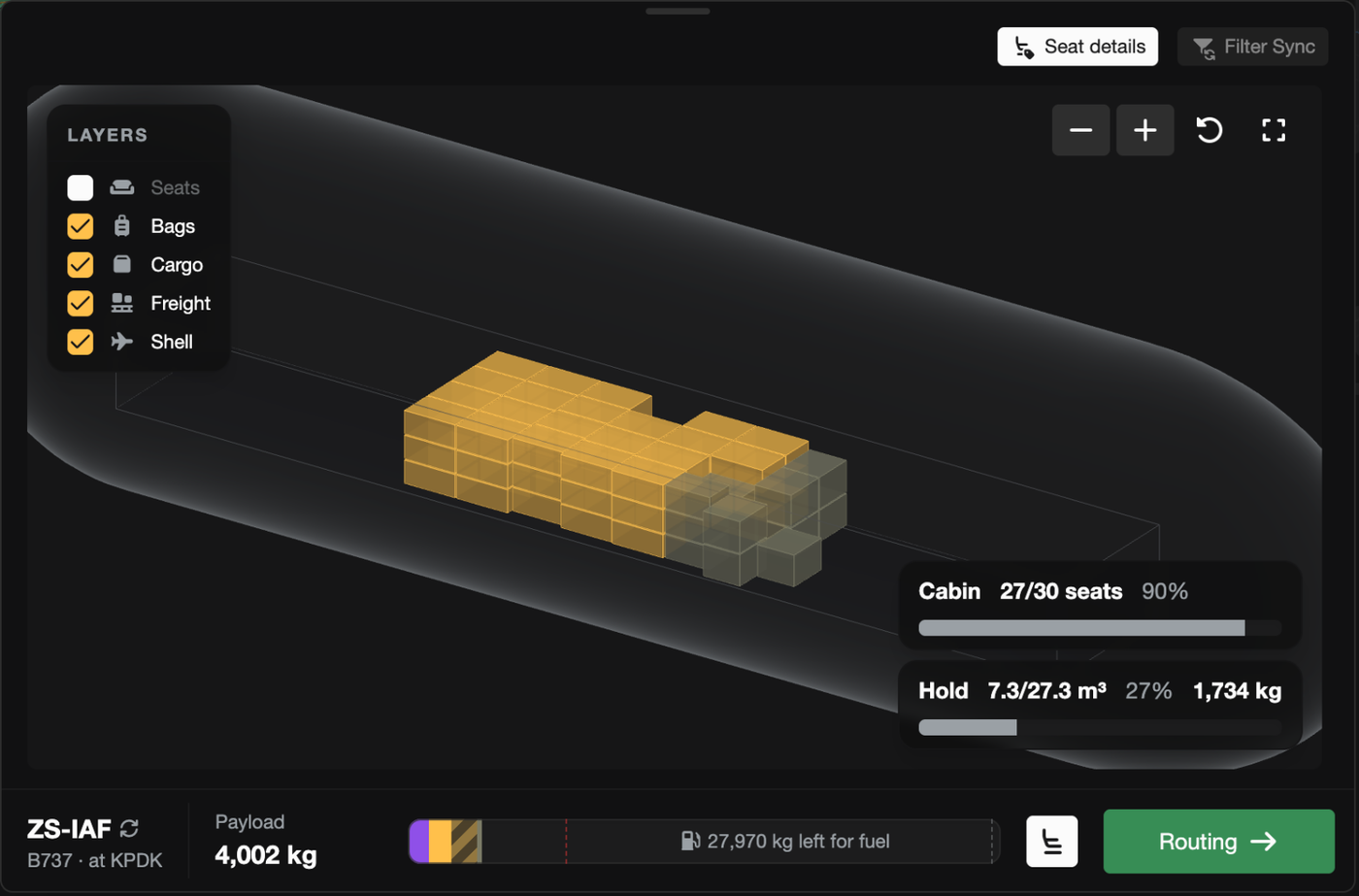
Above: A 737 carrying mail and parcels into the hold beside passenger bags (the seat layer is switched off so the hold is visible).
Better understanding of cargo dimensions and restrictions (FSC-4192)
The loadout page has been reworked to give you more information when items aren't loaded onto the aircraft. When accepting a job, there is now a "Not loading" list, grouped by the reason the cargo would be left behind (e.g. too tall, no hold, no room left, over weight limits). By default the list only shows items that must be carried on the route, so you can easily see why a job can't be accepted. You can also toggle "Show left behind" to see all cargo left at the airport (including cargo you don't need to carry).

Above: The "Not loading" list displaying why a non-required pallet can't be loaded onto the aircraft (it is 4 cm too tall for this hold).
An overhauled "Create Charter" mode (FSC-4192)
The "Create Charter" mode in the Operations Cockpit has been overhauled. The aircraft loadout, which used to be squeezed into a narrow side panel, now sits in a dock along the bottom of the map that can be dragged taller or folded away, and includes the new 3D view. A bar along the bottom of the dock always shows the current payload and the next step. Cargo is loaded as soon as demand is selected, so you can see what will be carried before any jobs are created. If something is blocking the charter (e.g. passengers without a seat), the bar turns red and the next step button becomes "Errors", which takes you straight to the problem. Releasing a plan now waits for the load check to finish, so a plan that physically can't be flown can no longer be released.
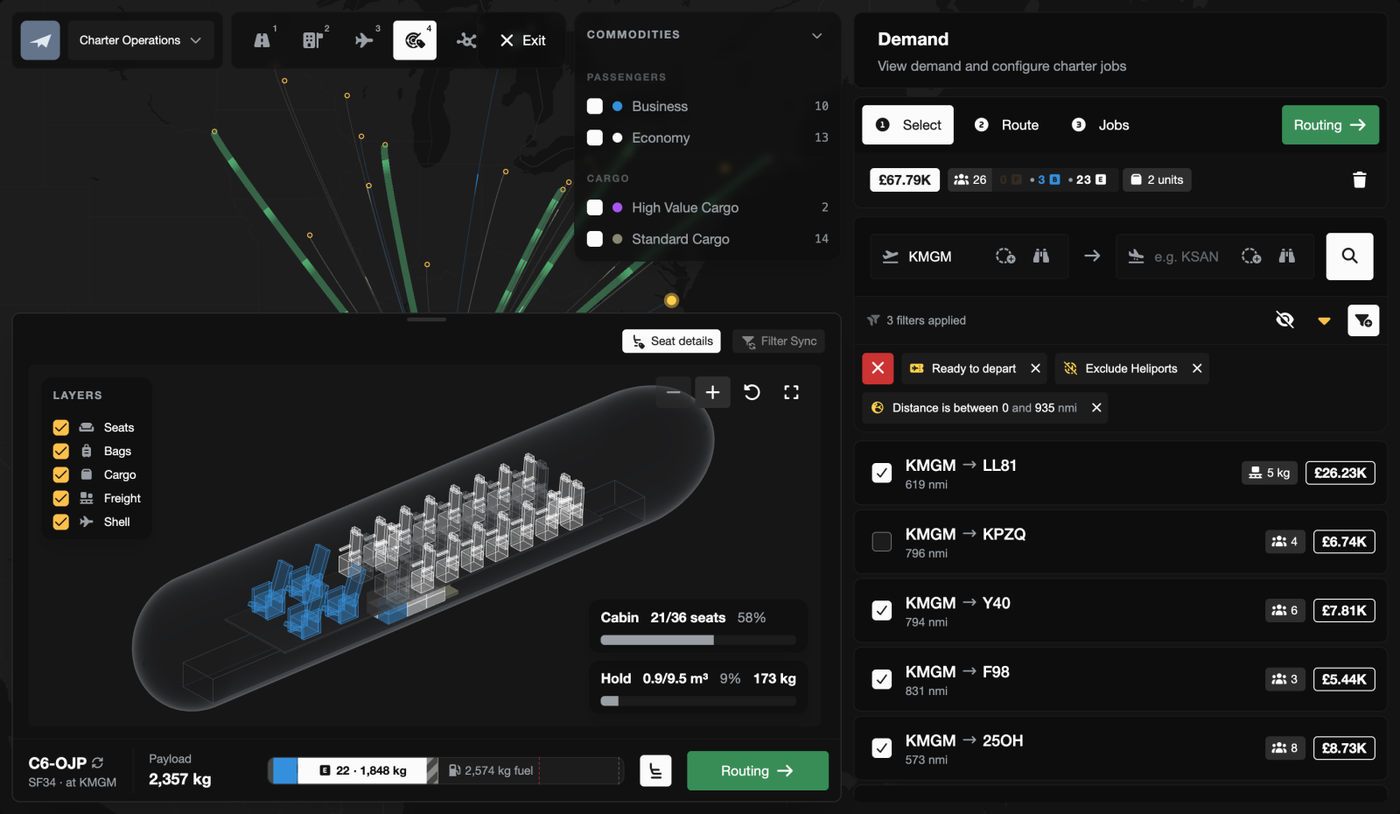
Above: The new "Create Charter" dock below the map, shown with a Saab 340, with the current payload and next step in the bar along the bottom.
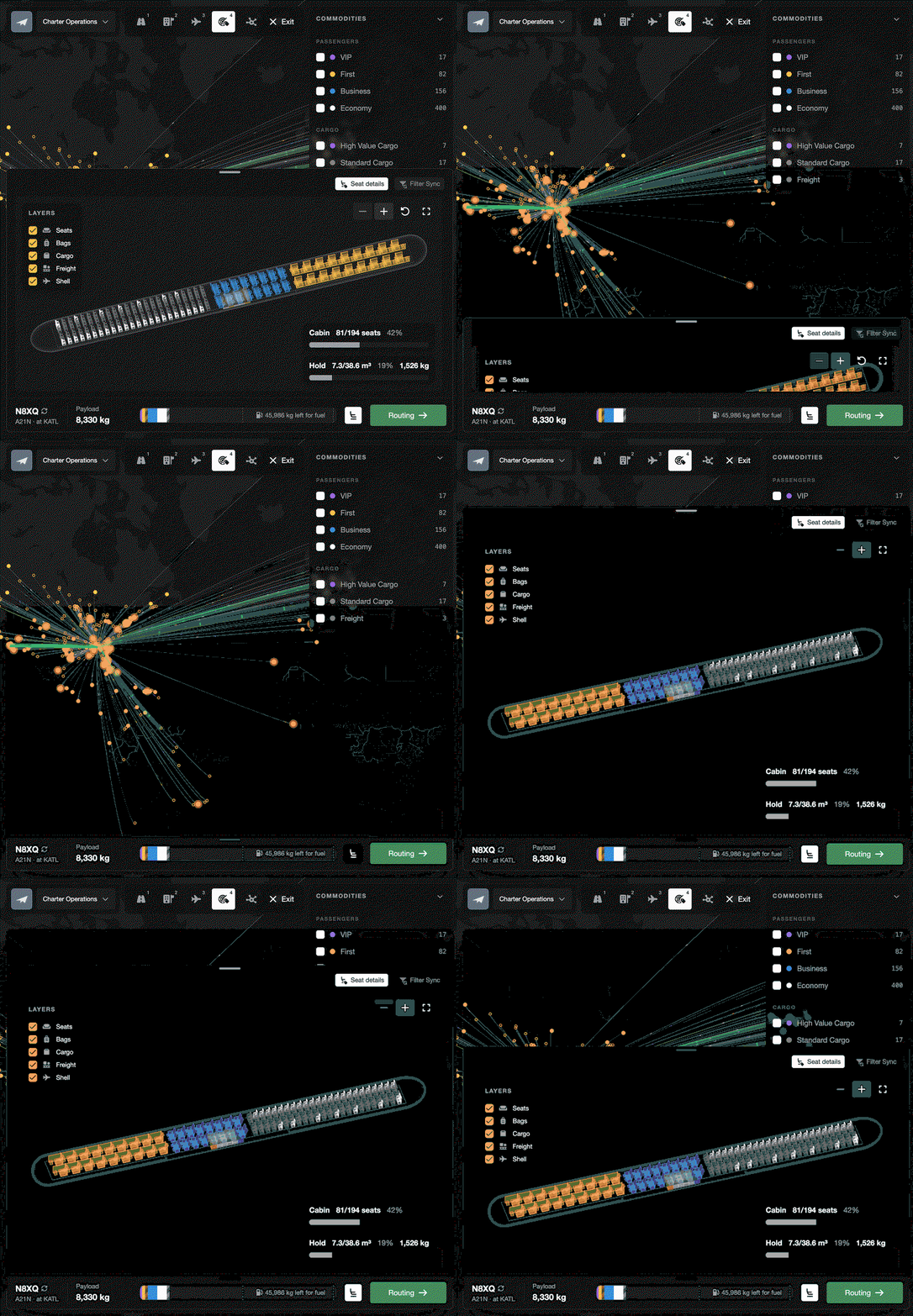
Above: The dock being folded away and dragged taller (shown with an A321neo).

Above: A CRJ900 that can't seat every passenger, with the passengers listed under "Cannot Board", the bar in red and the next step button showing "Errors".
Fokker F27 and 17 more aircraft added (FSC-4201)
18 new aircraft have been added, including 13 dedicated freighters. Freighters have no seats, so they carry freight in the hold only.
- Fokker F27 Mk 500
- Fokker F28 Mk 2000
- Fokker F28 Mk 3000
- Cessna CitationJet
- Airbus Helicopters H225 Super Puma
- Boeing 747-200F
- Boeing 747-400F
- Boeing 747-8F
- Boeing 747 LCF (Dreamlifter)
- Boeing 757-200PF
- Boeing 767-300F
- Boeing 777F
- McDonnell Douglas MD-11F
- Airbus A300-600F
- Airbus A300 Beluga
- Airbus Beluga XL
- Antonov An-124
- Antonov An-225
Improvements
The hold is now shown on the "Aircraft Layout" tab (FSC-4195)
The "Aircraft Layout" tab in the aircraft dialog previously only showed the cabin. It now shows the hold as well, so you can check what an aircraft can carry before buying it or accepting a job.
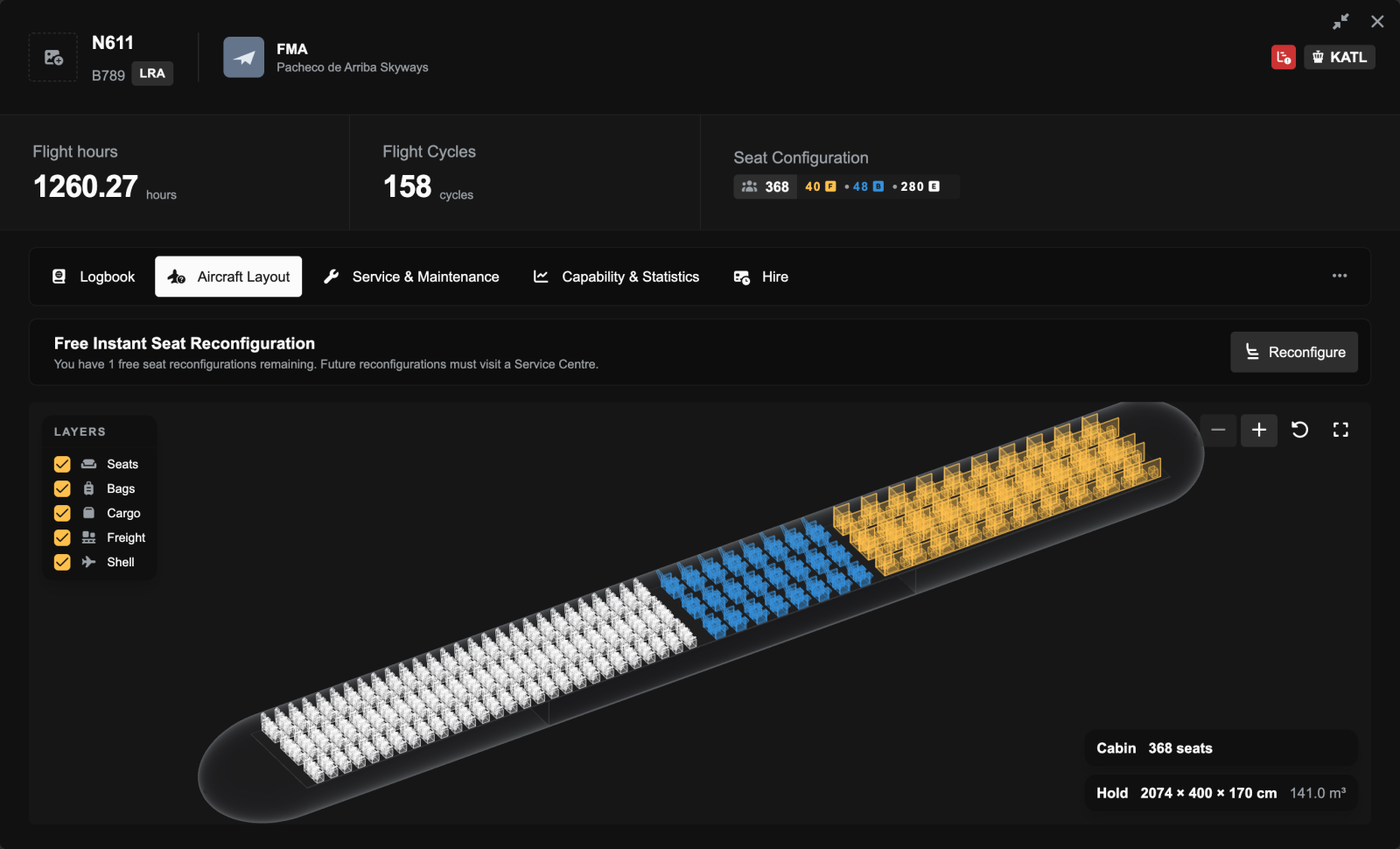
Above: The "Aircraft Layout" tab for a 787-9, showing the cabin and the hold together with the hold's dimensions.
Fuel estimates are now based on trip distance (FSC-4198)
For aircraft with no flight history, a job's "Financials" tab and the ferry cost estimate previously assumed a full tank of fuel regardless of distance, which made long flights look more profitable than they are. The estimate now calculates the fuel the trip will actually burn, using the aircraft type's published fuel burn until the aircraft has its own history.
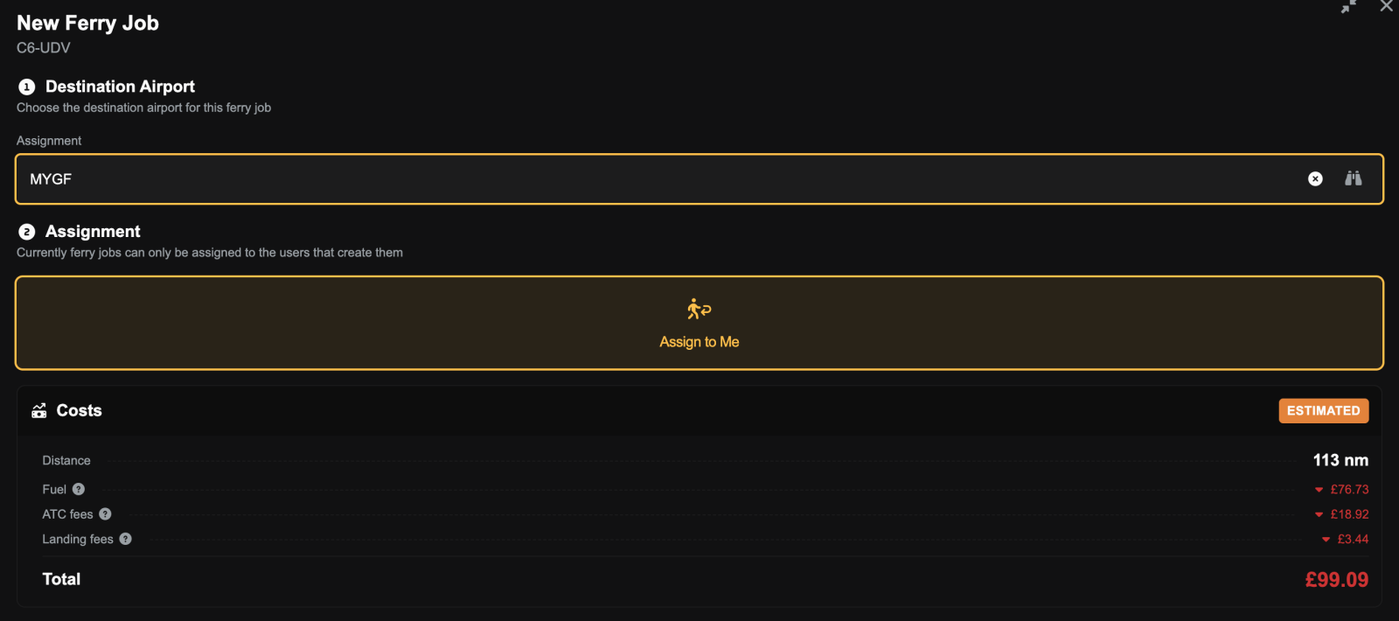
Above: The ferry fuel estimate for a 113 nm trip in an aircraft with no flight history (£76.73).
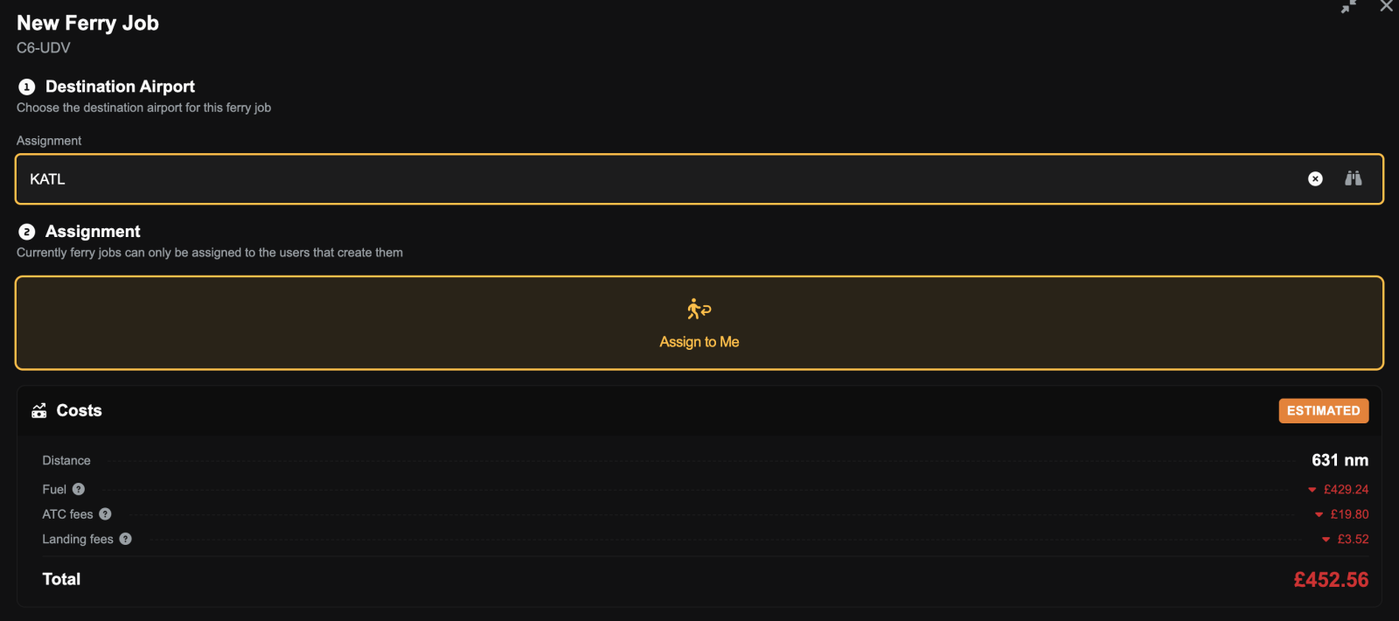
Above: The same aircraft on a 631 nm trip, with the estimate rising to £429.24.
Boeing 757-200 weights updated (FSC-4204)
The 757-200's weights and price have been updated to match its type certificate. It can now carry slightly more payload, and its resale value is around 3% higher. Landing and parking fees increase in line with its heavier weights.
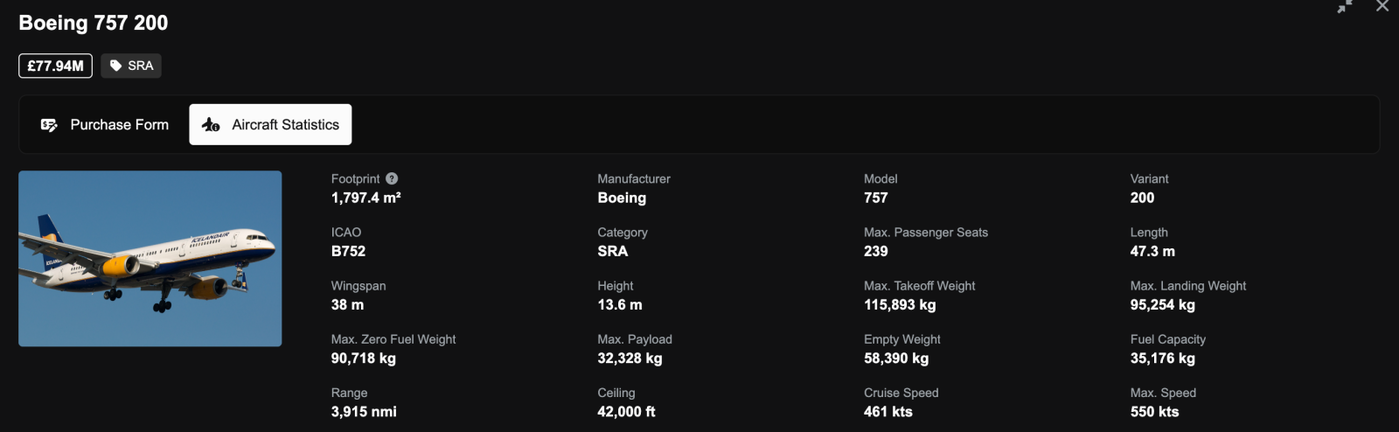
Above: The 757-200's updated weights and price in the aircraft shop.
Clearer reasons when an aircraft has no hold or cabin cargo space (FSC-4193)
Aircraft with no hold, or with every seat fitted, were previously rejected with confusing dimensions (e.g. "the hold is 0 cm high"). The reason now simply states that the aircraft has no hold or no cabin cargo space.
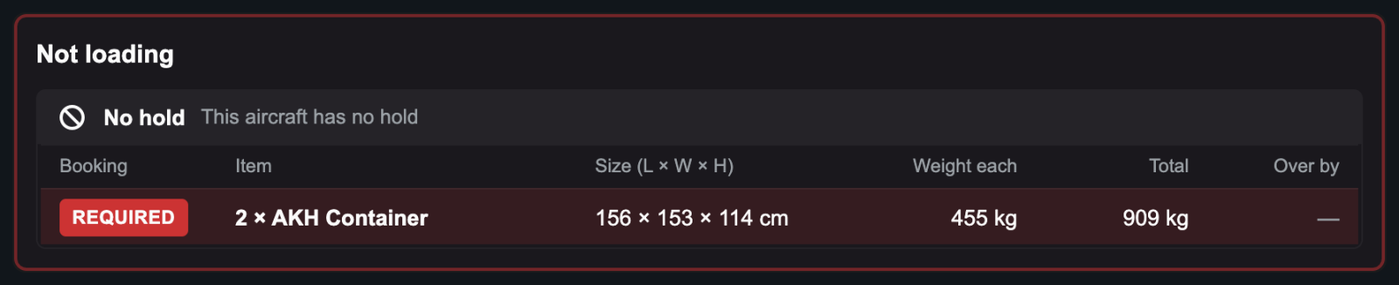
Above: An aircraft with no hold now displays a reason instead of 0 cm dimensions.
Bug Fixes
Correct cargo weights are now sent to the sim and SimBrief on mixed legs (FSC-4173)
When a leg carried more than one type of cargo, the plugin and SimBrief received the wrong payload weight. Each type of cargo is now sent with its own weight.
The in-sim delivery speed gauge now shows the correct speed (FSC-4171)
During a flight, the in-sim delivery speed gauge could show unrealistic speeds (e.g. 1,367 kts on a 137 kt flight). It now shows your actual average speed so far.
Seat layouts with every class removed can now be saved (FSC-4167)
Turning off every cabin class disabled "Apply Reconfiguration", and turning a class back on didn't enable it again. A zero-seat layout can now be saved, and the dialog header shows the new seat layout straight away without refreshing the page.
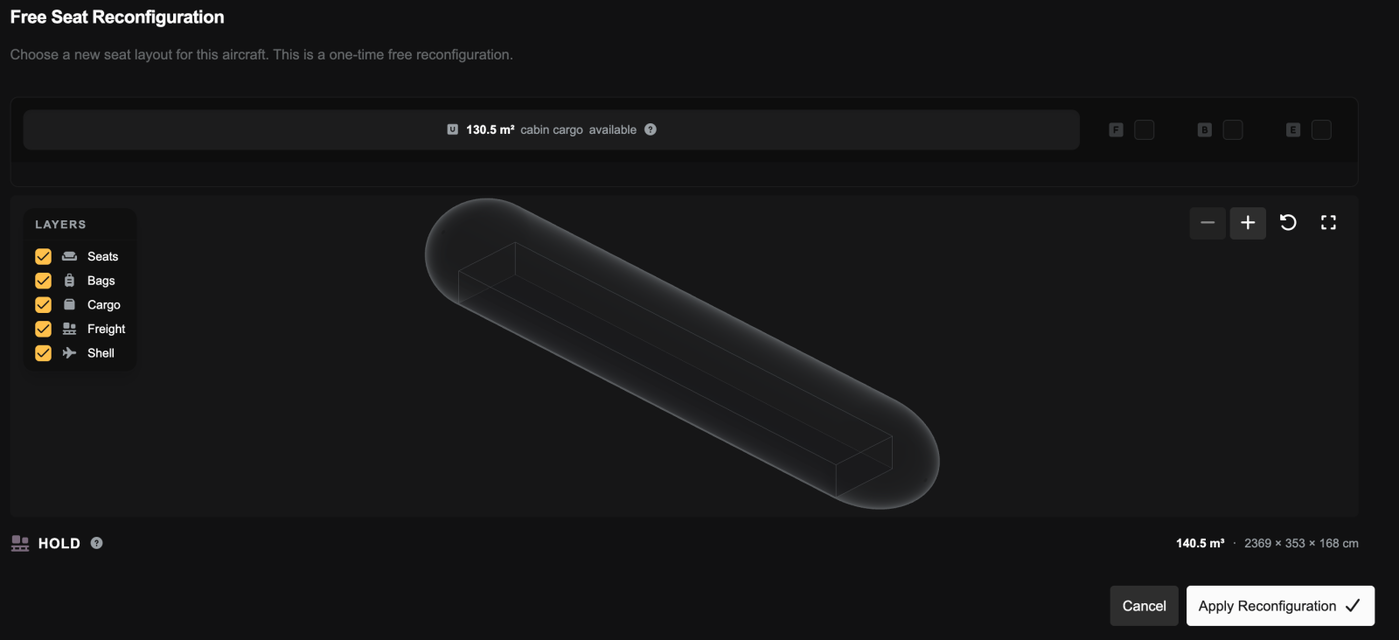
Above: A 767 with every class turned off, with "Apply Reconfiguration" still available and the whole cabin free for cargo.
"Create Charter" now checks first and business class seat capacity (FSC-4178)
A plan could previously be released with more first or business class passengers than the aircraft could seat in that class or higher, and the job was then rejected on acceptance. "Create Charter" now lists these passengers under "Cannot Board" and won't allow the plan to be released until they fit.

Above: Passengers without a first class seat listed under "Cannot Board", which stops the charter from being released.
Cabin cargo space checks now account for stacking (FSC-4175)
The loader stacks small cabin cargo, but the checks for whether cargo would fit counted each item laid flat. This meant "Create Charter" hid demand that would have fit, and hiring failed with "Selected cargo requires X sqm". These checks now count cargo stacked, the same way it's loaded.
Cargo-only routes are no longer offered to aircraft that can't carry them (FSC-4180, FSC-4188)
A route carrying only cargo could be offered to an aircraft with a full cabin and no hold, and the job was then rejected on acceptance. "Available Aircraft" also checked a route's cargo against the wrong demand. It now only lists aircraft with space for the cargo the route actually loads.
Route baggage weights are now based on the route's distance (FSC-4174)
Every route stored its baggage weight as if the flight was less than 1 nm long, so some aircraft were listed for long routes they were too heavy to fly. Routes now store baggage weights for their actual distance.
Routes no longer exceed the aircraft's payload limit (FSC-4205)
The route loading preview weighed collaborative passengers' bags lighter than would be actually loaded, so a full route could be around 800 kg over its payload limit. Both now use the same weights.
Route cargo and freight minimums are now enforced through the API (FSC-4181)
A route job accepted through the API could carry 1 kg of freight against a 2,000 kg minimum. Accepting a job now always checks the route's cargo and freight minimums.