
v2.6.0
New Features
See which pricing strategies changed a ticket price (FSC-4156)
When a passenger boarded a route at a strange price, such as first class for £0, nothing told you why. Your pricing strategies were doing exactly what they were set up to do, including stacked discounts that added up to more than 100%, but no screen showed you which ones had applied. Passenger rows now show the price they pay, with your pricing strategies applied. You can hover over it for a breakdown of every strategy that changed their ticket price. You can also see which strategies apply when you're creating or editing a route.
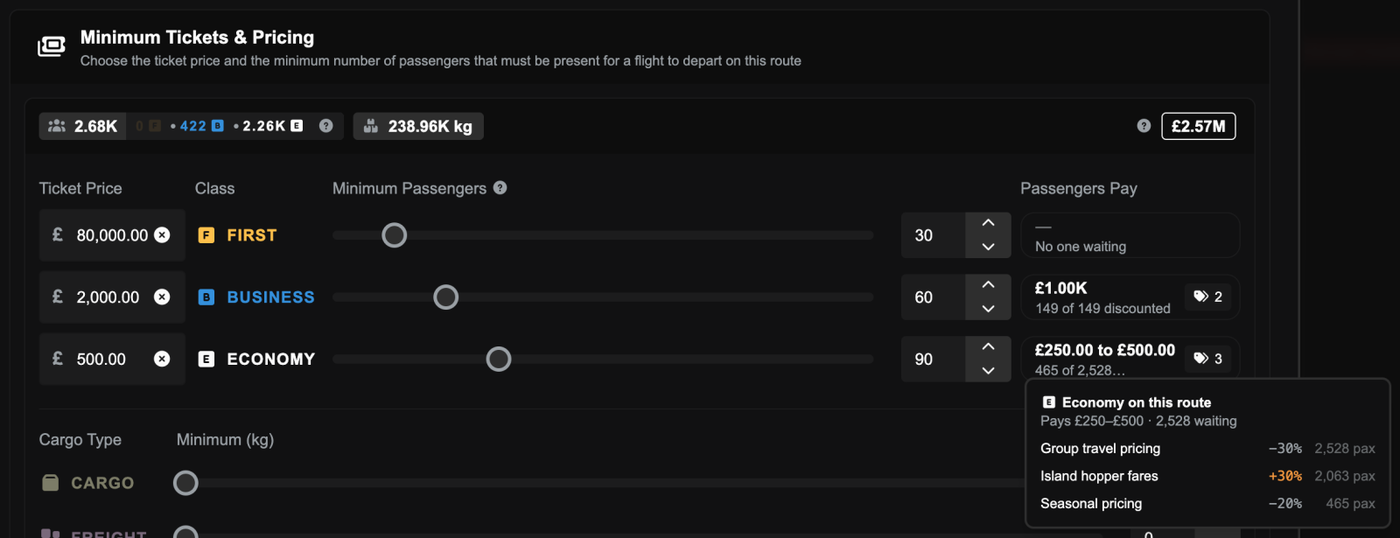
Above: The route form's ticket prices with a Passengers Pay box for each cabin, and the economy box opened to list the three pricing strategies that change its fares.
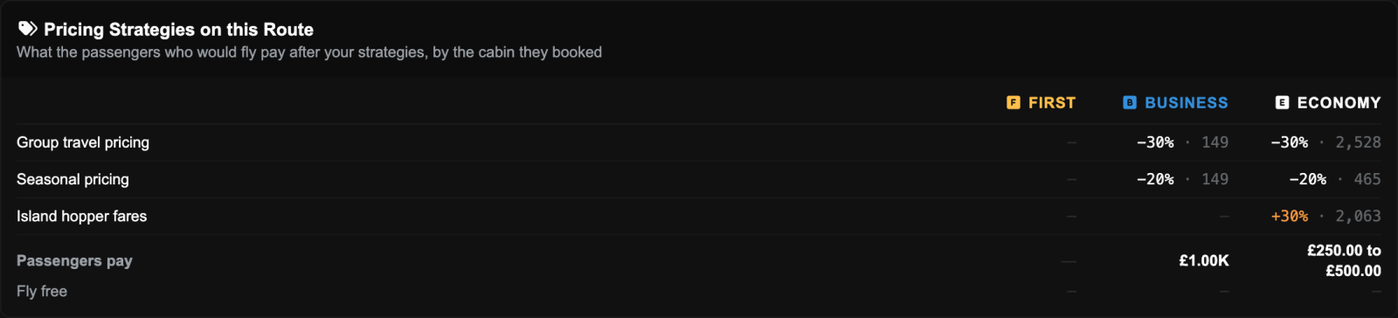
Above: The Pricing Strategies on this Route panel, showing each strategy's percentage and passenger count by cabin and what passengers pay.
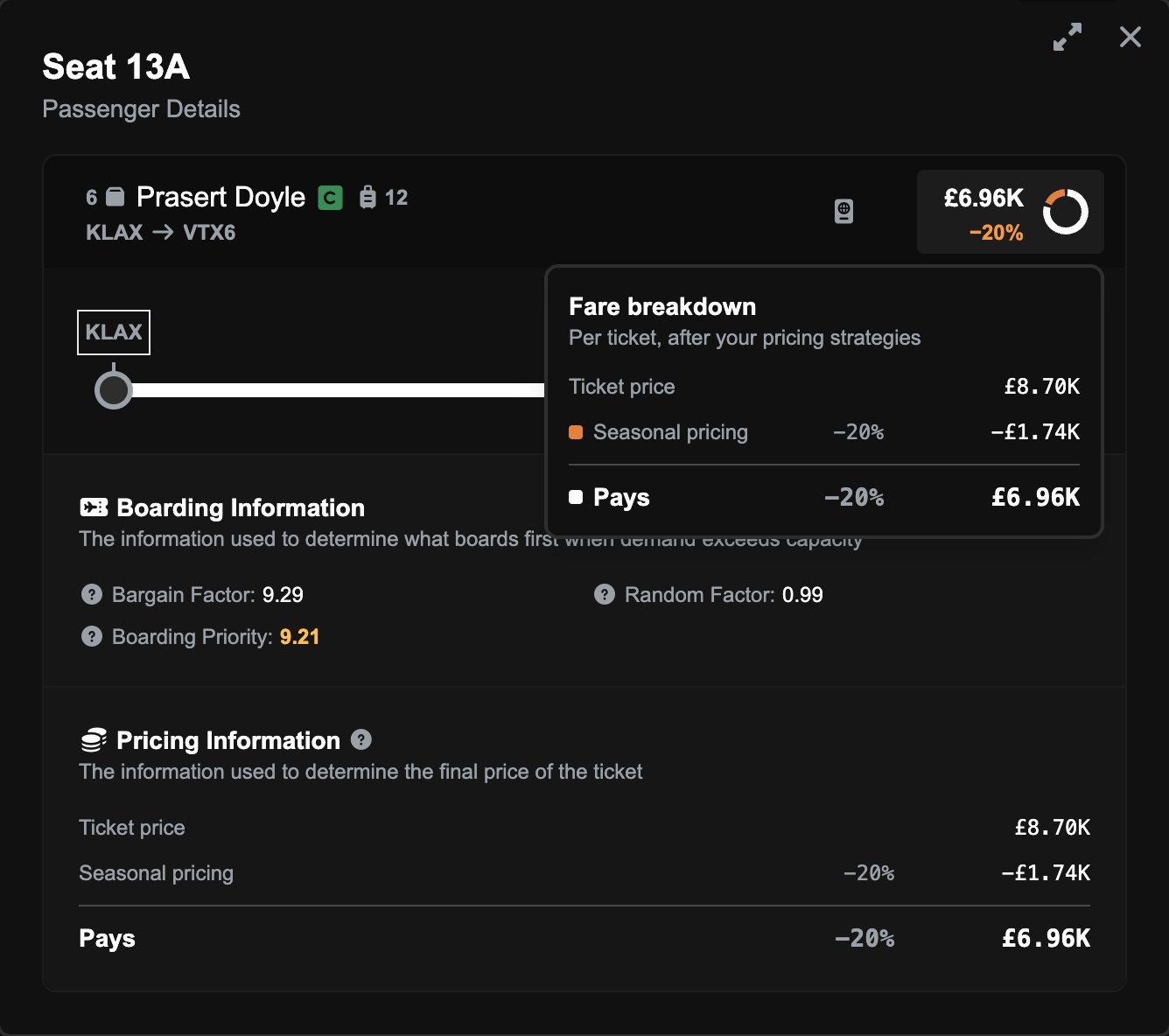
Above: A passenger's seat details with the Fare breakdown card open, listing the ticket price, a 20% strategy discount and what the passenger pays.
See cargo and freight that gets left behind (FSC-4152)
On a route job, the loadout could leave cargo or freight out without saying why. A 737 with plenty of spare weight and a mostly empty hold could load nothing at all if the freight wouldn't physically fit. Anything the loadout leaves out now shows up as Left Behind, along with the reason. It's there for information only, and it never stops you accepting the job.

Above: A Boeing 737 loadout with an amber Left Behind line, and the Too tall for hold chip's tooltip explaining the hold is 110 cm while the freight starts at 114 cm.
Improvements
Bags with no room in the hold now ride in the cabin
Bags that don't fit in the hold now ride in the cabin with their passengers, and the loadout shows how many there are and what they weigh. Nothing about your payload has changed. These bags always counted towards your weight, and they never stopped you accepting a job. The screens and the help docs now just say so. The PA-18 also gets a small hold for freight.
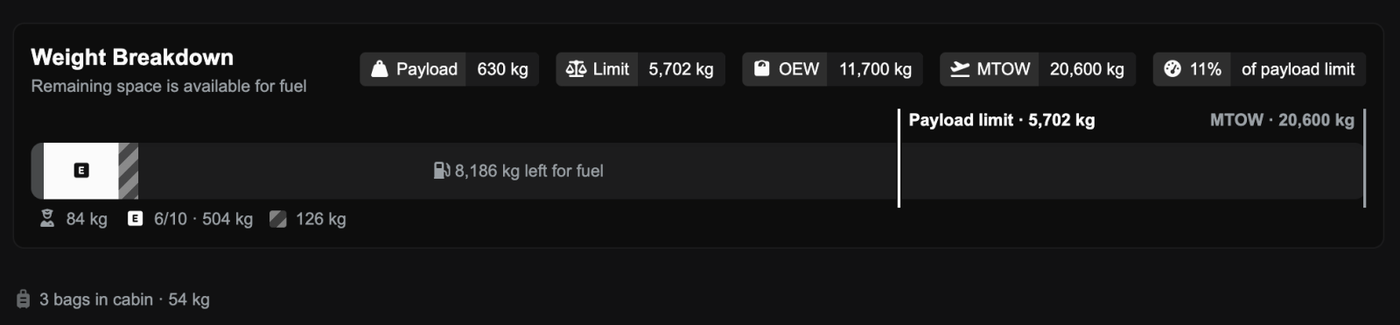
Above: A loadout's weight breakdown with the line 3 bags in cabin · 54 kg underneath it.
Job Marketplace and hire lists fit on smaller screens (FSC-4148, FSC-4150, FSC-4159)
On smaller screens, job rows could be wider than the list, which cut off the price and made the list scroll sideways. Busy rows also spilled into their neighbours, and Charter Aircraft For Hire had the same problem. Rows also now rearrange themselves to fit a narrow list.
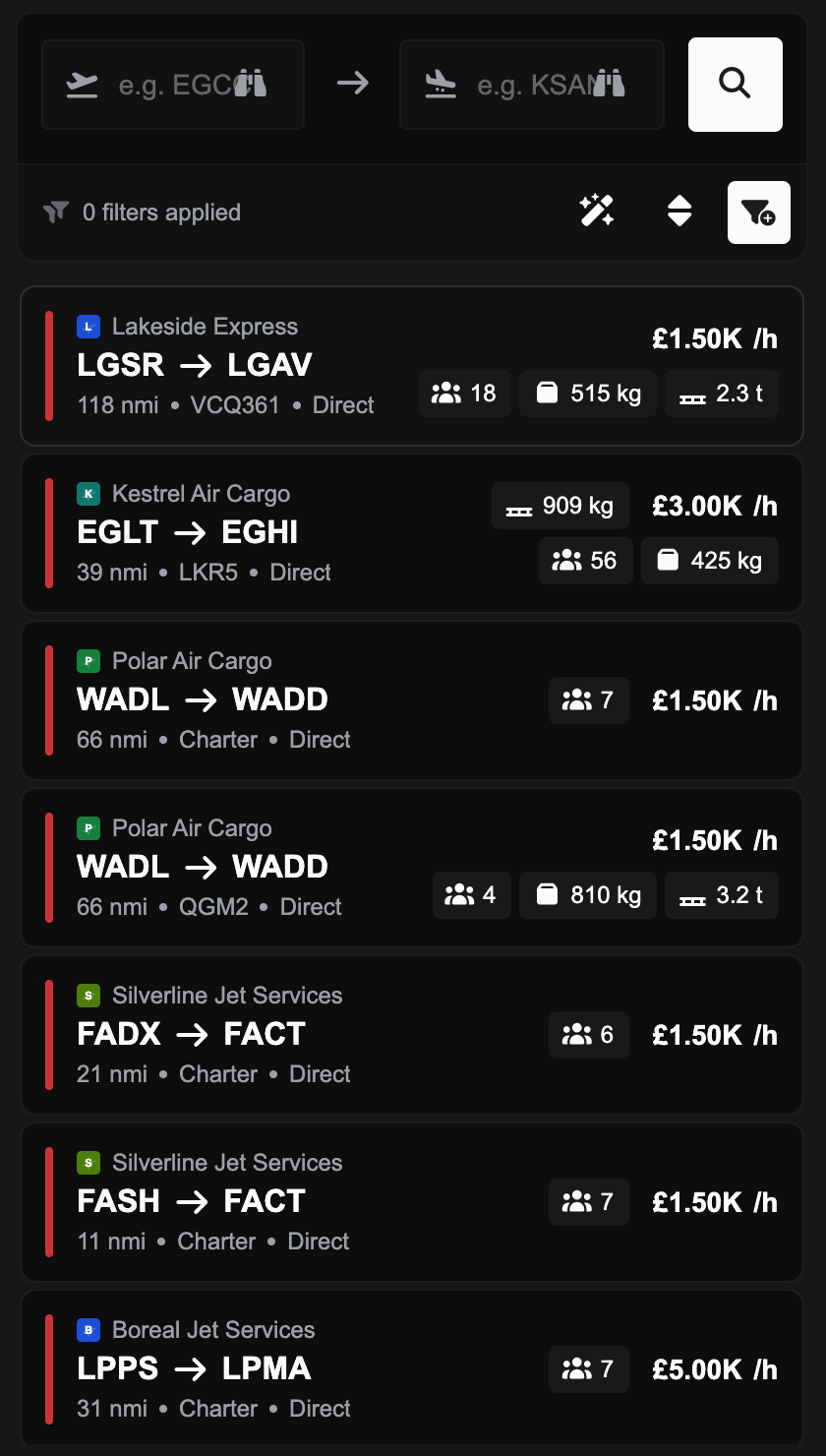
Above: The Job Marketplace list on a 14-inch laptop window, with each job's payload badges and hourly rate fitting inside its row.
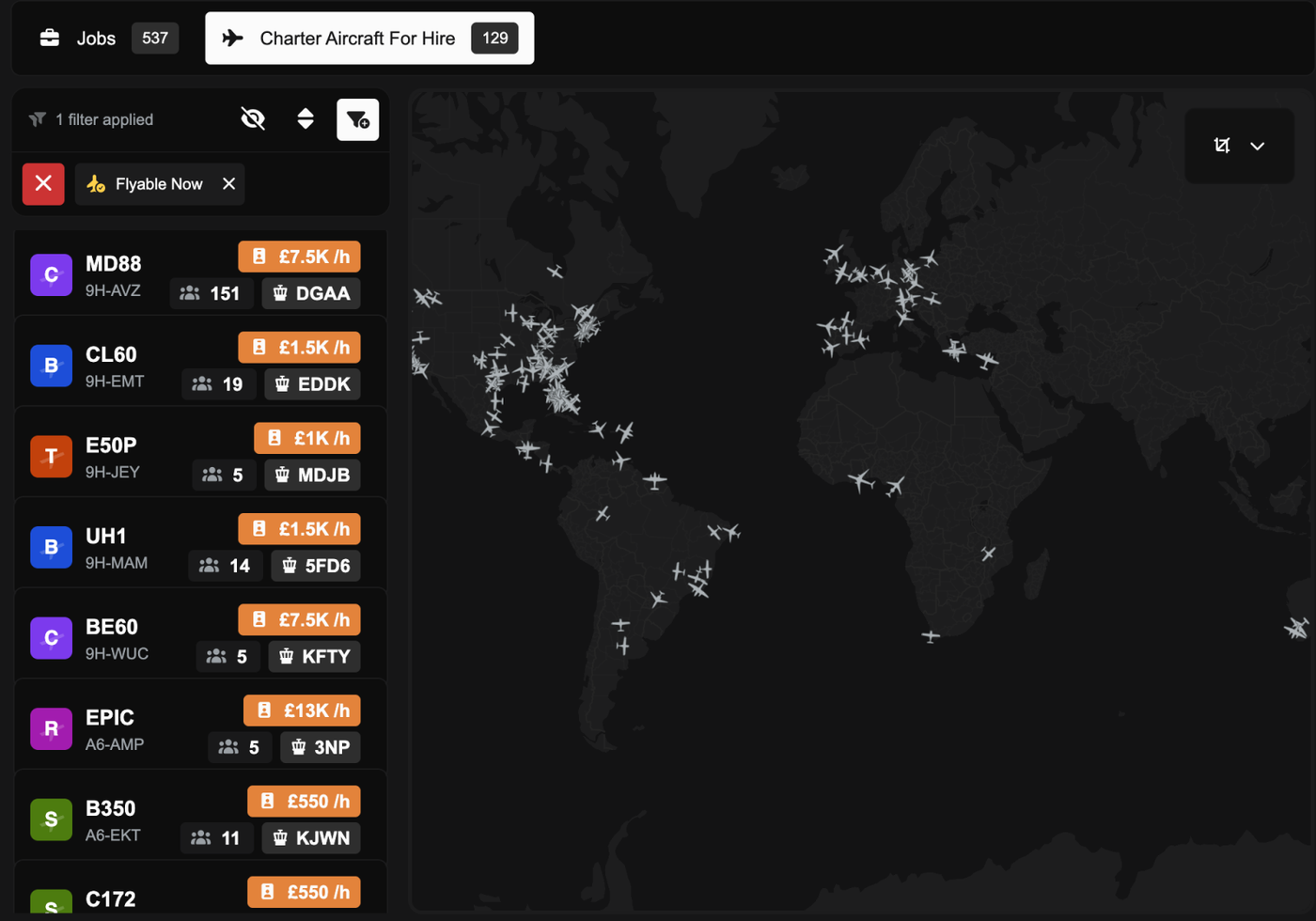
Above: Charter Aircraft For Hire in a 1280 px window, with each aircraft's hourly rate on its own line above the seats and airport.
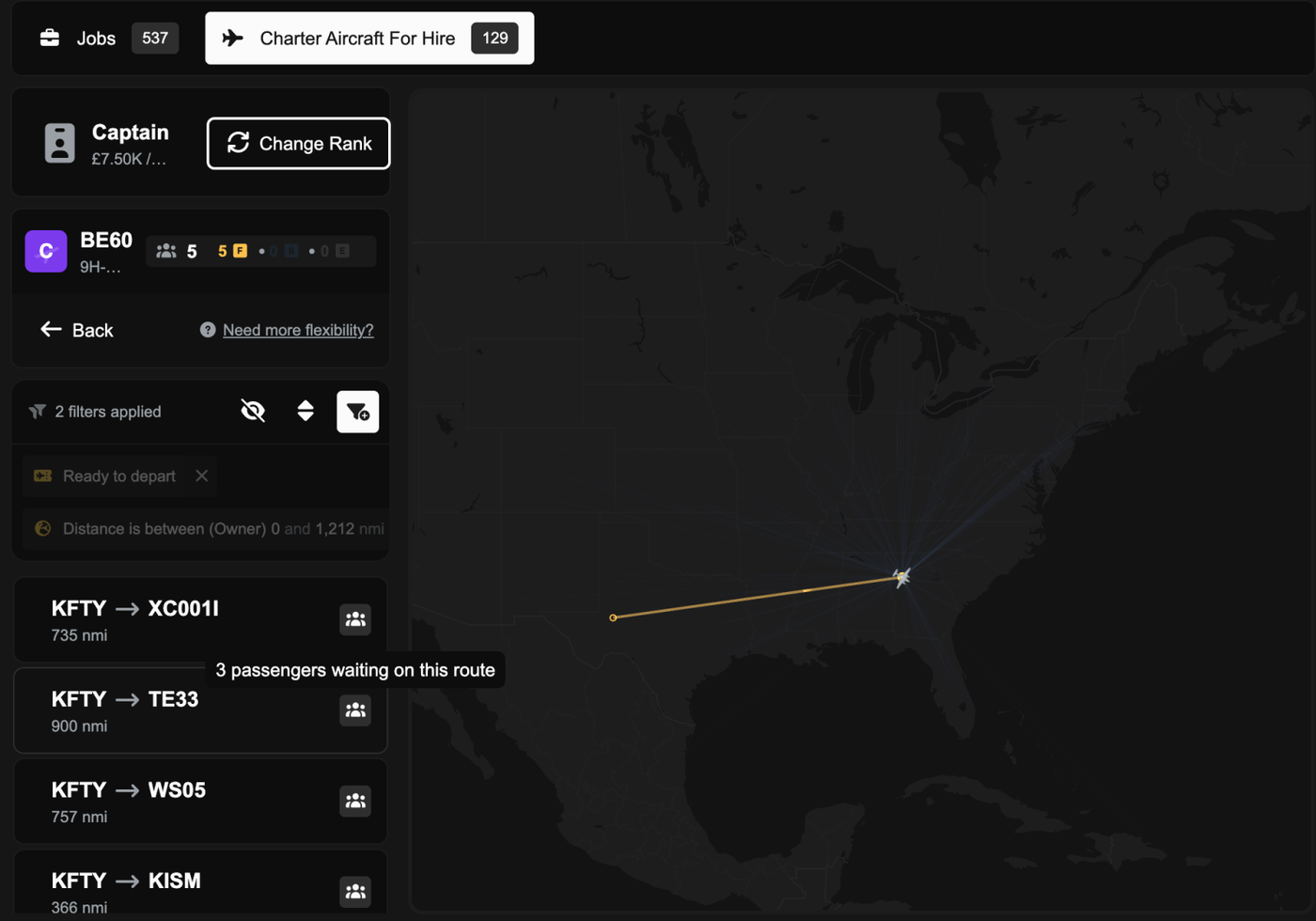
Above: Hire demand rows on a 1280 px window showing load icons only, with the tooltip 3 passengers waiting on this route.
Weight bar tooltips are back, and the handles follow your mouse (FSC-4157, FSC-4158, FSC-4165)
You can hover over any part of the weight bar, or its key, to see what it is. When you drag the cargo and freight handles with Configure Individual Weights on, they now follow your mouse instead of jumping into place afterwards. The pilot also gets the pilot icon.

Above: The Weight Breakdown bar with the tooltip Economy bags · 2,284 kg shown over the striped bags segment.

Above: With Configure Individual Weights on, the freight handle and segment follow the mouse while it is dragged, then the bar settles on what was loaded.
A tidier fare display on the manifest (FSC-4166)
The passenger price could spill out of the seat popover, and the rows looked uneven. The fare now shows the price and its discount side by side, and you can hover over it for the same breakdown as the passenger rows.
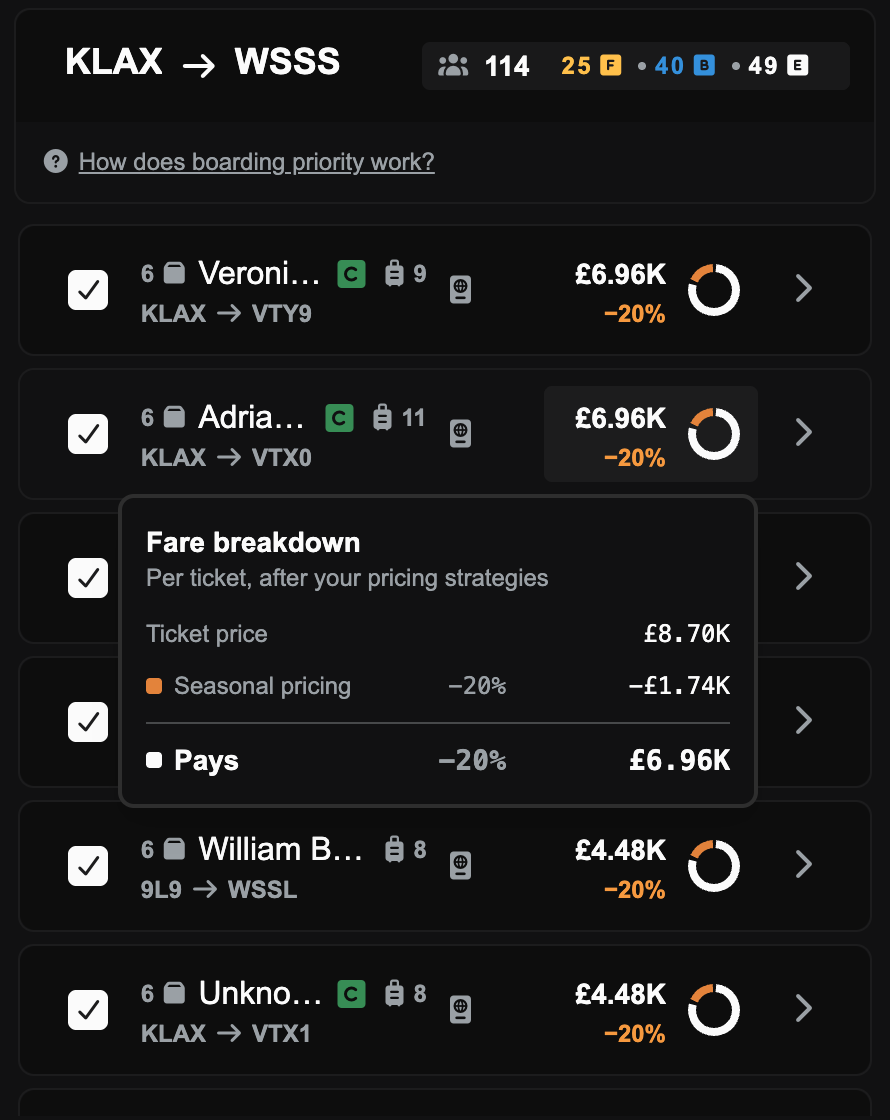
Above: Route preview manifest rows, each with the fare above its discount and a small ring, and the Fare breakdown card open on one row.
The demand map key counts every route (FSC-4145)
The commodities key on the demand map only counted the first page of routes, so at a busy airport it could show 2 cargo groups when the list had dozens. It now counts every route.
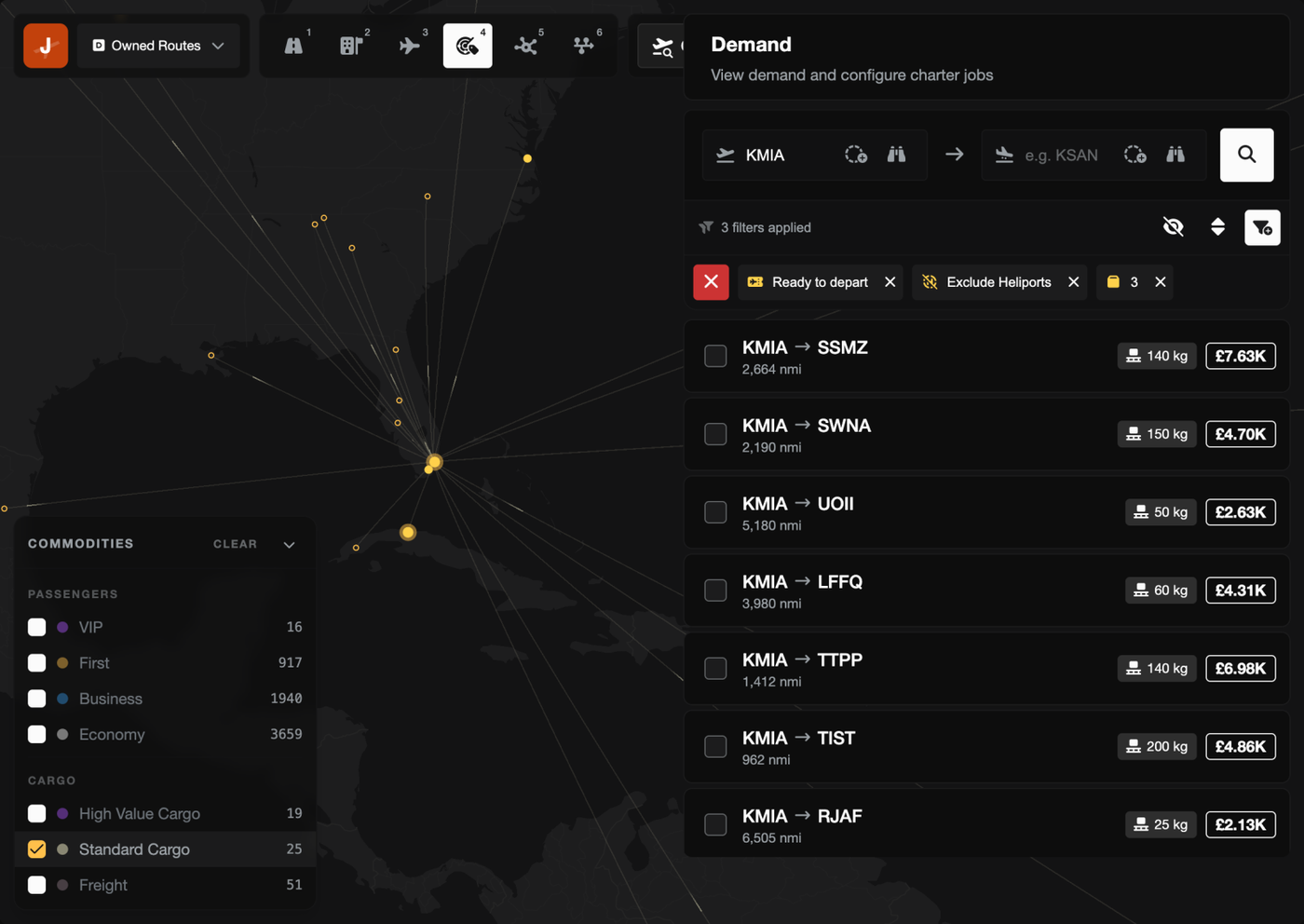
Above: The demand map at KMIA with the commodities key counting every route, Standard Cargo ticked and the list filtered to cargo routes.
Clicking a dispatch plan on the map opens it (FSC-4151)
In the Operations Cockpit, clicking a dispatch plan's route on the map used to show an empty map. It now opens that plan.
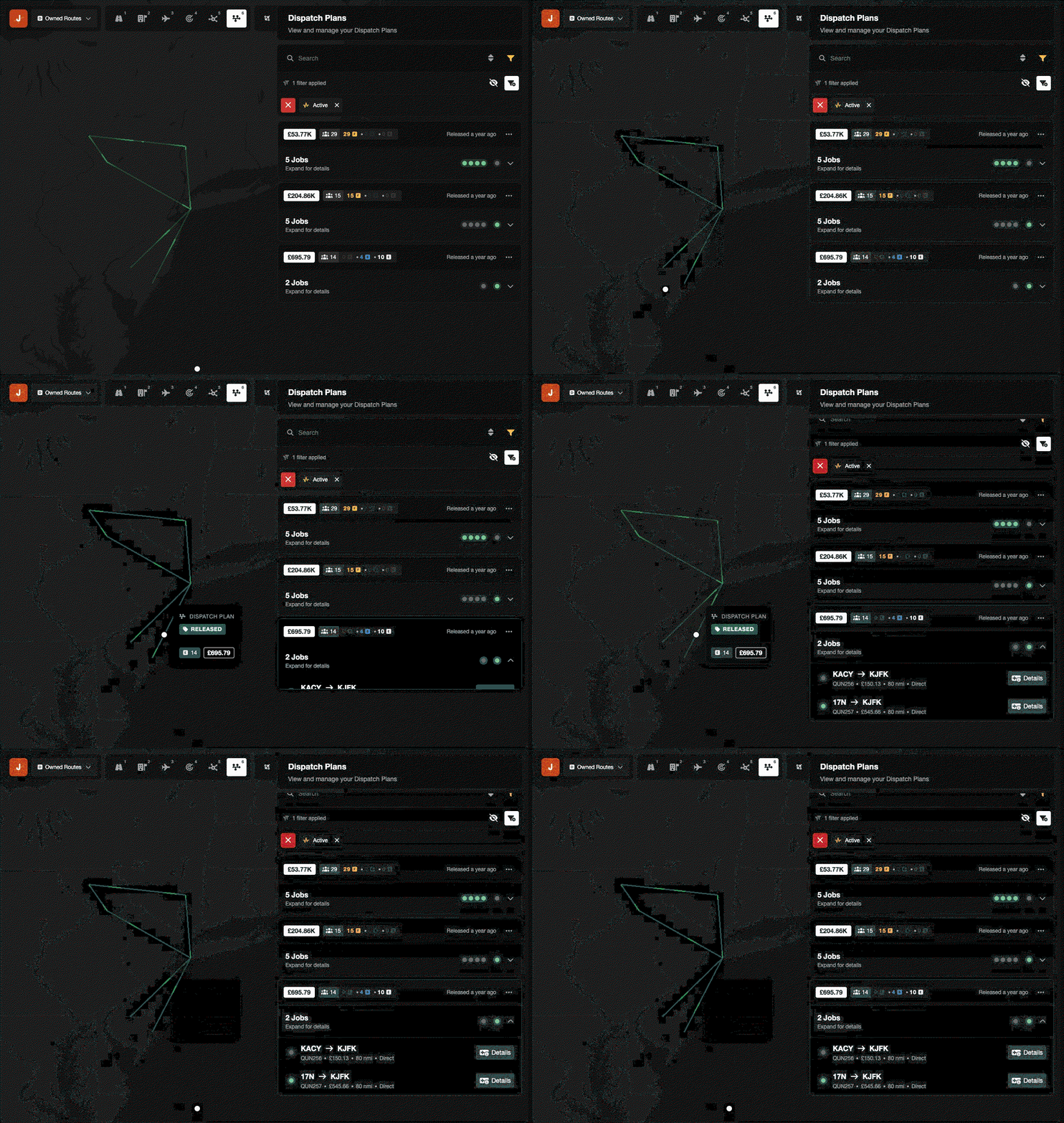
Above: Clicking a dispatch plan's route on the Operations Cockpit map opens that plan in the Dispatch Plans list.
Bug Fixes
PHP security update (FSC-4160)
Earlier today the PHP team announced two serious security flaws in the version of PHP that FSCharter runs on. We took the site offline as a precaution until the fix was out, and this release runs on the patched version. We've found no sign that anyone used these flaws against FSCharter, and no player data was affected.
Accepting a route job no longer fails with "Something broke" (FSC-4129, FSC-4146)
Accepting a route job could fail right at the end of boarding. One cause was a pricing strategy discount that left a fraction of a penny on the price. The other was a pricing strategy earning so much in one day that its total got too big to save. Both are fixed.
Cargo groups load whole (FSC-4153)
The loadout preview could load part of a cargo group, such as 4 of 7 mail bags, while Accept booked and paid for all of it. Cargo groups now load whole or not at all, so you get exactly what the preview showed.
Ticking one passenger group adds just that group (FSC-4132)
With no draft plan, ticking one passenger group in the Demand panel ticked every group of that class on the route. Now it only adds the one you ticked.
Editing a dispatch plan no longer fails with "deadlock detected" (FSC-4135, FSC-4136)
Adding or removing charter jobs quickly could fail with "deadlock detected", or put the same legs in more than one job. Changes to a plan now wait their turn, so fast clicks are safe.
The Demand panel scrolls again (FSC-4133, FSC-4164)
A long passenger list on a focused route ran off the bottom of the Demand panel and wouldn't scroll. It scrolls now, and clicking a route no longer squashes it into a thin line.
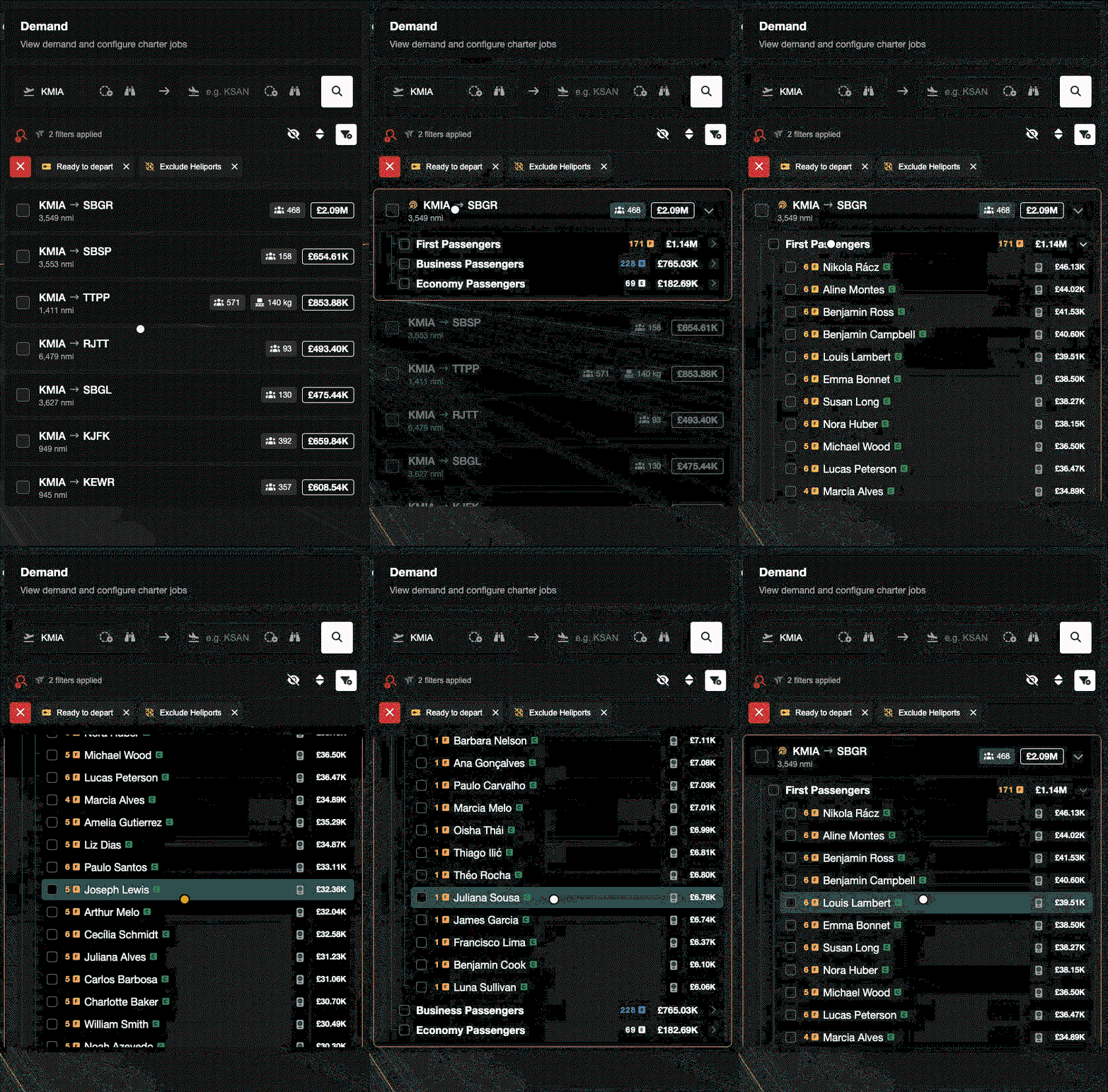
Above: Clicking a route in the Demand panel keeps it full size, and its long First Passengers list scrolls down and back up.
Old cockpit links no longer break demand loading (FSC-4142, FSC-4149)
Bookmarks to the Operations Cockpit that used a sort or filter we removed in v2.5.0 made every demand load fail. The cockpit now ignores them and loads as normal.
Switching aircraft on Charter Aircraft For Hire (FSC-4163)
If you switched aircraft while routes were still loading, you could end up with "No demand instances". You now always see the routes for the aircraft you picked last.
The aircraft for hire list no longer errors (FSC-4144)
The list could fail when it included an aircraft from a company that had closed down. Those aircraft no longer show up.
Aircraft picker checkboxes work (FSC-4134)
Clicking a checkbox in the rank and job aircraft pickers did nothing. Now it ticks the aircraft.
No more permission popup for pilots (FSC-3583)
Pilots without View Job Details got a permission error every time they opened the job dialog. The dialog now only shows them what they're allowed to see.
SimBrief mappings and bag weights (FSC-4138, FSC-4140)
Custom SimBrief airframe mappings now match however you type them. Send to SimBrief from the loadout preview now includes every bag's weight.
Cabin cargo on the Flight Map
On some smaller aircraft, the Flight Map payload card showed an empty cabin even when cargo was on board. It now draws the cargo.
The "No aircraft storage space available" email (FSC-4139)
This notification never arrived by email. Now it does.
Account deletions (FSC-4141)
Accounts that players asked us to delete hadn't been removed since January. They've now been deleted, and new requests work again.
The in-sim speed gauge matches the penalty (FSC-4155)
The in-sim delivery speed gauge and the speed penalty worked out your average speed differently, so the gauge could say you were fine while the website still charged a penalty. They now agree, and both allow an extra 20% for normal routing like SIDs, STARs and vectors, so flying realistically isn't counted as slow.
Rank constraint API
The v1 API's rank constraint endpoints returned an error for every rank with a constraint. They now work.