
Keyboard-First Filters & Range Filter Fixes
Keyboard-friendly filters
You can now navigate filter dropdowns using the Tab key without accidentally closing the menu. This makes it faster to work through multiple fields in one go and improves accessibility for keyboard users.
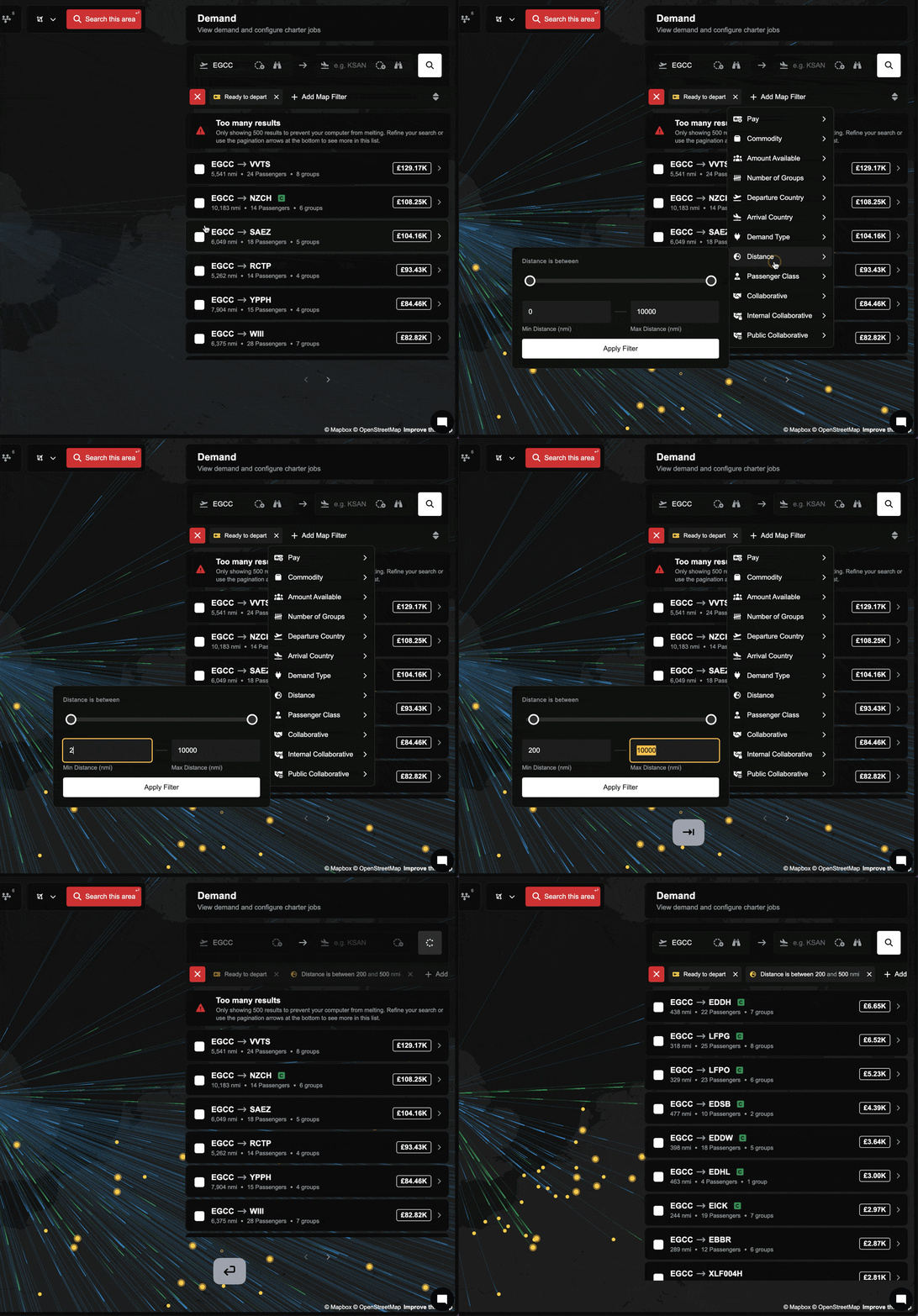
Smarter range inputs
Range filters now clean up your entries automatically. If you type values outside the allowed bounds, they’ll clamp to the nearest valid number. If you reverse the ends (like 80 to 20), the inputs will swap to the right order when you leave the field or press Enter.
Smoother dual-slider behavior
Dragging slider handles past each other no longer causes mid-drag flipping. The slider normalizes when you release, so it feels steady and predictable.
Improvements
- Pressing Enter in a range filter now applies the current, recalculated values immediately.
- Range inputs respect minimum and maximum limits and auto-correct on blur.
Fixes
- Fixed cases where range filters could apply stale values when pressing Enter.
- Fixed inverted or out-of-bounds range entries causing unexpected results.