
Filter and Manage Operations with Groups
You can now create and manage "Groups," a powerful new premium feature for organizing your operations. Groups are reusable lists of airports, countries, or aircraft that you can use as filters across the platform.
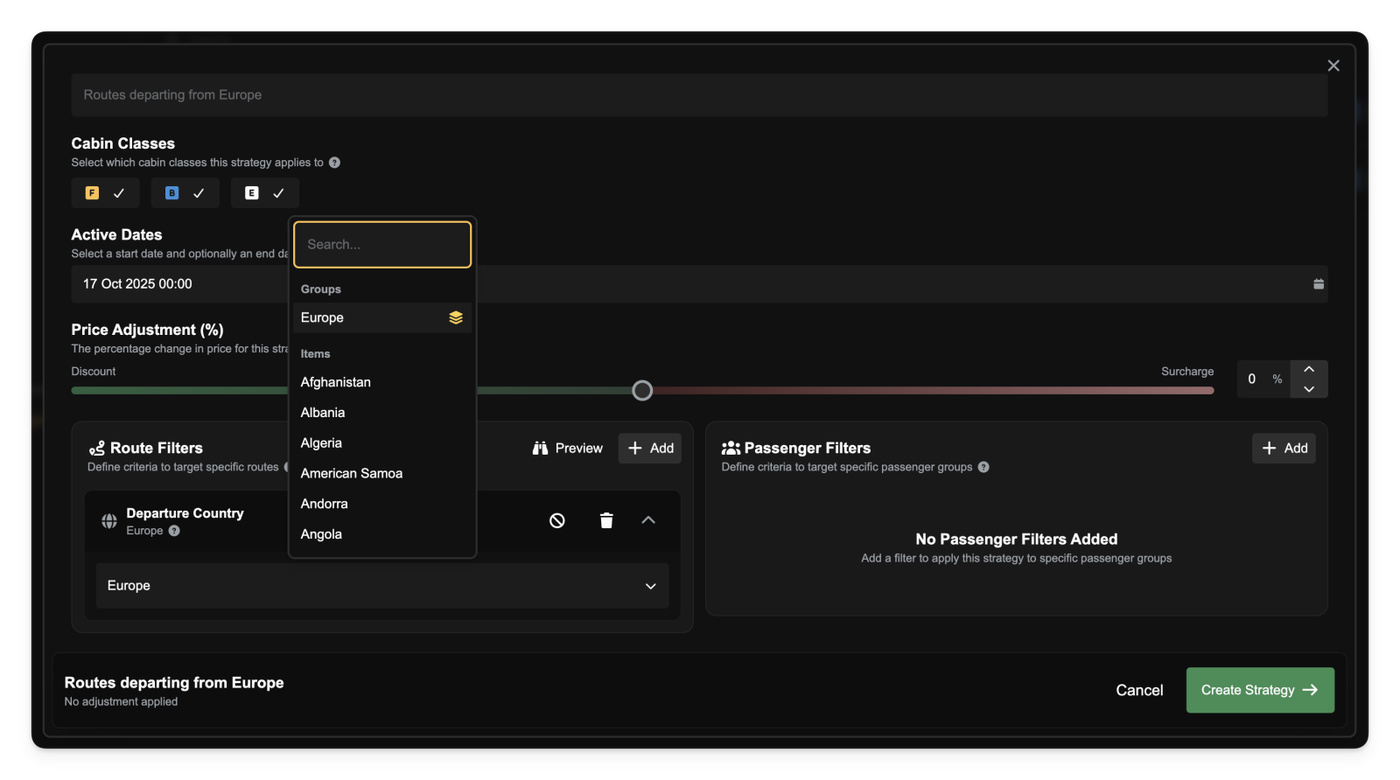
You'll find the new Groups management page in your company's navigation sidebar.
From here, you can create groups for Airports, Countries, or Aircraft. When building an aircraft group, you can add either individual tail numbers or entire aircraft types (e.g., "all B738s" or "all C172s") to create flexible fleet definitions.
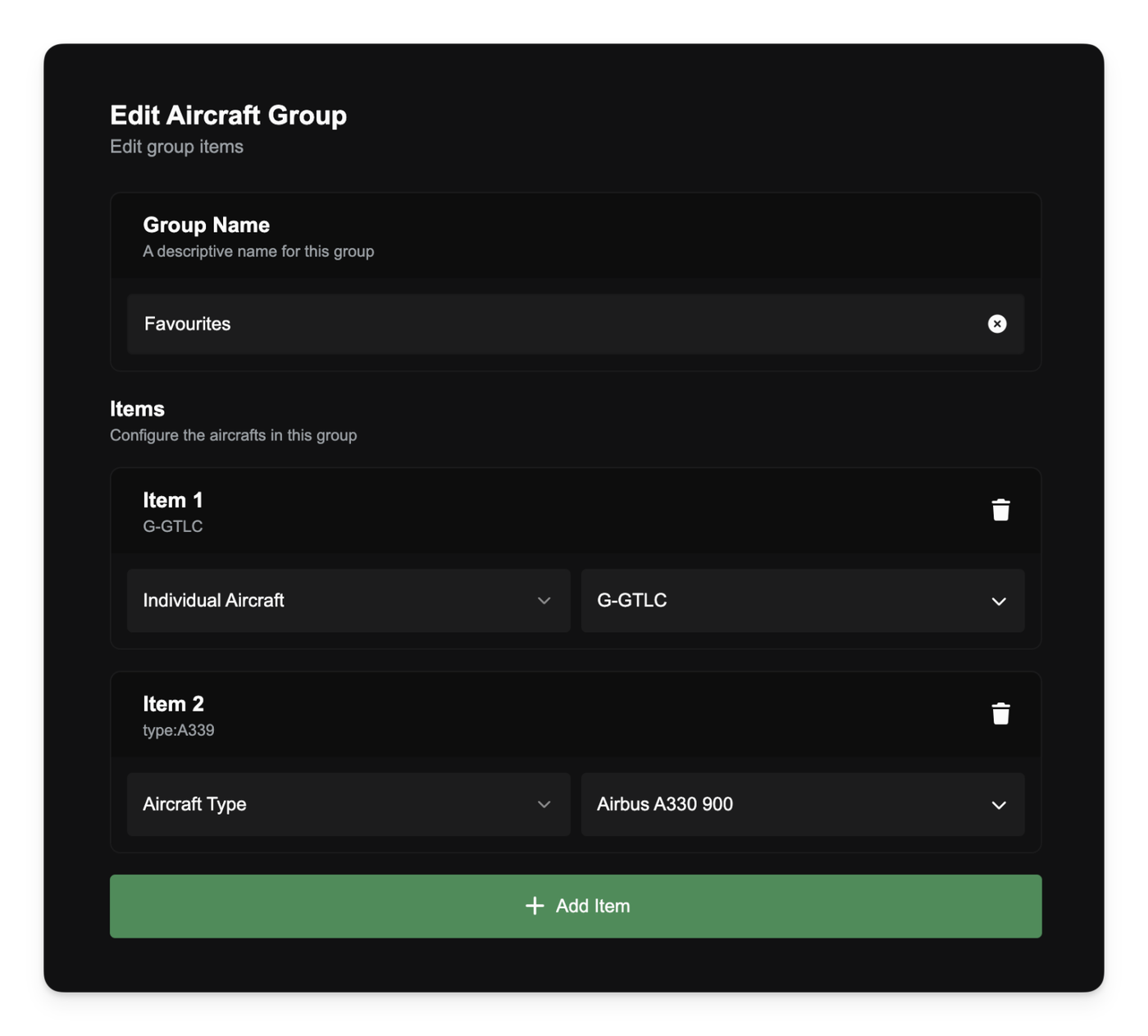
Use Groups Everywhere
The real power of Groups comes from using them in your existing workflows:
- Pricing Strategies: You can now select a Group directly from any airport or country filter when creating a pricing strategy. This lets you apply a single rule to dozens of locations at once.
- Demand & Airport Search: All airport and country filters (including demand search) now support groups, enabling you to search for demand from and/or to multiple locations at once.
- Filter Bar Integration: When you filter by a group, the compact filter tag in your filter bar will now show a new icon to indicate a group is active.
Other improvements
- Fixed an issue that could cause a "request in progress" error if you navigated between pages very quickly. Data-loading requests will no longer block each other, making the app feel more responsive.