
Charter Job UI Improvements
To align with recent changes to charter passenger limites, we've introduced new planning considerations and UI elements to help you manage your charter operations.
When building Dispatch Plans in the Operations Cockpit, you'll see a new Charter Passenger Capacity bar for each job. This bar tracks the passenger count on the job's busiest leg and changes color as you approach the limit—from green, to amber (at 80%), and red once you hit 20 passengers.
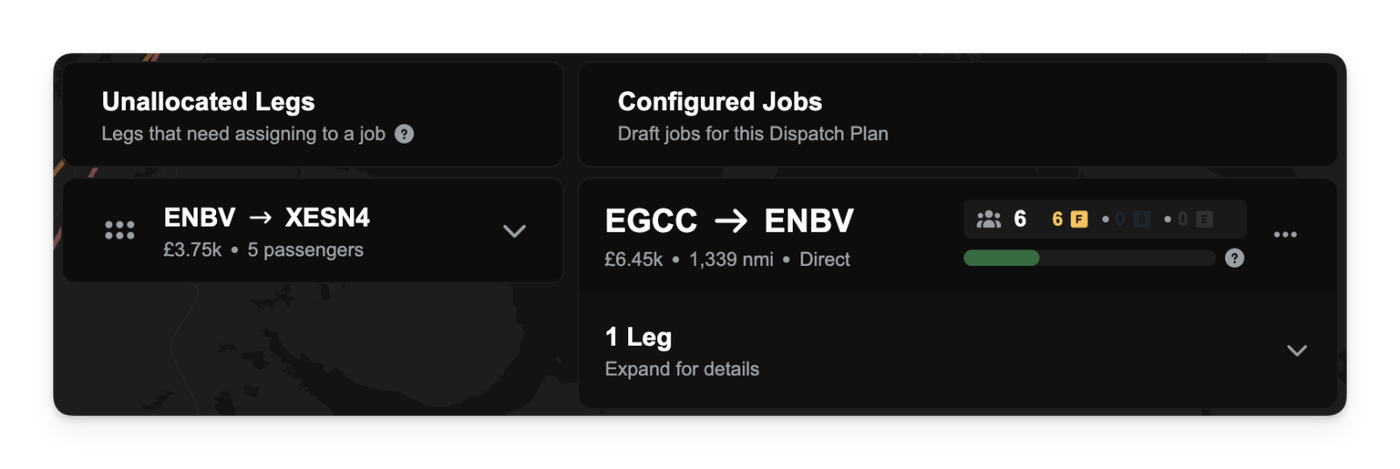
You won't be able to add more passenger groups to a job if any leg would exceed the 20-passenger limit.
The Auto-configure Jobs feature is now aware of this limit and will automatically split large passenger groups across multiple jobs to ensure you remain compliant.