
Base Operations, Selling Buildings & Improved Building Prerequisites
Base Operations
The new Base Operations lens in the Operations Cockpit gives you a focused view of every airport where your company or partnership has ground operations. It replaces the legacy Operations Centres lens and is available from the lens bar or by pressing the keyboard shortcut 2. The dock lists your bases with an Operations Centre size badge and icons for buildings you can access at that airport, so you can scan capabilities at a glance.
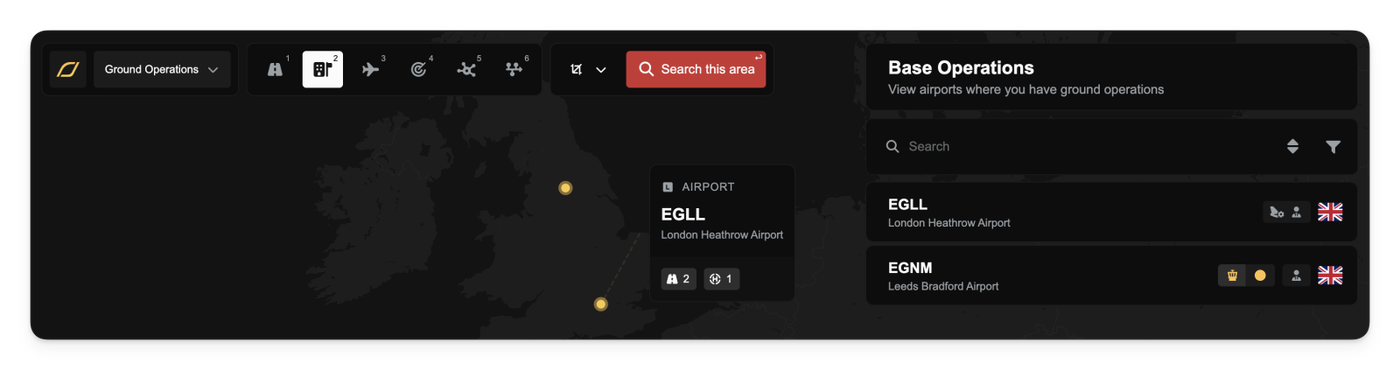
When the Base Operations lens is active, both the map and the dock filter to your bases only. Because the lens draws from the same airport source as the main airport view, markers appear faster and tooltips behave consistently with the rest of the map. Opening the lens again later restores markers immediately without reloading a separate layer.
Selling Buildings
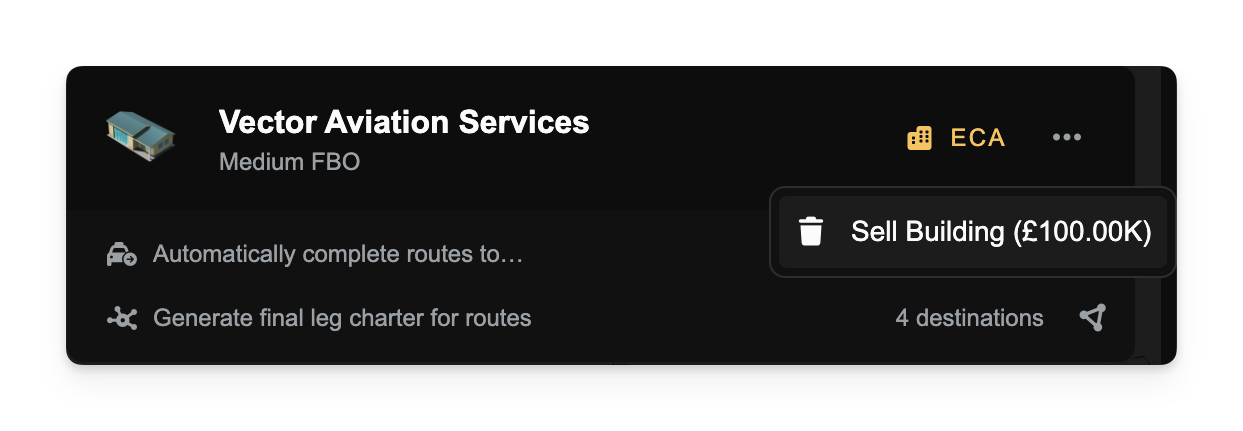
You can now sell buildings you own directly from the building row’s overflow menu in the airport context. If you have the Sell Buildings company privilege, the menu shows a live sale price; confirming the sale immediately credits your company bank account and refreshes your balance. The confirmation copy adapts to the current policy: 100% refund until September 1, 2025, then a depreciating refund shown as a percentage and the asset’s age in days.
Improved Building Prerequisites
Construction requirements are clearer and more intuitive. Some variants now check the airport’s size (small, medium, large). Others require an Operations Centre either at the same airport or anywhere in the same country, sometimes with a minimum OC size. If a requirement isn’t met, the message tells you exactly why - no guesswork. For example, Micro/Small hangars can be built based on airport size alone, Medium/Large hangars look for a qualifying OC somewhere in-country, and the Huge Hangar expects an OC at that specific airport.
Improvements
The red Back button in the airport context now hides while a sub-view (like purchase or upgrade) is open and reappears when you exit, reducing accidental navigation. Keyboard shortcuts were also streamlined: Base Operations is on 2, with other lenses shifted accordingly.
Fixes
- Clearer error messages when an airport is too small for a variant, or when an OC of a specific size and scope is required.
- Prevented selling an Operations Centre if doing so would break building requirements at the airport or anywhere in the same country.