
A New Contract Preview Experience
Reworked Contract Preview
We've redesigned the contract preview dialog to give you a much clearer picture of a company's operations before you sign.
Instead of just showing a limited list of jobs you could fly right now, the new preview shows you everything the company has to offer.
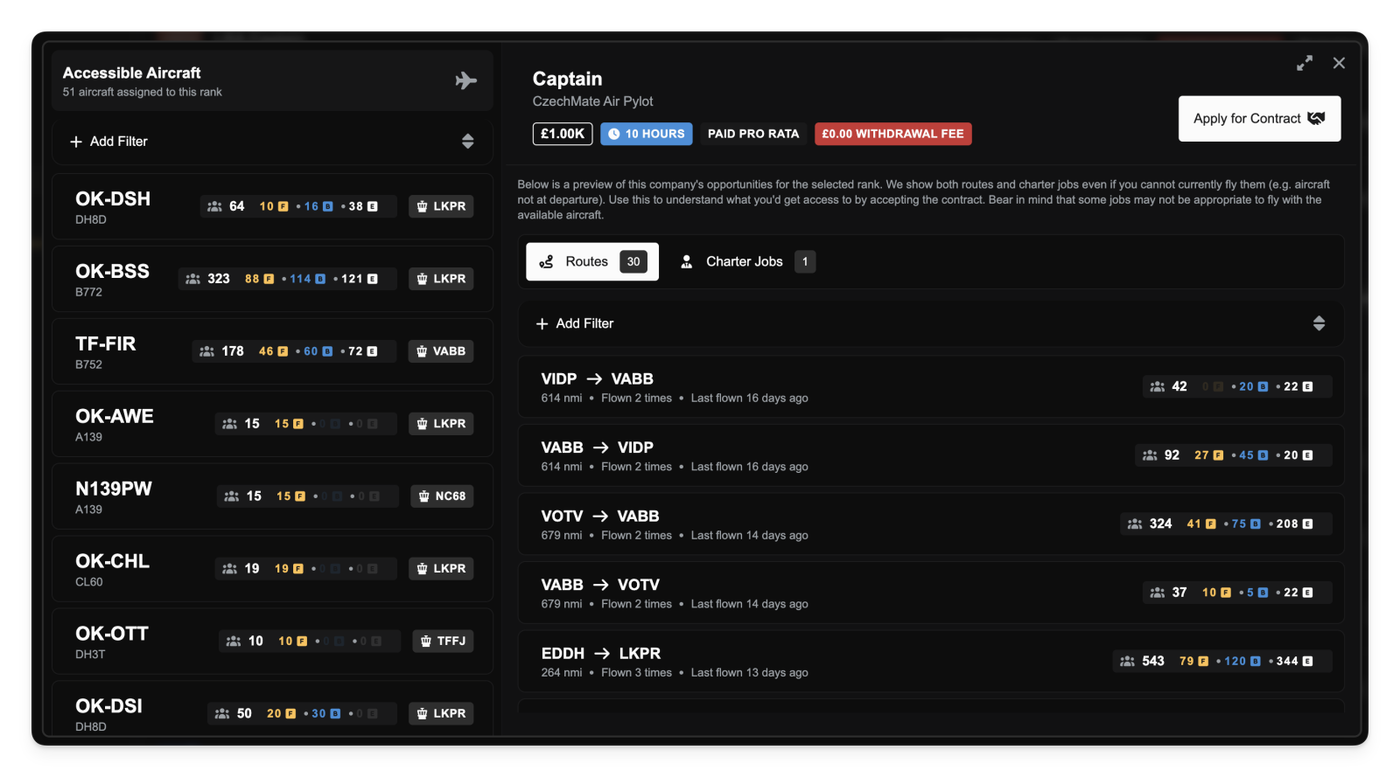
The biggest change is how you preview a company's work. We've split this into two new tabs:
- Routes: This tab lists all of the company's enabled routes. You can see the origin, destination, distance, and current passenger demand. We've also added stats so you can see how many times a route has been flown and when it was last active.
- Charter Jobs: This tab shows all real charter jobs the company has posted on its marketplace. You can see the route, distance, passenger count, and how long the job has been waiting.
This new approach helps you make better decisions by evaluating the company's total activity, not just what's available at this exact moment.
Advanced Aircraft Filtering
The "Available Aircraft" tab now includes advanced filtering and sorting. You can filter the full list of aircraft for that rank by manufacturer, type, seats, cargo capacity, and more, so you know exactly what hardware you're getting access to.
Better Contract Marketplace Filtering
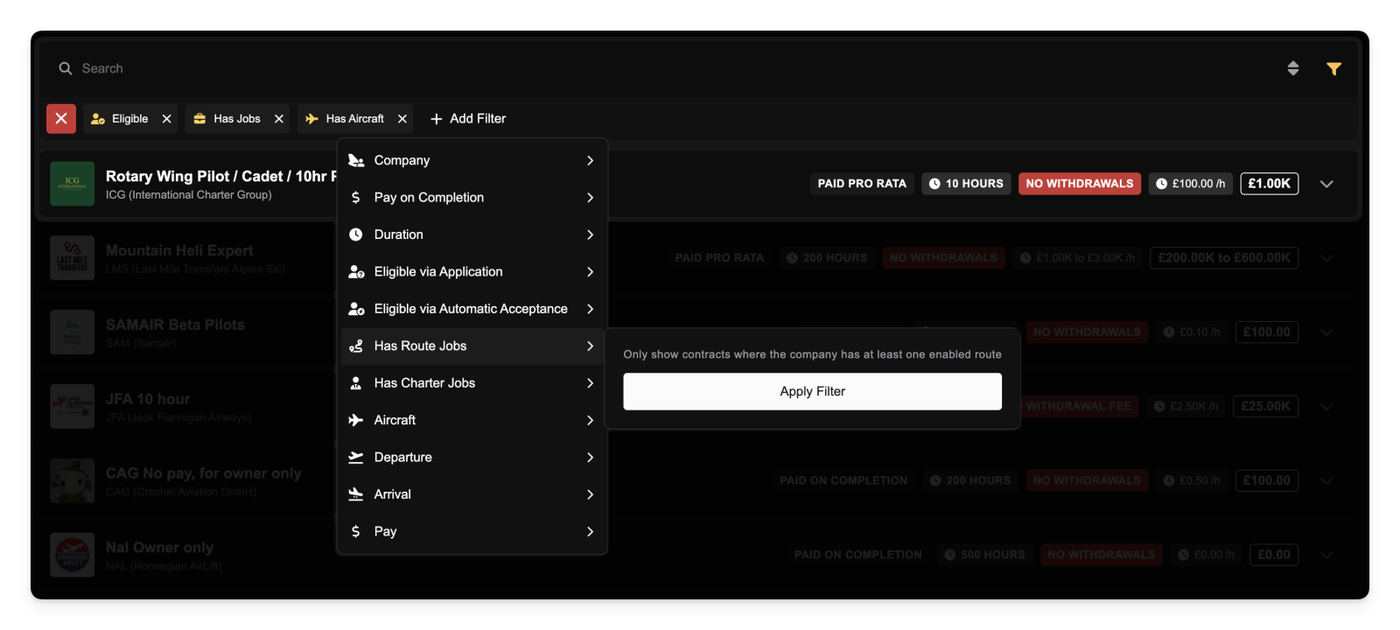
To help you find active contracts, the marketplace list now defaults to filtering for "Has Jobs" and "Has Aircraft".
This means you'll automatically see contracts from companies that have at least one enabled route, one released charter job, or one aircraft assigned to a rank. You can still toggle these filters off if you want to see all available contracts.
Expandable Dialogs
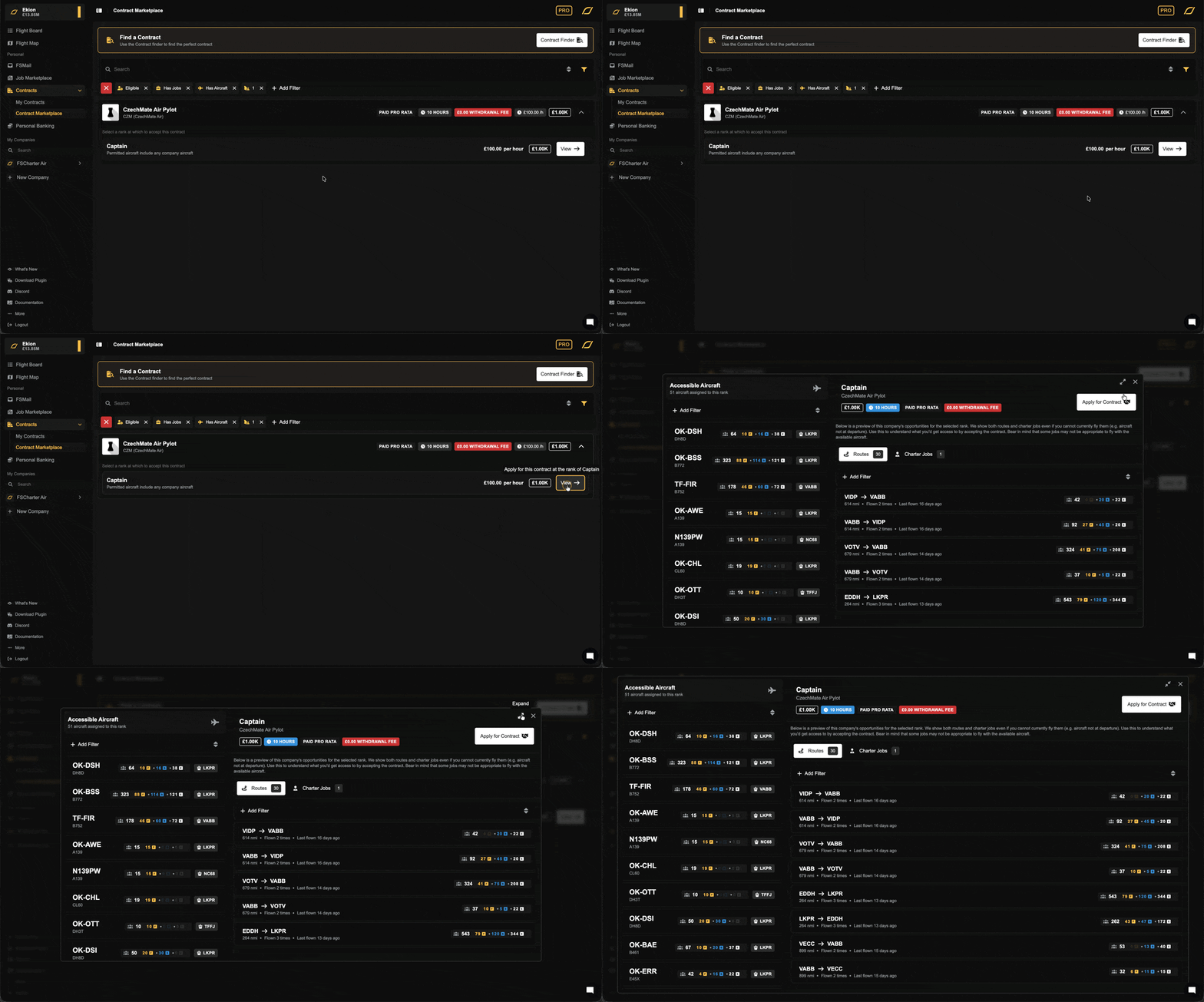
You can now expand most dialog windows (including the new contract preview) to fill your screen. Just click the new "expand" icon in the top-right corner to get a bigger view, which is especially useful for digging into the new preview tabs or managing large lists.
Other improvements
- Fixed a UI issue that could cause dropdown menus and data lists to fail to load correctly on the first try.